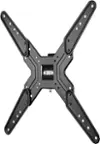
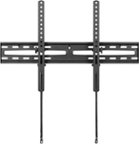
A:AnswerYou may need a larger hole pattern than this mount provides. Also, I wouldn’t try to save a few bucks on a mount for such an expensive TV. Protect your TV investment and get a proper mount for it.
A:AnswerDo you mean the screws to mount the device to the wall or the brackets to your tv? If the latter, then it varies by tv model. If the device to the wall, probably 3/4” 2” or 3” lag screws.
A:AnswerThe User Guide is available under the Overview section next to Manuals.
Also, there is the link https://files.bbystatic.com/0S6l8DfqMSFIZkM37ybUbg%3D%3D/User%2BGuide
A:AnswerYou need help. Someone had to hold paper marker for you and hold the actual mount on the wall while you put it on the wall. You always need 2 people for safety and it’s way, way easier with help
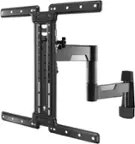
A:AnswerI'm sorry to hear you're having trouble with the safety bolts on your Best Buy essentials™ Full Motion TV Wall Mount. Here are a few steps to help you secure the mount and prevent the TV from sliding:
1. Check the Alignment:
- Ensure that the mounting plate is properly aligned with the wall bracket. Misalignment can cause the bolts to not fit correctly.
2. Use the Correct Bolts:
- Verify that you are using the correct bolts provided in the mounting kit. Using the wrong size can cause issues with securing the plate.
3. Tighten the Bolts Properly:
- Make sure the bolts are tightened evenly and securely. If they are not tightened properly, the plate may not hold the TV in place.
4. Use Additional Spacers or Washers:
- If the bolts are still not making a good connection, you might need to use additional spacers or washers to ensure a snug fit.
5. Locking Mechanism:
- Ensure that the locking mechanism is engaged. Some mounts have a locking system that needs to be activated to secure the TV in place. Refer to the user manual for specific instructions on how to engage the lock.
If you've tried these steps and the issue persists, there might be a defect with the mount. In that case, I recommend contacting Best Buy customer support for further assistance or to inquire about a replacement.
If you have any other questions or need further assistance, feel free to ask!