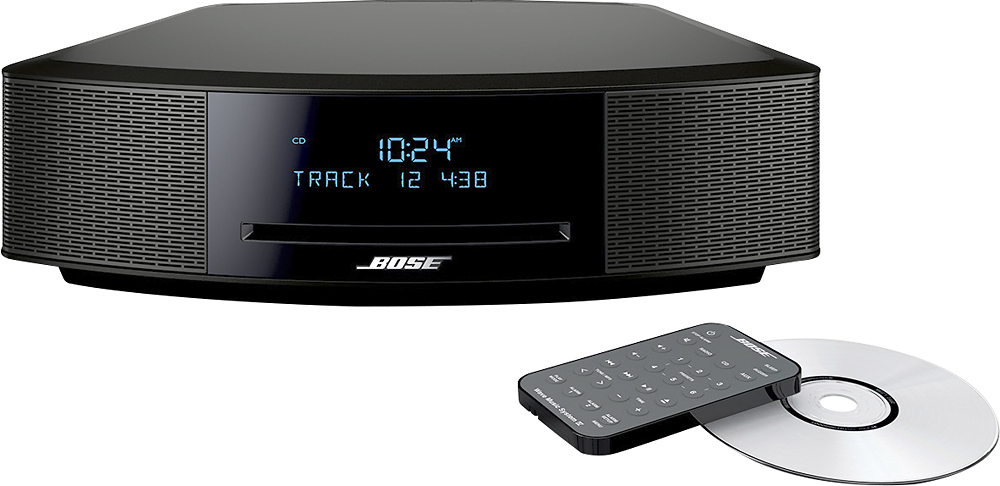
A:AnswerWe do have a premium remote available for this system as an optical accessory through our parts team. You can reach us at 1-800-379-2073. We are open from Mon. – Fri., 9 AM – 9 PM EST. The dimensions for the remote are 7½"L x 2½"W x ¾"D
A:AnswerRemotes are available directly through our parts team. Please have the serial number handy when you call. You can reach us at 1-800-379-2073. We are open from Mon. – Fri., 9 AM – 9 PM EST.
A:AnswerRemotes are available directly through our parts team. Please have the serial number handy when you call. You can reach us at 1-800-379-2073. We are open from Mon. – Fri., 9 AM – 9 PM EST.
A:AnswerThere is a 3.5mm auxiliary connection on this system that could be used to connect to the headphone jack on your computer. That'll allow you to enjoy Bose sound through the Wave while streaming music from your computer.
A:AnswerThank you for reaching out for help. Individual remotes are available directly from our parts team. You can reach us at 1-800-379-2073. We are open from Mon. – Fri., 9 AM – 9 PM EST.
A:AnswerThanks for asking. The FM antenna is built into the power cord. If you find you need a supplemental FM antenna you may connect an available dipole antenna.
A:AnswerYou can certainly order a second remote directly through our parts team. You can reach us at 1-800-379-2073. We are open from Mon. – Fri., 9 AM – 9 PM EST.
A:AnswerThis system does play MP3 discs and here are some recommended tips for success.
We suggest that you rip CDs between 128 and 256kbps, with a 44.1khz sampling rate. iTunes is recommended.
Burning (and finalizing) the CD in one session only will render the best results.
A:AnswerThank you for reaching out for help with your Wave. We have a few suggestions for you.
1. Try rotating the radio slightly. Signals from an AM station are directional. The radio has an internal AM antenna. Rotate the radio slightly to see if reception improves. If it does, continue rotating in the same direction. When reception starts to degrade, rotate the radio in the opposite direction slightly. If the radio is deep within a building, the AM signal may be blocked. Try moving the radio closer to an outside wall or window.
2. Unplug any devices that are on the same power circuit, or that are within three feet of the system to eliminate them as possible sources of interference. For devices that cannot be unplugged, connect the Bose power cord to a different outlet; one that is not connected to the same circuit. Once the source (or sources) of interference have been identified, it may be possible for the system to be connected to the same power circuit, though it would need to be kept at least three feet away from the other devices and their power cords.
3. Keep in mind, government regulations require some radio stations to lower their broadcast signal strength at night. This may cause a station with excellent daytime reception to have poor reception at night. In addition, some AM stations may not broadcast at night.
If you'd like to take a closer look together, we'd be very happy to help. You can reach us at 1-800-379-2073. We are open from Mon. – Fri., 9 AM – 9 PM EST.
A:AnswerThank you for reaching out for help. If both remotes are no longer working, we'd advise resetting the system by unplugging it for a full 60 sixty seconds or longer. If that fails to get you back up and running, give us a call when you are in front of the system and we'll assist further. You can reach us at 1-800-379-2073. We are open from Mon. – Fri., 9 AM – 9 PM EST.
A:AnswerWhile this version of the Wave is not intended to be used in conjunction with other speakers, we do have one that is designed to sync with other Bose SoundTouch wireless speaker products in other rooms of the home over wifi. Here is a link to see it: http://www.bestbuy.com/site/bose-wave-soundtouch-music-system-iv-black/4320200.p?id=bb4320200&skuId=4320200