A:AnswerHi, Orly. C by GE devices are distributed and intended for use exclusively in the US and CAN. Our Products are 120V which is the north american standard.
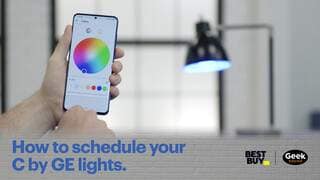
A:AnswerI love this technology because I can turn the lights on and off from my bed through my Google Home app on my phone or through my Google Home devices. I can dim or brighten the bulbs anywhere in my condo, and I can schedule them to come on or turn off when I want them to.
When my kids first bought these for me, I thought it was kind of overkill because I now live in a pretty small condo. I really rely on this technology now, though! It ranges from laziness to convenience to security. I highly recommend that you try it out, maybe in one room first, to see how you like it.
A:AnswerHi there Archer,
Great question! the average bluetooth range is 40 ft. As long as the bulbs are within that distance of the bridge, they will work.
A:AnswerHi Keelin, That's a great question and the answer is yes! The C by GE app allows you to invite guests to use your account from their own devices. First, they would need to create their own C by GE account, then you would send an invite to the email they set up their account with!
A:AnswerHi Angie, that's a great question! While the bulbs are dimmable themselves through the app you set them up in, but they do require full constant power from the switch to properly function. For dimming control from the switch, we recommend pairing them with the C by GE smart dimmer switch. If you have any further questions please feel free to reach out to us at 1-844-302-2943 or by emailing us at help@cybge.com.
A:AnswerYou would simply download the C by GE app from the AppStore® and add the plug and lights within the C by GE app. Then if you wanted, you can link it to either Google Home or Alexa for voice control of the devices.