A:AnswerAfter hours on the phone, it seems clear that Office 365 is only a trial version for 30 days. Best Buy says the card should be in the box if one year is included. It wasn't in my box. Dell says the computer is shipped without a card, just a trial offer. I suggest if this is important to you, to open the box while at the store and have the staff explain where this software card is if not in the box. I suspect this is a new product and even Best Buy doesn''t realize this card is not in the box. Note that on the box itself, it says "Microsoft Office 365" IS included. Not a "trial", like the anti-virus software right above it says. So I am confused..is it included or not?
A:AnswerHi
I am using a mi to SDHC card in mine but is 16 gig. Don't see why you couldn't use up to 64g or more. Make sure it is a micro card. Reg sd cards won't fit.
A:AnswerWell, it runs regular windows 10, so of course you can run VPN and remote desktop. Those 2 things don't do a lot of heavy lifting at all. One thing to be careful is the resolution: It's 1366 x 768, so if you're used to working on a 1080p screen at work, you're going to have less room to juggle around code and stuff.
A:AnswerYes, the laptop is still usable. If you are asking about the subscription to Office 365 (Word, Excel, Powerpoint, etc.), that will stop working unless you re-subscribe. If you are referring to Cloud storage, you can use the laptops internal storage instead. The 32GB SDD is a bit small, but it has the microSD slot, and you can add a memory card up to 64GB there that can serve as a secondary hard drive (this is what I do.)
A:AnswerMine came with a sticker on the outside of the box that said this laptop came with w/ a year of office 365 personal. You won't find anything inside the box like a piece of paper or anything that further mentions office.
To activate the 1 year of office set up your computer how you like it (get windows updates done and optimize your drive) then click the orange get office button in your start menu. This will bring up a screen that says the device comes with a 1 year subscription and it will tell you the date that you NEED TO ACTIVATE IT BY. If you do not activate office by the date shown i'm guessing you will loose your 1 year. Windows and the Dell software don't prompt you to do this, you need to apparently figure it out yourself which I found kind of stressful since l was digging around for a paper or a Best Buy download like crazy.
Once you say you want to activate, office will begin the download. It takes quite a long time to download so be patient. A pop up box even came up saying office may appear unresponsive but to leave your computer on while it finishes the download. After you download you might want to run one more microsoft update, disk check and optimize once more to be sure you have everything updated and you're done.
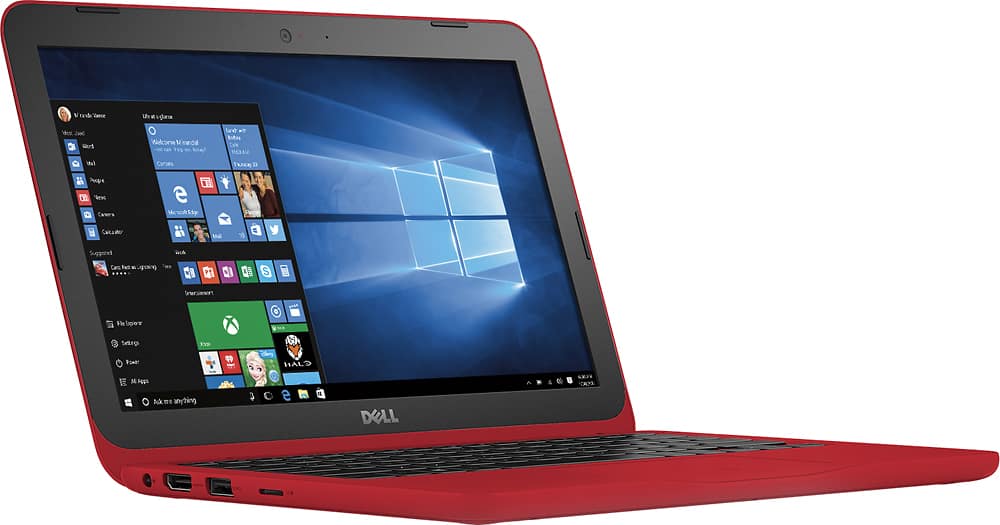
A:AnswerIf your monitor supports an HDMI input, just plug in a HDMI cable into your laptop and monitor. or get a cable that can convert the HDMI output to whatever your monitor accepts.
To adjust the properties of the display being outputted, you can go to settings and search displays. Alternatively, you can also right click and click on Intel graphics control and do more advanced stuff there.