A:Answeryes it is 5g. but you probablty have both networks running. check the user guide for your router. You should also go into the admin page to check your setting. I also have both networks and the printer worked fine
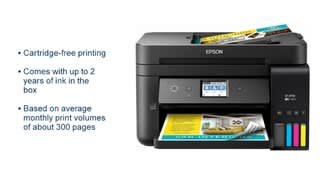
A:AnswerI am a senior citizen and have shaky hands some days but I was able to install the ET-4750 myself with the instructions they provided. I was keeping the Geek Squad in reserve in case I faltered during the process. To my surprise, it worked and I now have a tankless printer with WiFi. It's a darn good printer, with a larger paper tray and no running out of ink.
A:AnswerThe printer prints great quality pictures from a Jpg file, but the scanner is the worst scanner I've ever used. Not sure what you are referring to with a "scan cartridge", but if you are scanning from the printer, it's just ok.
A:AnswerI have a Dell notebook, iPhone and iPad and my wife has the same devices. 2-Dells, 2-iPhones and 2-iPad. I can use all of them with this printer. I can print from any device from any location in my house or yard if I have my WiFi signal.
A:AnswerNot at all sure. I couldn’t tell if the Epson sale was still running when I purchased the new HP that had an $80 credit if purchased.
I really thought the Epson would work wonderfully — but that was a critical function that wouldn’t work in either the one I originally bought, or the replacement new machine that Epson sent after my call.
A:AnswerNot sure how heavy you are talking about, but it handled my Avery business cards pretty well. There was an issues when I placed the sheets in the tray and it double fed so I resorted to one at time.
A:AnswerI don't know, but why would you want to?
You could go to the Epson website and download the manual and read about whether you can do it, or call their Tech support and ask
A:AnswerYes, you can print 4x6 photos, But no as to the SD card, as the 4750 does not have a memory card slot. However, you can insert the card in your computer and print from there.