A:AnswerWhile the GPS is ready to use out of the box, we would suggest checking for any map and software updates that may have been made available while the device was in transit and on the retailer’s shelf. This model includes Built-in Wi-Fi® for easy map and software updates. This Garmin YouTube video walks through the entire process: https://www.youtube.com/watch?v=Wk7VytUipe8&en-us
A:AnswerYes, as long as you have it set to RV mode and not car mode. You put in your height, length, weight and it uses that to pick your route. Just used it for a 5 week run into Oregon and Washington. Worked great.
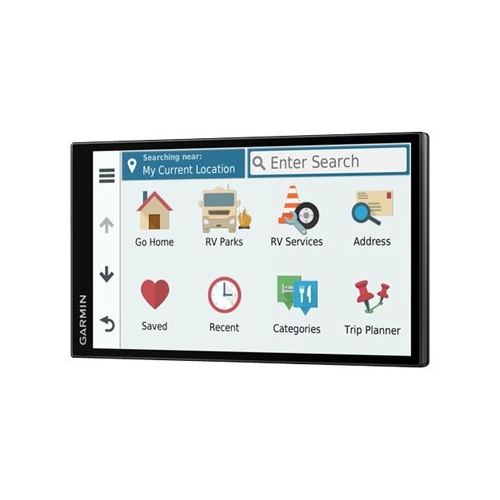
A:AnswerYes, it does include truck stops. The directory also includes more than 14,000 RV-specific service locations, including towing, tire shops, truck stops and repairs.
A:AnswerYes. You can search by business type. There are presets for camping, fuel and attractions. This worked nice on our first trip. It is different on how to enter addresses from a phone GPS. I used my phone to find an address then entered it in the 770.
A:AnswerThe Garmin RV770 LMT-S GPS I just bought Is WIFI equipped.It connected and updated from my driveway connected to home WIFI. All In all I like the GPS so far. The only dislikes are that it won't connect to the Matching Base Camp Software on my PC unless connected via USB so I don't like having to connect via USB to download a route/trip that I've created on my PC with the route I want to use with my RV. You can also update the Maps this way. Also of note is that you can operate the GPS connected via USB but it won't charge the battery that way so it has to be connected to the power source for it to charge. Bottom line is that it does have both WIFI and USB connectivity as well as bluetooth but neither will do everything so you have to use both. Also, I would not connect to my 2012 Mazda S3 via Bluetooth - said it was incompatible.
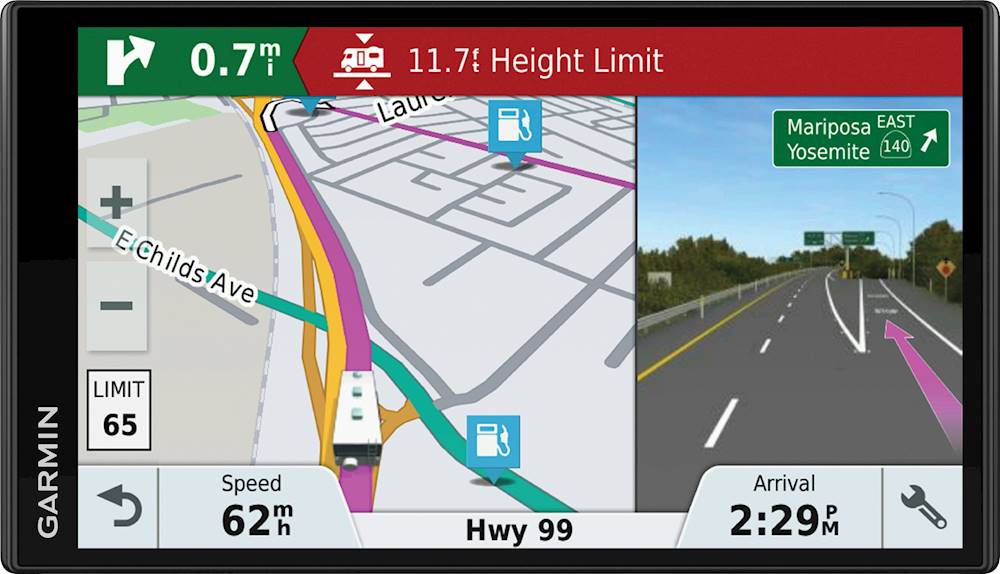
A:AnswerYes it does and it works quite well. It will show a small graphic in the top left corner of the next type of turn you will make (Y right/left, veer right/left, hard right/left, etc) with a mileage count down. When you are close to the turn, it will split the screen and display a graphic of the road (including road signs) with the lane you need to be pointed out. Additionally, you will be given voice commands as to which lane you need to be in (i.e. "in a quarter mile use the left two lanes to turn left onto...". It will also tell you which turn lane you need to be in if there is more than one and if it will makes a difference.) All in all it is a good product and we're not sorry we purchased it.
A:AnswerYes, the School Zone audible alert can be disabled however, the visible alert will still display. This link will provide the detailed instructions: https://bit.ly/2TXjoib