“New to all this... Our cable co. deleted a channel I love to watch. Claims they were renegotiating so they took it off. Out of all the useless channels, they took the one sports channel I enjoyed. Can this media player help? If so, what do I need to do. I have an I pad and a Google acct. looks like I need an Attena for local channels, unless I can rig my I pad to our flat screen? Hair color not a factor, I'm a novice! Thanks!”
Answer This Question
1-10 of 11 Answers
I am not an expert in the use of this device and I don't know exactly what you are trying to achieve. If you want pay channels like Netflix it will work if you have an adequate internet speed and connection. There are many free channels but more premium content may cost you for "a la carte" channels like the soon to be available stand alone HBO Go. As I said in my review - I would recommend this device for the more tech savvy individual who can make things work by reading a forum and using the info to change router settings, download apps and the like. It may or may not work out of the box for you depending on your router settings. If this sounds like a foreign language I'd suggest you get something else. That said if you like a challenge and have a reasonably decent frustration tolerance it's only about $30 as a one time cost which is like one or two months of basic cable so what the heck. If you can spend more I find the Roku 3 quicker, more reliable and more user friendly esp for the novice
I would recommend:
Sorry, there was a problem. Please try again later.If you can view the channel on your iPad or a pc browser then you should be able to use the chromecast to view it on the TV.
Sorry, there was a problem. Please try again later.Anything you can see or play on your iPad or computer can be transmitted to your TV using chromecast
Sorry, there was a problem. Please try again later.if you can access that channel online with your iPad then this would put it on your tv. Otherwise this won't help. This is primarily to access YouTube netflix hulu etc on your tv
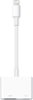
Sorry, there was a problem. Please try again later.First try downloading "favorite channel" apps to ur iPad and see wether they offer "live tv" feed, webisodes or both and try them out! If u like the way they stream on ur iPad then purchase an Apple "Lighting Digital AV Adapter" for about $50.00 to push the video out to ur flat screen! Happy streaming!!!
I would recommend:
Sorry, there was a problem. Please try again later.No, this will not help. The Chromecast simply casts certain apps like Netflix or Hulu Plus that you pay for separately. It does NOT allow you to gain access to lost channels. There is a service called Sling TV that has a limited amount of cable sports channels, but 1)I doubt that it includes the channel you want and 2)It currently is only compatible with the Amazon Fire TV Stick and Roku I believe.
Sorry, there was a problem. Please try again later.The Chromecast isn't a media player, it's really just a receiver for streaming. If your favorite channel has an app where you can view the content you want to view, and it's Chromecast compatible, the Chromecast will work. Your home must have WiFi. Just install the Chromecast and follow the instructions to set it up and connect to your WiFi. Then any Chromecast compatible app will see the Chromecast and allow you to connect.
Sorry, there was a problem. Please try again later.As long as you can see the channel you want to watch on Google Chrome - you will be able to see it using Chrome Cast.
Sorry, there was a problem. Please try again later.It's a little more complicated that it sounds like it would be. If the channel is local (you can get with an antenna) I would do so that way. Basically if you can watch the show on an android device, you can watch it through chrome cast. I'm not sure about with apple products as far as integration. The real issue comes to paid channels (HBO, ESPN, A&E, TNT, etc.) because to view content you have to log on with your cable company's information to prove you can get the channel. Even CBS, ABC and NBC have started this. So now you either have to pay the a fee directly or not get your programing anyway. If you are looking for a specific show, I would recommend Cromecast and Hulu+. If you are looking at a specific channel, either pester the Cable company or channel.
Sorry, there was a problem. Please try again later.Chromecast is awesome. Yes you can screen cast whatever you're watching or playing on your ipad or smartphone on to the TV. You will need the app on your ipad/ smartphone/computer in addition to plugging the stick in the TV.
Sorry, there was a problem. Please try again later.