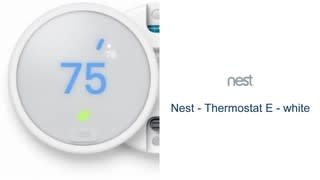
A:AnswerYour best bet here is to download the Nest app first and you will find out if your current a/c unit will work with this thermostat. Don’t buy the thermostat just yet if the app doesn’t tells you to do it.
A:AnswerThe Nest Thermostat E is designed to work with most two wire heat only systems. You can follow this link to check for compatibility: https://nest.com/support/article/How-to-tell-if-your-heating-and-cooling-system-will-work-with-the-Nest-Thermostat
A:AnswerSpecific dimensions for the Nest E, along with the trim plate can be found here: https://nest.com/support/article/Nest-Learning-Thermostat-technical-specifications#section-3
A:AnswerThe Nest E does not work with PTAC systems, however the Nest Learning Thermostat does work with PTAC systems as long it's a system pushing 24V through solid copper wires to the Nest. With that said, a Nest Pro would be needed in order to ensure the Nest is installed properly with this type of system.
You can check for compatibility here: https://nest.com/support/article/How-to-tell-if-your-heating-and-cooling-system-will-work-with-the-Nest-Thermostat
A:AnswerYep, you can do exactly that. Once you set it up, you can tell Alexa to change the thermostat to a specific temperature. I will say that it can be a bit nitpicky in terms of how you phrase the request, but that is pretty normal for most Alexa integrations.
A:AnswerIf you have more than one thermostats, then match the number of thermostats you currently have. Some homes may have one cooling unit but two thermostats -one for each floor. So its basically matching number of thermostats and not cooling units.