A:AnswerThat is unfortunate and not the type of experience we want for our customers! Please direct message us on the Hisense USA Facebook page (https://www.facebook.com/hisenseusa/) with your contact info so we can better assist you on this issue.
A:AnswerThis television supports video playback via USB for drives formatted to FAT32 format. If you have any additional questions, please call us at 1-888-935-8880.
A:AnswerThis TV does exist but with a slightly different model number. The discounted price comes from discounted refurbished processors from older model Smart TVs. They are put into current model 4k TVs and sold as "discounted" product. Same thing happens on big sale days like Black Friday.
A:AnswerYou can download additional applications from the Vewd App Store. Currently Hisense televisions do not include the Hulu App. We are making efforts to establish a partnership with Hulu. If you have any additional questions, please call us at 1-888-935-8880.
A:AnsweryOU NEED TO USE THE tv REMOTE not YOUR CABLE REMOTE - look for the =_ { three lines icon on the remote ( on the right about halfway down }
tap it and your setting menu will come up
A:AnswerMy pos Hisense shuts off when the screen is too bright. You probably have adaptive light or the brightness turned up during the day. This TV is the worst.
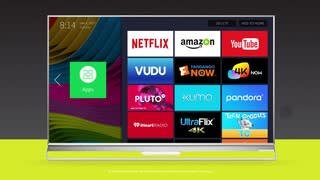
A:AnswerThis television comes pre-loaded with Netflix, Amazon Instant Video, Vudu, YouTube, and VEWD TV Store. You can download additional applications from the VEWD TV Store. Currently Hisense TV's do not include the Hulu App. The TV has 4 HDMI inputs. If you have any additional questions, please call us at 1-888-935-8880.