A:AnswerThe specs do not list the battery life. It is a 3-cell battery you should probably expect to get 8-10 hours depending on what type of programs you are using. Streaming video will use more power than typing a document.
A:AnswerHP performs numerous quality tests during product development including a keyboard test that simulates up to 11 million keystrokes. This test is designed to validate the durability of the keys both mechanically and the keycap labels so any fading early in a product's life is unusual, to say the least. HP also provides some cleaning tips to help keep our products looking and working as you expect at https://support.hp.com/us-en/document/c00292159 and it's important to follow them since some cleaning chemicals or procedures could impact the keycaps. I have reported this issue for follow-up.
A:AnswerWe apologize for the challenges you are experiencing. We recommend reaching out to HP Support or the Geek Squad at Best Buy for further assistance with troubleshooting your laptop. You can reach HP Support at https://support.hp.com
A:AnswerThis HP laptop has Windows 10 in S Mode. But you can switch out of S Mode for free. Here is how: https://support.microsoft.com/en-us/help/4456067/windows-10-switch-out-of-s-mode After you switch out of S Mode, than you can download any browser you want.
A:AnswerThe webcam is pretty clear for me. It would depend on your internet speed and video chat software. Try a few different tools (Facebook messenger, Zoom, Skype) to see if any of them are better. If they're all bad, then you probably have a slow internet connection. If you really want to verify that the camera is not at fault, try just looking at your own video quality. You could do this by going to Skype or Zoom and previewing your own video. Again, if you look clear to yourself, but unclear to every one else, then the fault is your internet quality.
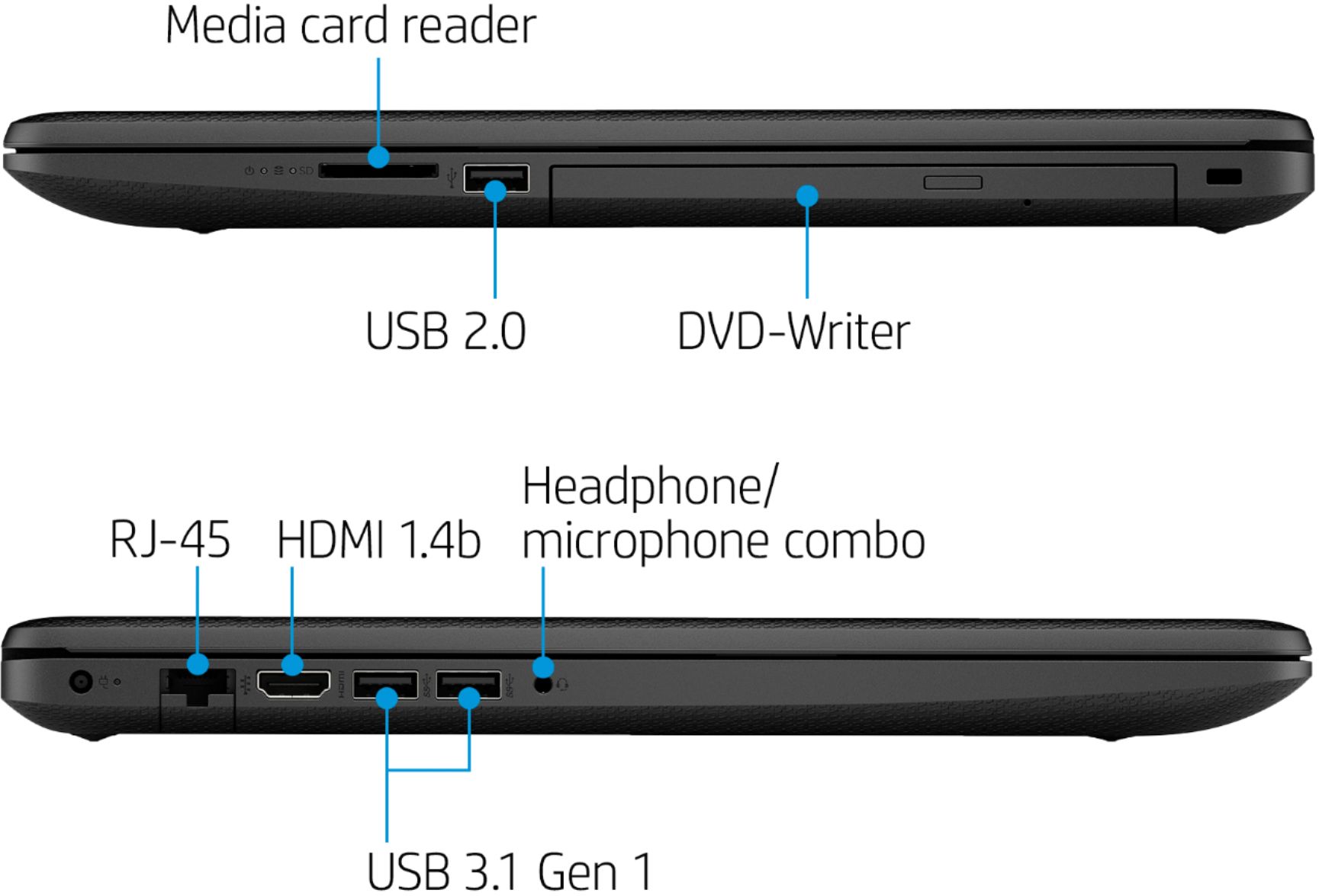
A:AnswerIt's doable with an HDMI splitter that can take the video output from the HDMI port and send it to the two monitors. You may need to adjust the setting in the computer if you want the two monitors to display different images.
A:AnswerThe battery life is not spec'd but the literature says long lasting battery life. You should be able to work all day with this laptop. Battery life will vary depending on various factors including product model, configuration, loaded applications, features, use, wireless functionality, and power management settings. The maximum capacity of the battery will naturally decrease with time and usage.
A:AnswerHere is a $99 upgrade from Best Buy.
https://www.bestbuy.com/site/windows-10-pro-upgrade-for-installation-on-devices-with-windows-10-home-english-windows-digital/6383106.p?skuId=6383106&ref=212&loc=1&ref=212&loc=1&gclid=EAIaIQobChMI2uuNjaH36QIVi-DICh0ezAtmEAQYAiABEgIVY_D_BwE&gclsrc=aw.ds
A:AnswerThe specs do not give an exact battery life. When they mention long lasting battery life, you can expect the battery to last 8 hours or so with mixed use. Battery life will vary depending on various factors including product model, configuration, loaded applications, features, use, wireless functionality, and power management settings. The maximum capacity of the battery will naturally decrease with time and usage.
A:AnswerS mode is where you can only install microsoft approved software from their store. It is easily switched from S to normal mode during set up. It is a one way thing though if you get out of S mode you cannot go back. I use google chrome as a browser so I switched out of S mode.
A:AnswerI could not find a mention of the expected battery life of this model. It is a 3-cell battery you should probably expect to get 8-10 hours depending on what type of programs you are using. Streaming video will use more power than typing a document.