A:AnswerEnergy savings feature technology
Schedule On and Schedule Off
Power supply type
Internal (Built-in) Universal Power Supply
Power supply
Input voltage: 100 to 240 VAC (+/- 10%), 50/60 Hz
Power consumption
0.13 watts (Manual-Off), 5.80 watts (Ready), 1.22 watts (Sleep)
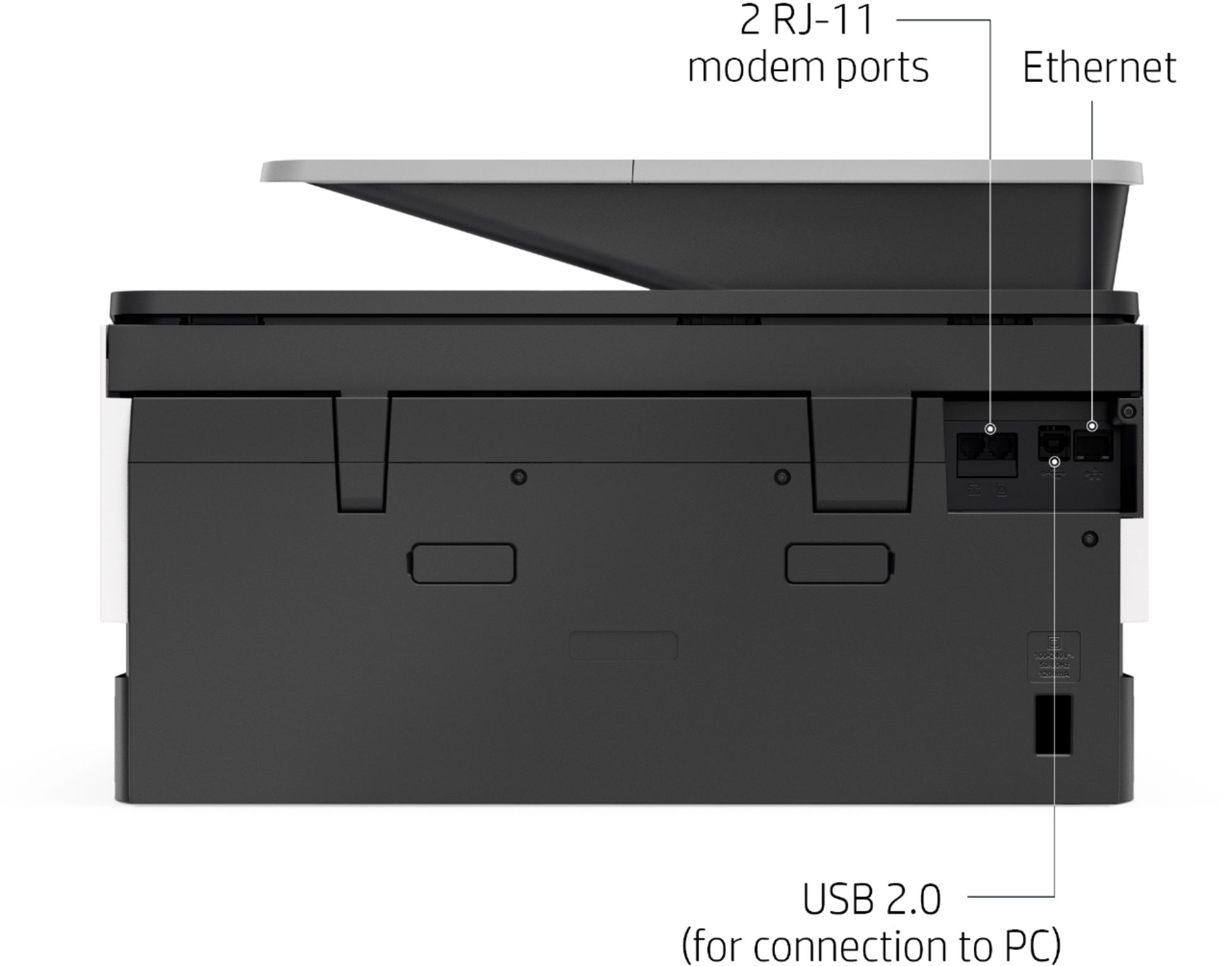
A:AnswerIn the rear of the Printer is a USB type B port for printing. You need a standard USB printer cable with a Type A connector and a Type B connector to print using USB.
A:AnswerIf you're talking about third party or re-manufactured cartridges, they will at least in theory work. However, HP does not recommend them, because we have no control over the quality or quantity of ink in the cartidges.
A:AnswerUnfortuantely, not. The ink also acts as a lubricant for the print head, so printing with one of the heads "dry" would wear that head out quickly-like driving a car with no oil. The printer takes the 962 ink cartridges. You can buy the three colors (cyan, magenta, and yellow) in a pack for $63.99, or buy them individually for $22.99 each. The 962 black is $32.99
A:AnswerNo it is a new printer. The easy replenish available banner is just offering Best Buy's easy ink replenish program. Here is a link explaining that program:
https://www.bestbuy.com/site/misc/easy-replenish/pcmcat1485360618161.c?id=pcmcat1485360618161
A:AnswerNo you do not need an app to print envelopes. You will remove the paper from the paper tray to insert your envelopes. You can load up to 30 envelopes maximum at one time as long as you do not exceed the stack height. You will slide in the paper-width guides until they rest against the stack of envelopes. The envelopes are loaded print side down. Here is some information on using OfficeJet Pro 9010 series (includes 9015) printers with envelopes.
https://support.hp.com/us-en/document/c06198816
Here is the user guide for you as well: http://h10032.www1.hp.com/ctg/Manual/c06238096
A:AnswerNo. This is a 4 ink system with Black, Cyan, Magenta and Yellow. If one of the cartridges is out of ink, you can continue printing for a short time using the other cartridges. You can print either in grayscale or in composite black. You must replace the cartridge soon. This message might not appear in some cases, depending on how you print.
Also, if one or more color ink cartridges are low but not empty and you want to minimize the use of color ink, change the settings in the HP software to print with black ink only (grayscale). If you print with black ink only, the other ink cartridges must have ink for the printer to print.
A:AnswerYes, the Officejet Pro 9015 printer will scan to a Mac computer. Here are some instructions: https://support.hp.com/us-en/product/hp-officejet-pro-9010-all-in-one-printer-series/23903057/model/24208582/document/c04788799 or with the HP Smart App: https://support.hp.com/us-en/product/hp-officejet-pro-9010-all-in-one-printer-series/23903057/model/24208582/document/c06188214
A:AnswerYes, you can print a single business check on this printer. I would be sure that you can use a check from an inkjet printer at your bank. You want to be sure they don't require MICR toner.
A:AnswerYes, you can certainly do that. And because the 9015 uses a pigment based ink, you'll get better results that if you used a printer with a dye-based ink.