A:AnswerS Mode mostly limits what apps and sites you might be able to access as an extra layer of security and also to cause less strain on the device. While turning off S Mode removes those restrictions and puts it at more risk, much of that risk is avoidable by being aware of the apps you are using and making sure you are not going to high-risk websites that lack security. Windows Defender is also a part of the machine and is a good option if you do not want to use specific security software. It should also be noted that turning off S Mode will often slow down the unit.
A:AnswerHello there. Thanks for your question. To check on this information, you can get in contact with Best Buy's support team using the link below:
***https://www.bestbuy.com/site/electronics/customer-service/pcmcat87800050001.c?id=pcmcat87800050001***
You can also chat with a Best Buy agent by clicking the chat button located in the lower right corner of the retailer's website.
Thank you for choosing Intel!
A:AnswerHello! I would recommend checking the required specifications for the software and applications you would like to use with your new laptop before purchasing. The HP Pavilion x360 2-in-1 11.6" (11m-ap0033dx) may not meet the requirements so make sure to double-check. Thank you for your question!
A:AnswerIt has ability to boot UEFI mode (default), or Legacy mode, which I have done with Linux, although most modern Linux distros work in UEFI mode, but with secure mode off.
You can get to BIOS settings by tapping F2 or F10 key while it powers up (forget which as I returned it due to dislike of how its low-res screen renders with Linux Mint - but I keep reconsidering as it was not too bad, and this is such a nicely sized PC for me aside from the faintly marked, slippery keys...).
A:AnswerYou need to take to Best Buy's Geek Squad (and/or a reputable computer repair shop) to see what they would charge to get a new screen from HP, and install it. If that goes over the price of buying another, then scrap it, or keep it connected to an external monitor or TV with HDMI port to use as a "stationary"/desktop PC only. Just get an HDMI cable from BB ($6 and up depending on length and "quality")
You can get 20-inch, or bigger, monitors or TV's from BB for just under $100 and up (or cheaper when on sale, which happens often).
A:AnswerHi Mead, thank you for the question. Yes, this laptop meets the minimum system requirements for Steam. You might want to review laptops with Intel i3 or i5 processors, though.
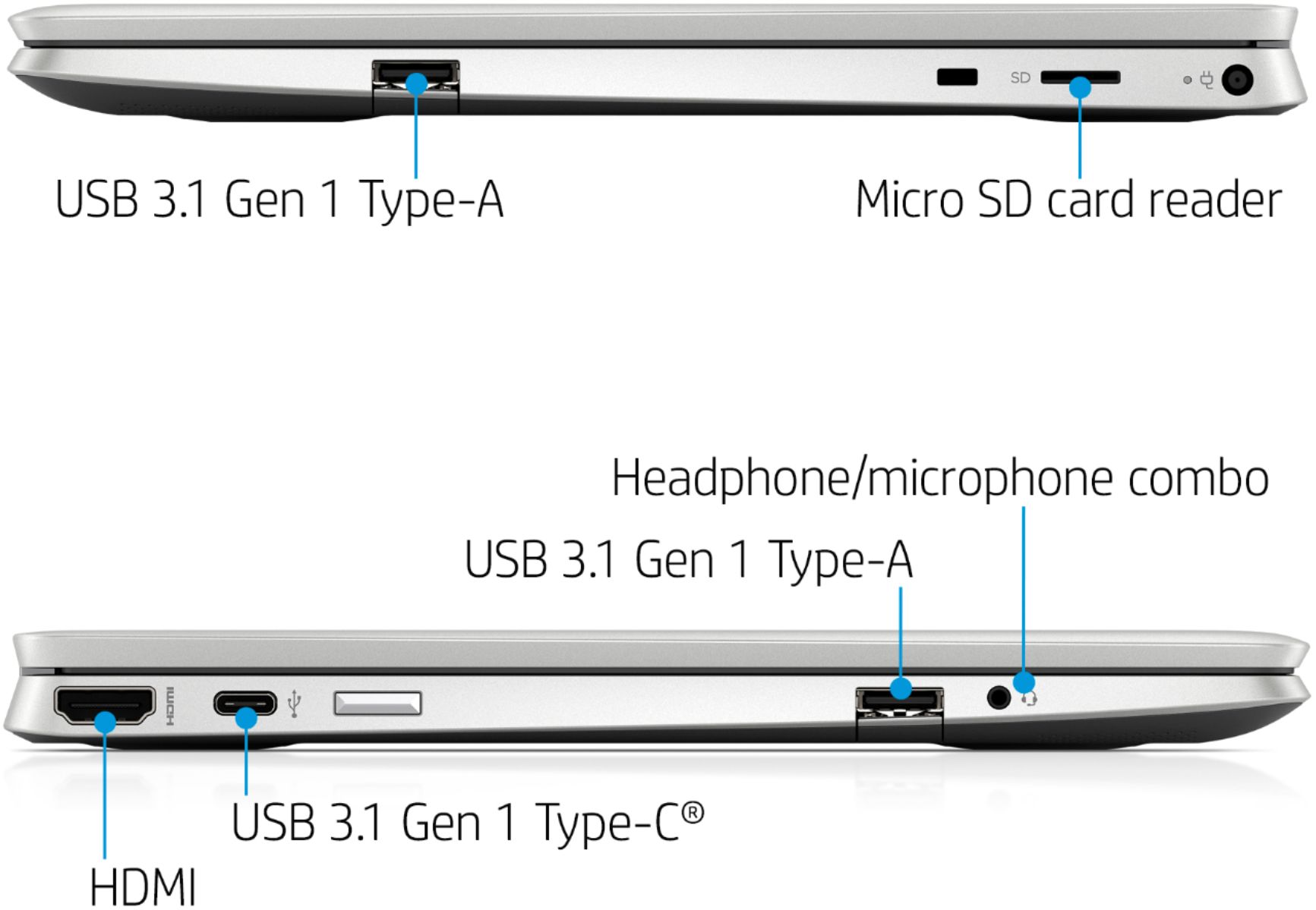
A:AnswerHello. Thanks for your question. You can connect speakers to this HP laptop either with a 3.5 mm connection to the headphone jack or with a USB connection. You also connect Bluetooth speakers to this laptop. If you need help finding speakers, we recommend partnering with a Blue Shirt team member at Best Buy.
A:AnswerYou would want to look at the system requirements for any software from the developer's website. Updates can change the requirements which can affect which settings you can run the software on or if you can run it at all.