A:AnswerThis head unit is not idatalink Maestro compatible. Please contact your local Best Buy for idatalink Maestro compatible units or JVC Customer Service for further assistance.
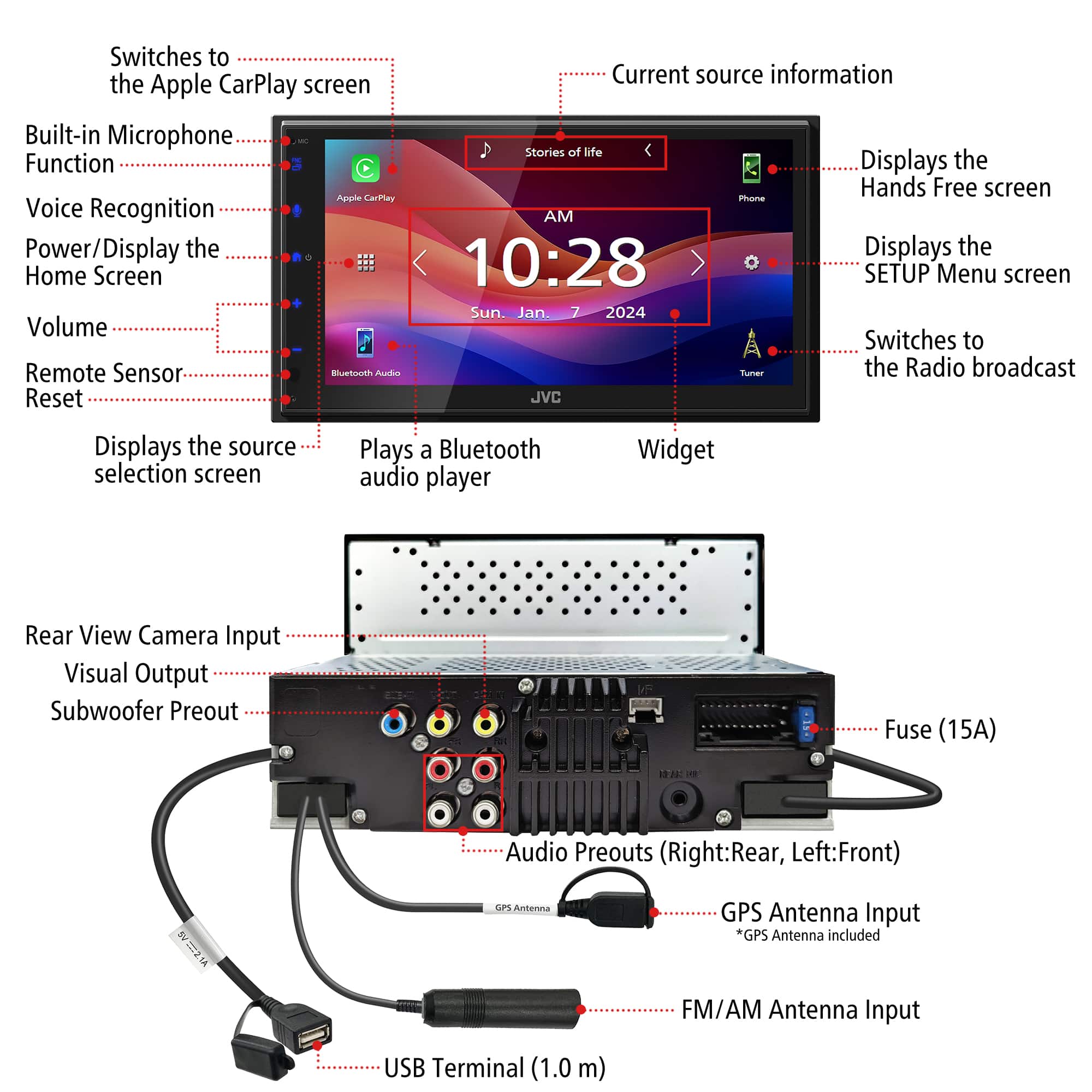
A:AnswerThank you for considering JVC for your car audio needs! No, the JVC KW‑M590BT does not come with a backup camera included. It does have a rear-view camera input so you can always add one when you get it installed. These would be purchased separately. You can also reach out to our team for assistance, to answer any questions. Please contact us at 1-800-252-5722 or email us at [email protected]. Thank you for choosing JVC, we look forward to helping you upgrade your car audio experience! Best regards, The JVC Customer Relations Team
A:AnswerThank you for considering JVC for your car audio needs! Ensuring your product is compatible with your vehicle is essential, and we’re here to help. To check if this JVC receiver fits your Tundra, we recommend using a fit guide, which provides detailed compatibility information. You can find that on the product pages on Bestbuy.com. We also recommend connecting with a Geek Squad install professional at your local Best Buy store, regarding any additional required accessories that might be required for your specific vehicle and/or sold separately. You can also reach out to our team for assistance—we’re happy to verify compatibility or answer any questions. Please contact us at 1-800-252-5722 or email us at [email protected] with your vehicle’s make, model, and year, and we’ll guide you from there. Thank you for choosing JVC, we look forward to helping you upgrade your car audio experience! Best regards, The JVC Customer Relations Team
A:AnswerThis model should be compatible with your vehicle. Please contact your local Best Buy installation team for information on dash kits, harnesses, adapters etc. that are needed to complete your installation.