Questions & Answers
No content
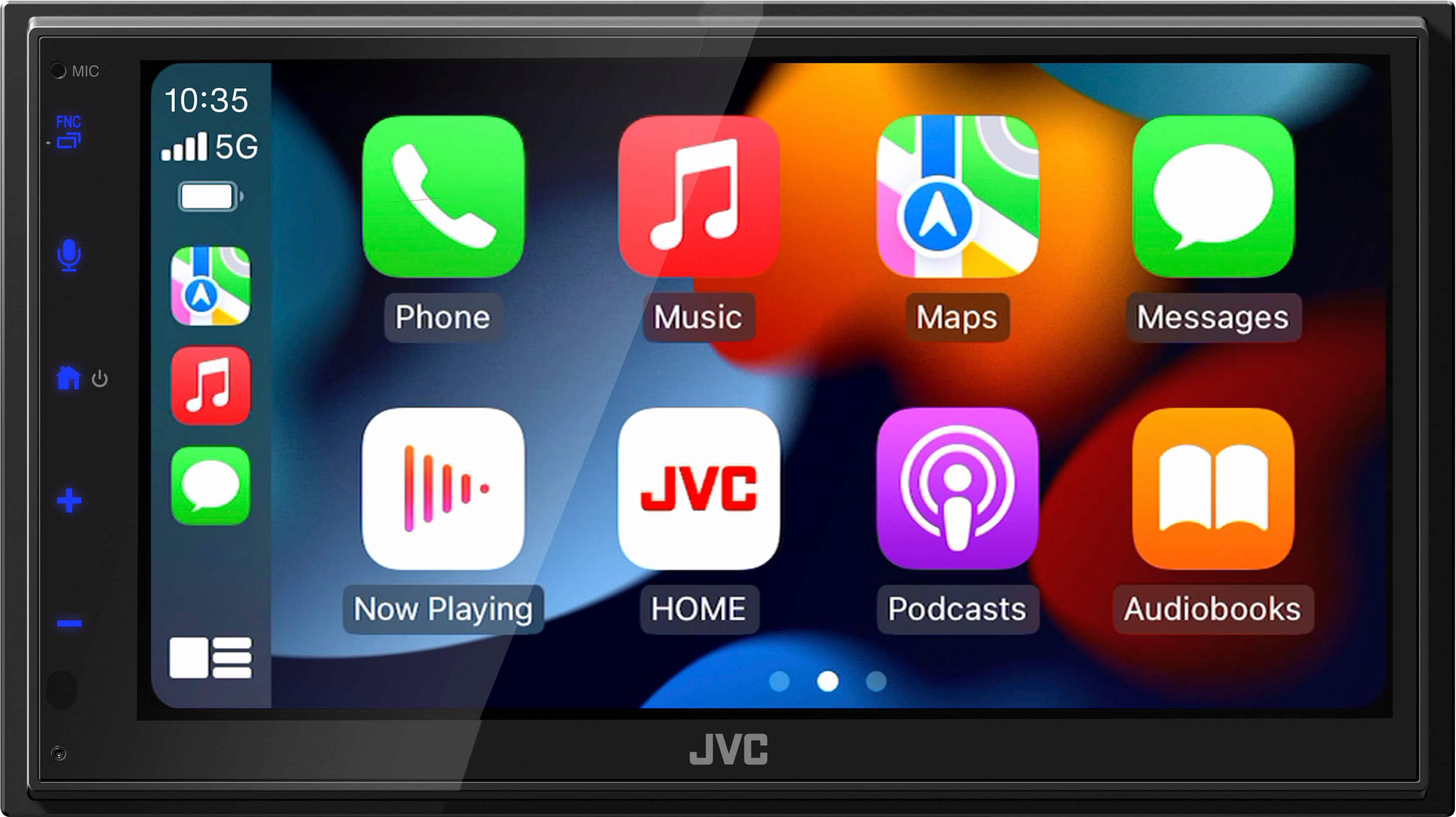
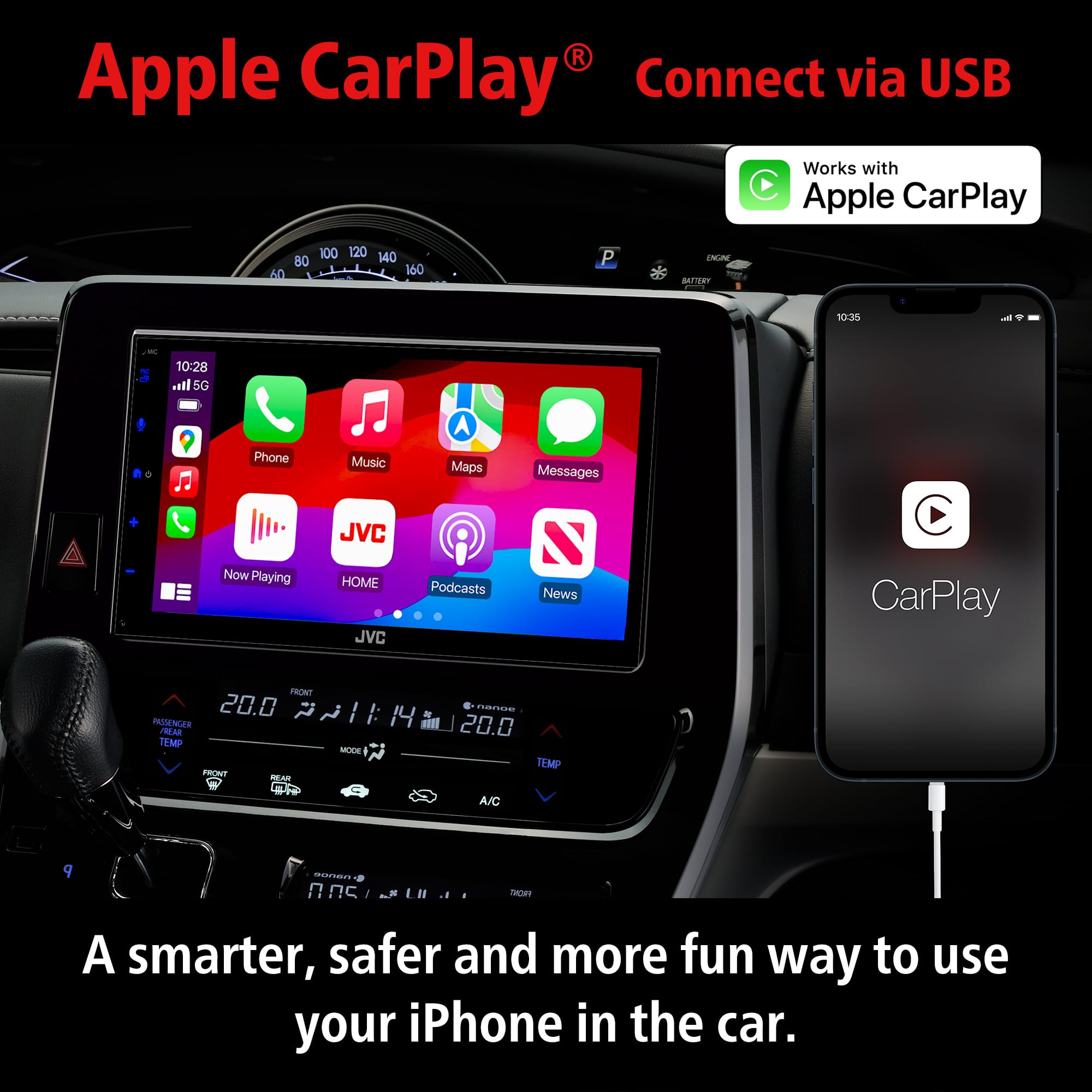
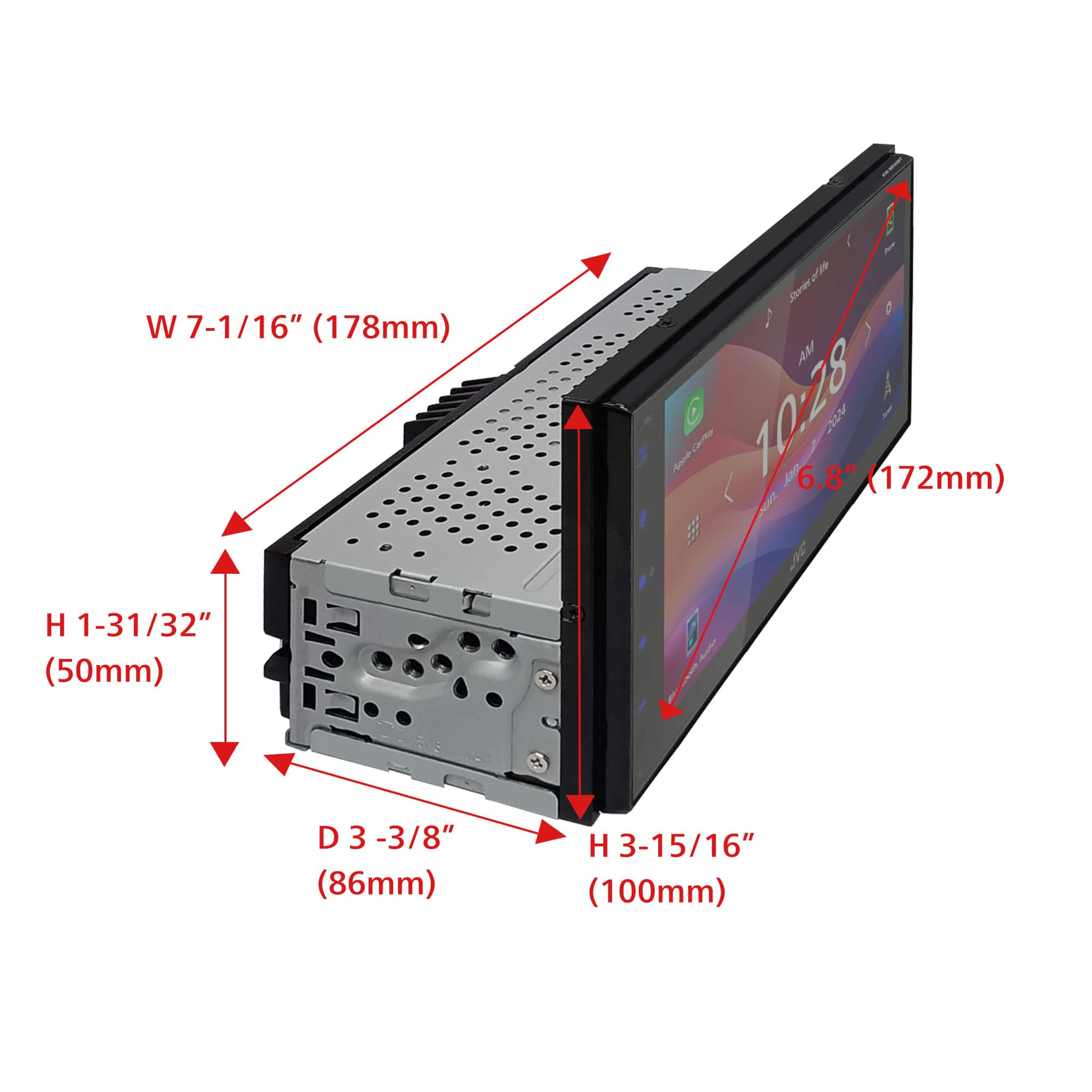
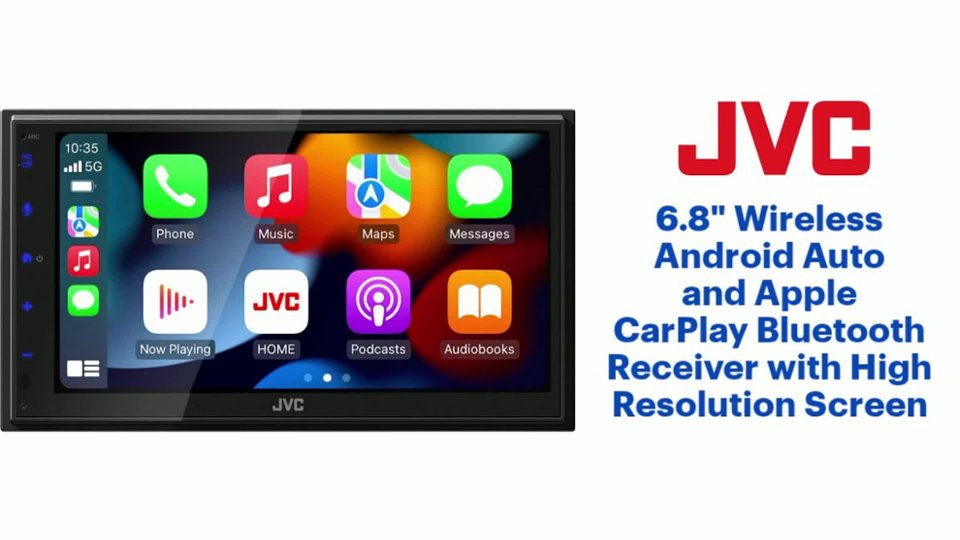
- Model:
- KW-M690BW
- |
- SKU:
- 6607633
Highly rated by customers for: Sound Quality, Connectivity, Ease of Use
Black Friday in July Deal
$379.99$379.99
Save $20
The comparable value is Comp. Value: $399.99
Page Showing 21-36 of 36 questions
Q: QuestionDoes this fit a 2019 Jeep Renegade?
Asked by RBAR.
- A:Answer Thank you for considering JVC for your car audio needs! Ensuring your product is compatible with your vehicle is essential, and we’re here to help. To check if this JVC KW-M690BW receiver fits your Jeep, we recommend using a fit guide, which provides detailed compatibility information. You can find that on the product pages on Bestbuy.com. We also recommend connecting with a Geek Squad install professional at your local Best Buy store, regarding any additional required accessories that might be required for your specific vehicle and/or sold separately. You can also reach out to our team for assistance—we’re happy to verify compatibility or answer any questions. Please contact us at 1-800-252-5722 or email us at customerrelations@jvc.com with your vehicle’s make, model, and year, and we’ll guide you from there. Thank you for choosing JVC, we look forward to helping you upgrade your car audio experience! Best regards, The JVC Customer Relations Team
Answered by JVCKENWOOD USA Team
Q: QuestionDoes this fit a 2014 toyota camry
Asked by Laina.
- A:Answer Thank you for considering JVC for your car audio needs! Ensuring your product is compatible with your vehicle is essential, and we’re here to help. To check if this JVC receiver fits your Camry, we recommend using a fit guide, which provides detailed compatibility information. You can find that on the product pages on Bestbuy.com. We also recommend connecting with a Geek Squad install professional at your local Best Buy store, regarding any additional required accessories that might be required for your specific vehicle and/or sold separately. You can also reach out to our team for assistance—we’re happy to verify compatibility or answer any questions. Please contact us at 1-800-252-5722 or email us at customerrelations@jvc.com with your vehicle’s make, model, and year, and we’ll guide you from there. Thank you for choosing JVC, we look forward to helping you upgrade your car audio experience! Best regards, The JVC Customer Relations Team
Answered by JVCKENWOOD USA Team
Q: QuestionDoes it fit on a 2014 Chevy silverado 1500
Asked by Jovanny.
- A:Answer Thank you for considering JVC for your car audio needs! Ensuring your product is compatible with your vehicle is essential, and we’re here to help. To check if this JVC receiver fits your Silverado, we recommend using a fit guide, which provides detailed compatibility information. You can find that on the product pages on Bestbuy.com. We also recommend connecting with a Geek Squad install professional at your local Best Buy store, regarding any additional required accessories that might be required for your specific vehicle and/or sold separately. You can also reach out to our team for assistance—we’re happy to verify compatibility or answer any questions. Please contact us at 1-800-252-5722 or email us at customerrelations@jvc.com with your vehicle’s make, model, and year, and we’ll guide you from there. Thank you for choosing JVC, we look forward to helping you upgrade your car audio experience! Best regards, The JVC Customer Relations Team
Answered by JVCKENWOOD USA Team
Q: QuestionDoes this JVC receiver support Sirius XM satellite radio?
Asked by Compatibility.
- A:Answer Thank you for considering JVC for your car audio needs! The JVC KW-M690BW receiver does not support SiriusXM satellite radio. You can reach out to our team for assistance, to answer any questions. Please contact us at 1-800-252-5722 or email us at customerrelations@jvc.com. Thank you for choosing JVC, we look forward to helping you upgrade your car audio experience! Best regards, The JVC Customer Relations Team
Answered by JVCKENWOOD USA Team
Q: QuestionCan I screen mirror my I phone to it? Can I play YouTube in it?
Asked by Abdul.
- A:Answer Yes.
Answered by Panama
Q: QuestionIs this compatiable with an existing manufacturer reverse camera?
Asked by Desiree.
- A:Answer Thank you for considering JVC for your car audio needs! This is highly dependant upon the year/make/model of your vehicle and how the current camera connects. We suggest you reach out to a Geek Squad professional installation pro at your local Best Buy store to determine if it will work and if you will need any additional parts/accessories that would be sold separately. You can also reach out to our team for assistance, to answer any questions. Please contact us at 1-800-252-5722 or email us at customerrelations@jvc.com. Thank you for choosing JVC—we look forward to helping you upgrade your car audio experience! Best regards, The JVC Customer Relations Team
Answered by JVCKENWOOD USA Team

Q: QuestionCan you hook up XM or Sirius radio to it?
Asked by JH.
- A:Answer I play the Sirius- XM app on my phone through the JVC receiver and it works grest.
Answered by tabletseeker
Q: Questionis this radio compatible for high quality car audio
Asked by Bob.
- A:Answer Thank you for considering JVC for your car audio needs! The JVC KW‑M690BW does not include HD Radio support. It features a standard AM/FM tuner (AM/FM with presets) but no HD Radio tuner in the official specs. While it offers excellent connectivity—wireless Android Auto and Apple CarPlay, USB mirroring, Bluetooth, a 13-band EQ, and rear camera input—it lacks the capability to receive HD Radio broadcasts. If your question wasn't specific to HD Radio, we suggest you reach out to our team for assistance, to answer this question. Please contact us at 1-800-252-5722 or email us at customerrelations@jvc.com. Thank you for choosing JVC—we look forward to helping you upgrade your car audio experience! Best regards, The JVC Customer Relations Team
Answered by JVCKENWOOD USA Team
Q: QuestionIs this compatible with a Ford explorer sport track pick up truck 2007?
Asked by Ines.
- A:Answer Thank you for considering JVC for your car audio needs! Ensuring your product is compatible with your vehicle is essential, and we’re here to help. To check if the JVC KW-M690BW fits your car, we recommend using a fit guide, which provides detailed compatibility information. You can find that on the product pages on Bestbuy.com. We also recommend connecting with a Geek Squad install professional at your local Best Buy store. You can also reach out to our team for assistance—we’re happy to verify compatibility or answer any questions. Please contact us at 1-800-252-5722 or email us at customerrelations@jvc.com with your vehicle’s make, model, and year, and we’ll guide you from there. Thank you for choosing JVC—we look forward to helping you upgrade your car audio experience! Best regards, The JVC Customer Relations Team
Answered by JVCKENWOOD USA Team
Q: QuestionDoes it work with alexa?
Asked by Manny.
- A:Answer Thank you for considering JVC for your car audio needs! Yes, the JVC KW-M690BW receiver is compatible with Amazon Alexa. This feature allows you to use voice commands for various tasks, such as playing music, getting directions, checking the weather, and controlling smart home devices, all while keeping your hands on the wheel. You can also reach out to our team for assistance—we’re happy to verify compatibility or answer any questions. Please contact us at 1-800-252-5722 or email us at customerrelations@jvc.com and we’ll guide you from there. Thank you for choosing JVC—we look forward to helping you upgrade your car audio experience! Best regards, The JVC Customer Relations Team
Answered by JVCKENWOOD USA Team
Q: QuestionDoes this come with a backup camera
Asked by Jennifer.
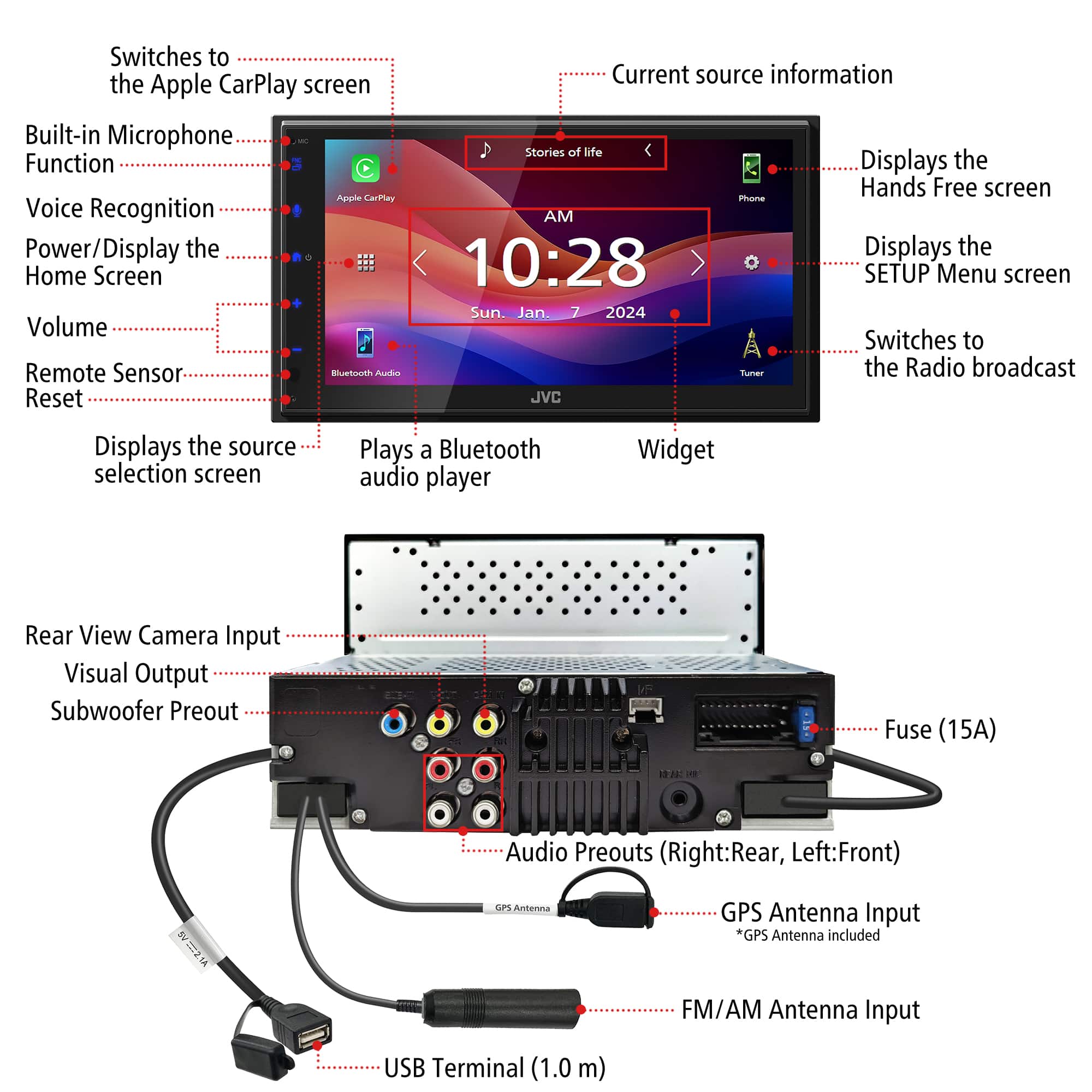
- A:Answer Thank you for considering JVC for your car audio needs! The JVC KW-M690BW receiver does not include a backup camera by default. However, it features a dedicated rear-view camera input, allowing you to connect a compatible backup camera of your choice (sold separately). You can also reach out to our team for assistance—we’re happy to verify compatibility or answer any questions. Please contact us at 1-800-252-5722 or email us at customerrelations@jvc.com with your vehicle’s make, model, and year, and we’ll guide you from there. Thank you for choosing JVC—we look forward to helping you upgrade your car audio experience! Best regards, The JVC Customer Relations Team
Answered by JVCKENWOOD USA Team
Q: QuestionDoes this model support XM radio? The stock radio has that built in.
Asked by MBG72.
- A:Answer Thank you for considering JVC for your car audio needs! The JVC KW-M690BW receiver does not support built-in SiriusXM satellite radio. It lacks the necessary hardware to connect to a vehicle's factory-installed SiriusXM system and is not SiriusXM Ready, meaning it cannot interface with SiriusXM services even with an external tuner. You can also reach out to our team for assistance—we’re happy to verify compatibility or answer any questions. Please contact us at 1-800-252-5722 or email us at customerrelations@jvc.com with your vehicle’s make, model, and year, and we’ll guide you from there. Thank you for choosing JVC—we look forward to helping you upgrade your car audio experience! Best regards, The JVC Customer Relations Team
Answered by JVCKENWOOD USA Team
Q: QuestionCan this be connected to a backup camera
Asked by Waynesboro.
- A:Answer Thank you for considering JVC for your car audio needs! Yes, the JVC KW-M690BW receiver supports the addition of a backup camera. It features a dedicated rear-view camera input, allowing you to connect an aftermarket backup camera for enhanced safety and convenience during reversing maneuvers. You can also reach out to our team for assistance—we’re happy to verify compatibility or answer any questions. Please contact us at 1-800-252-5722 or email us at customerrelations@jvc.com with your vehicle’s make, model, and year, and we’ll guide you from there. Thank you for choosing JVC—we look forward to helping you upgrade your car audio experience! Best regards, The JVC Customer Relations Team
Answered by JVCKENWOOD USA Team
Q: QuestionWant to make sure the built in mic was on the head unit and the external mic was not required for hands free calling.
Asked by Cf49.
- A:Answer Thank you for considering JVC for your car audio needs! Ensuring your product is compatible with your vehicle is essential, and we’re here to help. No, the JVC KW-M690BW does not have a built-in microphone for hands-free calling. However, it includes an external microphone in the box, which you can mount in your vehicle for better voice clarity during calls. This external mic is necessary for using Bluetooth hands-free calling and voice commands effectively. You can also reach out to our team for assistance—we’re happy to verify compatibility or answer any questions. Please contact us at 1-800-252-5722 or email us at customerrelations@jvc.com with your vehicle’s make, model, and year, and we’ll guide you from there. Thank you for choosing JVC—we look forward to helping you upgrade your car audio experience! Best regards, The JVC Customer Relations Team
Answered by JVCKENWOOD USA Team
Q: QuestionHow do I turn the radio off???
Asked by Pgee.
- A:Answer Thank you for considering JVC for your car audio needs! The JVC KW-M690BW receiver doesn't have a traditional power button — like many modern touchscreen units, it goes into standby or turns off automatically with your vehicle. To manually turn off the touchscreen (manual standby) you can tap the “Home” icon, then tap the “Power” icon (usually a circle with a line) or select “Standby” from the source menu. This turns off the display and audio functions while keeping the unit on low power (for quick restart). You can also reach out to our team for assistance, to answer any questions. Please contact us at 1-800-252-5722 or email us at customerrelations@jvc.com. Thank you for choosing JVC—we look forward to helping you upgrade your car audio experience! Best regards, The JVC Customer Relations Team
Answered by JVCKENWOOD USA Team

Page 2, Showing 21-36 of 36 questions