A:AnswerHello, Puk. Thank you for your question. The parameters to which devices receive automatic updates through Windows is not clearly defined unfortunately, as the set of parameters to what devices meet these standards are determined not by the computer manufacturer.
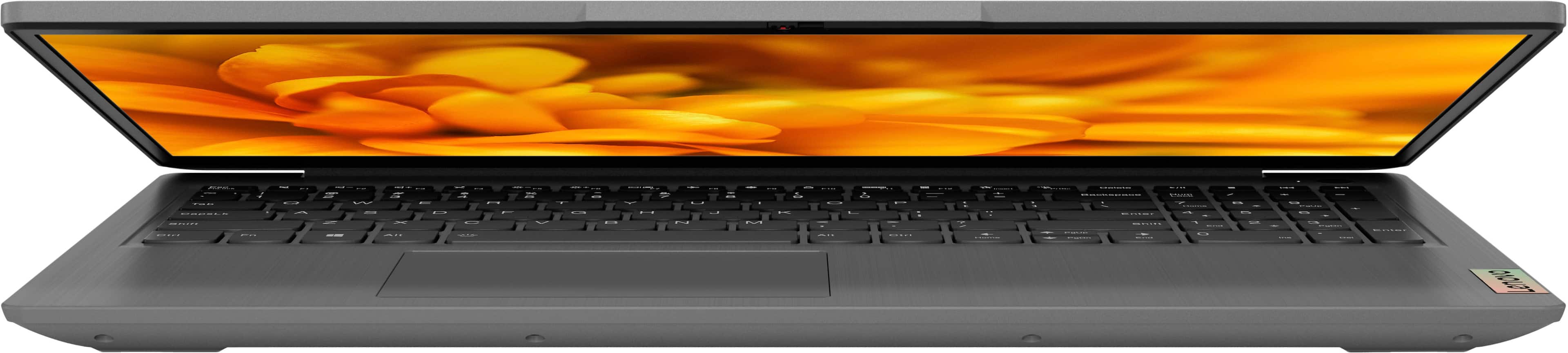
A:AnswerHello, Vic. For clarification, this device the question is tied to is an IdeaPad 3i that is running Windows 11 Home in S-Mode and not ChromeOS. While it does have a touchscreen, it is not compatible with an active pen.
A:AnswerHello, Suek. Thank you for your question. In short – yes. If you would like to disable your touchscreen display, here is a link to an article on Microsoft's website that details how to active and deactivate touchscreen functionality in Windows: https://support.microsoft.com/en-us/windows/enable-and-disable-your-touchscreen-in-windows-b774e29d-be94-990f-c20f-e02892e572fc
A:AnswerHello, thank you for your question. Depending on a couple variables, in theory, yes you should be able to screen mirror/cast to your smart tv, should the TV support it. Here is a link to a Microsoft Support webpage to learn more: https://support.microsoft.com/en-us/windows/screen-mirroring-and-projecting-to-your-pc-5af9f371-c704-1c7f-8f0d-fa607551d09c
A:AnswerGreetings from the Intel team. Thank you for your question.
Based on the Laptop's system specifications provided on the Retailer's website, the Lenovo - Ideapad 3i model 82H803SDUS has installed the Windows 11 Home in S Mode operating system, which allows only apps from Microsoft Store and requires Microsoft Edge for safe browsing.
To ensure that the Lenovo - Ideapad 3i Laptop meets the system requirements of a specific program, check the software Developer's website to know the system requirements and compare them with the Laptop specifications.
Citrix Workspace app for Windows system requirements:
https://docs.citrix.com/en-us/citrix-workspace-app-for-windows/system-requirements.html
Windows 11 in S mode FAQ:
https://support.microsoft.com/en-us/windows/windows-10-and-windows-11-in-s-mode-faq-851057d6-1ee9-b9e5-c30b-93baebeebc85
For detailed information about the Intel® Core™ i3-1115G4 processor, visit:
https://ark.intel.com/content/www/us/en/ark/products/208652/intel-core-i31115g4-processor-6m-cache-up-to-4-10-ghz.html
Thank you for choosing Intel! Emilio_Intel
A:AnswerThere is only one ssd slot for storage. To upgrade you have to remove the ssd installed, and put in the new one. You should also look into cloning options and backup options before proceeding with the upgrade.
A:AnswerHello! Not to turn your question back to you, but that would depend on what the requirements for that software are. We recommend reviewing the recommended requirements that that software publisher details and comparing it with the specifications of any potential computing solution to help ensure you find the right fit for your needs. Here is a link to EA's webpage with the system requirements listed at the bottom: https://www.ea.com/games/the-sims/the-sims-4/download