A:AnswerWe have 6 of these for some of my employees that needed the 17” landscape. Yes, this can be connected all the time via power chord. I have not noticed these head up at any time of use. Personally, I use the 15.6” and love it. I own a law firm, title company and several real estate ventures. Since COVID - I have an additional external monitor I use with it (another portable 17”) and have zero problems.
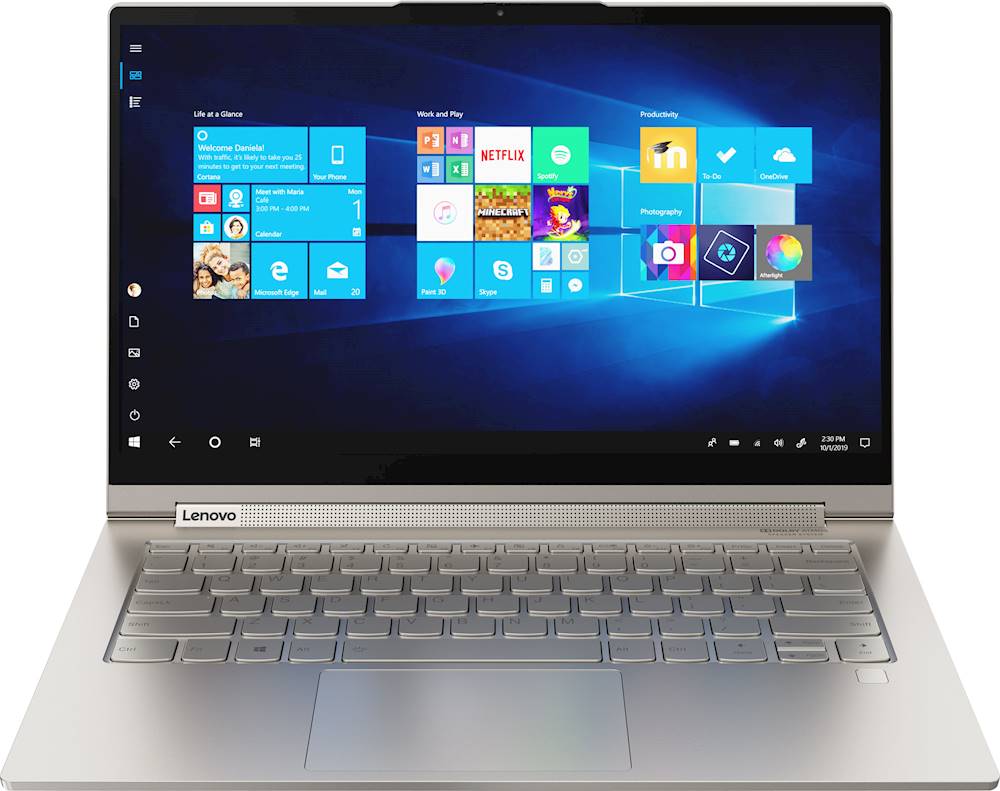
A:AnswerYes. The Lenovo Yoga C940-14 4K Model has a pen included that is docked within the computer where it is both stored and charged while not in use.
A:AnswerGlossy, but not overly so. I recommend forgoing the 4K display unless you plan to only use this device for media consumption. The battery life with the 4K is pitiful. I usually get 2-3 hours max with brightness cranked down to less than half.
A:AnswerNo. The Yoga C940-14 4K Model Number 81Q90041US, ships with integrated graphics processing within the Intel Core i7-1065G7. It is the Intel Iris Plus Graphics version. Here is the Yoga C940-15 Model Number 81TE0000US, with the NVIDIA GeForce GTX1650 Graphics Card, with 4GB GDDR5 RAM on the card: https://www.bestbuy.com/site/lenovo-yoga-c940-2-in-1-15-6-touch-screen-laptop-intel-core-i7-16gb-memory-nvidia-geforce-gtx-1650-512gb-ssd-iron-gray/6367793.p?skuId=6367793
A:AnswerThe included active pen that ships with the Yoga C940-14 4K model number 81Q90041US, has 4,096 levels of pressure sensitivity and provides a natural pencil-like and paper experience when you sketch and jot down notes. Users will also enjoy easy access to short-cut functions through two built-in customizable buttons on the base of the pen.
A:AnswerThe Lenovo Yoga C940-14 4K model number 81Q90041US, ships with the integrated Intel Iris Plus Graphics, within the 10th. Generation Intel Core i7-1065G7 processor. Here is a link to more information: https://ark.intel.com/content/www/us/en/ark/products/196597/intel-core-i7-1065g7-processor-8m-cache-up-to-3-90-ghz.html?wapkw=Intel Core i7-1065G7
A:AnswerNo. Only a port for the charger and 2 thunderbolt/USB c ports. I bought an AUKEY USB C Hub 8-in-1 Type C Adapter with ports that I needed/wanted.
A:AnswerHello, thanks for your question. The Lenovo Yoga C940 model # 81Q90041US features integrated intel Iris plus graphics. It does not have dedicated video ram. You will need a model that features a dedicated graphics card for this. The Lenovo Legion 7i model # 81YT0007US features 8GB video ram https://www.bestbuy.com/site/lenovo-legion-7-gaming-laptop-15-6-intel-core-i7-16gb-memory-nvidia-geforce-rtx-2070-512gb-ssd-slate-gray/6406886.p?skuId=6406886
A:AnswerIn DisplayPort mode, the Thunderbolt 3 enabled USB-C ports will support a single four lane (4 x 5.4 Gbps, or HBR2) link of DisplayPort. These four links run across the two pairs of high speed wires in the USB-C connector and cable.
A:AnswerLooking at some reviews where it was opened up, yes, it supports a SINGLE NVMe drive, so you would be taking out the existing one. Not surprising that there is not room for more as it is a 2-in-1.
I think the "expert" that answered the question is wrong on one thing: I think this (the model stated by the expert) is only sold at 12 or 16GB memory (at least on BestBuy) not at the stated 32GB of memory.
While it is not user upgrade-able "per se" at least one can open it up, which is better than some 2-in-1s. Thus, it looks like in the future one could also replace the battery (and that would be past the warranty period anyway).
All the above said, I am not an expert on this device, it is just based on some nominal research I did.
A:AnswerHi Jack! Yes it is possible to connect 2x External monitors to the Lenovo Yoga C940 model #81Q90041US. The type of dock or dongle you need will depend on the ports that your monitor has. Any USBC or USBA dock or dongle that supports multiple video outputs will work with the Yoga C940. Here is an example of a USBC dongle that supports 2x HDMI outputs https://www.bestbuy.com/site/iogear-5-7-external-video-adapter-aluminum/6269110.p?skuId=6269110
A:AnswerThe Lenovo Yoga C940-14 4K model ships with an IPS, HDR Glossy LCD w/LED Backlight screen, with a resolution of 3840 x 2160 (UHD) and a brightness level of 500 nits.
A:AnswerYes, you will need a USB-C or thunderbolt hub to use 2 screens. Yoga C940 only has 2 thunderbolt ports and 1 USB 3.0. So there is no HDMI port.
A:AnswerYou can use a compatible AES protocol active pen like this one: https://www.bestbuy.com/site/wacom-bamboo-ink-smart-stylus-for-windows-ink-2nd-generation-gray/6374981.p?skuId=6374981
A:AnswerThere is a 30-day trial of Microsoft Office 365 included as part of the Windows 10 operating system. In order to keep the program active after the trial period, you will need to purchase a product key. You will not need to download any additional software.