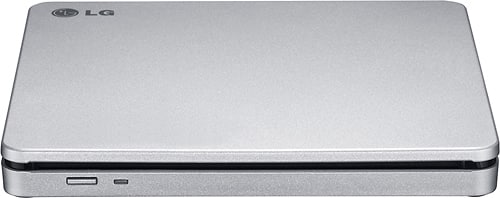
A:AnswerThe LG 8x External Double-Layer DVD±RW/CD-RW SuperMulti Blade Drive - Silver, Model # AP70NS50 supports Windows 10, Windows 7, Windows 8, Windows Vista™, Windows XP, and Mac OS® X Operating Systems and can be connected to PC/Laptops that support those operating systems via their USB ports. It will write (burn) to DVD-R: 2x, 4x, 8x, DVD-R DL: 2x, 4x, 6x, DVD-RW: 2x, 4x, 6x, DVD-RAM: 2x, 3x, 5x (Ver. 2.2), M-Disc (DVD+R SL): 4x, DVD+R: 2.4x, 4x, 8x, DVD+R DL: 2.4x, 4x, 6x, and DVD+RW: 2.4x, 4x, 8x discs. So if you have files saved on a PC/Laptop that you want to burn on any of the above-mentioned DVD disc types, you can transfer the files & write them to a DVD inserted in the AP70NS50...^IFV
A:AnswerThe disc tray is designed to accommodate DVDs or CDs. You would need to do an online search or inquire about mini DVD adapters from retail stores. ^Daphane
A:AnswerThe DVD player will play Blu Ray. However, Microsoft Windows 10 does NOT support the software that will allow Blu Ray DVD to be played on this device. BAD Microsoft!!!!!!
In order to play Blu Ray on this device you have to BUY the software from Cyberlink. "Power DVD20" What a bunch of crap. Microsoft should support the software to play Blu Ray on Windows 10............................................
A:AnswerThe LG - 8x External Double-Layer DVD±RW/CD-RW SuperMulti Blade Drive - Silver, Model # AP70NS50 is compatible with Windows 7, Windows 8, Windows Vista™, and Windows XP operating systems. System requirements for it are a Pentium IV 2.4 GHz or Higher(with USB 2.0) for basic performance (Recommended for optimal performance: Pentium IV 3.2 GHz or Higher) CPU, 256 MB or larger (Recommended: 512 MB) Memory, aHard Drive with 20 GB or more free space. (The free space needed for writing depends on the quantity of data.), and Video Memory of 64 MB (Recommended: 128 MB)...^IFV
A:AnswerThe LG - 8x External Double-Layer DVD±RW/CD-RW SuperMulti Blade Drive - Silver, Model # AP70NS50 is a DVD player. It can play DVDs and CDs but it cannot play Blu-ray DVDs...^IFV
A:AnswerThe audio would be produced from the device the AP70NS50 is connected to because there is not an audio ouput. If you need further assistance, please contact LG Customer Support by direct message via Twitter (@LGUSSupport) or Facebook Messenger (https://www.facebook.com/LGUSA/). Thank you. ^DLIs
A:AnswerThe LG - 8x External Double-Layer DVD±RW/CD-RW SuperMulti Blade Drive, Model # AP70NS50 is not just a DVD player. It will write to CD-R, CD-RW discs and read CD-R/RW/ROM and CD-DA discs as well. You will need to install the appropriate CD Recording Authoring Software before using this unit. To achieve maximum Record & Write speed, your system may require data to be
copied first to the computer’s hard drive rather than directly from another source disc or drive...^IFV
A:AnswerYou will need to search for DVD Decrypter Software that you can download and install on your computer to rip CDG discs with the LG 8x External Double-Layer DVD±RW/CD-RW SuperMulti Blade Drive, Model # AP70NS50. You can do an online search to find other ways to do this by copying the files to a Windows Clipboard...^IFV
A:AnswerThe button that you see on the left in the image of the LG - 8x External Double-Layer DVD±RW/CD-RW SuperMulti Blade Drive - Silver, Model # AP70NS50 is the eject button...^IFV
A:AnswerYou cannot connect the LG - 8x External Double-Layer DVD±RW/CD-RW SuperMulti Blade Drive - Silver, Model # AP70NS50 to your car stereo. It requires an operating system. ^Daphane
A:AnswerThe short answer is yes, you can use an external USB CD/DVD drive with a Chromebook, but there are some major limitations to using a Chromebook with an external DVD or CD drive. External devices are limited to storage of readable files. Chromebooks can read files on CD, CD-RW, DVD and DVD-RW discs if they are supported file formats. This means you can easily open image or audio files in ChromeOS from files on a CD or DVD. However,Chromebooks do not have the necessary codecs to plays DVD files. You can connect a CD or DVD player on a Chromebook and use it read read data files if you have a disk written in data format. You cannot play an audio CD or a movie on a DVD and you cannot write anything to a CD, DVD or Blu-ray disk. Chrome OS does not support optical disks to let you play music or movies. The primary reason for this is that Chrome OS doesn’t come with codecs. Codecs are necessary to compress and decompress large files like DVD videos. External DVD drives aren’t officially supported on Chrome OS...^IFV