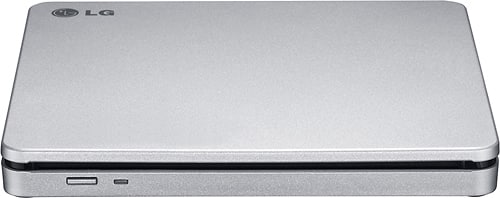
A:AnswerLG Super Multi Compatibility optical drives can read and write different types of disc formats in one convenient package. The use of the word 'blade' is referring to the slim design of only 0.55 inches for the LG - 8x External Double-Layer DVD±RW/CD-RW SuperMulti Blade Drive, Model # AP70NS50...^IFV
A:AnswerYou have to finalize the disc before you can use it on another computer or disc player. On my windows 10 laptop it will do it automaticly when i try eject the disc after burning it,you should see a notification that tells you whats going on.
A:AnswerThe LG 8x Portable DVD Rewriter with M-DISC™, Model # AP70NS50 is compatible with Mac OS X v.10.5.4 or Higher, Direct X 9.0 or Higher Operating Systems. The system environment requirements are for a hard drive with 20 GB or more free space (the free space needed for writing depends on the quantity of the data). You will need 256 MB or larger for the memory (Recommended: 128 MB).
A:AnswerThe LG - 8x External Double-Layer DVD±RW/CD-RW SuperMulti Blade Drive - Silver, Model # AP70NS50 will read and write DVDs and it connects to a laptop via USB...^IFV
A:AnswerThe LG - 8x External Double-Layer DVD±RW/CD-RW SuperMulti Blade Drive - Silver, Model # AP70NS50 is Windows 7, Windows 8, Windows Vista™, Windows XP, and Windows 10 compatible and it connects via USB. Regrettably, we are not familiar with the specifications for your tablet and recommend that you contact the manufacturer or consult your owner's manual to see if you can use an external optical drive with it...^IFV
A:AnswerThe only thing I had to do for dvd playback was to choose a country (US) and it was good to go. On a Mac Mini, running OS High Sierra. Good luck.
A:AnswerYes this product works in both Microsoft and Apple environment. I have used it on both my Microsoft computers and my MAC Book. I see no reason it would not work on am Apple Desk top.