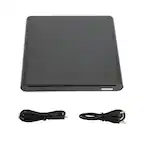
A:AnswerIf the Idea pad S340 has a USB-A type port on it (Large Rectangular Shape), then it shouldn't be a problem. It draws it's power through the USB connection and doesn't require a separate power source. Once you plug it in, you can download the driver for it from the website and it shouldn't be a problem.
A:AnswerThe LG - 8x External USB Double-Layer DVD±RW/CD-RW Drive - Black, Model # SP80NB80 has to be connected to a computer with a compatible operating system that meets the system requirements for the drive via it USB port. If you embroidery design is on a compatible DVD or CD disc, you can transfer it to the computer then you will need to find a way to transfer the design from the computer to your sewing machine if it can be connected to your computer...^IFV
A:AnswerWhen comparing USB 2.0 and USB 3.0, there are a few major differences. First the transfer rates: USB 2.0 offers transfer rates of 480 Mbps and USB 3.0 offers transfer rates of 4.8 Gbps - that's 10 times faster. Note that the transfer speeds also depend on the device in use in addition to the bus type and USB ports and cables. USB 3.0 devices are backwards compatible with USB 2.0 ports. They’ll function normally, but only at USB 2.0 speeds...^IFV
A:AnswerThe LG Slim Portable DVD Writer DVD Disc Playback & DVD M-DISC™ Support, Model # SP80NB80 features DVD and CD burning capabilities and M-DISC(DVD) support. It will write (burn) to DVD-R, DVD-R DL, DVD-RW, DVD-RAM (Ver. 2.2), DVD+R, M-Disc (DVD+R SL), DVD+R DL, DVD+RW, CD-R, and CD-RW discs. M-DISC (Millennial Disc) is a write-once optical disc technology...^IFV
A:AnswerIt will play different multi-region DVDs up to 4 times. After the 4th time, it will set to whatever region was last played and cannot be changed after that, and is typical of most DVD drives and is a policy affecting most brands of DVDs.
A:AnswerIt can be used with a Chromebook but there are some major limitations to using a Chromebook with an external DVD or CD drive. Chrome OS does not support optical disks to let you play music or movies. The primary reason for this is that Chrome OS doesn’t come with codecs. Codecs are necessary to compress and decompress large files like DVD videos. If you want to play DVDs on your Chromebook, you’ll need to install Linux. Chrome OS can read files on these disks if they are supported file formats. This means you can easily open image or audio files in ChromeOS from files on a CD or DVD. However, you cannot play an audio CD or a movie on a DVD, and you cannot write anything to a CD, or DVD. External DVD drives aren’t officially supported on Chrome OS. ^Daphane