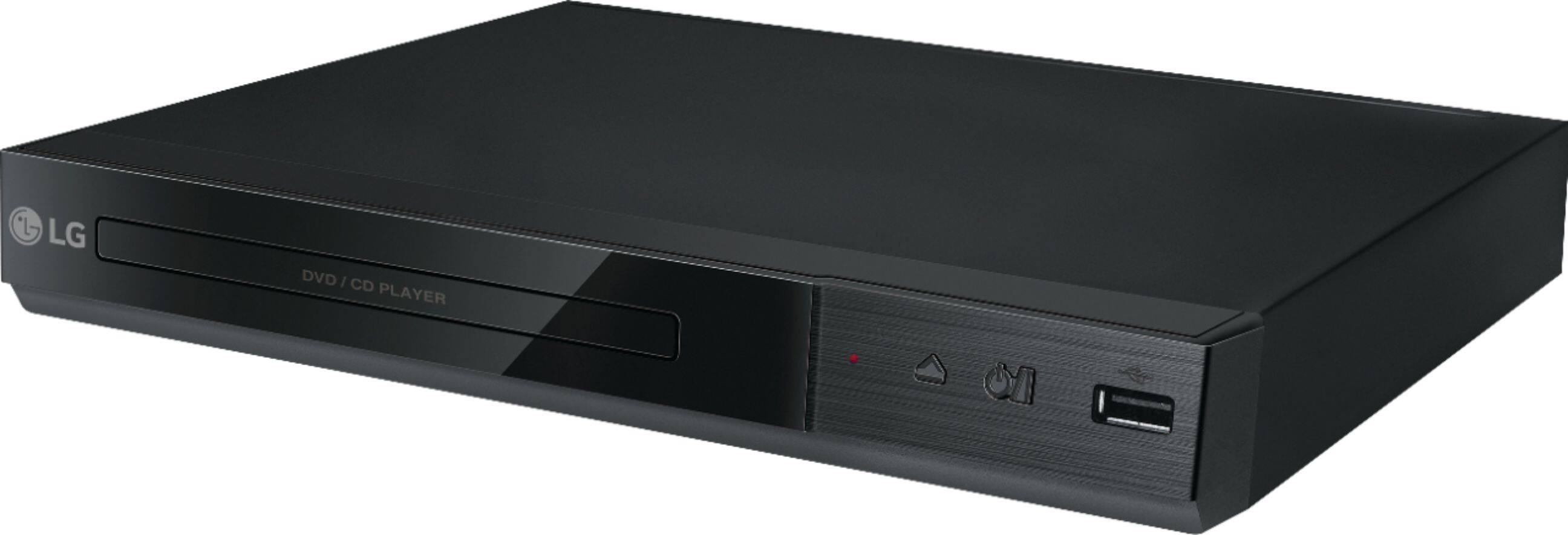
A:AnswerThe DP132 has a regional code printed on the rear of the unit. This unit can play only DVD discs labeled the same as the rear of the unit or “ALL” ^CP
A:AnswerThe DP132 has a composite output for connecting to a TV. It would not be able to connect to an amplifier as well due to not having more than one output. ^CP
A:AnswerFor assistance with connecting your DVD player to your TV, please refer to the following help article: https://www.lg.com/us/support/product-help/CT10000018-20150368996230-external-device-connections ^CP
A:AnswerThe remote control for the LG - DVD Player with MP3 Playback/JPEG Viewer - Black, Model # DP132H has a 'Repeat' button that allows you to repeat a chapter, track, tile or all, and it has an A-B button that when pressed, allows you to repeat a section. You have to press A-B at the beginning of the portion you want to repeat and again at the end of the portion...^IFV
A:AnswerThe USB port on the LG DVD Player with MP3 Playback/JPEG Viewer and USB Direct Recording, Model # DP132H supports USB storage devices (USB HDD, USB Stick) that are formatted with FAT16 or FAT32. A USB device which requires additional program installation when you have connected it to a computer is not supported. If you use a USB extension cable, USB HUB, USB Multi-reader, or External HDD, the USB device may not be recognized. The USB port for this unit cannot be connected to a PC/Laptop and Digital Cameras and mobile phones are not supported. The playable video codec formats are "Xvid", "MPEG-1", and "MPEG-2". ^CP

A:AnswerHi Ally, check the manual for the TV that you have the LG DVD Player with USB Direct Recording, Model # DP132H connected to to see if you have it set for a fixed or variable volume output. If you need further assistance with that, we recommend that you contact the manufacturer for your TV for advice...^IFV
A:AnswerYes. Ive played several videos already on a USB drive. Just make sure they are in correct format. This machine will play Mpeg1, MPEG2 and early MPEG4 (more commonly known as AVI) Also make sure your TV will accept the resolution. For HDMI output, you can play 720p. For old style TV's you can play up to 480p (and possibly 576p)
A:AnswerYou can do direct recording from the CD player to the USB drive on the LG - DVD Player with USB Direct Recording - Black, Model # DP132. The recording format is MP3 Files and the Encoding Bit rates are: 128 Kbps / 160 Kbps / 192 Kbps / 256 Kbps / 320 Kbps. The recording feature cannot record live TV shows. ^CP