“Why do they say Computer OpSys as Sys Requirement Trying to figure out why a remote I want to use on my TV needs to be compatible with Windows, or MacOS ???? Also is it backlit, and compatible with Samsung LED Smart TVs? I use my Samsung LED only in the bedroom and I hate the remote it comes with, and cannot find correct buttons in the semi dark. Does it have SmartHub button etc, and can you actually see the buttons, with a back light? Thanks”
Answer This Question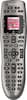
1-8 of 8 Answers
The computer OS compatibility is important because before you can use the remote it has to be programmed over the Internet by the servers at Logitech to handle your specific set of devices. The programming requires that the remote be connected to your PC via a USB cable to receive the programming. Yes, the keys on the 650 are backlit (just looked at mine...). For specific device compatibility, you may have to check the Logitech web site. Hope this helps.
Sorry, there was a problem. Please try again later.You hook up the remote to your computer to program it. That's why it needs to be compatible with windows or mac. It is backlit in orange color and easy to read and the led screen is big enough for most people who need reading glasses to see it with out your glasses. I know this from experience. :-)
Sorry, there was a problem. Please try again later.You hook the controller to your computer via USB to configure it with the software you download from their website. This makes it real easy to setup the controller. You enter the make and model of your devices and it then knows which buttons should do what. It worked great for me on a Mac. Yes, it is backlit. It comes on when you pick up the controller and then dims itself a few seconds after you set it down.
Sorry, there was a problem. Please try again later.The remote says it requires an Operating System for one simple purpose, the setup of the remote. You will need to setup the remote using either the Harmony software or online through Logitech's website. Once you finish setting it up and syncing your settings, you are free to unplug it and use it like any other remote. As for the buttons, they are backlit and fully customizable. To the point where you can rename the buttons and reorganize the ones on the LCD screen. And the other buttons below the LCD are customizable too.
Sorry, there was a problem. Please try again later.The 650 is programmable. It comes with a USB for transferring data to the Remote and vice-versa. The MyLogitech webpage allows you to do many things with the remote. It'll seem difficult, at first. But, when you learn the process it's actually quite amazing. It has glow-in-the-dark buttons and the screen lights up when you move the remote. Not great...but good.
Sorry, there was a problem. Please try again later.they have separate setup programs for mac and windows. these programs are necessary for setup, but they are what makes the programming so easy. enter all component info in computer, connect remote with supplied cable, and sync!
Sorry, there was a problem. Please try again later.I just got a harmony and you need to hook it up to your computer to program it (you can't program it without a computer). It works great and the programming is easy, but that is why it talks about the OS reqs. That being said, the harmony software is available for both Windows and Mac.
Sorry, there was a problem. Please try again later.I'm not sure if this helps but I think that is the same remote I have and it requires setup online. You have to plug it into your computer to set the inputs for every component, in order for the remote to properly control all your devices.
Sorry, there was a problem. Please try again later.