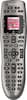
“Hello, Our harmony remote is exactly like the picture, ours is 9 years old and the function is failing. Lost a rubber button as well. Would just like a replacement. Has this remote changed much and is it possible for us to program ourselves?”

1-2 of 2 Answers
It doesn’t look like it has changed much. It you just replace your old one it is super simple to program the new one. Simply open the Logitech promgram, plug in the new remote, and select upgrade remote. This is all assuming you still have access to your account with your old settings. Otherwise you will need all your devices model numbers and it will take a bit more time.
Sorry, there was a problem. Please try again later.Lori, Just had a new Harmony 650 programmed by Geek Squad while adding a Rockfish HDMI switcher and Apple TV. I watched how they did it, it was so easy, as a non tech type person I would have no trouble doing it next time. Sign into the Logitech web site enter your e-mail and plug your old remote in copy the info and then disconnect your old one and connect the new one. Follow the instructions and you'll be good to go.
Sorry, there was a problem. Please try again later.
