“iSymphony TV I have a iSymphony Smart TV and the remote just quit. Of course the remote is also discontinued. Is there a universal smart tv remote out there that will have the netflix button and all that on it?”
Answer This Question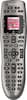
1-6 of 6 Answers
Logitech remotes are programmable, so you can make your own Netflix button
Sorry, there was a problem. Please try again later.The Logitech remote has a screen that changes function with each device. For my Sony blu Ray player, it has a Netflix button. I would assume the same would be true for the TV. If nothing else, you can program button functions yourself!
Sorry, there was a problem. Please try again later.While the 650 does not have a specific physical "Netflix" button on it, there is an LCD screen on the remote that contains 4 boxes. In those 4 boxes are virtual buttons. Those 4 button make up a "page" and you can rotate through those pages to get 4 more virtual buttons on each page. Once you tell the remote that it's controlling the iSymphony TV, there will likely be several virtual buttons specific to that TV model. You can also customize those buttons to your heart's content, making them do whatever command you want. You can even name those buttons anything you want. Additionally, there are 4 colored physical buttons on the remote that you can customize. For instance, you can make the red button become the "Netflix" button. You'll just have to remember that "red" is your new Netflix button.
Sorry, there was a problem. Please try again later.Pending on the deck ice like a sony blu-ray play you can add it to the screen prompt.
Sorry, there was a problem. Please try again later.I haven't found anything this remote doesn't work on. I would buy it, try it, and if it doesn't work, return it. I had an LG TV that no universal remote worked with, but this one did. It's worth a shot. You'll miss 100% of the shots you don't take.
Sorry, there was a problem. Please try again later.the Logitech harmony is a fabulous remote and a no brainer to program . just use usb cable it comes with and go to website and input component model # s and in minutes it is up and running seamlessly. intuitive to use like apple type gadgets. it works great
Sorry, there was a problem. Please try again later.