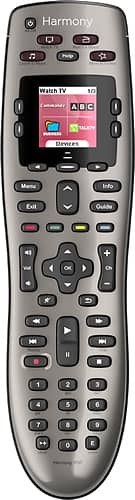
A:AnswerI'm not sure what you mean by "are all universal remotes compatible with Windows 8.1". I'll take a guess that you mean; is the software compatible with Windows 8.1? The answer is YES. I downloaded a small program which allows to pick your devices and setup. I have Windows 8.1 running on my pc that I use to run the software. It works without an issue. There were issues back in early 2014 but those issues have been resolved by the latest software download from Logitech.com
A:AnswerIt doesn’t look like it has changed much. It you just replace your old one it is super simple to program the new one. Simply open the Logitech promgram, plug in the new remote, and select upgrade remote. This is all assuming you still have access to your account with your old settings. Otherwise you will need all your devices model numbers and it will take a bit more time.
A:AnswerI do not have the cable box you have. I found this link on the Logitech site From reading a few of the posts it seems that it may not work for that box
https://community.logitech.com/s/question/0D55A00006y5FgESAU/harmony-one-remote-setup-to-new-cox-communication-contour-2-cisco-9865hdc
A:AnswerNot sure since I don't have this. You can check its compatibility at https://www.myharmony.com/en-us/ and click on COMPATIBILITY. You will need the name of the manufacturer and Model Number/Product Name. Hope this helps.
A:AnswerI assume you can. Just go on the myharmony website and look in the set up for the 650. It has a list of manufacturers that you would select from. If the make and model number of your component are there, it’s supported.