“What to buy Should i replace my old NETGEAR router with a new one or would the range extender be sufficient to improve my internet connection? I keep losing the connection and my cable co. suggested that i get a new router.”
Answer This Question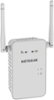
1-10 of 11 Answers
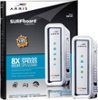
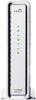
Generally speaking, your WiFi router is only as good as your signal coming into the house. An AC750 WiFi router should be sufficient for most home environments. I suggest checking your cable modem to see how old it is. The latest technology out there is DOCSIS 3.0. These modems will provide the optimum performance available from your cable operator. To harness their true potential, you may have to upgrade your speed tier from your cable operator; however, just installing a new DOCSIS 3.0 modem will most likely greatly improve your existing service. If you don't want to replace your WiFi router, I suggest the Motorola SB6141 or the SB6121. If you have any interest in replacing the modem and the router, consider the SBG6782-AC, which is an 802.11ac dual band concurrent 1750 WiFi router with four Gigabit Ethernet ports, a DOCSIS 3.0 modem, along with a built in MoCA networking access point. This combination unit provides the latest WiFi technology, the fastest modem available on the market, and MoCA networking that enables connectivity to other MoCA adapters (purchased separately) that create a wired high-speed network in your home over your existing coax cabling - similar to running Ethernet cables. This solution offloads WiFi congestion by enabling wired connections to game consoles, Smart TVs, Blu-Ray players, etc. and frees up the WiFi connection for devices that are only able to connect wirelessly. Price wise, the SBG6782-AC costs the same as a top of the line WiFi router. I hope that helps!
I would recommend:
Sorry, there was a problem. Please try again later.I would try the extender and see if that will fix your issues ,sounds like the same problem I was having only I had a Router provided by my cable company that was insufficient for my uses.
Sorry, there was a problem. Please try again later.I would ask your cable company
Sorry, there was a problem. Please try again later.Depending on the cable company and the internet speed you are getting from them also, if your router is more than 5 years old (G or B), I suggest upgrading to a newer more stable router (N or AC) with dual band minimum 300MB speed. Netgear is a good brand.
Sorry, there was a problem. Please try again later.Replacing router would probably not do much, except some new ones are dual band for devices that support that. This would help with signal.
Sorry, there was a problem. Please try again later.I don't think the extender will help if your current router is dropping the connection. However, if you mean your device is losing its connection with the router, then I think you will be very happy using this extender.
Sorry, there was a problem. Please try again later.This is a great router. please see my review. (DanR). I am very happy with this choice.
Sorry, there was a problem. Please try again later.It worked for me. I was considering buying a new router till I used the extender.
Sorry, there was a problem. Please try again later.I had the same problem as you. My 3yr old D-link router simply started dropping connection to my devices. I replaced the old router with a new AC 1600 router and added this extender. My suggestion is buy a new router first (which probably will be about the same price at the extender), and if it can't cover your place completely then add the extender.
Sorry, there was a problem. Please try again later.I would get a new router. An extender won't stop the connection being lost. That was happening to me. Problem went away with a new router. However, you still may need an extender to cover the whole house lilke I did.
Sorry, there was a problem. Please try again later.