“how to connect this modem to my network. I have to call the netgear technical or can do by myself.”
Answer This Question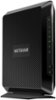
1-4 of 4 Answers
You can do it yourself. Connect the coaxial cable (from the wall provided by your ISP) to the NETGEAR modem/router. Wait for the modem/router to come online. Call your ISP and give them the MAC address that's on the sticker so they can activate internet service. To connect to a network using a wired connection, use an Ethernet cable to connect a computer to an Ethernet port on the modem router. To connect with WiFi, use the WiFi network name and password on the modem router label. Later you can change them (a must for security).
Sorry, there was a problem. Please try again later.Well in the manual it says after you have hooked up the cable wire and ethernet then power you let it take like 10 minites to fully turn on. Then you call your internet provider and tell them the numbers on the side or back of the modem. They add it to their system. After that you can log into the modem at http://192.168.0.1 . I recommend to do this over ethernet if possible. Then you make a login name and password. Then you can change the wifi name and password and other helpful things. If you want you can hook an additional router to it via ethernet. This is a modem router combo so it has 4 ethernet ports of it's own.
Sorry, there was a problem. Please try again later.Once you have your own equipment (modem router) you have to call your internet company so they can set it up with you on their end
Sorry, there was a problem. Please try again later.I did it myself, just disconnected xfinity modem first then put this one on same wAy
Sorry, there was a problem. Please try again later.
