A:AnswerHello Kokolove,
Our Ring Protect Plans start at $3/month or $30/year per Ring device for the Basic Plan, and $10/month or $100/year for the Plus Plan which covers unlimited devices at one location. Each live view, ding and motion event are stored in the cloud for up to 60 days (in the USA). The Plus Plan provides even more perks by adding an exclusive discount at Ring.com, extended warranties on all devices within warranty at one location, professional monitoring for the Ring Alarm, and more! If you would like to know more about what each of these plans have to offer, you can view this information on our website here: https://shop.ring.com/pages/protect-plans.
For any additional questions or concerns, please feel free to reach out on our community forum at https://community.ring.com/.
Thanks,
Alexis with Ring
A:AnswerHello Tim
Great question. No, the Ring Floodlight Cam should be connected to a 100 VAC~240 VAC 50/60 Hz power source. The installation of your Ring Floodlight Camera is intended to be a relatively easy process. However, as the Floodlight Camera requires a junction box as well as wiring up live wires, it's recommended you hire a licensed electrician to install the Floodlight Cam.
All the best,
Antonio from Ring
A:AnswerHello TBONE,
No, the Ring Solar Panel is not compatible with the Floodlight Camera. The Floodlight requires a hardwired connection at 110-220V. For any additional questions or concerns, please feel free to reach out on our community forum at https://community.ring.com/.
Thank you,
Alexis with Ring
A:AnswerHello Steve,
Good question! No, the carriage lights at your home would not affect the Floodlight Camera's motion detection or light settings. Here is a helpful article that describes the light settings in more detail: https://support.ring.com/hc/en-us/articles/115004155866-Controlling-the-Floodlights-and-Light-Settings-on-Your-Floodlight-Cam.
For any additional questions or concerns, please feel free to reach out on our community forum at https://community.ring.com/.
Thanks,
Alexis with Ring
A:AnswerHello Jo,
Almost all Ring products use wifi (wireless networking) to connect to the internet. Using mobile device hotspots in place of a home wifi network is not recommended and may cause your devices to repeatedly disconnect. Here is a helpful article that explains the importance of wifi and app connectivity issues you could encounter: https://support.ring.com/hc/en-us/articles/216537343-App-Connectivity.
Thank you,
Alexis with Ring
A:AnswerHello Richard316,
In order to support its robust array of features, Floodlight Cam needs to be hardwired into a standard junction box. As the Floodlight Cam requires a junction box, as well as wiring up live wires, it's highly recommended you hire a licensed electrician to install Floodlight Cam. Here is a helpful article detailing the physical installation process: https://support.ring.com/hc/en-us/articles/115001262186-Installing-Your-Floodlight-Cam.
For any additional questions or concerns, please feel free to reach out on our community forum at https://community.ring.com/.
Thanks,
Alexis with Ring
A:AnswerHello Elvin,
No, the Ring Floodlight Cam requires an existing junction box with a 110-220 hardwired connection. Any of our other models that are battery powered would work with a Ring Solar Panel though. Here is a full list of available security cameras: https://support.ring.com/hc/en-us/articles/115004687606-Ring-Security-Camera-Product-Comparison.
For any additional questions or concerns, please feel free to reach out on our community forum at https://community.ring.com/.
Thanks,
Alexis with Ring
A:AnswerHello Nick,
No, Ring devices use cloud based storage and a DVR/SD card is not an option for back-ups. While subscribed to our optional cloud service, you will be able to access videos from every ring, motion, and live view event for up to 60 days (in the US). You can also access, download, and share past Ring videos. Without this service, you will still receive real-time video alerts on your smartphone as well as have access to the Live View feature.
Additional information about the Ring Protect Plan can be found on our support website at: https://support.ring.com/hc/en-us/articles/115001671383-Ring-Protect-Subscription-Plans
For any additional questions or concerns, please feel free to reach out on our community forum at https://community.ring.com/.
Thanks,
Alexis with Ring
A:AnswerHello Deedi,
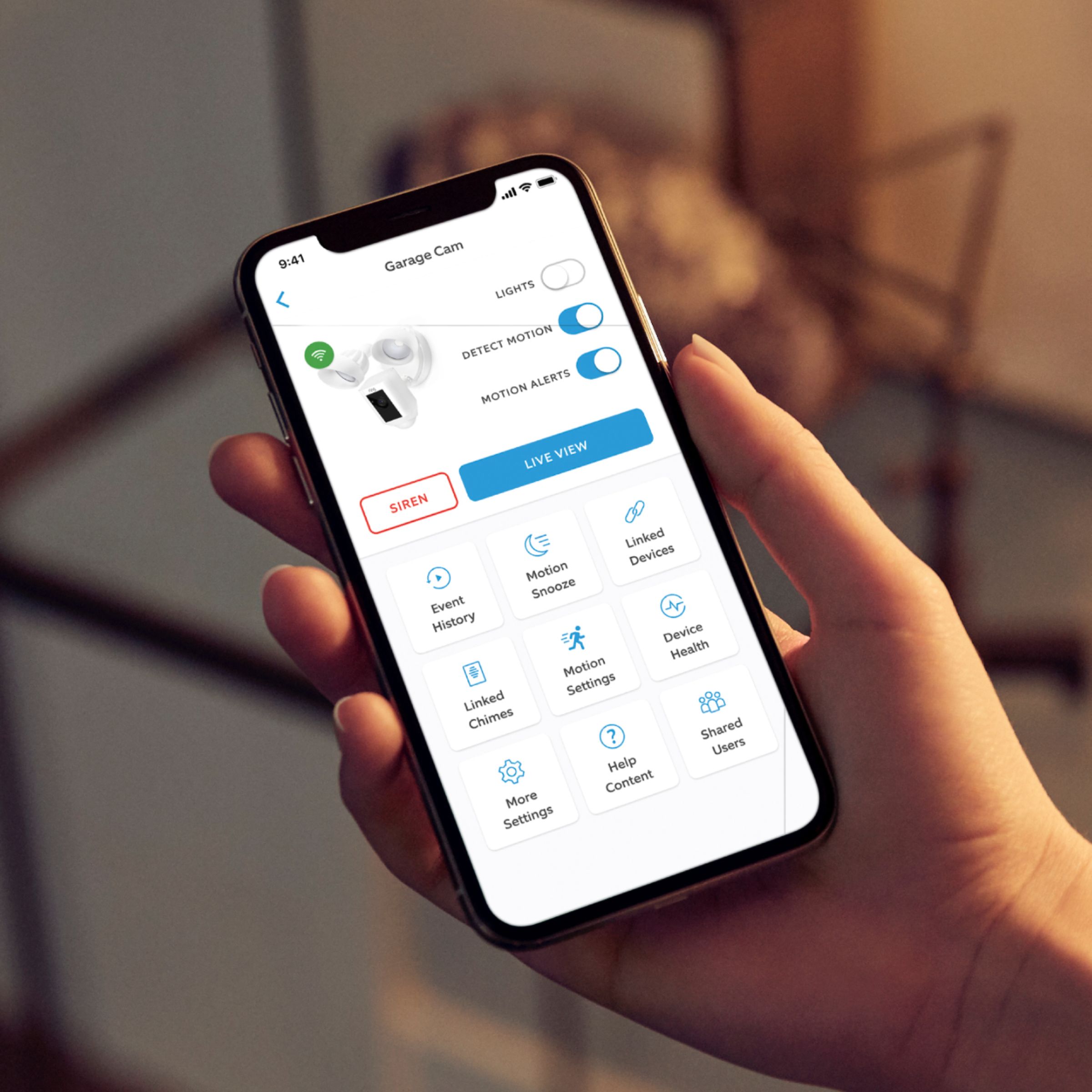
Yes, you can use multiple Ring devices and see them all within the Ring App. The dashboard of your Ring App can help you better control your Ring devices with the help of shortcuts. This article will answer commonly asked questions about shortcuts and the apps appearance customization options: https://support.ring.com/hc/en-us/articles/360042475652-Managing-Your-Devices-Using-App-Shortcuts.
For any additional questions or concerns, please feel free to reach out on our community forum at https://community.ring.com/.
Regards,
Alexis with Ring
A:AnswerHello Felipe, Great question! We recommend reaching out to your local Geek Squad/ Best Buy to see what installation options that is available in your area. Please visit our community forum at https://community.ring.com/, for some additional tips and support. We look forward to hearing from you. -Jamila at Ring
A:AnswerIf you already have existing exterior light with existing AC wiring then its easy to set up as you just replace the old light with the new floodlight. The directions are simple enough to follow. If there is no exiting exterior light where you want to install then you'll need to get an electrician to get power to that area.
A:AnswerThat depends on the quality of the WiFi router and internet speed from your home. Slow WiFi speeds and/or an outdated WiFi router or gateway usually means a poor connection. If this is you, update your technology.
A:AnswerIt has to be hard wired into a light/junction box. I replaced an existing flood light with this Ring Flood light. Just make sure that if it's controlled by a light switch, that you don't turn that switch off or the camera won't work. I purchased some switch plate cover guards to prevent us from accidentally turning off.
A:AnswerThat depends not on the Ring device itself but on your WiFi router , more specifically the router's signal strength. If you are mounting it to your house, you could install a wifi signal repeater or extender in the nearest room to your ring device.
A:AnswerAnswered range for viewing in my previous answer. You can view both realtime (live) and saved recordings. Sorry, I don't know what an "Apply 10" is. I can easily view images on MacBook, iPad, iPhone, and Echo Show.