A:AnswerHi Kelly.
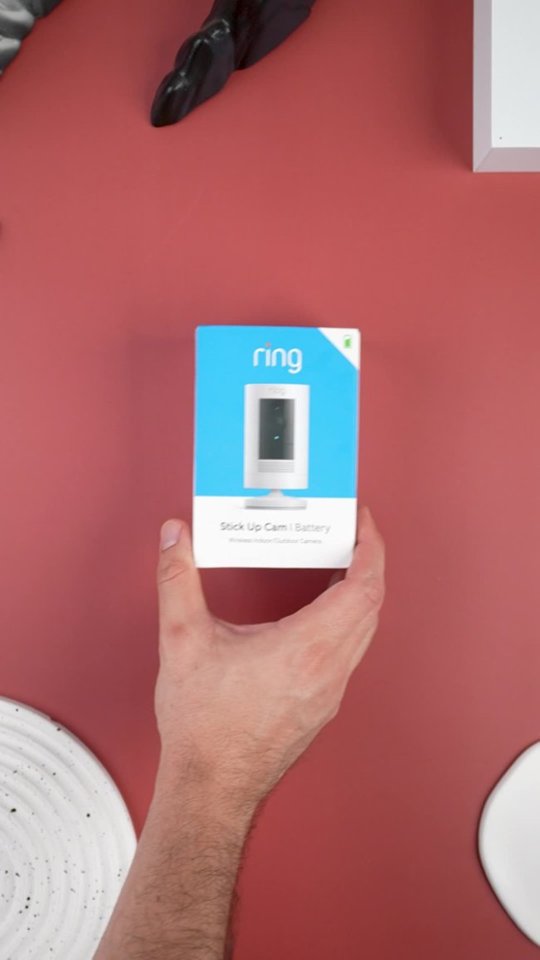
Thanks for asking. The Ring Stick Up Cam comes with a one-year limited warranty. For specific instructions about how to obtain warranty service for your device, please contact Ring Community Support.
We invite you to reach out to our Community if any additional information is needed regarding your question. The Ring Community is our first peer-to-peer community forum, giving our customers the ability to help one another by sharing their feedback and experiences with each other.
All the best,
Nicole from Ring.
A:AnswerHi Kingmike.
Good question. The Ring Stick Up Cam Battery device uses a Ring Quick-Release Battery Pack that must be removed for recharging. To charge it, use a common micro-USB cable, such as the orange one included in your Ring box. Simply plug it into any USB power source. The battery can take around 5–10 hours to fully charge, depending on whether the USB cable is plugged into a USB port or a wall outlet.
If you do not want to have to remove the battery for charging, you can opt for the solar or plug-in variations of the Ring Stick Up Cam. Visit our support center for more information.
We invite you to reach out to our Community if any additional information is needed regarding your question. The Ring Community is our first peer-to-peer community forum, giving our customers the ability to help one another by sharing their feedback and experiences with each other.
All the best,
Nicole from Ring.
A:AnswerHi Curious.
Thanks for reaching out. The Ring Stick Up Cam Battery device uses a Ring Quick Release Battery Pack, which is a rechargeable lithium-ion polymer battery. In this particular instance, we recommend checking directly with the airline to see what their restrictions are for traveling with this type of battery.
We invite you to reach out to our Community if any additional information is needed regarding your question. The Ring Community is our first peer-to-peer community forum, giving our customers the ability to help one another by sharing their feedback and experiences with each other.
All the best,
Nicole from Ring.
A:AnswerIt can but without anti glare window or camera film you can only see during the day. At night, you can’t see nothing but lights without lighting you can’t see nothing. I’d recommend using outdoor camera. I know people who uses theirs on front porch & it works fine. It’s indoor camera.
A:AnswerHello.
Thanks for asking. Yes, you can get notifications on multiple mobile devices. As an account owner, you can log into multiple devices, or you can grant others shared user access. A shared user cannot change system settings or account information but can view cameras and view and share videos. Access to particular cameras can be granted or denied by the owner.
We invite you to reach out to our Community if any additional information is needed regarding your question. The Ring Community is our first peer-to-peer community forum, giving our customers the ability to help one another by sharing their feedback and experiences with each other.
All the best,
Nicole from Ring.
A:AnswerHello.
Thanks for asking. The battery can take around 5–10 hours to fully charge, depending on whether the USB cable is plugged into a USB port or a wall outlet. To charge the battery, use a common Micro-USB cable, such as the orange one included in your Ring box.
We invite you to reach out to our Community if any additional information is needed regarding your question. The Ring Community is our first peer-to-peer community forum, giving our customers the ability to help one another by sharing their feedback and experiences with each other.
All the best,
Nicole from Ring.