“What is needed in addition to the device? What comes with the device and what is needed in addition to make it work? Does it come with a HDMI cable, etc?”
Answer This Question
1-10 of 10 Answers
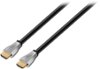
No HDMI cable included but I'd recommend getting the one below. I bought a 4' one, but it's up to you on length based on setup.
I would recommend:
Sorry, there was a problem. Please try again later.The device comes with the Roku unit itself, the remote, batteries for the remote, earbud headphones to plug into the remote, and cables necessary to power the unit. You will need a TV to plug this into that accepts HDMI input. If you want to view things in 4K, then it should be a 4K TV but a 4K TV is not necessary to view standard channels (in other words it can do everything the Roku 3 can do). You will need to purchase an HDMI cable, preferably one that can handle 4K. The unit does have Wi-Fi, but if you would like it to be hardwired then you can optionally get RJ-45 cable's.
Sorry, there was a problem. Please try again later.Nothing extra is needed. It comes with everything you need. I love mine.
Sorry, there was a problem. Please try again later.Yes, this comes with the needed cables to connect it.
Sorry, there was a problem. Please try again later.You need to provide the HDMI cable and Internet access. It works with both wi-if or Ethernet cable.
Sorry, there was a problem. Please try again later.You have to provide your own hdmi cable
Sorry, there was a problem. Please try again later.Needs Hdmi cable
Sorry, there was a problem. Please try again later.It needs an hdmi cable to be hooked up. Otherwise it's ready to go.
Sorry, there was a problem. Please try again later.There's no HDMI cable and you'll need access to ethernet port/router and ethernet cable or a wireless setup so additional hardware may be needed depending on how you plan on hooking it up.
Sorry, there was a problem. Please try again later.Included is player, remote, power supply and headphones. No hdmi cable. You need to have Internet service to connect to the Roku either Lan cable or wifi.
Sorry, there was a problem. Please try again later.