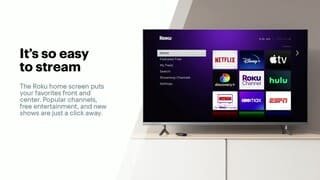
A:AnswerHi ! Yes, you can use the HBO Max channel on Roku without a cable or satellite subscription. If you currently subscribe to HBO Max simply login with your existing username and password to start streaming. If you're not currently an HBO Max subscriber, you can easily sign up within the channel on your Roku.
A:Answeryes, but I find that it drops the connection randomly and I have to reconnect. One day it won't lose connection at all and the next it will drop every 4 hours. I prefer using an HDMI instead of mirroring.
A:AnswerHi Patti, Yes. Much like your cable box or DVD player, Roku streaming players are designed to be connected to one TV. (However, the Roku Streaming Stick can easily be moved between rooms, or you can even take your Roku Streaming Stick with you when you travel).
For more information on which Roku streaming player is right for you, visit https://www.roku.com/products/compare.
A:AnswerHi Revs! Yes, HBO Max is available on all current Roku devices. If you currently have a subscription to HBO Max, simply login with your account credentials to access content on the channel.
A:AnswerHello! Yes, fuboTV is available on The Roku Channel Store. Just like your smartphone accesses an “app store” to add new applications, your Roku Express accesses the Roku Channel Store to add new channels.
A:AnswerHi bkman! Yes, the Xfinity stream channel is supported on all current Roku devices and is available on the Roku Channel Store. If the channel isn't currently available on your Roku device, you can easily add the channel. Just like your smartphone accesses an “app store” to add new applications, your Roku streaming player accesses the Roku Channel Store to add new channels. Please note you will need to authenticate the channel using your Xfinity account credentials.