A:AnswerHi cakalackie! The remote does not have numbers on the remote but if you press the button labeled "123", it will bring up an on-screen numeric display. ^Patty
A:Answerkimlee,
I’m sorry to see that you are having difficulties with connection issues.So that we can better troubleshoot towards a solution, please reach out to Samsung Support at 1-800-SAMSUNG (ask for TVs), available 8AM - 12AM EST, 7 days a week.
For additional support resources, visit us on the Samsung website and click on the ‘Support’ link in the upper right corner of the homepage for:
1) Chat with Us/Product Help: To begin a chat or find solutions, choose ‘TVs & Home Theater’ and select your model & topic.
2) Register a Product: For access to easy warranty support, convenient opt-in to special promos and offers, faster troubleshooting and service, and quick notification of system updates.
3) Manuals & Software
4) Warranty Info
5) Contact Us
^Patty
A:AnswerFirst, I must say that I hired Best Buy's Geek Squad to do the combined install of our new 65" Samsung TV with a Samsung soundbar (sorry, it wasn't a BOSE). The compatibility factor of having the same manufacturer for both the TV as well as the soundbar simplified the install. As I watched the Geek Squad tech zip through the install process, I noticed a SETTING for the Samsung soundbar that would enhance and SYNC the soundbar with the image on the screen. Obviously someone at Samsung noted this problem of syncronizing the sound with a soundbar, and decided to add that feature to their own brand of soundbars.
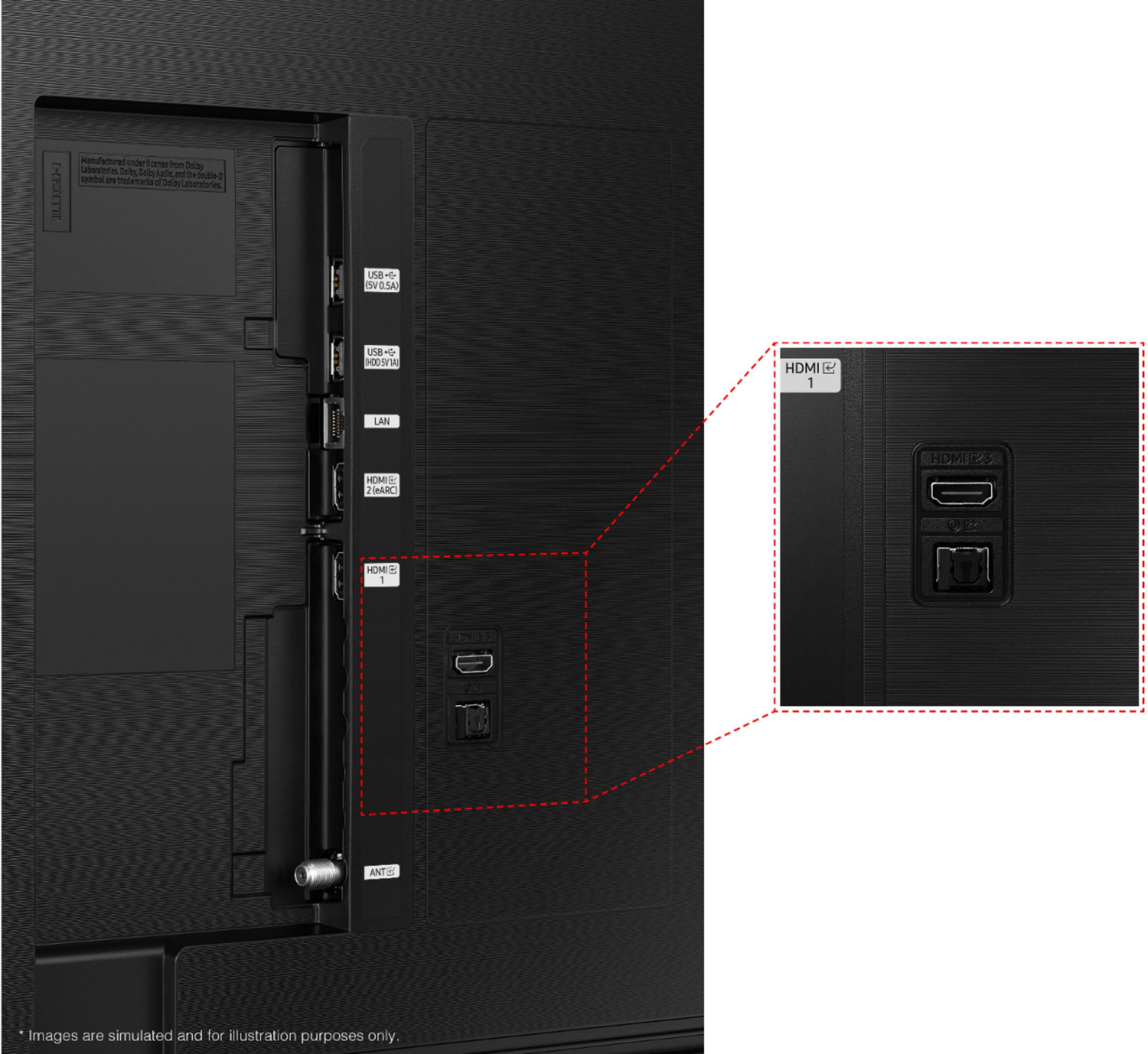
A:AnswerHi wiinter! Using adapters of any kind may reduce audio quality or cause delays in the audio/video signal. For the best experience with the TV we recommend using audio devices that support digital optical audio or HDMI.
^Tim
A:AnswerHi Max! Many of the buttons on your remote have multiple functions. For example, the Volume button is moved UP/DOWN to adjust volume, and to MUTE the sound, you need to PRESS it in. If that same button is pressed for > than 1 second, the Accessibility Shortcuts appears. Should you need additional assistance with the remote, please reach out to Samsung Support at: 1-800-SAMSUNG (ask for TVs), available 8AM - 12AM EST, 7 days a week, or Chat with us on Samsung.com: https://www.samsung.com/us/support/contact/
^Tim
A:AnswerHi! You can use the Universal Samsung TV Remote from Insignia found at the following link from Best Bhttps://www.bestbuy.com/site/insignia-replacement-remote-for-samsung-tvs-black/6448217.p?skuId=6448217
For details on replacing the Samsung Smart Remote with Voice, please reach out to Samsung Support at: 1-800-SAMSUNG (ask for TVs), available 8AM - 12AM EST, 7 days a week, or Chat with us on Samsung.com: https://www.samsung.com/us/support/contact/
^Tim
A:AnswerHi Matt! Each customer’s mounting situation can be very different, requiring specific screws to ensure the best, most secure fit. The 11-13mm listed in the user manual is not the screw length; It’s the wall mount thread depth in the TV chassis. Depending on how thick your wall mount is, you may need to add additional thread depth for minimum screw length. ^Tim
A:AnswerHi Matt! Each customer’s mounting situation can be very different, requiring specific screws to ensure the best, most secure fit. The 11-13mm listed in the user manual is not the screw length; It’s the wall mount thread depth in the TV chassis. Depending on how thick your wall mount is, you may need to add additional thread depth for minimum screw length.
^Tim
A:AnswerHi Rose! Yes, the AU8000 supports screen mirroring with both Android and Apple devices through built in Miracast and Airplay 2 technology.
^Tim