“How do I change the temperature to read in fahrenheit instead of celcius on this watch?”
Answer This Question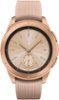
1-1 of 1 Answer
Open the Galaxy app on your phone (Wear) - go to Apps - Scroll down and tap on the settings icon next to "weather" to change it to Fahrenheit (you get a different screen if you just tap on the word weather instead of the gray setting icon).
Sorry, there was a problem. Please try again later.
