“Does this recorder make noises when you are turning it on and off? If so, is there any way to lower the noise of the beep?”
Answer This Question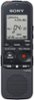
1-5 of 5 Answers
The default is a beep when most functions are activated, but this can be turned OFF for more discrete use. You can also disable the LED recording indicator and "lock" the unit to prevent accidental mode changes. Very discrete if desired.
Sorry, there was a problem. Please try again later.You can turn the operation beep on or off. 1.In the stop mode, select DISP/MENU - “Detail Menu” - “Beep,” and then press PLAY/STOP*ENTER. 2. Press – or + to select “ON” or “OFF,” and then press PLAY/STOP*ENTER. 3. Press (stop) to exit the menu mode.
Sorry, there was a problem. Please try again later.It does not make any noise when turning on or off.....
Sorry, there was a problem. Please try again later.no really i did not notice any noice
Sorry, there was a problem. Please try again later.The recorder doesn't make any beep noise.
Sorry, there was a problem. Please try again later.
