A:AnswerA smart TV shopper will only buy a new TV with at least a shared component and composite imput plus at least 3 hdmi inputs and a USB so you can use any disk player or electronic equipment and even a VCR because that TV has a built in upconversion circuits to enhance the picture quality
A:AnswerYes, "supported discs: Ultra HD Blu-ray, standard and 3D Blu-ray, DVD, CD/CD-R/CD-RW" And I am quite certain you and also play music CDs with this device, or even music CDs you make at home with .mp3 music files.
A:AnswerHi Henry
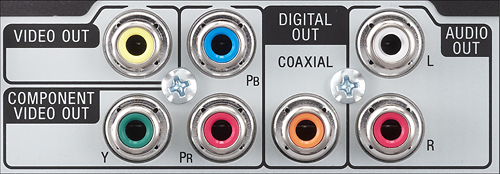
Sounds like your audio ports to your dvd player might not be plugged in right. Did you have sound when playing the disk? If you did have sound but not now try checking your mute button on the tv incase the volume was muted or the turned way down, check the audio ports that are connected to the dvd player and make sure they are connected to the back of your tv via the red, white cables to the audio out port. This should help. If not let contact contact back or get help fr best buy.
Hope this helps fix the problem
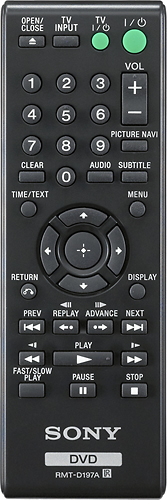
A:AnswerYou should of gotten a booklet with your TV giving you all the codes for the versus brands of equipment. Just find your codes and try to program it
A:AnswerHi, myrna!
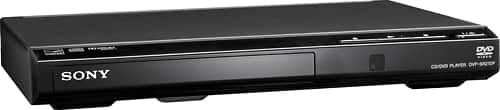
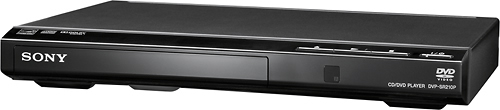
Unfortunately, the DVPSR210P is a regular DVD player, and it doesn't have the option to connect or stream Roku or Hulu TV. We recommend getting a Sony Bluray player instead. Try looking for the BDPS3700 or the BDPS6700 instead. Hope this helps! -Sam
A:AnswerHi F1BP, Kindly make sure to program the code for the TV. You may refer to this link for more information (Controlling TVs with the remote):
https://www.sony.com/electronics/support/res/manuals/4447/d1526642f56f7d2c942c4598ea9add71/44474743M.pdf
~Ralph
A:AnswerHi Sassy, this player is for DVD playback only, it doesn't record. The hook up of the player is very simple and easy to follow. For reference, you may check the manual: https://docs.sony.com/release//Ref_4447474321.pdf
Regards,
Erin
Sony Social Support