A:AnswerHi, Lou! We regret to hear about what happened. Please refer to page 73 of this link for troubleshooting steps to help isolate the issue (Sound skips or has noise):
https://www.sony.com/electronics/support/res/manuals/4727/d3668cdaf4f83107b52ee9bdb84fa5a0/47275331M.pdf
~Ralph
A:AnswerHi Jo, Using a soundbar is optional. Getting one will help your deliver the ultimate home cinematic experience. For more information about the unit, kindly refer to this link:
https://www.sony.com/electronics/sound-bars/ht-z9f
~Ralph
A:AnswerHi BamaBri, please refer to pg.28 of the link below for more information about mounting the unit on a wall. I hope it helps. Regards, ^Ron
https://docs.sony.com/release//Manual_4727533151.pdf
A:AnswerHi TechSpoob,
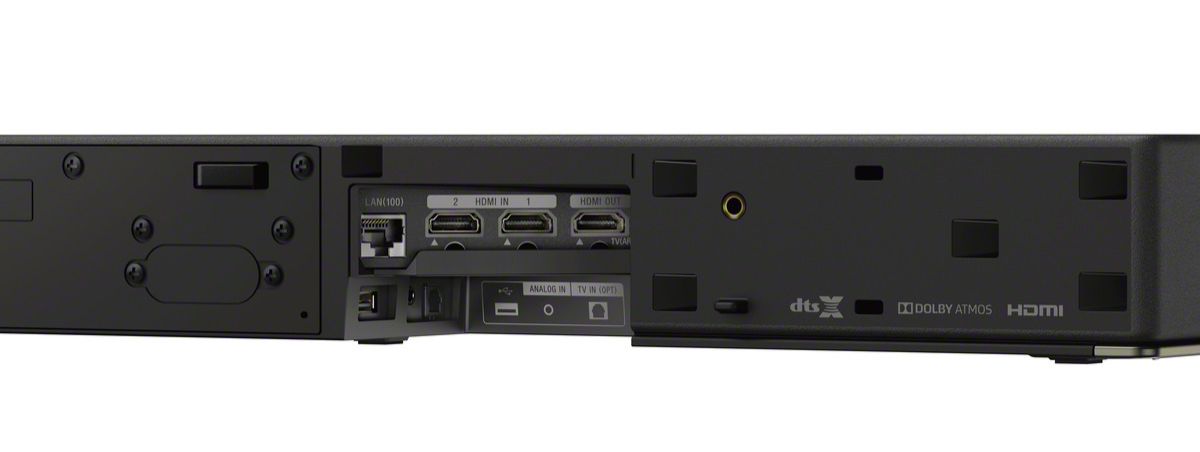
Thank you so much for your inquiry. I agree soundbar are created for a great sound experience. However, as part of normal operation, you need to connect the HTZ9F to a TV using an HDMI cable to access the menu and settings. It is recommended to use the on screen menu for initial setup. If your 4K Blu-ray player has 2 HDMI outs you can use HDMI 1 for video to the TV and HDMI 2 for Audio to the HTZ9F.
should you need more assistance or information, please email us at socialsupport@am.sony.com
Sincerely,
Romeo
A:AnswerHi, Stevey!
Yes, there is. You can turn off the Bluetooth to prevent other from connecting to your Soundbar. To turn off the Bluetooth, press Home>Settings>Bluetooth Settings>Bluetooth mode>OFF. -Sam
A:AnswerYes you can so long as your TV has an ARC (Audio Return Channel) Input. This is what allows the sound bar to act as a receiver of sorts since it does support 4k passthrough.