A:AnswerHi BobD,
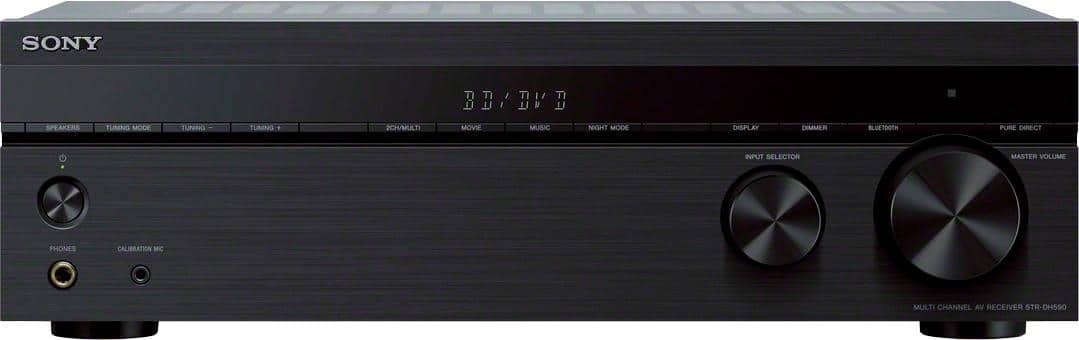
You cannot connect wired headphones to the AV receiver. Also, you can only use one audio system at a time. You cannot connect both the soundbar and AV receiver to your TV.
Regards,
David
A:AnswerHi Geo, we're sorry to hear that you have an issue with your SONY unit. You may follow these links to isolate the issue:
https://www.sony.com/electronics/support/audio-components-receivers-amplifiers/str-dh590/articles/00205292
https://helpguide.sony.net/ha/strdh59/v1/en/contents/TP0001559233.html
If you are unable to resolve your concern, please email us at [email protected] with the following details: Name: Username: Model Number: Issue: Telephone Number:
~Earl
A:AnswerHi bwell, thank you for your question. You can only select one input at a time when playing back video and sound from connected AV devices through this unit. Please check this link for more details:
https://helpguide.sony.net/ha/strdh59/v1/en/contents/TP0001559201.html?search=playback
~Earl
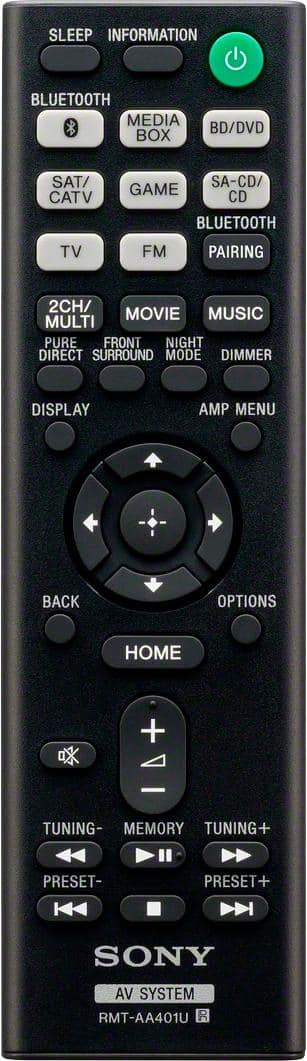
A:AnswerHi AVlover, thank you for your question. We recommend using the supplied remote to control this receiver instead. You can also select the receiver by the SYNC MENU of the TV and operate the receiver. This function can be used only if the TV supports the SYNC MENU. For details, refer to the operating instructions of the TV. Please check this unit for more details:
https://helpguide.sony.net/ha/strdh59/v1/en/contents/TP0001553290.html
~Earl
A:AnswerHi Anthony,
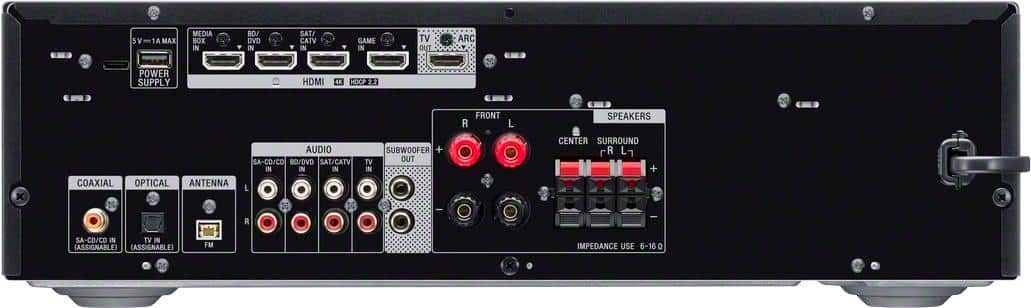
To connect a turntable to a stereo system, the stereo system should have a phono input. If a phono input is not available, the turntable must have a built-in amplifier or an in-line amplifier must be used to connect the turntable to another input on the stereo system.
Hope this helps!
David
A:AnswerHi Jon,
The subwoofer is designed for playback of bass sound. When the input source does not contain much of bass sound, as is the case with most TV programs, the bass sound may not be audible.
Regards,
David
A:AnswerHi Mac, thank you for your question. You can connect a turntable to the unit using an audio cable. To connect a turntable that only has a PHONO output jack, you need to connect a phono equalizer (not
supplied) between the turntable and this receiver. Please check this link for more details. (Refer to page 24):
https://www.sony.com/electronics/support/res/manuals/4726/55cd375e0f9e7103f2b6baa747ed9072/47269061M.pdf
~Earl
A:AnswerHi Cgb,
There will be no issue if you connect wired speakers with a nominal impedance of 6 ohms to 16 ohms. We also recommend using speaker wires that are anywhere between 12 to 16 gauge. These are most commonly used for connecting speakers to an amplifier or an Audio/Video (A/V) receiver.
Regards,
David
A:AnswerYes. This will work with that. I also have the smaller unit which is nice. Over all, I'd recommend this unit. It does what its supposed to and more.
A:AnswerHi Stanley,
We do apologize for the inconvenience. The PROTECT and PUSH POWER messages will flash alternately when the protective device of the amplifier has been activated because a strong signal was input, or if there is a short-circuit detected. To resolve the issue, turn the amplifier off and leave it off for at least 30 minutes. If the issue continues to occur after the unit is turned back on, check the speaker cables to eliminate the short-circuit problem.
NOTE: It may be necessary to replace the speaker cables to resolve the issue.
If the issue is still unresolved, service may be required. To further assist you, we recommend visiting our Eservice website to locate a repair center near you.
https://us.esupport.sony.com/support/s/service?language=en_US
Regards,
David
A:AnswerHi JR,
Yes, this AV receiver supports HDMI CEC but it is called Bravia sync for Sony products. https://helpguide.sony.net/ha/strdh59/v1/en/contents/TP0001553370.html
Regards,
David
A:AnswerHi Rick,
We do apologize for the inconvenience. Does your laptop has Bluetooth? Try to power reset the AV receiver and try again. Simply unplug the unit and wait 1-2 minutes then plug the device back in and power on. See page 31 for more details regarding your concern.
https://www.sony.com/electronics/support/res/manuals/4726/55cd375e0f9e7103f2b6baa747ed9072/47269061M.pdf
Hope this helps!
David
A:AnswerThe actual answer to the question (finally) is none. And that's because you can only connect powered subwoofers to it, which have their own built-in amp.
A:AnswerHi Rob,
You cannot connect the speakers from the DAVHDX265 to the AV receiver. We recommend connecting wired speakers with a nominal impedance of 6 ohms to 16 ohms.
Regards,
David