“PURCHASED SONY DIG. VOICE RECORDER ICDUX560BLK SKU5018200 RECEIVED UNIT BY MAIL JUST NOW. THE RECORDER IS THERE BUT IS THERE ANYTHING MORE I NEED TO RECORD A TELEPHONE CONVERSATION WITHOUT CONNECTING TO COMPUTER?”
Answer This Question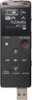
1-2 of 2 Answers
Hello BUD! In order to record from an external source you either place the call in speaker and press the record button to use the internal microphone on the Voice recorder or you can connect the audio out of your telephone if available and use the Microphone port on the recorder, keep in mind that the cord needs to be purchased separately. We recommend checking the following link for details on how to make the connection and also on how to change the settings to activate it: http://helpguide.sony.net/icd/u56/v1/en2/contents/TP0000830959.html http://helpguide.sony.net/icd/u56/v1/en2/contents/TP0000831192.html ~Jeannette
Sorry, there was a problem. Please try again later.You do not need anything else. You may want to make sure that the recorder has charge before you try to use it, but as long as it is charged, it is ready to use without any need to connect to the computer.
Sorry, there was a problem. Please try again later.
