A:AnswerHi pacific, It depends on how you set the recording mode. You may check this link for more details on battery life: http://helpguide.sony.net/icd/u56/v1/en2/contents/TP0000831085.html -Jerome
A:AnswerHi Jazz, No. This unit does not have a speech-to-text function. You may check out this link if you need more details about this recorder: http://helpguide.sony.net/icd/u56/v1/en2/index.html
Regards,
Vincent
A:AnswerHi Steve, This voice recorder has a strap hole, but it does not have a supplied strap. Compatibility with a neck strap is not guaranteed, but as long as the strap fits the strap hole, you can use it hanging from your neck. You may check this link for more details: https://docs.sony.com/release//Manual_4564744131.pdf -Jerome
A:AnswerHi compatibility, please visit the link below for more information about the compatible operating systems to this recorder. Thanks! ^Ron
http://helpguide.sony.net/icd/u56/v1/en2/contents/TP0000830963.html
A:AnswerShould be able to slide it. If there are no screws. Also if youhave a sub connection. Youdo not need to replace the battery. You can charge it through the sub.
A:AnswerHi Witch, Yes, you can erase a file without a computer. You may also charge the battery via computer or USB AC adaptor. Kindly refer to pages 20, 24 and 85 of the link below for more information:
https://docs.sony.com/release//Help_4573936321.pdf
~Ralph
A:AnswerHi Bob, please visit the link below for more information on how to activate the VOR(Voice Operated Recording) function. Thanks! ^Ron
http://helpguide.sony.net/icd/u56/v1/en2/contents/TP0000830992.html
A:AnswerAs far as i know, none of the recorders in this series have a carrying pouch. Not sure if it would be useful as it is dfesigned to be kept always ready to spring into recording action.
d2m3d
A:AnswerFirst of all, this is a truly amazing recorder.
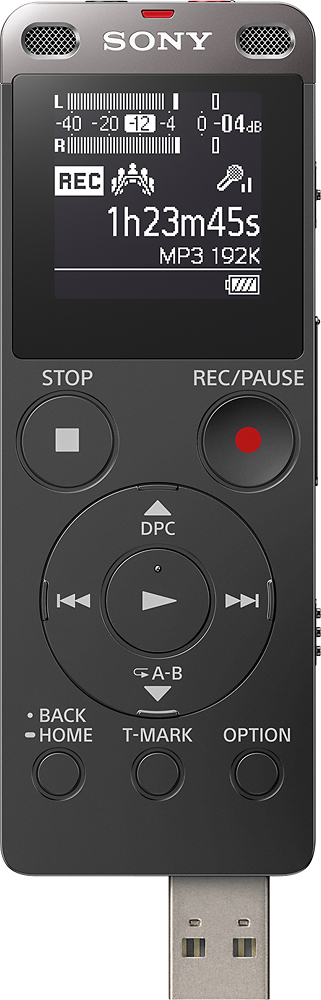
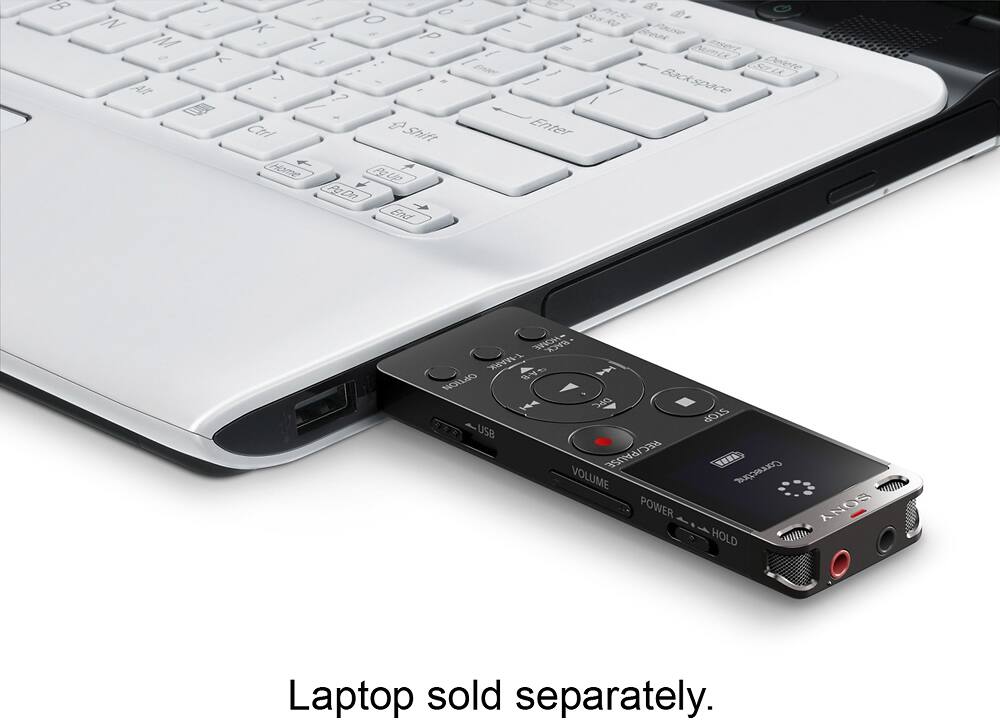
To connect to a laptop for charging and for transferring recorded data
whether voice recordings or music, there is a built in USB plug that slides
out from the bottom of the unit. You don't need any wires, it is self contained
in this unit. Just plug in to transfer data back and forth (unit-laptop-unit) and
just plug in to charge the unit for hours of recording. Of course you plug it
into your USB port of your laptop! A little too easy huh? All your recordings
are also nicely organized onto your laptop with the included software. Done
so by: File, Date, Name, etc.