“I want to use my own SD card which has my own MP3 or MP 4 files . I do not know how to operate after I have put my own SD card. Pls instruct me how should i follow then I can get to listen my SD card. Thank you!”
Answer This Question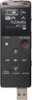
1-2 of 2 Answers
Check the Menu options to choose SD card.
Sorry, there was a problem. Please try again later.Use "Forward Arrow" or "Back Arrow" - to get to "Recorded Files". (Screen Headings: Music - Recorded Files - Record - Settings - Return to REC) Press "Center Arrow" - Heading will say "Recorded Files" Use "Up Arrow" or "Down Arrow" to get to "Folders" Press "Center Arrow" Use "Down Arrow" to get to "SD Card" Press "Center Arrow" Select "Folder" you want to hear
Sorry, there was a problem. Please try again later.