Customer Ratings & Reviews

- Model:
- B0B7Q62HMM
- SKU:
- 6532393
Rating by feature
- Value
Rating 4.7 out of 5 stars
- Quality
Rating 4.7 out of 5 stars
- Ease of Use
Rating 4.7 out of 5 stars
Customers are saying
Customers value the Spotlight Cam Plus for its impressive camera quality and ease of use. Many appreciate its overall performance and long battery life. While some users experienced issues with network connectivity, light brightness, and range, the majority are satisfied with the product's features like installation, security, motion detection, night vision, field of view, and price.
This summary was generated by AI based on customer reviews.
Did not like them.
||Posted . Owned for 1 month when reviewed.This reviewer received promo considerations or sweepstakes entry for writing a review.Did not like. Spotlight never came on and rarely detected motion. Plus each one takes 2 batterie
No, I would not recommend this to a friendBrand response from Ring
Posted .Hi AnnC.
Thank you for taking the time to share your experience with us. We understand how important it is to have your Ring Spotlight Cam Plus capture all the correct motion events. The Ring Spotlight Cam Plus was designed to capture motions based on your specifications to help keep your home secure. We are here to provide you with some information to resolve the issue you mentioned in your review.
It sounds like the device is not performing as expected in regards to motion detection. It is important to ensure that you have the proper motion settings in place for your environment. Here are a few tips to optimize the motion settings on your security camera:
1. Adjust Motion Sensitivity: Ring devices can detect motion up to 30 feet with the Motion Sensitivity slider at the maximum level. If you turn Motion Sensitivity down, this range will be lower, decreasing false motion. If your device is missing motion, increase the Motion Sensitivity using the slider.
2. Change the position of your Ring device: Adjust the position of your camera to improve the accuracy of motion detection.
3. Turn on Smart Alerts: You can enable Smart Alerts on your doorbell or camera to improve motion accuracy in detecting people and other objects, including packages. To turn on Smart Alerts, tap the Motion Settings tile on the device’s page in the Ring app. A Ring Home Plan is required to use Smart Alerts.
4. Change the Motion Frequency: Under Advanced Settings, tap Motion Frequency. You can adjust how often battery-powered devices check for motion. If your device is missing motion events, increase the Motion Frequency to Frequently (Shortest battery life—Motion detection always stays active) in the Ring app. If too much motion is being detected, change the frequency to Regularly (Medium battery life—Motion detection takes a short break after each motion alert) or Periodically (Maximum battery life—Motion detection takes a longer break after each alert).
We invite you to reach out to our community if any additional information is needed regarding your Ring Spotlight Cam Plus. The Ring Community is our first peer-to-peer community forum, giving our customers the ability to help one another by sharing their feedback and experiences with each other.
Thank you,
Amilia from Ring.
Mr Anthony
||Posted . Owned for less than 1 week when reviewed.This reviewer received promo considerations or sweepstakes entry for writing a review.Not please with the camera. Sometimes it’s doesn’t recognize people passing by. The lifespan of the battery is very poor, when I 1st gif it installed was supposed to be 30 days before recharging but lady only 2 weeks; and it took 5 hours to recharge. Costume service for Best Buy is very poor and unprofessional. I had an appointment and no one showed. When I called Best Buy I couldn’t get a straight answer; just run around.
No, I would not recommend this to a friendBrand response from Ring
Posted .Hi AnthonyM. We understand how critical it is for your Ring Spotlight Cam Plus to detect motion accurately so that you can be alerted within the Ring app to any motion activity around your home. Rest assured, we are here today to provide you with some information in order to ensure you get the most out of your motion detection! We are confident we can find a solution that works well for you and your home’s environment.
It sounds like you are experiencing issues with the motion detection and battery life of the device. The Ring Spotlight Cam Plus is designed to allow you to customize the Motion Settings for optimal performance based on your needs. It is important to ensure that you have the proper motion settings in place for your environment. There are some troubleshooting steps that you can take to ensure that you have your device set up for optimal battery performance.The more events captured by your Ring devices, the more your battery is used. Using Live View often can also drain your battery faster. If your device is capturing an excessive number of events each day, you may need to recharge your battery sooner. To prevent excessive activity, under Motion Settings for your device in the Ring app you can:
Adjust your Motion Sensitivity slider to a lower sensitivity.
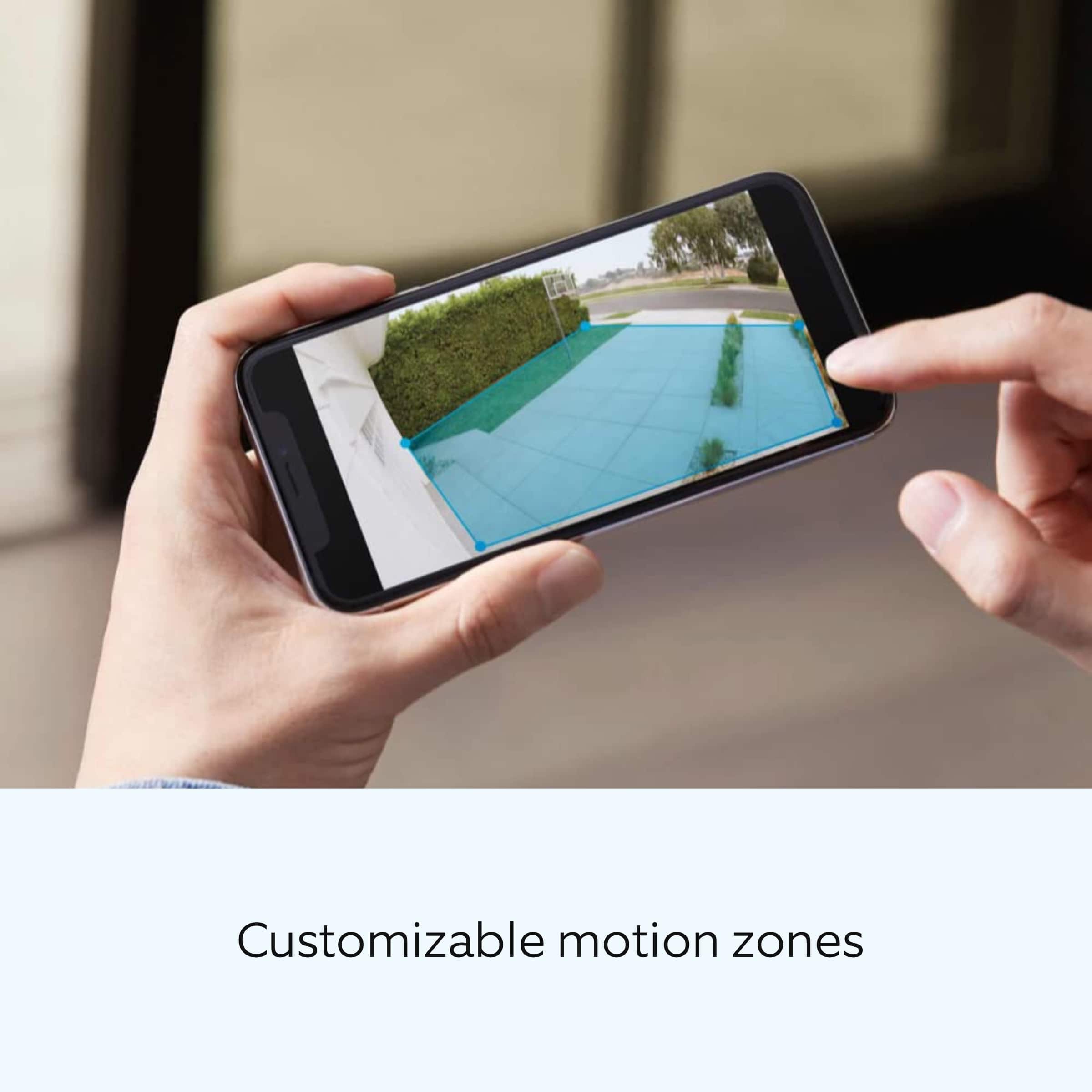
Redraw your Customizable Motion Zones.
Change Motion Frequency to regularly or periodically.
You could also adjust the direction of your Ring device so it doesn't detect as much motion.
You can go to Power Settings in the Ring app to see what features may be draining your battery.
To access Power Settings, open the Ring app:
Tap menu (≡) on the top left of the Dashboard.
Tap Devices.
Tap the individual device (video doorbell or security camera) you want to check.
Tap Power Settings to check your Battery Level percentage and Feature Power Usage .
Tap a feature to adjust Snapshot Capture, Motion Frequency and Video Recording Length.
Accuracy in motion detection can also be improved by enabling Smart Alerts for people only in your Ring app.
To enable Smart Alerts:
Tap the menu (≡) on the top left.
Tap Devices.
Tap the device that you want to adjust.
Tap Motion Settings.
Tap Smart Alerts.
Tap Enable Feature.
Tap Continue.
Select the notification options that you want for Person and Other Motion.
You'll see a video camera where you can select or de-select recording and a bell icon to represent alert notifications.
After you've adjusted your settings tap Done.
If any additional information is needed regarding your Ring Spotlight Cam Plus, please reach out to our community team. The Ring Community is our first peer-to-peer community forum, giving our customers the ability to help one another by sharing their feedback and experiences with each other.
Sincerely,
Melissa from Ring.
Best Buy continues to disappoint
||Posted . Owned for 3 weeks when reviewed.This reviewer received promo considerations or sweepstakes entry for writing a review.Not the product I am rating, but Best Buy. I purchased this item and at the same time signed up and was approved for a Best Buy credit card. This was to result in a 10% discount. The discount never appeared and several attempts to get help have proved unsuccessful. Will be returning the Ring Spotlights and cancelling my BB credit card.
No, I would not recommend this to a friendBrand response from Ring
Posted .Hi Keri.
Thank you for taking the time to share your experience with us.
At Ring, we believe in keeping people close to what’s important. That is why we are driven to create products that help you protect what matters most at home and empower you to connect with your visitors from wherever you are. Together, we’ll make neighborhoods safer!
The features and technology provided by the Ring Spotlight Cam Plus are incredibly valuable and help provide you with peace of mind about your home security. The Ring Spotlight Cam Plus is an outdoor security camera that can be used to capture out-of-sight areas and blind spots. It’s equipped with color night vision, customizable motion detection, and motion-activated lights.
In this particular case, we'd suggest you reach out to Best Buy's customer service: 1-888-237-8289 or https://www.bestbuy.com/services/triage/home. We are confident that they will be able to provide you with a resolution to this concern.
Ring Community was launched to help deliver the most current news and educational information to our neighbors. This online forum is divided into four categories: Product Boards, Ring Updates, Tips + Tricks, and a Moderators’ Corner. The Product Boards are where you can begin new topics with your questions or feedback; there is also a search option that helps you find topics that have already been posted by other neighbors.
All the best,
Nicole from Ring.
- Pros mentioned:Camera quality
Garbage
||Posted . Owned for 1 month when reviewed.This reviewer received promo considerations or sweepstakes entry for writing a review.They suck Older model is much better Aaaassaaaaaa
No, I would not recommend this to a friendBrand response from Ring
Posted .Hi LediS, thank you for taking the time to share your feedback. Our teams are always working to improve the Ring app and Ring devices, so we appreciate your input. If you're experiencing any issues with your Spotlight Cams, please feel free to reach out on the Ring Community https://community.ring.com/, where other neighbors can help. Best, Ashley from Ring.
Manufacturer defect
||Posted . Owned for 1 month when reviewed.This reviewer received promo considerations or sweepstakes entry for writing a review.One of the cameras is outside of the bracket. It was that way out of the box.
I would recommend this to a friendBrand response from Ring
Posted .Hi CoryG.
Thank you for taking the time to share your experience with us. We understand the importance of receiving a product that is in working order when it arrives. A seamless setup and installation process allows you to begin enjoying the technology and security features of your Ring Spotlight Cam Plus right away. We can definitely provide you with more information on the hardware concern that you mentioned in your review.
The Ring Spotlight Cam Plus is a wireless camera with an adjustable viewing angle for wide coverage throughout the day or night. We have included a list here of what comes in the box with the device:
Spotlight Cam Plus
USB-C Power Adapter
Installation Hardware
Camera Mount
User Manual/Quick Start Guide (not on packaging)
Security Sticker (not on packaging)
We have included the installation instructions for the Ring Spotlight Cam Plus here for your convenience:
Remove protective film from device. This ensures your device works properly.
Remove the battery.
Twist the Speaker hatch counterclockwise to unlock and remove the cover.
Then, remove the battery and discard the orange battery insulator.
Charge the battery.
Plug it into a power source using the provided USB cable. Once the battery’s fully charged, only one light on top will glow green.
Re-insert the battery.
Slide the battery back into the camera until it clicks into place.
Twist the battery compartment cover clockwise to lock it and tighten the security screw.
Choose a location with the view you want.
Your camera can be mounted on an outdoor wall, eave, or overhang. As a reminder when installing, please do not remove the rubber seal from the base as this could cause potential water damage.
For optimal motion detection:
Mount the camera about 3 feet (1 meter) from the middle of the entry point, and about 10 feet (3 meters) above the ground.
If you are installing it on a wall, your camera comes ready to mount, with the ball joint pointing down. No adjustments are needed before installation.
If you are installing on an eave or overhang, remove the battery compartment cover by twisting it counterclockwise and insert the ball joint plate with the ball joint pointing up.
Remove the mounting plate.
Slide it down to remove it from the camera mount.
Install the mounting plate.
For wall installation, the UP arrow should point up. For an eave or overhang, the arrow should point toward the area you want to monitor for motion. If installing on a wood surface, screw the plate directly into the wall.
If installing on a masonry surface, mark four screw holes using the plate as a guide. Drill pilot holes using a 1/4” drill bit. Insert the included wall anchors, then drive the four mounting screws through the mounting plate into the wall anchors.
WARNING! Only use the included mounting screws when securing the mounting plate.
CAUTION! DO NOT drill into your home’s electrical wiring.
Attach the camera mount.
Slide it onto the mounting plate.
Then, tighten the security screw.
Attach your camera to the camera mount.
Loosen the metal collar on the bracket using a Phillips-head screwdriver (not included). Push the ball joint into the socket until it snaps into place.
Adjust the camera angle.
Rotate the camera to focus on the area of your choice. Look at "Live View" in the Ring app to make sure it’s positioned at your desired angle.
Tighten the security screw.
Then, tighten the screw on the metal collar to secure the camera position.
Ring Community is our first peer-to-peer community forum, giving our customers the ability to help one another and share their feedback and experiences with Ring. We invite you to reach out to our community if any additional information is needed regarding your Ring Spotlight Cam Plus.
Thank you,
Melissa from Ring.
Ring Camera pack
||Posted . Owned for 1 month when reviewed.This reviewer received promo considerations or sweepstakes entry for writing a review.I purchased these online to be picked up “same day” in store. It clearly said online that they were available for store pick up. I called and they said that they were not available in store.
I would recommend this to a friendBrand response from Ring
Posted .Hello StevenM.
Thank you for taking the time to share your experience with us. We understand the importance of a seamless ordering, setup, and installation process, as this allows you to start using your Ring Spotlight Cam Plus right away. What you describe is not the experience we want you to have. Rest assured, we are here to offer you some help.
In this particular case, we'd suggest you reach out to Best Buy's customer service: 1-888-237-8289 or https://www.bestbuy.com/services/triage/home. We are confident that they will be able to provide you with an accurate inventory of what's available at a store near you.
Spotlight Cam Plus is an outdoor security camera that can be used to capture out-of-sight areas and blind spots. It’s equipped with color night vision, customizable motion detection, and motion-activated lights. Visit our support center for more information.
Ring Community was established to assist in providing our neighbors with the most recent news and instructional material. Four sections make up this online forum: Ring Updates, Product Boards, Tips & Tricks, and a Moderators' Corner. You can start new topics on the Product Boards with your questions or suggestions; a search function will assist you in locating subjects that other neighbors have previously posted.
All the best,
Nicole from Ring.
Ring Spotlight Cam Plus
||Posted . Owned for 3 weeks when reviewed.This reviewer received promo considerations or sweepstakes entry for writing a review.doesn't give a notice when a person is at the door. But gives a notice when no one is there. or it will let you know a person is there 2 min. after they left. Very disapointed in this product.
No, I would not recommend this to a friendBrand response from Ring
Posted .Hi GrandmaDar.
Thank you for taking the time to share your experience with us. We understand how important it is to have your Ring Spotlight Cam Plus capture all the correct motion events. The Ring Spotlight Cam Plus was designed to capture motions based on your specifications to help keep your home secure. We are here to provide you with some information to resolve the issue you mentioned in your review.
It sounds like the device is not performing as expected in regards to person detection. It is important to ensure that you have the proper motion settings in place for your environment. This camera uses adjustable motion detection and runs on passive infrared sensors. The system identifies visitors via a moving heat signature and sends a notification to your smart device when one is detected. You can adjust three preset motion zones and their distances under the "Motion Settings" tab on the device's page in the Ring app. Additionally, you can choose how often the camera checks for movement in those predefined zones via the "Motion Frequency" setting. If you find that your camera is missing some motions, please set the motion frequency to "Frequently."
Accuracy in motion detection can also be improved by enabling the "Smart Alerts" feature for people only in your Ring app. To enable "Smart Alerts," please follow these steps:
Tap the menu (≡) on the top left.
Tap "Devices."
Tap the device that you want to adjust.
Tap "Motion Settings."
Tap "Smart Alerts."
Tap "Enable Feature."
Tap "Continue."
Select the notification options that you want for "Person" and "Other Motion."
You'll see a video camera where you can select or de-select recording and a bell icon to represent alert notifications.
After you've adjusted your settings, tap "Done."
Notification delays are often related to wifi connection or mobile device variables. A delay of under six seconds is expected due to signal fluctuation. We recommend placing the device within a good range of the router and without obstacles in between will ensure optimal performance. You can also add a Ring Chime Pro to your network to boost the signal to your Ring Spotlight Cam Plus, if needed.
If any additional information is needed regarding your Ring Spotlight Cam Plus, please reach out to our community. Ring Community is our first peer-to-peer community forum, giving our customers the ability to help one another and share their feedback and experiences directly with Ring.
Thank you,
Melissa from Ring.
My mistake to purchase
||Posted . Owned for 1 month when reviewed.This reviewer received promo considerations or sweepstakes entry for writing a review.Products arrived with dead or nearly dead batteries. No battery charger provided. Chime notification only seem to work when techs are Here. I could use the 400.00 for pain and Suffering. Remove system.
No, I would not recommend this to a friendBrand response from Ring
Posted .Hi ArphiaF.
Thank you for taking the time to share your experience with us. We understand the importance of a seamless setup process so that you can begin using your Ring Spotlight Cam Plus right away. The features and technology provided by the Ring Spotlight Cam Plus are incredibly valuable and help provide you with peace of mind about your home security. Rest assured, we are here to provide you with solutions today.
It sounds like the device is not performing as expected. We have included a list here of items that are included in the box with the Ring Spotlight Cam Plus:
Spotlight Cam Plus
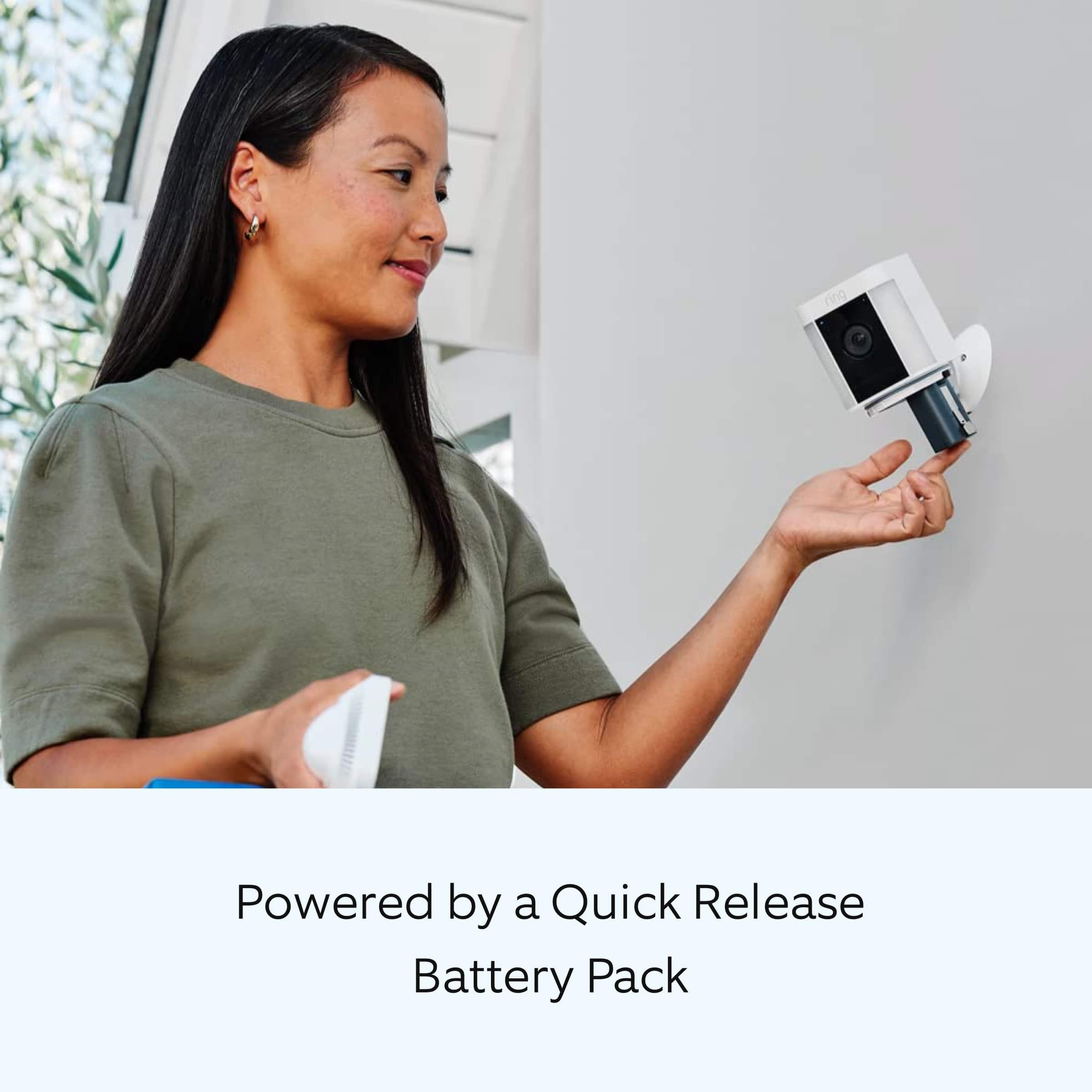
Quick Release Battery Pack
Micro USB charging cable
Installation Hardware
Camera Mount
User Manual/Quick Start Guide (not on packaging)
Security Sticker (not on packaging)
If you are missing pieces from the box, we advise you to contact our customer support team at 1-800-656-1918. Agents are available 24/7 and ready to assist you.
For safety reasons, the Ring Quick Release Battery Packs are not shipped fully charged and require charging prior to installing them in the camera. To charge the battery or batteries for your Ring Spotlight Cam, please follow these steps:
Open the battery compartment, press the white button, and lift open.
Remove the battery by pressing the Release tab.
Connect any micro-USB charger to the charging port in the battery. During charging, both the red and green lights will light up. Your battery is fully charged when the light on the battery shines a solid green.
Slide the fully charged battery back into Spotlight Cam until it clicks in place.
Firmly close the battery compartment door. It might take a little pressure, but you'll know it's secure when you hear a click.
Your device will power up after a minute and be ready for use.
The Ring Chime can play audio alerts when motion is detected on your Ring camera. Ring Chime was designed with the ability to customize the type of sound you hear when an event takes place.
Your Chime can play different sounds for motion and ring events. We recommend following these steps to choose the best sound for Chime alerts for your environment:
Open the Ring app.
Tap the top menu (☰) and then Devices.
Select your Chime or Chime Pro device.
Tap Audio Settings, then Chime Tones.
You'll see two tabs at the top of the screen: rings and motions.
Tap Rings and select your favorite sound. Chime will play when someone presses your doorbell. You'll hear an audio sample when chosen. You can also adjust the volume with the slider.
Tap Motions and select your favorite sound. Chime will play when motion is detected on your Ring doorbells and cameras. You can also adjust the volume with the slider.
We invite you to reach out to our community if any additional information is needed regarding your question. The Ring Community is our first peer-to-peer community forum, giving our customers the ability to help one another by sharing their feedback and experiences with each other.
Thank you,
Melissa from Ring.
Security camera
||Posted . Owned for 3 months when reviewed.This reviewer received promo considerations or sweepstakes entry for writing a review.Not what I thought it would be. The and the batteries came completely dead. And the product was used and rebuilt
No, I would not recommend this to a friendBrand response from Ring
Posted .Hi EvelynH. Thank you for taking the time to share your experience with us. We understand how important it is for you to receive a product that is in working order when it arrives. The features and technology provided by the Ring Spotlight Cam Plus are incredibly valuable and help provide you with peace of mind about your home security. We are eager to provide you with a solution for the concern mentioned in your review.
It sounds like your device is not operating as expected. The Quick Release Battery that comes with the Ring Spotlight Cam Plus will require charging prior to the initial setup of the device. Use a common micro-USB cable, such as the orange one included in your Ring box. Simply plug it into any USB power source. The Quick Release Battery for your Ring Spotlight Cam Plus can take around 5-10 hours to fully charge depending on whether the USB cable is plugged into a USB port or a wall outlet.
We invite you to reach out to our Community if any additional information is needed regarding your Ring Spotlight Cam Plus. The Ring Community is our first peer-to-peer community forum, giving our customers the ability to help one another by sharing their feedback and experiences with each other.
Thank you,
Melissa from Ring.
Stupid
||Posted . Owned for 3 weeks when reviewed.This reviewer received promo considerations or sweepstakes entry for writing a review.Stupid to be outdoor yet have to be recharged. Why would anyone want these
No, I would not recommend this to a friendBrand response from Ring
Posted .Hi Yomama.
Thank you for taking the time to share this feedback with us.
We understand the importance of having all relevant product information prior to purchasing. The features and technology provided by the Ring Spotlight Cam Plus are incredibly valuable and help provide you with peace of mind about your home security. We can definitely provide you with more information regarding the concern mentioned in your review.
It sounds like there is some confusion regarding the power options for the Ring Spotlight Cam Plus. Ring offers a variety of security cameras to meet the needs of various home environments. The Ring Spotlight Cam Plus comes in four different power options. If the battery option is not the best solution to meet your needs, we invite you to review information on the Ring Spotlight Cam Plus Solar, Plug-In, or Wired options. Visit our support center to compare each of the devices and find the one that would be the best for your home's security.
Ring Community was launched to help deliver the most current news and educational information to our neighbors. This online forum is divided into four categories: Product Boards, Ring Updates, Tips + Tricks, and a Moderators’ Corner. The Product Boards are where you can begin new topics with your questions or feedback; there is also a search option that helps you find topics that have already been posted by other neighbors.
All the best,
Nicole from Ring.
Nope.
||Posted . Owned for 1 month when reviewed.This reviewer received promo considerations or sweepstakes entry for writing a review.Didn't buy them, returned them since Best Buy can't help set them up (see other reviews)
No, I would not recommend this to a friendBrand response from Ring
Posted .Hi Dryerman.
Thank you for sharing your experience with us.
We understand the importance of a seamless installation and setup process so that you can begin using your Ring Spotlight Cam Plus right away. The features and technology provided by the Ring Spotlight Cam Plus are incredibly valuable and help provide you with peace of mind about your home security. We can definitely provide you with more information regarding the concern mentioned in your review.
It sounds like you need some more information on installing your Ring Spotlight Cam Plus. We recommend setting up your device in the Ring app prior to physically installing the device. Then you will want to choose a location with the view you want. Your camera can be mounted on an outdoor wall, eave, or overhang. For optimal motion detection, mount the camera about 3 feet (1 meter) from the middle of the entry point and about 10 feet (3 meters) above the ground. Once you've chosen the location where you want your device, visit our support center for a step-by-step guide on how to physically install your Ring Spotlight Cam Plus.
Ring Community was launched to help deliver the most current news and educational information to our neighbors. This online forum is divided into four categories: Product Boards, Ring Updates, Tips + Tricks, and a Moderators’ Corner. The Product Boards are where you can begin new topics with your questions or feedback; there is also a search option that helps you find topics that have already been posted by other neighbors.
All the best,
Nicole from Ring.
- Pros mentioned:Camera quality
Pleased with purchase
Posted .This reviewer received promo considerations or sweepstakes entry for writing a review.Overall I am pleased with the cameras. Very wide angle. Great picture and video quality. There have been a few times I needed to speak to delivery person, microphone works great. You can add a power cord for constant power. I don’t like the mounting brackets they came with. They are cheap and don’t have a wide range for movement. They are also a bit more expensive than some of the other cameras.
I would recommend this to a friendBrand response from Ring
Posted .Hi AlexS.
Thank you for taking the time to share your experience with us. We are pleased to read that you are enjoying your new Ring Spotlight Cam Plus and that the features included are meeting your expectations. At Ring, we believe in keeping people close to what’s important. That is why we are driven to create products that help you protect what matters most at home and empower you to connect with your visitors from wherever you are. Together, we’ll make neighborhoods safer!
Ring Community was launched to help deliver the most current news and educational information to our neighbors. This online forum is divided into four categories: Product Boards, Ring Updates, Tips and Tricks, and a Moderators’ Corner. The Product Boards are where you can begin new topics with your questions or feedback; there is also a search option that helps you find topics that have already been posted by other neighbors. We invite you to visit our community today.
Thank you,
Melissa from Ring.
- Pros mentioned:Camera quality, Ease of use
Smart choice, great performance
Posted .This reviewer received promo considerations or sweepstakes entry for writing a review.Video quality is excellent, day or night. I paired them with solar panels and they’re functioning perfectly at all hours. The phone app is user friendly. Setup is easy. I needed technical support for a backup video and the tech was helpful and I felt valued. He suggested and talked me through making some settings to optimize the areas I’m monitoring. Overall a positive experience. Pairing with my Amazon account and Fire devices makes it tidy and easy.
I would recommend this to a friend - Pros mentioned:Overall performance
The Best!
Posted .This reviewer received promo considerations or sweepstakes entry for writing a review.Outstanding product! We had a different product in our home before upgrading with the help of our Total Tech Support and what a difference after he installed our system! I hope you ask for Asa! He is an outstanding installer. Very fast, knowledgeable and best of all he’s truly a nice person! Thanks again Asa!
I would recommend this to a friend Safe and secure!
Posted .This reviewer received promo considerations or sweepstakes entry for writing a review.I am extremely happy I purchased the ring from Best Buy. The ultimate feeling of security is invaluable to me and my family. My children feel quite confident because I purchased the ring, I am safe and secure in my home so they do not have to worry about my safety. I am thrilled with this purchase and highly recommend this product!
I would recommend this to a friend- Pros mentioned:Camera quality, Ease of use
Great Cameras!
Posted .This reviewer received promo considerations or sweepstakes entry for writing a review.Very good cameras. Great picture quality and easy to install.
I would recommend this to a friend - Pros mentioned:Battery life
Great picture day and night.
Posted .This reviewer received promo considerations or sweepstakes entry for writing a review.I bought this camera and installed it, outside my garage, with a solar charger, and so far has been great, day or night, it has spots for two batteries, but i only have one, there is no need for a second battery. The camera stay charged at 98- 100% at all times.
I would recommend this to a friend - Pros mentioned:Camera quality
Peace of Mind - Fully Trust These
Posted .This reviewer received promo considerations or sweepstakes entry for writing a review.These were easy to set up and get working. The images are amazingly clear and the notifications are spot-on!
I would recommend this to a friend - Pros mentioned:Ease of use
Great and easy
Posted .This reviewer received promo considerations or sweepstakes entry for writing a review.Easy to set up, look great. First unit had bad battery, store swapped it easily and now they work great
I would recommend this to a friend - Pros mentioned:Ease of use
Ring cameras
Posted .This reviewer received promo considerations or sweepstakes entry for writing a review.Easy setup great product tool less than an hour to get set up and running
I would recommend this to a friend