Customer Ratings & Reviews




- Model:
- NS-P11W7100
- |
- SKU:
- 5255800
Customer reviews
Rating 3.9 out of 5 stars with 934 reviews
(934 customer reviews)Rating by feature
- Value3.5
Rating 3.5 out of 5 stars
- Quality3.0
Rating 3.0 out of 5 stars
- Ease of Use3.5
Rating 3.5 out of 5 stars
Customers are saying
Customers are delighted by the ease of use, the included keyboard, and the tablet's size. Many appreciate the affordable price and find the performance adequate for their needs. However, some customers note that the weight of the device is a drawback, and the limited storage capacity is a concern for some users. The smaller amount of RAM available is also mentioned as a potential limitation.
This summary was generated by AI based on customer reviews.
- Pros mentioned:Keyboard, Price, Size
Rated 5 out of 5 stars
The the best small windows tablet for the money!
||Posted .This reviewer received promo considerations or sweepstakes entry for writing a review.This tablet is exactly what I needed to escape losing all of my work while traveling. It is small enough to easily take anywhere, yet powerful enough to handle all of my word processing needs. I like the keyboard and I enjoy having the same profile as my laptop without the bulk. It is so affordable, that if it is stolen, I can easily replace it instead of my $800.00 laptop.
I would recommend this to a friend - Pros mentioned:Ease of use, Keyboard
Rated 4 out of 5 stars
Great value for the price
||Posted .This reviewer received promo considerations or sweepstakes entry for writing a review.Great computer for the price. Very portable, and I like that the keyboard is detachable, so you can use it as a tablet. My only biggest concern, is the charging cable is way too short, only 3 feet I think. So if you're used to wrapping your old laptops 20 foot adapter, you will not be able to freely use this laptop, with a charger plugged in.
I would recommend this to a friend - Cons mentioned:Speed, Weight
Rated 4 out of 5 stars
Not bad for the price
||Posted .This reviewer received promo considerations or sweepstakes entry for writing a review.A bit heavy and slow, but for acceptable at the price. It serves the purporse for which it was purchased, which is to have a computer to take along when traveling.
I would recommend this to a friend Rated 5 out of 5 stars
Economical Windows Tablet that Over-Delivers
||Posted .This reviewer received promo considerations or sweepstakes entry for writing a review.I purchased this tablet about a month ago after my primary laptop crashed while on business travel. Even though the Geek Squad was able to fix the laptop, I wanted a tablet that I could take in its stead to avoid any future problems. The challenges: (1) I not only use MS Office, but Adobe Photoshop as well, because I do book editing and layout and some graphic design. So, I decided I wanted a Windows OS tablet. (2) I only had a $200-ish budget. (3) I wanted the option of a keyboard, but ability to use the device as a straight tablet. The Insignia 11.7" tablet with 32GB RAM fit the bill...EXCEPT, the salesman warned me that it would not be able to run multiple programs at once, and especially not Photoshop. I'm happy to say that he was wrong. I installed the free trial of Adobe Creative Suite, installed an extra 400+ fonts, and subscribed MS Office 360 with all of it being downloaded onto the internal memory. I am able to work on multi-layer files in Photoshop while having Microsoft Word open from which to copy text. I purchased a high speed 32GB micro SD card to use as my extra data "storage device" and have had an excellent experience this far. Sure, it's not super-fast, but it gets the job done, and keeps me from possibly damaging my primary laptop with all of the jostling during travel. I appreciate how easily the tablet connects/disconnects from the keyboard and the small amount of space it takes up in my carry-on. The screen is wider than most tablets, which is exceptionally nice for watching movies. The keyboard has two USB 2.0 PORTS that will handle a flash drive (I use 128GB flash drives) but will NOT power a portable drive. The tablet itself has the microSD slot as well as a microHDMI slot. With the cables I carry, I can connect the tablet to a flat screen TV in the hotel rooms to either use as an expanded desktop monitor or to watch Netflix or YouTube in style. I will say that you will want to use a wireless mouse with this if you are are trying for productivity as the mousepad can be quite jumpy at times. In full tablet mode, the touch screen is fairly responsive, though a little quirky times. So far, this tablet has over performed and over delivered compared to what the salesperson said it would do. I'm extremely satisfied. I believe I got lots of bang for my budget!
I would recommend this to a friend- Pros mentioned:Size
Rated 5 out of 5 stars
It has a large viewing screen
||Posted .This reviewer received promo considerations or sweepstakes entry for writing a review.I love that it has a large screen so that I can see what I am doing when using it.
I would recommend this to a friend - Pros mentioned:Price
Rated 5 out of 5 stars
Good product
||Posted .This reviewer received promo considerations or sweepstakes entry for writing a review.This computer is good and reasonable price , should reccomend for everyone .
I would recommend this to a friend Rated 5 out of 5 stars
Great Computer For My Bussiness
||Posted .This reviewer received promo considerations or sweepstakes entry for writing a review.It was a great experience to buy this product because is very easy to use and fill my needs.
I would recommend this to a friendRated 1 out of 5 stars
Disappointed
||Posted .This reviewer received promo considerations or sweepstakes entry for writing a review.I bought this tablet ,the first one keyboard wasn't working. I returned it and ordered a new .today i picked up the new one and i have to return it again because the tablet won't start.and when it does start the screen is half black and the other half white or blue very disappointed.
No, I would not recommend this to a friend- Pros mentioned:Battery life, KeyboardCons mentioned:Storage, Weight
Rated 4 out of 5 stars
Perfect for web surfing
||Posted .This reviewer received promo considerations or sweepstakes entry for writing a review.I'd been looking for a low cost computer that I could use for web surfing, and this little jewel met my needs perfectly. Windows 10 performs well on this low power device. The Good: Great battery life, and a high resolution screen that is typically not available on devices under $500, let alone one that sells for under $200. Wifi works well and the detachable keyboard is quite sturdy for an inexpensive device. I've had multiple browser tabs open while also listening to a podcast without a hickup. The atom processor doesn't feel sluggish and sips battery power compared to larger laptops with higher end processors. The bad: The trackpad is way too sensitive and will often trigger actions when your palm brushes it. It's a common problem with small devices and I prefer to use a wireless mouse instead. The onboard storage is barely adequate, although you can add a micro-sd card and move some applications to it to free up room. The overall weight is on the higher side, but that may be due to the keyboard being heavier to counter-balance the removable display. While 2 full size USB ports are provided on the keyboard, using the display in tablet mode leaves you with a single USB-C port which is also used to charge the device. After two weeks of use, I'm overall pleased with this device. While it does have limitations, as long as your needs are minimal it should serve you well.
I would recommend this to a friend - Pros mentioned:Battery lifeCons mentioned:Ram
Rated 4 out of 5 stars
Good performance for a Windows 10 based tablet
||Posted .This reviewer received promo considerations or sweepstakes entry for writing a review.I've been an Android tablet user for some time and wanted to get a Windows based tablet given my experience with Windows for many years (plus there are some applications I can only run on Windows that I regularly use). In my research I found very few that ran that operating system. This tablet was on the low end price range of these (being it was on sale helped) so I decided to give the tablet a try. Overall this tablet has performed well with a few misgivings, so I wanted to share my experiences. First, the display is definitely one of the better ones out there. A 1920 x 1080 display gives the ability for more visible real estate to be on the screen at the same time. Images are more intricate/fine lined. The tablet also adjusts the brightness of the screen depending on the brightness within the room; I don't know if that is hardware or software based. However sometimes in a dark setting it does get a little too dark, but this can be overridden. Some reviews indicated difficulty with the sensitivity of the touch screen. For the most part I have not had this experience, however with a Windows based tablet, you sometimes have to remember to tap twice (much like clicking the mouse twice) so that is definitely a Windows thing. However I do find you have to press a little firmer for things to register at times. The main tablet itself is a bit weighty; this does give it a firm feel that it is well constructed. However with the keyboard attached, this sometimes causes it to fall over, especially if you don't have the keyboard firmly planted on a horizontal surface. The keyboard itself isn't that bad. It did take a day or so to adjust to it, but I am finding it relatively easy to type (I am accustomed to keyboards with keys that are more elevated such as with older style keyboards). The fact the keys are not condensed somewhat (more typical with 7" or 8" tablet keyboards) is nice. The biggest issue (and it's sometimes annoying) is the sensitivity of the touchpad. I have found that the palm of my hands occasionally grazes the top of the touchpad when I am typing and it causes the cursor to jump to a different part of the screen. This was unintended and just added some aggravation to what I was trying to do. This touchpad is quite sensitive, and I did see others complaining about the same thing. As I got used to the tablet I was finding myself having this issue less often but still enough that this was mostly the reason this didn't get a five star rating. However I was able to overcome this by buying a wireless mouse (which then requires the keyboard be attached) which really helped and made my experience with this tablet much better. The two USB ports are good, except they are low powered. I found an extenal hard drive would not work because the voltage isn't high enough. However the aforementioned wireless mouse and a jump drive worked without any problems. The 2GB memory for the operating system in my view is not enough. After Windows 10 started up, I noted that it reported more than 50% was in use, mostly by the operating system itself. I believe 4GB would have been better (even though it would likely report just under that due to the 32-bit nature of the Windows setup). 32GB is a fair amount for storage, but I have found most of that already used up with the applications I have installed. But you can install an SDXC card to extend your storage, and configure Windows 10 to use that for installing some of your applications, so this makes it more versatile. Given my Windows 10 experiences, I am disabling those services I truly don't need, which is helping to free up a little memory. As for performance, this surprised me. It is actually doing better than I anticipated, but still it is best to run only one application at a time for best performance. This tablet is not designed like a laptop where it could perform more than one thing at a time without noticeable lagging. But that all depends on what you're running too. As for battery life, this is also doing better than I expected. I can get several uses out of it before it becomes necessary to attach the USB-C cable to charge it. However be careful; if you put this into sleep mode, it may wake up and your battery will drain without you knowing it (this is a Windows thing I believe). I find I can use this with the USB-C cable attached and it is able to keep the battery charged and running the PC at the same time. For better charging/usage performance with the cable plugged in, the dimmer the display the better. Incidentally, a 3' USB-C cable is a bit short. Overall I am happy I went with this tablet given the resources available to me at that time. It is performing a little better than I expected, and understanding it's on the low end of the spectrum for Windows based tablets, do find it is adequate to do the things I want it to accomplish. Some more memory and improvement on the sensitivity of the touchpad are likely the things I think need attention on this tablet to make it five-star worthy.
I would recommend this to a friend - Pros mentioned:Keyboard, Price, SizeCons mentioned:Memory
Rated 4 out of 5 stars
Good for very basic function needs
||Posted .This reviewer received promo considerations or sweepstakes entry for writing a review.Overall I am happy with this notepad. Nice size and affordable. I wish it held more memory but I was advised of the amount of memory before I purchased it. My one complaint is when you have it off the keyboard and bring the keyboard up on the screen, you cannot type when it is held horizontally because the screen key board covers where you are typing so you cannot see as you type. If held vertically it is fine. I do love the detachable key board and for what I need it for it was overall a good purchase for me.
I would recommend this to a friend Rated 4 out of 5 stars
Good tablet for the money, wifi fix solution.
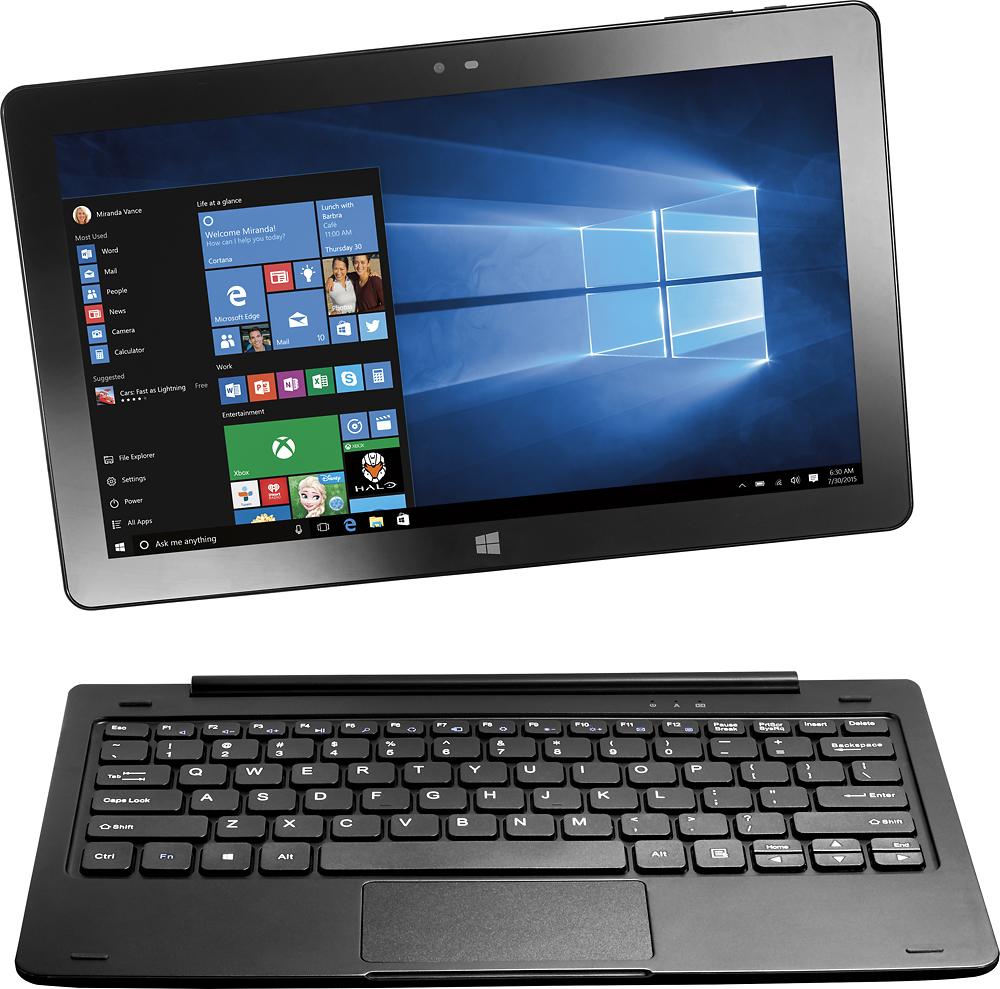
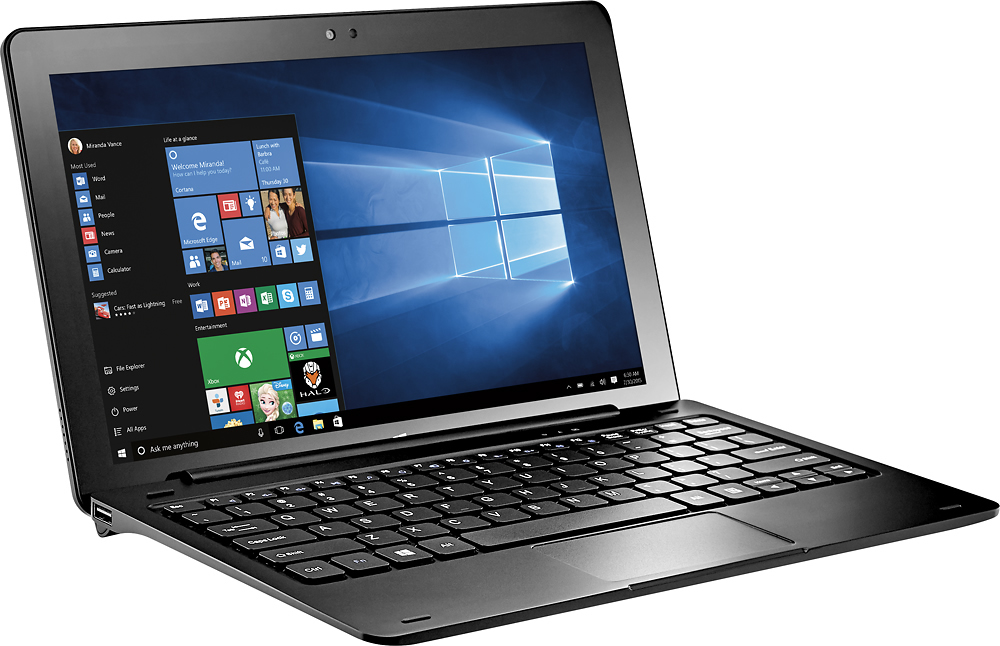
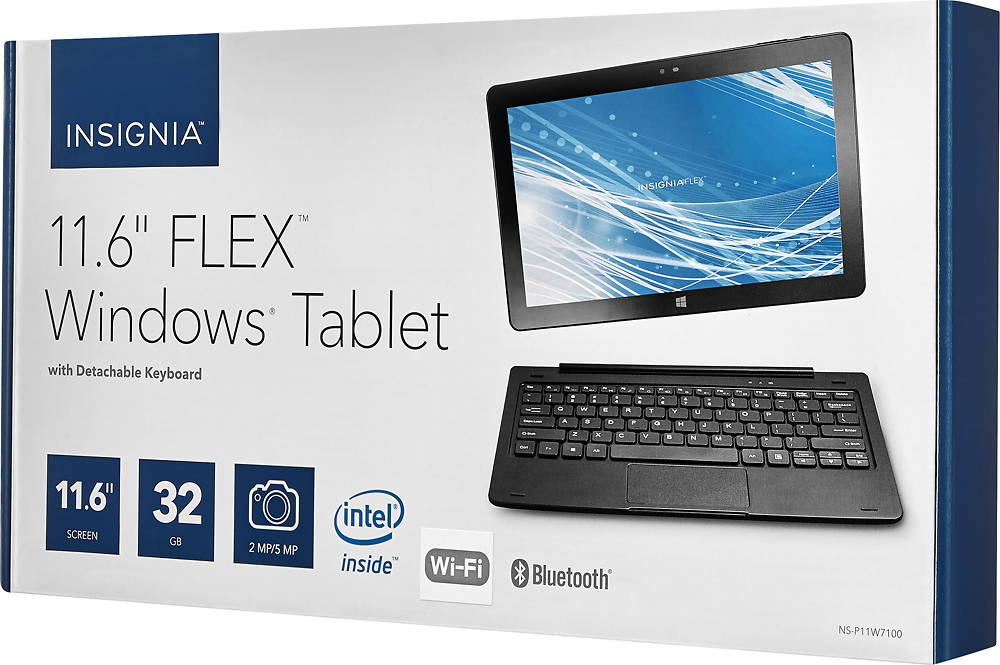
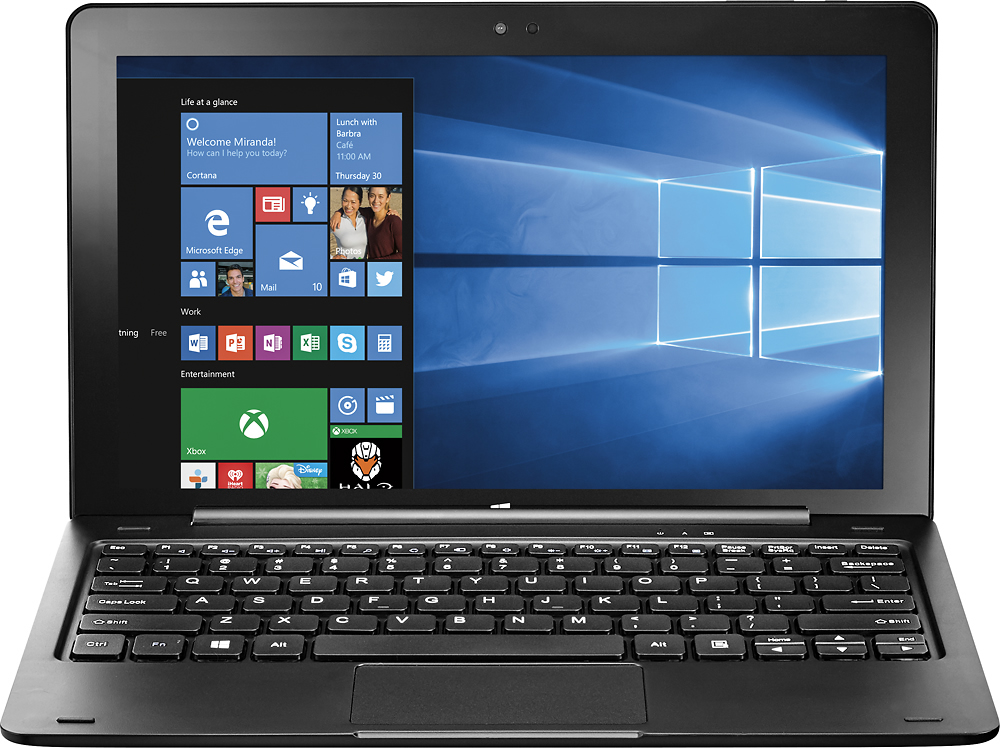
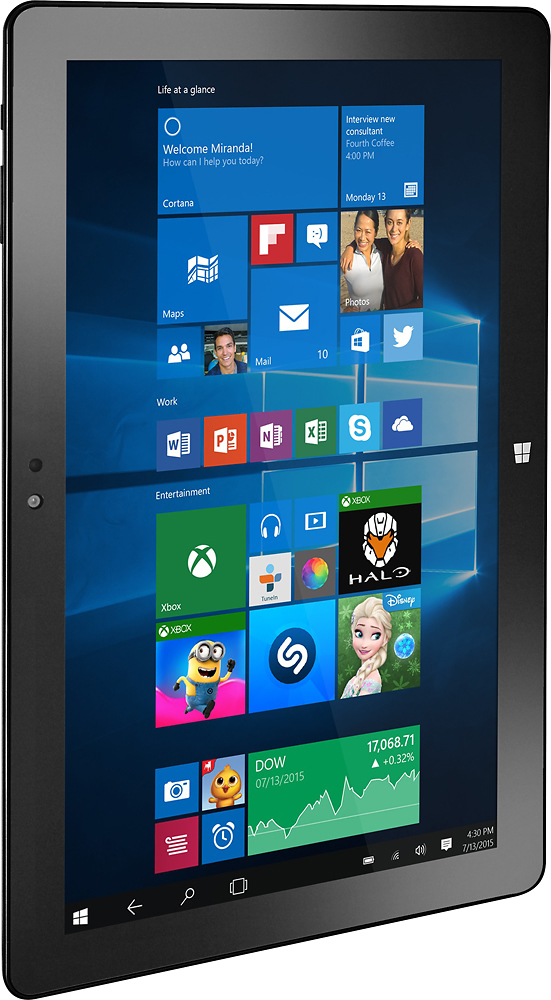
Posted .This reviewer received promo considerations or sweepstakes entry for writing a review.Here's what I think. Despite being a 2 GB tablet, web browsing on this thing is actually quite snappy. Machine does get a little slow if you have too many tabs open or try to multi-task too much, but for the most part you'll be able to web browse, type e-mails and use basic Windows functions just fine. Video displays well and crisp, although playing video files off my MicroSD card could sometimes lag a little bit if I had too many things open. Streams well. One problem I noticed and have read about elsewhere is that if you update the tablet to Windows 10 Creators Edition, the WiFi goes away and the wireless driver appears to not be compatible. I was able to come up with a solution for this using an external USB WiFi adapter, and this solution, if applied first before updating to Creators Edition, should avoid the problem. Open the Control Panel, go to Device Manager, and look for your wireless driver, which should be under "Network Adapters" and be called Intel(R) Dual Band Wireless-AC 3165 Double click. Look for the "Driver" tab and it should say the following: Driver Provider: Intel Driver Date: 3/28/2017 (or more recent) Driver Version: 19.51.0.4 (or more recent) If the driver date is older and the version lower, hit "update driver" and choose "Search Automatically for Updated Driver Software." This should update your driver to version 19.51.0.4. This version WILL work in Windows 10 Creator Edition. It's a little bit of techie work, but it will keep your device running nicely with the update. Once I updated the driver, I was able to unplug my external WiFi adapter, restart the machine, and my WiFi was working again perfectly! Also be advised that the 32 GB of onboard storage space is already about half taken up by the OS and basic apps as well as the restoration partition (hidden from consumer view.) You should consider buying a MicroSD card and using it for additional memory. You can use USB Thumb Drives to expand storage, but note that the USB inputs are on the keyboard. Unless you have an adapter that converts regular USB input to USB C (this computer uses a USB C port on the tablet portion of the device itself,) you will not be able to use USB Thumb Drives when the tablet is detatched from the keyboard, only MicroSD. When attached to the keyboard, the device is surprisingly heavy and feels very firm. Detatched from the keyboard, the tablet is a bit larger than most people are used to (if you've had an iPad Air or a 10 inch Android or Windows tablet in the past, this is bulkier.) Still manageable, but definitely will want to plan to use this tablet with two hands. Keyboard is surprisingly high-quality and comfortable, keys are spaced well. Touchpad can be a bit finicky and sometimes pulls menus from the right side of the screen when I am not expecting it to. If you are using it on a desk, a cheap USB or small wired mouse is recommended. If you are using it on your lap, even with the keyboard on you may want to use your fingers or a stylus to scroll instead of the track-pad if you have this problem. That said, trackpad is surprisingly responsive. Also, separating the tablet from the keyboard dock can be a bit difficult, although this does have the added benefit in that when you do dock the tablet, it stays pretty firmly attached to the keyboard. Overall, this loses a star because I had to develop my own WiFi Fix. That said, it suits my needs very well. Battery life is good. Screen resolution is good. Touchscreen is responsive. Cameras work well. Device is very sturdy and easily stored in a smaller laptop carrier. I have included two images in my review. One is of the device open and docked to the Windows splash screen when first turned on before login to give some idea of the spacing between the keys and a view of the tablet (BTW, it's a very wide 11.6" diagonal, definitely more long than tall) and the second shows the tablet closed over the keyboard, which definitely makes it look and feel more like a small laptop when docked.
I would recommend this to a friend- Pros mentioned:Battery lifeCons mentioned:Ram, Weight
Rated 5 out of 5 stars
Doesn't get any better than this for the money
||Posted .This reviewer received promo considerations or sweepstakes entry for writing a review.This notebook/tablet is exactly what wife needed for her email, diary entries and web browsing on trips. No, it doesn't have 8 GB of ram but it loads Win 10 just as fast as her desktop, MS Word loads in a flash and the web browsing is surprisingly fast. The screen resolution is superb; one doesn't normally get a 1920 x 10810 display on a device this inexpensive. Pop in an micro SDXC in the slot and you have plenty of storage. So far, the battery time has been excellent. I think getting a solid 4-5 hours doing normal editing, browsing, etc. is easily done. I really can't find any negatives to complain about. It is heavier than I thought it would be but it has a solid, well-made feel that inspires some confidence as to the overall quality. I even scored this on an open box special for $169.99. That is a true bargain.
I would recommend this to a friend - Pros mentioned:Ease of use, KeyboardCons mentioned:Speed
Rated 4 out of 5 stars
Good
||Posted .This reviewer received promo considerations or sweepstakes entry for writing a review.Good price. Like the keyboard. Use it almost daily. Slow however. Had to turn off the mouse to keep it from jumping around. Love that it is windows. Easy learning curve. Have had more then a few androids; that I had to return, because they were tricky to navigate and keyboards were sketchy. Plugged in my printer and it easily paired. All my devices synched easy. To turn off the mouse>control panel>device management>choose mouse or pointer> disable. Leave yourself a sticky note for how to turn it back on.
I would recommend this to a friend - Cons mentioned:Ram, Storage, Weight
Rated 3 out of 5 stars
Too heavy to call "portable"
||Posted .This reviewer received promo considerations or sweepstakes entry for writing a review.I regret that I was in a hurry and didn't have time to do my homework and shop around, or pay more money for something less clunky. There were others (much lighter) which had double the RAM and more than double the HD....if only I'd been willing/able to spend around $100+ more than the $279 this one was (@BestBuy), in 2017. I found it rather unnecessary & inconvenient to use it as a tablet, mostly due to it being so difficult to pull it apart and put it back together. To use as a laptop, the monitor (being 3x heavier than the keyboard) gradually needed propping up from behind since the flimsy mechanism holding it in an upright position began wearing out after a few months. The charger plug went belly up after 5 months, so instead of replacing both the plug AND cord (BestBuy sells only as a set, for some incredibly outrageous price) - I found that I could use my smartphone charger, which actually was better made. I eventually decided not to shop for a far cheaper replacement charging unit as I figure that, by the time I spend more $ adding more RAM and bigger HD, I may as well begin looking around for a new laptop since it's become too difficult to use and is just too heavy; it wears me out trying to pick it up and take it anywhere with me.
No, I would not recommend this to a friend - Pros mentioned:Battery life, Keyboard, Size
Rated 4 out of 5 stars
I love my new tablet
||Posted .This reviewer received promo considerations or sweepstakes entry for writing a review.The product is just what I needed, although the sales rep wasn't so positive for this product. I love it. it's small, I have the 11.6 screen, it's light, the battery is better than my laptop. Since it has Windows 10, I am able to be productive and work on documents on the road. It has a detachable key board, and usb connections. thanks
I would recommend this to a friend - Pros mentioned:SizeCons mentioned:Memory
Rated 5 out of 5 stars
Excellent for my daughter in elementary school.
||Posted .This reviewer received promo considerations or sweepstakes entry for writing a review.I highly recommend this hybrid laptop/tablet pc. It's a poor mans surface laptop. The resolution is excellent. Better than my 15 inch laptop. My daughter has Microsoft word and it is functional. Online games are good. She uses more like a tablet. I would need to purchase an sd card to expand the memory. Highly recommend for price/ performance. This could be a good travel tablet with a sd card with movies to watch. The wifi performance is good. Good for kids, small and compact to take to school or the library for class projects.
I would recommend this to a friend - Pros mentioned:Battery life, KeyboardCons mentioned:Storage
Rated 5 out of 5 stars
Great Device at a Great Price
||Posted .This reviewer received promo considerations or sweepstakes entry for writing a review.I'm very happy with the Flex 2 in 1. I was concerned about the limited storage, but I was able to run all Windows 10 updates up to and including the Fall Creators' Update. I did get an SD card for expansion for data and future application installations. So far I've only run into a couple of apps that require being installed on internal storage, and the ones that are installed on the external storage seem to perform just fine. Only small thing I would criticize is the battery life could be a little better, but it's ok. I get 4 to 6 hours on one charge, and I tend to plug my devices in when I'm not using them so no big problem. I really like the keyboard. While it does not have tactile feedback, it does seem to have a physical spring under each key that provides enough resistance so it doesn't feel mushy like so many laptop and modern desktop keyboards do. The screen quality is awesome!
I would recommend this to a friend - Pros mentioned:Ease of use, Price
Rated 4 out of 5 stars
Good for the price
||Posted .This reviewer received promo considerations or sweepstakes entry for writing a review.I utilize a iPhone, a mini pad and a PC laptop at home. I have used Chromebook and a Surface Pro. We travel and I am tired of taking my large laptop with us. It is bulky and inconvenient. I can put the Insignia in my Man-purse that I put my Prescription glasses in along with electronic things including headphones & earbuds.This is working good but the touch pad is very sensitive. My wife bought a wireless mouse for each of our units (yes, I bought 2 at this price) it works a lot better with a mouse. We are traveling to Hawaii in December and we plan on using WiFi on the different islands. I think they will work great. We will also use a hot spot if we can't find free WiFi. The Insignia is about an eighth the price of a surface pro.
I would recommend this to a friend - Pros mentioned:Ease of useCons mentioned:Speed, Weight
Rated 5 out of 5 stars
Good for the price
||Posted .This reviewer received promo considerations or sweepstakes entry for writing a review.I had a lenovo windows tablet that I lost. It cost about $150 and did everything I needed because of windows. So this is a replacement for that tablet. I had been looking for a while because most tablets are iOS or Android, and I need to run Windows apps. So far this fits the bill. It is slow, but I wanted something that I can carry everywhere without worrying about it getting lost, stolen or damaged. So for $200, this tablet works. The fact that I got an open box at $150 doesn't hurt either. I do admit it is a little heavy, in particular the keyboard. But the touch works well, the processor, as I mentioned before, is a little slow, but I don't need super high performance. Overall, a good Windows tablet in a world of more and more Android and iOS devices.
I would recommend this to a friend