Customer Ratings & Reviews

- Model:
- CP315-1H-P1K8
- SKU:
- 6221784
Rating by feature
- Value
Rating 4.5 out of 5 stars
- Quality
Rating 4.6 out of 5 stars
- Ease of Use
Rating 4.7 out of 5 stars
Customers are saying
Customers have good things to say about the Spin 15 Chromebook's large screen size and ease of use, especially for children. Positive feedback also highlights its decent battery life and solid performance for everyday Chromebook tasks. While some users noted minor issues with the operating system and speaker placement, the overall experience appears to be quite positive. The lightweight design is another frequently praised feature.
This summary was generated by AI based on customer reviews.
It's not as easy as normal computer
||Posted .This reviewer received promo considerations or sweepstakes entry for writing a review.Complicated to chrome book; not as easy as computer
No, I would not recommend this to a friend- Pros mentioned:Battery life, Performance, Screen size
EXCELLENT ACER CHROMEBOOK!!
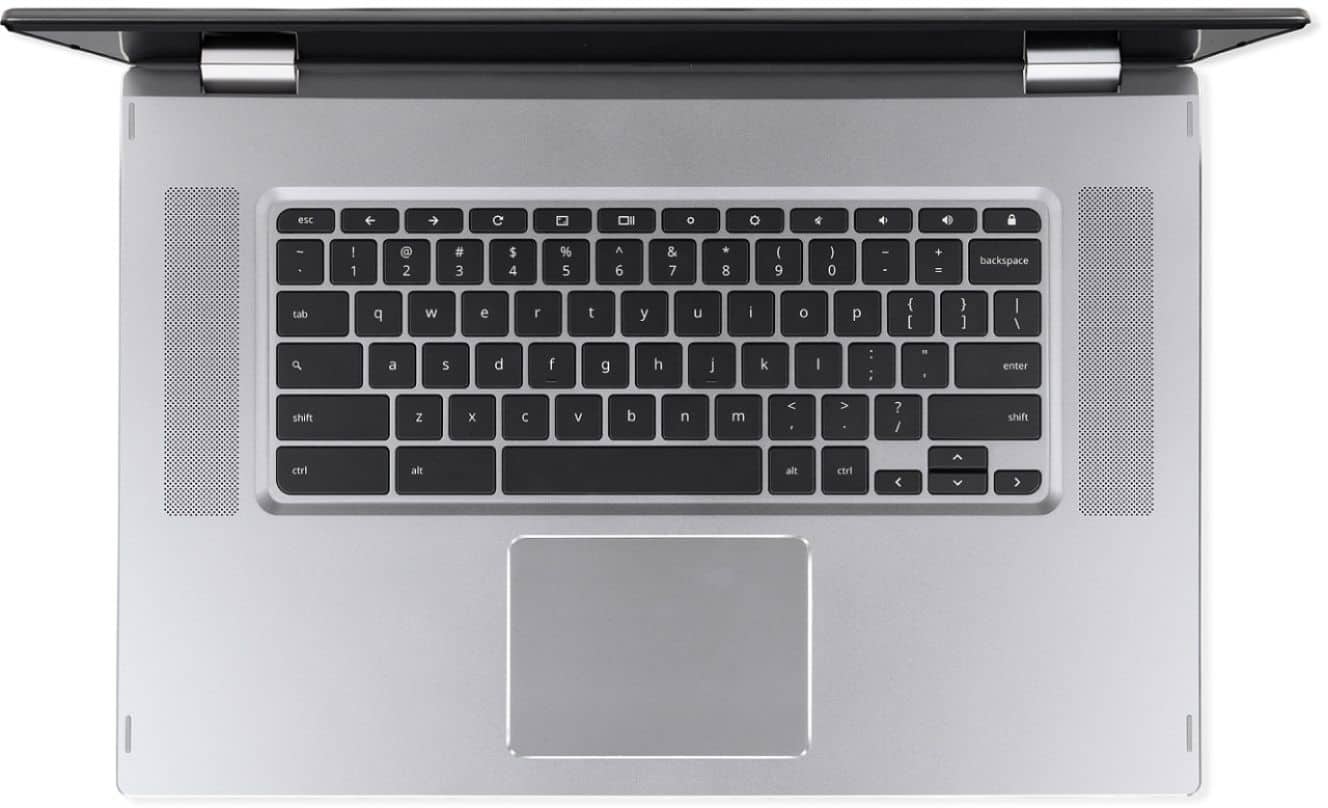
Posted .This reviewer received promo considerations or sweepstakes entry for writing a review.Bought this Acer Chromebook Flip 15.6 and it's everything they said it was. Excellent chromebook with 360 display. The screen resolution is great, the keys are well spaced with a nice touch with a backlit display. The battery life has been between 8 to 12 hours. Speakers have a great sound and are located on each side of the keyboard. Been able to download some apps from the Google Play store with no problems. It also has 2 USB-C ports. I find the hinge on the 360 rotation is quite sturdy and the screen is stable. The instant on feature is a plus as well and with no laqgging when going to websites. This is the best Chromebook out there at this price in my estimation. Why have to pay $1000 for a certain chromebook when you can get this great Acer Spin 15.6 that is just as nice for $449. It's the best that Acer has done and well worth the money. I hardly even look at my Windows laptop anymore. Take a look and you will be pleasantly surprised!!!
I would recommend this to a friend Didn't last long
||Posted .This reviewer received promo considerations or sweepstakes entry for writing a review.Junk,literally, after only a few months it quit working. Repaired it and few months later it had a different issue (hard drive) so its a paper weight now.
No, I would not recommend this to a friendBrand response from TeamAcer
Posted .We are sorry to hear you are having boot issues with your Acer Spin laptop, and we understand this is frustrating. This is not the experience we want our customers to have and we would like to help you get this resolved. If you are located in the US or Canada, please fill out this form so that we can assist you: http://csapps.acer.com/prompt/?key=25c0450c83c904402d1f73dfa7727b6848460c37
We appreciate you taking the time to write this review.
Regards,
Acer America
Looked great, didn't work!
||Posted .This reviewer received promo considerations or sweepstakes entry for writing a review.I bought this item because it looked very appealing and seemed to have awesome features. Best Buy delivered it very fast and the store associate was quite kind and nice. Sadly, the laptop never worked. When I took it back to the store, the technician said it was a problem from factory. I had to return it and Best buy refunded my card. I have no complain about Best Buy, the problem was the item.
No, I would not recommend this to a friendBrand response from TeamAcer
Posted .Dear BestBuyFan,
We are sorry to hear this; we understand you returned the Acer Spin 15 but we would have been happy to provide support for you. If in the future you need assistance with an Acer product, feel free to contact support from the info posted at http://www.acer.com/ac/en/US/content/service-contact
We appreciate you taking the time to write this review.
Best regards,
Acer America

Great Large Chromebook
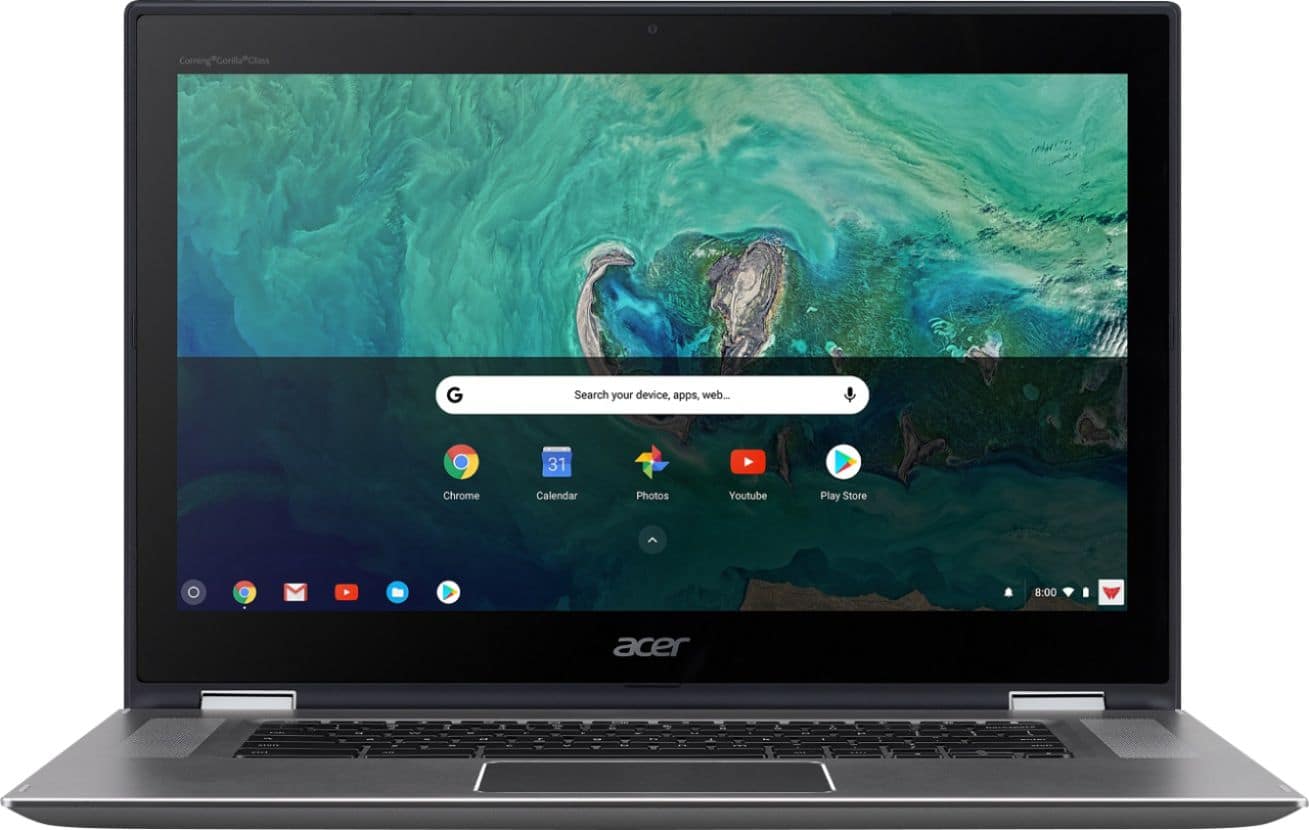
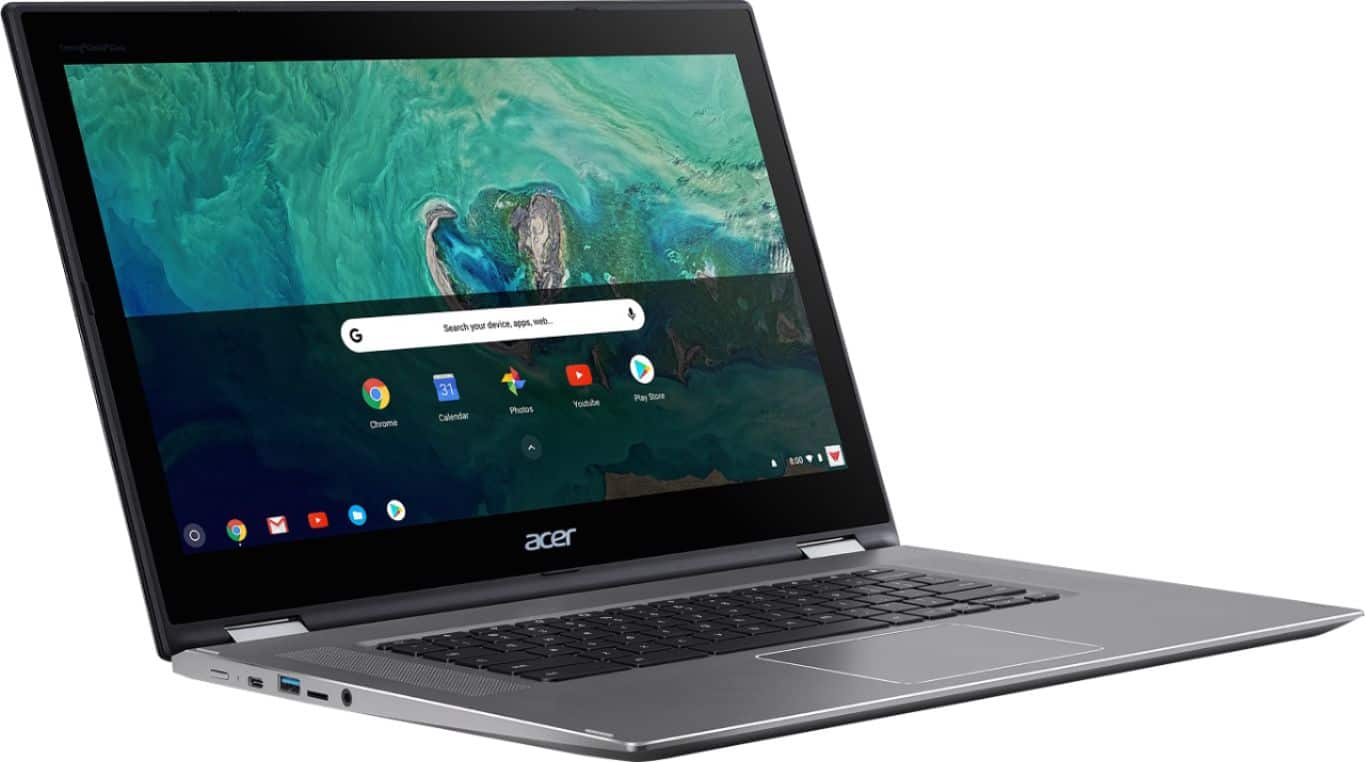
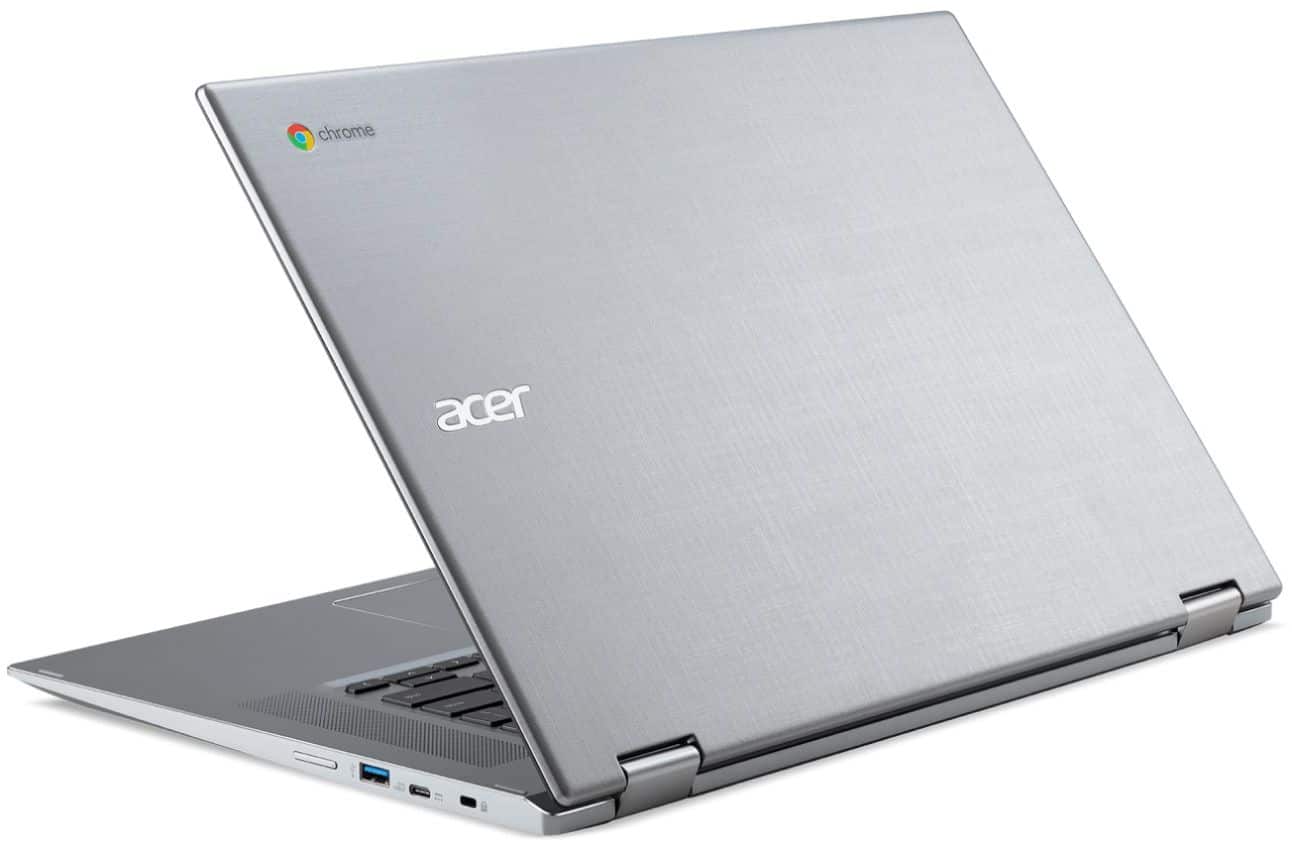
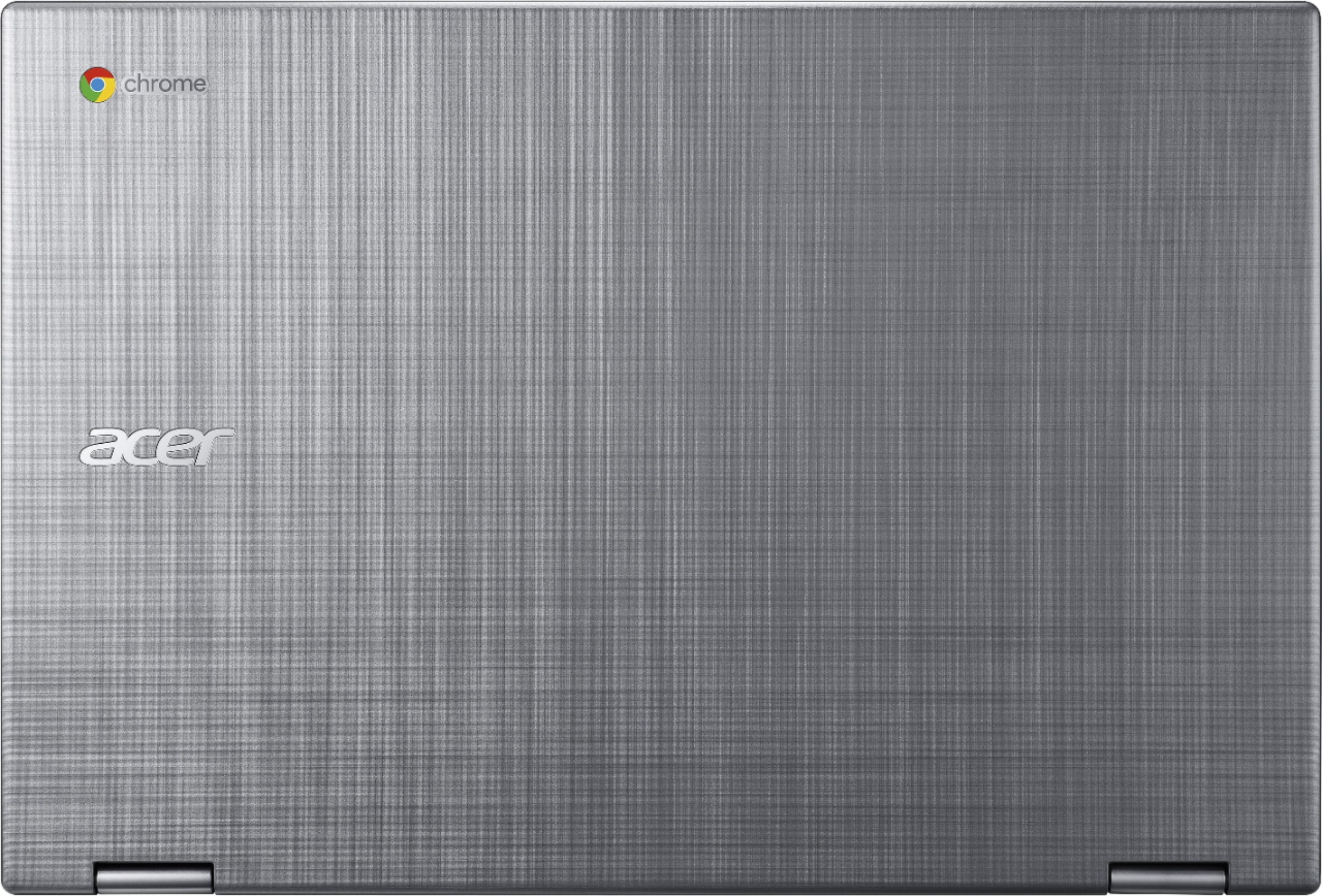
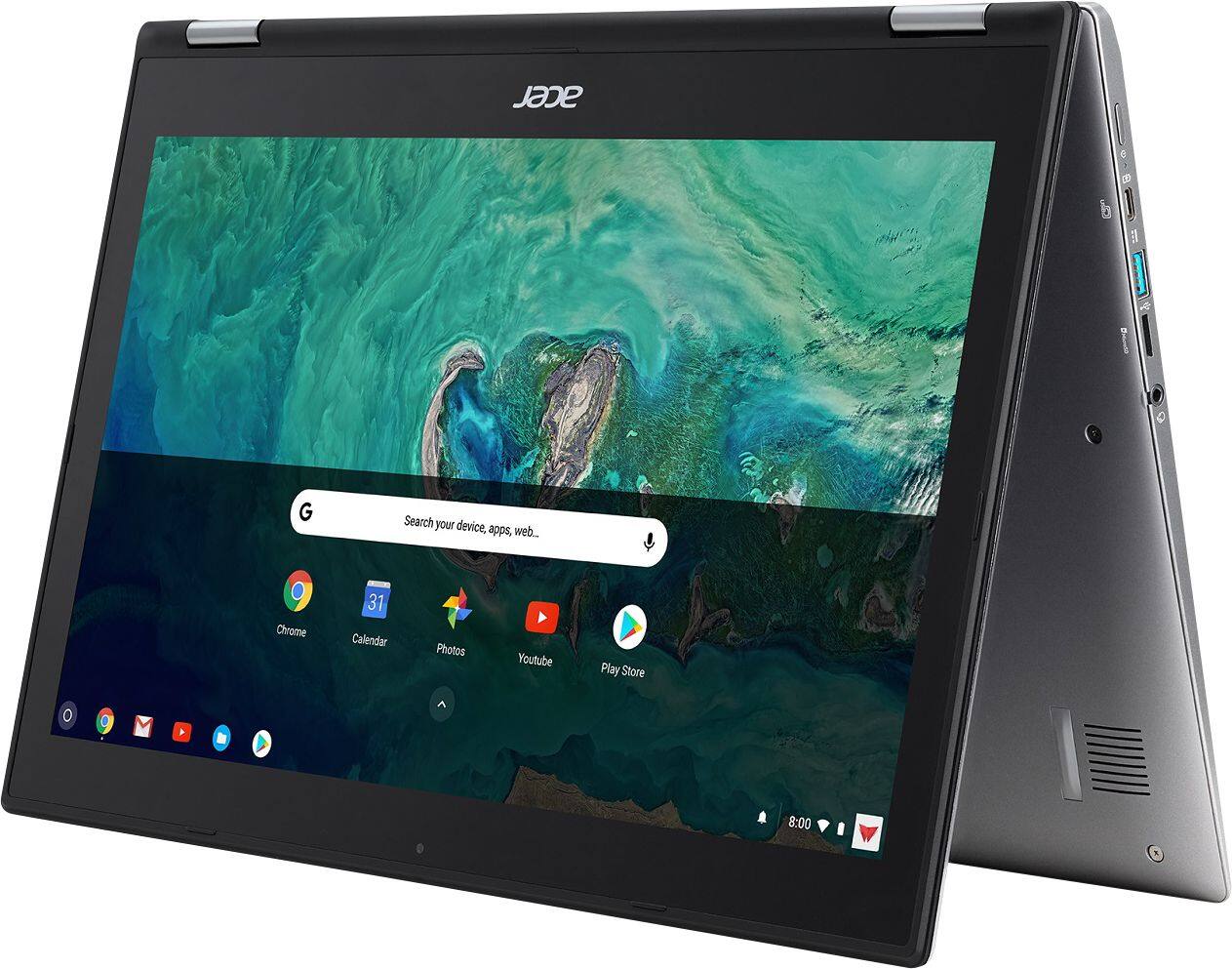
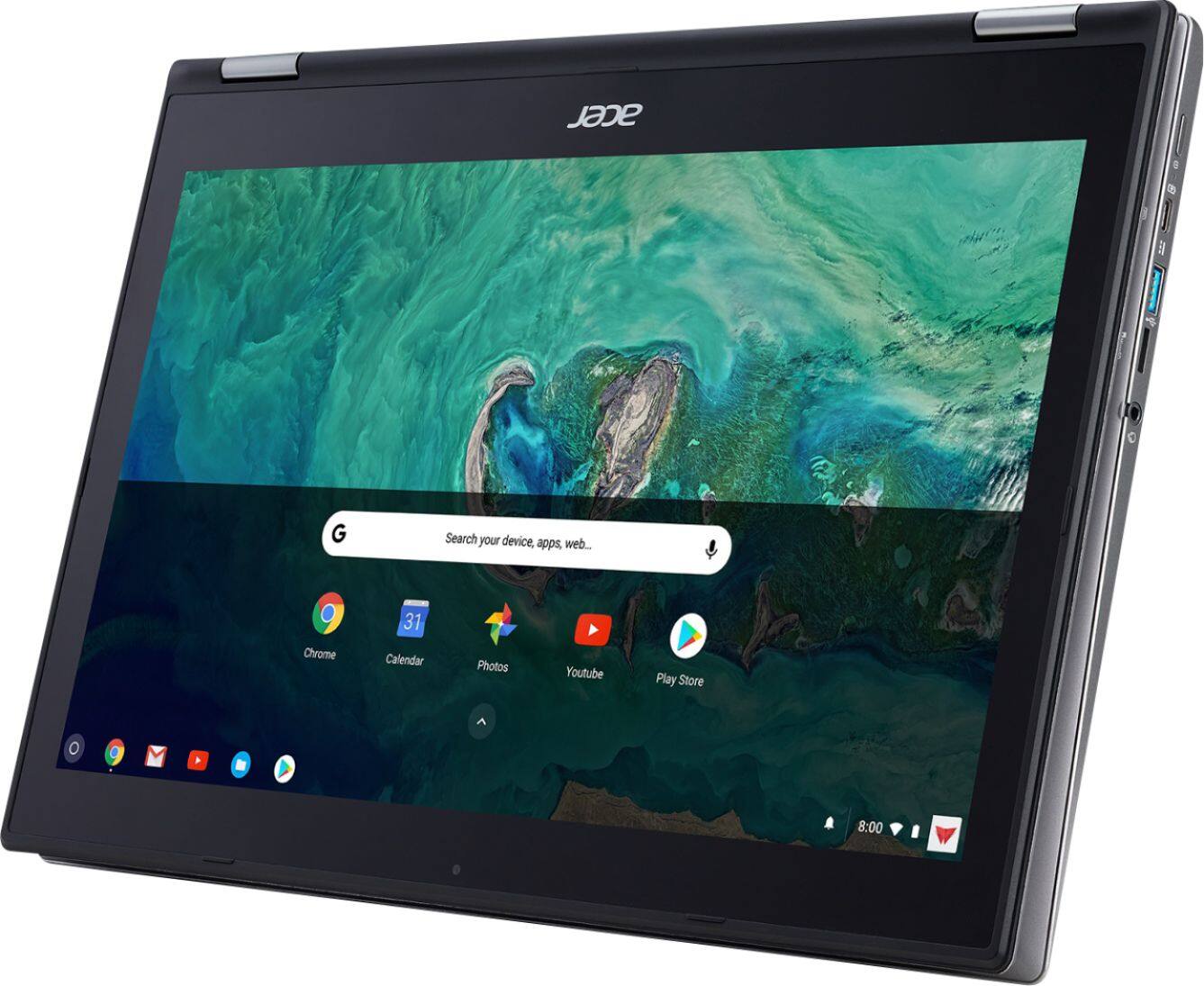
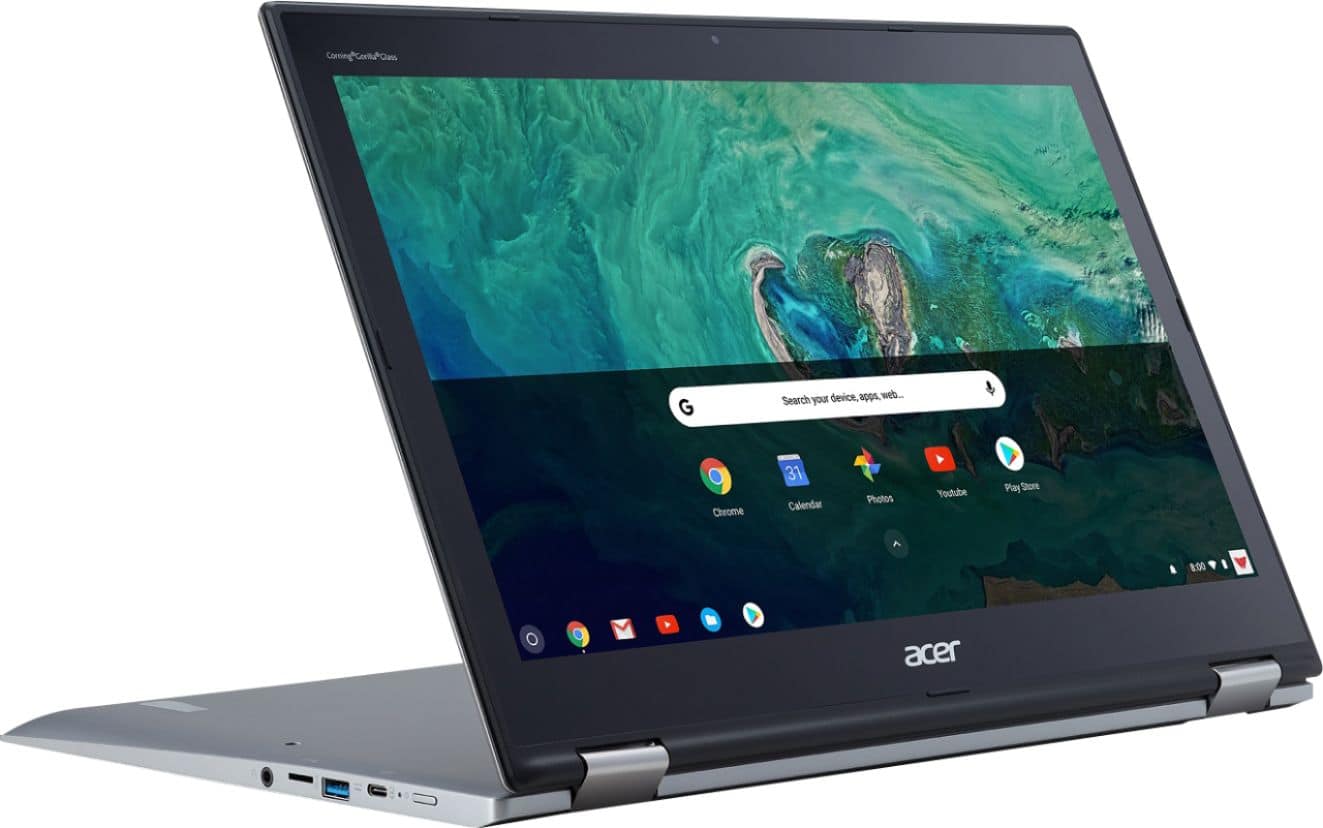
|Posted .This reviewer received promo considerations or sweepstakes entry for writing a review.The Acer Spin 15 is a premium 15” Chromebook convertible laptop which make it somewhat unique. Not that a 15” convertible is a new thing or even a 15” Chromebook - but rather the combo. And now that Google Play is a first class citizen on ChromeOS, that basically makes it a giant tablet with a desktop browser at its heart - which might be the perfect machine for some. What’s in the box: The box includes a couple leaflets, a USB-C power supply (45w), and the laptop itself. It’s rather spartan, but not unusual either for Acer or a Chromebook in general. The packaging is secure, and the laptop is wrapped in a soft foam, with a foam insert between the keyboard and screen during shipping. Design: The first thing you’ll notice about the Acer Chromebook Spin 15 when you open it is the amount of inspiration they took from Apple. From the backlit chicklet keyboard, aluminum unibody, drilled oversized speaker grills, and oversized trackpad - it is all reminiscent of an oversized previous generation Macbook Pro but with the darker anodized finish. This is certainly not a criticism, as the industrial aesthetic makes it attractive and easy to accessorize (many USB-C dongles/docks are finished in this dark gray finish). The edges of the aluminum unibody casing are chamfered preventing any sharp edges on the top - however the lower edge of the chamfer was still quite sharp to me when using on the edge of a table. The unibody surrounds each port on the side. Ports are plentiful for now and the future, as each side has both a full size USB 3.1 A and USB-C port. Both USB-C ports support power delivery, which is a nice touch. On the left side, you’ll find the power button and micro-sd card slot flanking the USB ports (from back to front respectively), with an AHJ headphone jack (stereo + mic) on the other side of the micro-sd slot. The right side has a Kensington lock, and volume rocker flanking the USB ports. I found the volume rocker a bit hard to use, with a pretty low profile, but I rarely use it anyways. Unfortunately the aluminum doesn’t carry forward to either the lid nor the base. Both of these are made of plastic, and affect the overall aesthetic in a negative way. I assume cost, weight, and durability were a concern and there was a decision to keep these plastic. The lid is finished in a way that looks like perpendicular brushed aluminum, which will most likely hide light scratches. It sports both an Acer and Chromebook on the right side. The bottom is a soft touch plastic, which should wear ok. Where the aluminum casing ends the edges can be a bit sharp, but nothing that will harm you. The hinge is reminiscent of most modern convertible laptops. It’s double hinged and feels secure. It’s tight enough to keep the position you set it at, but light enough to move without too much effort. The screen is 15.6” with a good 1” bezel on top and bottom and half inch on the sides. It certainly is a generous size, and can be useful when handling as a tablet, but I’d have preferred a slightly smaller footprint over bezel area. As is the laptop is over 15” wide, which is larger than most 17” laptops from yesteryear (back in the 16:10 widescreen days). Since the hinge will allow the Spin 15 (it spins - get it? /s) to rotate 360 degrees, it can take on several form factors. The normal laptop is where most people will find themselves comfortable. The device is well balance in this mode, and feels just like a normal laptop. Stand mode can be useful for watching movies/Netflix/etc and works ok, but with the speakers firing downward, sound can be a bit muffled. Tent mode is less useful as the screen and base lack any sort of tractionable material. Placing the Spin 15 in this mode on a kitchen counter allows it to glide along like a figure skater - which I would avoid. Tablet mode is good - and just like the other two non-traditional modes, the keyboard disables and screen enters a rotation mode. Keep in mind we’re talking about a 15.6” screen, so this is a supersized tablet in this mode. That said, with Google Play on tap, many tablet games will be playable with on screen controls, so it's by far the most useful alternative ‘mode’. Generally the build quality feels high. The aluminum is nicely finished, but I’m certain is thin enough that a drop would perhaps dent it. The keyboard is squishy, but not horribly so - with decent key travel. The backlight is quite nice, and turns off if you haven’t pressed a key in a while. The standard Chromebook keyboard layout is here, and the takes only a slight adjustment from a PC. The trackpad, like most recent Acer Chromebooks, is excellent. In fact, I’d go as far as to say that only Apple does it better. The size and smoothness of motion put even my Surface Book 2 work laptop to shame. The stand out feature of the entire machine for me is the 15” screen. While Acer does have another 15” Chromebook, it isn’t a convertible. This is meant to be a direct replacement for anyone looking to go away from Microsoft and don’t want to (or can’t afford to) make the switch to Apple. I suspect there will be more than a few retirees taking a long hard look at the 15” Chromebook offerings - but especially this model as it combines the benefits of a tablet and laptop - with a strong selling point of native Android app support. Performance: The Spin 15 sports the latest generation Apollo Lake Pentium N4200. Performance from this little 6w CPU is excellent. It boasts 4 cores, and a base/boost of 1.1 / 2.5Ghz. The Intel 505 GPU has 18 execution units at 750MHz. While it doesn’t keep up in a fight with a full Kaby Lake m3, it does boast excellent battery life (I’ve put about 3 hours of usage on it including a reset just today and only am down to 73%) and keeps ChromeOS humming along nicely. Scrolling is smooth, page load times are good, and the few benchmarks I did run put it safely in the range of a modern mid-high end smartphone performance wise - which means a pretty positive experience most of the time. The average Chromebook user will be pleased. I was able to access Google Play. Google has improved the user experience here a lot. Most games/apps work flawlessly, so if you have a deep library on Android, you can get a lot of use out of those apps here. I had some occasional crashes, but games like Grand Theft Auto Vice City, and Riptide GP worked without issue. If you want you can even use the motion controls in Riptide if tilting this monstrosity helps your ‘immersion’. I hardly had any framerate stutter - with only GTA VC giving me some fits when scaled, all options up w/ dynamic shadows and then caused a large explosion. Overall, I’m impressed with the experience! A quick note on sound: For games and basic video watching, I found them quite good. For music - they lack the fidelity necessary to really stand out. That isn’t to say it sounds bad, but it doesn’t sound very good either. I’d recommend headphones if watching a movie or otherwise. Display: The screen is a 1080p 60Hz IPS w/ 10 multi-touch points. t’s a pretty average 1080p IPS panel, with decent colors and view angles. It isn’t very bright, but is sufficient for use indoors in all but the brightest environments. Specifically it’s a AUO B156HA 6bit panel - and used on other contemporary mid-range laptops. It’s backlight is DC based and doesn’t use PWM, which means the screen doesn’t flicker as you dim it (some displays will pulse their LED backlight to dim, which can create flicker) which is a huge positive for me (as I’m sensitive to it). As with many IPS panels, there is some glow near the edges. The top right and bottom left were the worst on mine - tolerable for all but serious movie watching. Conclusion: The Acer Spin 15 is a high quality Chromebook that can use a lot of your Android library natively. The materials where it matters are nice (aluminum on the inside feels good and chamfered edges keep things comfortable), the trackpad is amazing, and the backlit keyboard is a nice touch. The N4200, while not the fastest CPU, does a good job with ChromeOS providing a ton of battery life as well. Having the ability to convert to a tablet does make some of the Android cross sell more of a reality, even if a 15.6” tablet is a bit unwieldy. The largest criticisms I can throw at it are related to materials. The lid and bottom if made from aluminum might make the laptop feel more harmonious and premium. The screen could be brighter, the keyboard more crisp, the design details for tent mode - all nitpicks. The question is are these compromises worth it in this ecosystem? I'd say probably, although your mileage may vary. Its enough for me to knock a star away. Overall though-the Acer Spin 15 should be on anyone's short list if looking at a Chromebook that can replace their aging laptop!
I would recommend this to a friendUseless Product
||Posted .This reviewer received promo considerations or sweepstakes entry for writing a review.This Chromebook has not worked since I bought it. It is going back to the Geek Squad for the 4th time tomorrow. It won't recognize my passwords for anything and locks me out. It has been factory reset once but that did not help at all. This is a piece of junk and I am so sorry that I bought it.
No, I would not recommend this to a friendBrand response from TeamAcer
Posted .Dear Sulume,
We are sorry to hear you are having problems with your Acer Chromebook, and we understand this is frustrating for you. This is not the experience we want our customers to have and we would like to help you get this resolved. If you are located in the US or Canada please fill out this form so that we can assist you:
http://csapps.acer.com/prompt/?key=2b3d7e42b8a47981a44d0ca6d4b1d0f32fdf066b
We appreciate you taking the time to write this review.
Thank you
Acer America
NOT MUCH OF A COMPUTER
||Posted .This reviewer received promo considerations or sweepstakes entry for writing a review.The computer is slow and getting slower. I wish that it had no bloatware and useless stuff.
No, I would not recommend this to a friend- Pros mentioned:Battery life, Screen sizeCons mentioned:Speakers
Looks better than it works.
|Posted .This reviewer received promo considerations or sweepstakes entry for writing a review.It sure is pretty! The screen is awesome. They keyboard lights up and looks great. It was easy to set up. It works good for email and surfing the web. It feels nice and sturdy, and the battery life seems to be decent. But. It's not a PC.... it basically runs Google apps, and some smart phone apps, but it won't run Steam, and a few of the smart phone games I tried to play didn't work correctly, or don't work at all. Some of the apps try and force you to flip it or run in tent mode, so when you use it you might have to spin it around or flip it upside down etc... It glitches... every once in a while when a pop up box is on the screen to fill in information, like your email address, or password etc, the screen will start jumping around and stuttering, and in a couple instances it just flickered black and white static until I backed out of the sign in screen. The speakers are on the keyboard, so if you have it in tent mode, or tablet mode they are on the back pointing away from you... they aren 't very loud to begin with, and now they're bothering whoever you're across from, and you can hear them even less. The hardware is great, I'd love to have this same set up and design with an operating system that played nicer with, and supported programs and or apps that aren't made specifically to run on Google OS etc....
No, I would not recommend this to a friendBrand response from TeamAcer
Posted .Dear Chris,
We are sorry to hear you are unhappy with your Acer Spin 15 Chromebook. We understand using the Chrome operating system can take some getting used to, if you are not familiar with using one. Chromebooks are different from standard laptop products in that they are designed to be used primarily while connected to the Internet, with most applications and documents living in the cloud. Because of this they don’t have much for on board storage but they also are not expensive either. If you need to use third party software applications that must be installed on the computer, a Chromebook is likely not for you, where a Windows laptop would suit you better. If you need assistance with your Acer Chromebook, feel free to contact support from the info posted at http://www.acer.com/ac/en/US/content/service-contact
Best regards,
Acer America
nice implementation of a Chromebook
|Posted .This reviewer received promo considerations or sweepstakes entry for writing a review.Picked up a new Chromebook as I wanted an alternative to the usual Windows 10 operating system loaded on standard notebooks. I’ve always used android tablets and like the Google Chrome OS. In any case, being of user of Google applications I found the Acer Spin 15 2-in-1 15.6" Chromebook appealing. This Chromebook is rather large with a brushed aluminum top containing with a gorilla glass display and a Chrome keyboard which is slightly different than the standard PC keyboard (where is the delete key ?). In any case the touchscreen is bright and clear and the insides of this unit impress with an Intel Pentium processor, 4GB of memory (RAM) and a 64GB Solid State Drive for storage. Performance is very good for the Chrome OS system in general, browser and multimedia content run smoothly and the Chromebook can be described as “perky”. This is a 2 in 1 system, the screen folds all the way back to transform what essentially is a notebook into a very big and unwieldy tablet. Regardless the size of the notebook does not subtract on the overall performance of this system. The only real issue I had was with the Netflix app which exhibited some glitches with screen blankouts, which appeared to be a hardware issue. I called Acer support who was very responsive and sent me instructions to update the Chrome OS. The update seemed to resolve the issues I had with Netflix. Overall I am happy with this unit, but when in the market for this type of system I would really confirm the size/form factor to ensure you are comfortable with whatever you choose to purchase. Pros: - great battery life, got over 10 hours with still more available, rated time is 13 hours. - Interesting speaker placement (along the sides of the keyboard) relatively loud and clear. - keyboard is backlit for use in low light conditions. - large, clear and bright 1080p 15.6" screen. - unit can be folded into different positions and can be made tablet like. Cons: - is a little big, unwieldy in tablet mode, I would opt for a smaller form factor. - some of the edges could be a little more rounded, some are bordering on sharp. - bezel along the screen seems a little wide (screen does not go from edge to edge, makes the unit larger than I think it needs to be) - With size comes weight, the unit is not light by tablet standards or some notebooks - When folded over in Tablet mode the speakers are facing in the wrong direction, not sure what the alternative is, whoever I paired a Bluetooth speaker easily and used that.
I would recommend this to a friendReally bad computer going go return
||Posted .This reviewer received promo considerations or sweepstakes entry for writing a review.I bought this for my work, it shuts down every 10 minutes to reboot. Definitely looking to return this- it has had a negative impact on my work!
No, I would not recommend this to a friendBrand response from TeamAcer
Posted .Hello Ninao,
We are sorry to hear you are having shut down issues with your Acer Spin 15 laptop and we understand this is frustrating for you. This is not the experience we want our customers to have and we would like to help you get this resolved. If you are located in the US or Canada please fill out this form so that we can assist you:
http://csapps.acer.com/prompt/?key=876f08fdc8cf60871f6aafebd45cfd2578adeb76
We appreciate you taking the time to write this review.
Thank you
Acer America
Don't get a Chromebook
||Posted .This reviewer received promo considerations or sweepstakes entry for writing a review.There are plenty of other laptops out there. Just wait till a Windows or Mac is on sale,
No, I would not recommend this to a friendBrand response from TeamAcer
Posted .Dear Renz,
We are sorry to hear you are unhappy with your Acer E 15 laptop. Chromebooks are different from standard Windows laptop products in that they are designed to be used primarily while connected to the Internet, with most applications and documents living in the cloud. Because of this they don’t have much for on board storage but they also are not expensive either. Chromebooks run off apps like an Android phone or tablet so you cannot download and install applications or .exe files. If you need to use third party software applications that must be installed on the computer, a Chromebook is likely not for you, where a Windows laptop would suit you better. If you do need help or have questions regarding your Chromebook and are located in the US or Canada please fill out this form so that we can assist you:
http://csapps.acer.com/prompt/?key=77ac78f72d3bae5dadfccf34224dd997b279a116
We appreciate you taking the time to write this review.
Thank you
Acer America
Disk failure
||Posted . Owned for 3 weeks when reviewed.This reviewer received promo considerations or sweepstakes entry for writing a review.Worked for one day. Now won't load windows. Sending back
No, I would not recommend this to a friendBrand response from TeamAcer
Posted .Dear Tots,
We are sorry to hear that you decided to return your newly purchased Acer Spin Chromebook. Our support team is always available to assist with getting your new product set up and configured, or assist with any other troubles you may experience with your purchase. If you should need assistance with an Acer product in the future, please contact our support team via phone, chat or social media, and we will be glad to help.
We appreciate you taking the time to write this review.
Regards,
Acer America
- Cons mentioned:Operating system
An oversized tablet with a keyboard
|Posted .This reviewer received promo considerations or sweepstakes entry for writing a review.I am continually confused with Google's direction when it comes to the Chromebooks, there is not enough functionality/ease of use to make this a computer replacement, and not enough extra features to make it anything more than an oversized tablet with amazing but ultimately unnecessary specs. I wish they would make it easier to incorporate PC features but it always seems that to do anything that a PC could do easily there are either so many workarounds that are needed or it's just impossible to get the same functionality on this device. You can't download PC programs and for a lot of things there just are not the apps available to recreate the same functionality. I really wish I could like this device, the ability to back up your work when you're offline and have it upload once you have a connection is great, the hardware is amazing but unnecessary in this package, Google's sync across all your apps makes it easy to pick up your work back at home or wherever. There are so many great features on this device that are unfortunately hindered by what feels like an incomplete operating system that would be better suited on a tablet half the size of this. It is hard for me to recommend this to anyone, at this price point you can either get a much more capable tablet or PC or entry level versions of both. This Chromebook just ends up feeling like a very oversized media tablet.
No, I would not recommend this to a friend Another Great Chromebook
|Posted .This reviewer received promo considerations or sweepstakes entry for writing a review.I have been a Chromebook user since shortly after they came out. I have an Acer 11" and an Acer 13" that i use on a daily basis. My Chromebooks are my go to daily computers. This new Acer 15.6" Chromebook is amazing. It boots up almost immediately after opening the cover. So far I have gotten about 11 hours of battery life out of it. The touchscreen is very responsive. The display is crystal clear ( it does have a little glare in the sun) Speakers are nice that they are top mounted and have good sound for a computer. Using it in tablet mode is simple. The auto rotate feature is very fast, again the touchscreen is very responsive.I do like that now I can download android apps.from the play store. This processor is much faster than my older Chromebooks. I have had multiple apps open at once and it does not seem to slow it down at all. The only drawback is that it is a little heavy but that is to be expected from a 15.6" laptop. It does not weigh any more than my HP 15.6" laptop. The top is a very nice aluminum and feels nice and makes it less slippery when carrying. It has USB C charging which is a plus. I have received this product at no charge in exchange for an honest unbiased review.
I would recommend this to a friendA sleek and very quick laptop!
|Posted .This reviewer received promo considerations or sweepstakes entry for writing a review.Ok so let me 1st start by saying i have not used a Chromebook before. Not because i didn't like them i just never got around to it. But i have to say this Acer spin 15 is great. Chrome OS is very quick and easy to use if you have or had an android before. Which i do. The design is very nice and the build quality is premium. It's slim and sleek. The 1080p screen is sharp. I like the fact that this can be used as a 15" touchscreen tablet while flipped back hence the name of Spin 15. The hinges are very sturdy. They feel like they will hold up for years to come. That's important to me for sure. This does come with a Pentium processor, 4gb ram and a 64gb SSD. But don't let that fool you. This laptop is quick paired with Chrome OS. Plus the battery life is amazing. i got about 8 hours with mild use. Speakers are positioned on either side of the keyboard (smart) front facing. They are actually very clear and pretty loud too.i need that as i am kind of hard of hearing. You get 2 USB Type C ports as well for data transfer, display port and power out and in to charge the laptop. So its future proof. This uses a micro SD card and not the standard SD card, fyi. Now the only downside to this laptop is that it doesn't come with an HDMI port. But you can use a Type C to HDMI adapter. So that is a minor issue for me. Overall a very solid and capable laptop for the price. Well worth it. I love it! good luck...
I would recommend this to a friendA Solid Chromebook
|Posted .This reviewer received promo considerations or sweepstakes entry for writing a review.This Chromebook is a solid performer and anyone looking for a Chromebook should consider this Acer. It is well built. It is relatively thin yet feels very solid. Loading apps is very snappy and the hardware performs very well. Perhaps the thing I like most about this Chromebook is the battery life. As a test I was streaming 1080p videos with the screen brightness all the way up and it lasted nearly 9 hours before getting down to 5% battery life. I have no doubt that reducing the screen brightness would have extended the battery life to 12hrs. It is a little larger than it needs to be for a 15" screen. It feels a bit bulky with wide bezels. As such, using it in tablet mode seems a bit ridiculous. I'm not sure when I'll ever use it in tablet or tent mode. If you are new to the Chrome OS you will have a bit of a learning curve to get used to it (like I did), but really it's not that hard to get used to.
I would recommend this to a friendMore Than a Tablet, Less Than a Full Laptop
|Posted .This reviewer received promo considerations or sweepstakes entry for writing a review.This Acer Chromebook is solidly built and doesn't feel cheap. The trackpad does seem a bit jerky to me and doesn't allow much in the way of fine tuning, but that is a minor complaint. It is fairly lightweight for its size. I'm a bit torn on whether I should have gotten the 11 inch model instead, but with the 15 inch model you get twice as much internal memory. The 15 inch screen does look nice, but if you are using it in tablet mode, it is quite bulky. It is powered via USB-C and there are ports on both sides which can be nice depending on where the nearest electrical outlet is located. The battery charge does last a long time. It lasts for several days with light use. You should be aware that, as a Chromebook, it operates around the Chrome Browser. Apps work through the browser. For me, most of the Chrome Apps and Extensions don't seem to be very useful. Fortunately, on this Chromebook you also have access to Android apps via the Google Play store. This expands available apps greatly, although many of the apps are designed for phones and don't look great on a 15 inch screen. You are restricted to only the Chrome apps or Google Play Store for your apps. I do have some apps on my phone from the Amazon App store but, unfortunately, Chrome does not allow me to put them on this Chromebook. I would recommend this Chromebook for someone who is looking to do mostly email, web browsing, music streaming, and video streaming. It would also be beneficial to already be invested in the Google Play ecosystem. So if you already have an Android phone or tablet with lots of apps, music, or video from the Google Play store, you would be fine. If you are heavily invested in the Windows, Apple, or Linux ecosystems, then this may not be a great choice for you. I got this Chromebook primarily for my kids to do their homework on. My oldest daughter uses Chromebooks and Google Docs at school, so she is very used to working with them and she is quite happy with it.
I would recommend this to a friend- Pros mentioned:Speed
Great Laptop, Great Price!
Posted .This reviewer received promo considerations or sweepstakes entry for writing a review.When my Acer Chromebook 14 was junked out, it was time to get a new laptop. I looked at many new Chromebooks, as well as laptops, but was instantly drawn towards the Acer Chromebook Spin 15. I bought mine $50 off ($399), and was a little disappointed when my first one had an overly sensitive H key, which was promptly replaced by Geek Squad (thank god!). When I got my second one, I could finally indulge myself with all the great features this laptop has. The outside of it seems a little less rich looking than the older Acer Chromebook 14 or 15, but the inside has a really beautiful chrome piece outlining the border of the side and trackpad. It also has forward facing speakers which can easily fill a medium-sized room, a backlit keyboard which works really well in the dark, and a Corning Gorilla Glass trackpad which creates silky smooth scrolling. The external ports of the Acer Chromebook Spin 15 includes 2 USB-C ports, each on either side, which makes charging it really easy, as well as two USB-A ports, an SD card slot, headphone jack, as well as a Kensington lock. It runs on Intel Pentium, which is not super fast, but makes tasks like loading websites, YouTube, etc., pretty quick. The display is in Full High Definition (1080x1920), which isn't as clear as smaller 14 inch Chromebooks, but still looks nice. It is also on a 360-degree hinge, and, of course, is a touchscreen. It isn't useful, however, because the Chromebook is pretty heavy and wide. It also lacks an HDMI port, which kind of stinks. Overall, this Chromebook is a really good value, but shouldn't be bought on the sole fact of it being a 360 degree Chromebook.
I would recommend this to a friend A+ Chromebook
Posted .This reviewer received promo considerations or sweepstakes entry for writing a review.1. Setup took me less than 3 minutes - as a previous Chromebook user. 2. I love how it has the Apple Inspired look and feel. With it's aluminum body - it's a little on the heavier side than my previous 15" chromebook - but it feels sturdy and well made - which is a plus. 3. The screen is dimmer than my previous chromebook - and at first it took a little adjusting for me. I guess I prefer the brighter settings but it's something I can live with. 4. The bezel - is quite spacious and takes up a lot of screen realty, but overall - that's just an aesthetic that I can live with. 5. Scrolling, running multiple things simultaneously, touch - wow, so fast and so smooth. It's an incredible experience. 6. The speakers are nice but I feel like they are lacking from my previous chromebook. They seem a little more quiet and in tablet mode the speakers face the opposite direction which is a little annoying. I supposed you could always throw in your earbuds and all would be okay. 7. Volume rocker on side is cool - even though you can control volume from keypad. 8. Keyboard is perfectly sized, not loud, and easy to use. Backlit keys also a plus. 9. Screen is a bit on the reflective side and that can be annoying - but it's a nice IPS screen that touts 1080p - and the overall quality is very nice for watching videos online. 10. I love that this has micro sd card reader - big bonus. 11. Can charge unit from both sides of laptop - which is convenient. 12. Can hookup external monitor, if needed. 13. An overall speedy laptop that is perfect for the person who is doing mostly web browsing or streaming. Chrome offers a nice suite of applications so that you can still use this as a student and/or businessperson. It's all a matter of preference and need. I'd highly recommend this as a first laptop to young kids, great for folks who are less technically inclined and don't need all the bells and whistles but wants something that is easy to use and fast. I absolutely love this laptop and hope it will last. I'm very happy with the price for 3 year protection with Best Buy and I was super thrilled when this item went on sale three days after purchase. A nice savings.
I would recommend this to a friend- Pros mentioned:Battery life, Screen size
Awesome Chromebook
Posted .This reviewer received promo considerations or sweepstakes entry for writing a review.Took a chance on the Acer Spin 15 Chromebook and glad I did. This Chromebook has an amazing screen, is super fast with a touch screen and a backlit keyboard. The battery life is amazing (over 10 hours for me). I also downloaded my Epson Ecotank printer to the Spin 15 without any problems. This Acer is very well built and I highly recommend anyone in the market for a CB to take a look at this one. Also the SSD is an added plus.
I would recommend this to a friend