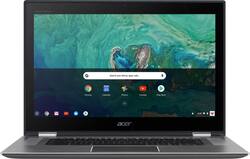
Acer - Spin 15 2-in-1 15.6" Touch-Screen Chromebook - Intel Pentium - 4GB Memory - 64GB Solid State Drive
- Key Specs
- Screen Size: 15.6 inches (Size of the screen, measured diagonally from corner to corner.)
- Screen Resolution: 1920 x 1080 (Full HD) (Screens come in a range of resolutions (measured in pixels, horizontal x vertical). The higher the resolution, the greater the picture quality.)
- Touch Screen: true (Touch-screen devices make navigating more intuitive. Using a touch-screen display, you can do things such as tap to select, hold and drag to move items, swipe to scroll, and pinch to zoom.)
- Processor Model: Intel Pentium (Your computer's processor is like its brain. Working in combination with system memory, the power of the processor determines the complexity of software you can run, how many programs you can have open at the same time, and how fast those programs will run. Most computers feature an AMD, Intel or Snapdragon processor.)
- Storage Type: SSD
- Total Storage Capacity: 64 gigabytes
- System Memory (RAM): 4 gigabytes (Random-access memory (RAM) is a computing device's short-term data storage, which allows active information to be accessed quickly. The size and type of RAM determines how efficiently the device can handle large amounts of information at one time. For example, gaming or video editing requires more RAM for optimal performance.)
- Graphics: Intel HD Graphics 505 (Often referred to as a "graphics processing unit" (GPU), this device is responsible for displaying image content and decoding/encoding video content in programs and games.)
- Battery Life (up to): 13 hours (Battery life will vary depending on the product configuration, product model, applications loaded on the product, power management setting of the product and the product features used by the customer. As with all batteries, the maximum capacity of this battery will decrease with time and usage.)
- 2-in-1 Design: true (A laptop and a tablet combined in one lightweight, portable device. Sometimes referred to as "convertible" or "hybrid" laptops, these devices deliver the processing power and keyboard of a laptop. When you're ready to play, either detach the screen or fold your 2-in-1 into tablet mode to comfortably watch movies, play games, read an e-book and more.)
- Backlit Keyboard: true (Integrated lights allow for visibility of the keys in low-light conditions.)
- General
- Product Name: Spin 15 2-in-1 15.6" Touch-Screen Chromebook - Intel Pentium - 4GB Memory - 64GB Solid State Drive
- Brand: Acer
- Model Number: CP315-1H-P1K8
- Display
- Display Type: LED
- Screen Size: 15.6 inches (Size of the screen, measured diagonally from corner to corner.)
- Screen Resolution: 1920 x 1080 (Full HD) (Screens come in a range of resolutions (measured in pixels, horizontal x vertical). The higher the resolution, the greater the picture quality.)
- Touch Screen: true (Touch-screen devices make navigating more intuitive. Using a touch-screen display, you can do things such as tap to select, hold and drag to move items, swipe to scroll, and pinch to zoom.)
- Processor
- Processor Brand: Intel
- Processor Model: Intel Pentium (Your computer's processor is like its brain. Working in combination with system memory, the power of the processor determines the complexity of software you can run, how many programs you can have open at the same time, and how fast those programs will run. Most computers feature an AMD, Intel or Snapdragon processor.)
- Processor Model Number: N4200
- Storage
- Storage Type: SSD
- Total Storage Capacity: 64 gigabytes
- Solid State Drive Capacity: 64 gigabytes (The amount of data that can be stored on the device's solid state drive (SSD). SSD is a flash-based storage with faster speeds than a hard disk drive (HDD).)
- Memory
- System Memory (RAM): 4 gigabytes (Random-access memory (RAM) is a computing device's short-term data storage, which allows active information to be accessed quickly. The size and type of RAM determines how efficiently the device can handle large amounts of information at one time. For example, gaming or video editing requires more RAM for optimal performance.)
- Type of Memory (RAM): Not provided (Each type of RAM delivers a different level of speed, bandwidth, energy efficiency and performance.)
- Number of Memory Sticks Included: 1
- Graphics
- Graphics Type: Integrated (Dedicated graphics uses a separate graphics card for processing video images. Because it does not use memory from the system's RAM, there is no extra burden on the CPU and graphics are processed more efficiently. Integrated graphics shares system RAM to process video images.)
- GPU Brand: Intel
- Graphics: Intel HD Graphics 505 (Often referred to as a "graphics processing unit" (GPU), this device is responsible for displaying image content and decoding/encoding video content in programs and games.)
- Compatibility
- Operating System: Chrome OS (The operating system manages all software and hardware, including files, memory and connected devices. Most importantly, it lets you interact with your device and your programs in a visual way; otherwise, you'd be typing computer code to get anything done.)
- Connectivity
- Number of USB Ports (Total): 2
- Headphone Jack: true (The device features an interface that allows for the connection of headphones.)
- Ethernet Card: 10/100/1000 (Also known as an Ethernet adapter, this card plugs into a computer's motherboard and enables it to access an Ethernet network. Ethernet data transmission speeds are measured in Mbps (megabits per second) and Gbps (gigabits per second). For example, a 10/100 Ethernet port transmits 10 and 100 Mbps, while a 10/100/1000 Ethernet port transmits 10 and 100 Mbps and has a maximum speed of 1000 Mbps (1 Gbps).)
- Power
- Power Supply Input: USB Type C
- Power Supply Maximum Wattage: 45 watts
- Battery Life (up to): 13 hours (Battery life will vary depending on the product configuration, product model, applications loaded on the product, power management setting of the product and the product features used by the customer. As with all batteries, the maximum capacity of this battery will decrease with time and usage.)
- Battery Cells: 3-cell
- Battery Capacity: 4670 milliampere hours (The amount of energy stored in the battery.)
- Camera
- Front-Facing Camera: true
- Front Facing Camera Megapixels: 0.92 megapixels (The more megapixels, the more detail that the camera facing the user can capture.)
- Front Facing Camera Video Resolution: 720p (Refers to the number of pixels, both horizontally and vertically, used by the camera facing the user to capture video. The higher the resolution the finer the video detail that can be seen.)
- Built-In Microphone: true
- Features
- 2-in-1 Design: true (A laptop and a tablet combined in one lightweight, portable device. Sometimes referred to as "convertible" or "hybrid" laptops, these devices deliver the processing power and keyboard of a laptop. When you're ready to play, either detach the screen or fold your 2-in-1 into tablet mode to comfortably watch movies, play games, read an e-book and more.)
- Backlit Keyboard: true (Integrated lights allow for visibility of the keys in low-light conditions.)
- Touchpad Type: Corning gorilla glass
- Media Card Reader: true (A hardware device that allows for access to data on a memory card and enables the transfer of its files to a computer. These devices may have one or multiple slots for various types of memory cards, and may be integrated into the computer or available as an external device.)
- Speaker Type: Stereo speakers
- Dimensions
- Product Height: 0.8 inches (The out of box height of the item. Height is measured as the vertical distance from the bottom of the item to the top as it would be primarily used or placed.)
- Product Width: 15.2 inches (The out of box width of the item. Width is measured as the horizontal distance from one side of the item to the other as it would be primarily used or placed.)
- Product Depth: 10.3 inches (The out of box depth of the item. Depth is measured as the distance from the front of the item to the back as it would be primarily used or placed.)
- Product Weight: 4.63 pounds (The out of box weight of the item.)
- Certifications Listings & Approvals
- ENERGY STAR Certified: true (Devices carrying the ENERGY STAR service mark, such as computer products and peripherals, kitchen appliances, and other products, generally use 20% to 30% less energy than required by federal standards.)
- EPEAT Qualified: false (The Electronic Product Environmental Assessment Tool (EPEAT) was designed to provide an environmental assessment tool for purchasers. In order to qualify for EPEAT, a product must meet all 23 required criteria.)
- Included
- Included Software: Google Play and Google Apps
- Optical Drive Type: None (An optical disk drive (ODD) uses a laser light to read data from or write data to an optical disc. These discs include CDs, DVDs, and Blu-ray Discs. This allows you to play music or watch movies using prerecorded discs.)
- Other
- UPC: 191114652404
 Acer Spin 15 Convertible 2-in-1 Chromebook: Work, browse and play with this Acer Chromebook. The Intel Pentium processor has four cores that handle multiple processes at once, and 4GB of RAM supports efficient multitasking. With its generous 15.6-inch Full HD touch display, this Acer Chromebook lets you watch movies, browse comfortably online and enjoy your favorite podcasts.
Learn more about Chromebooks ›
- Google Chrome OS: Automatically downloads and installs security and software updates, so you don't have to waste your time managing patches and waiting for restarts.
- 15.6" Full HD 10-point multitouch screen: The 1920 x 1080 resolution boasts impressive color and clarity. IPS technology for wide viewing angles. Energy-efficient LED backlight.
- 4GB system memory for basic multitasking: Adequate high-bandwidth RAM to smoothly run multiple applications and browser tabs all at once.
- 64GB solid state drive (SSD): While offering less storage space than a hard drive, a flash-based SSD has no moving parts, resulting in faster start-up times and data access, no noise, and reduced heat production and power draw on the battery.
- 360° flip-and-fold design: Offers versatile functionality with laptop, audience, tabletop, presentation and tablet modes.
- Built-in cloud support: Easily save your files to your Google Drive account for secure access wherever you go. You can also sync with your other devices running Chrome and even work offline when needed. Fees may apply.
- Intel® HD Graphics 505: On-processor graphics with shared video memory provide everyday image quality for Internet use, basic photo editing and casual gaming.
- Weighs 4.63 lbs. and measures 0.8" thin: Thin and light design with DVD/CD drive omitted for improved portability. 3-cell lithium-ion battery.
- Built-in media reader for simple photo transfer: Supports microSD memory card formats.
- Dual-band wireless network connectivity: Built-in high-speed wireless LAN built into the screen, so it connects to your network or hotspots on all current Wi-Fi standards in both laptop and tablet modes.
- Built-in HD webcam with microphone: Makes it easy to video chat with family and friends or teleconference with colleagues over Google Hangouts or other popular applications.
- Built-in virus protection and Google products: Work, play and do right out of the box with Search, Gmail, Talk, YouTube and Hangouts, then personalize with the Chrome Web Store. Multiple layers of protection defend against viruses and malware.
- Additional port: Headphone/microphone combo jack.
Whats Included
- Acer Chromebook Spin 15 CP315-1H-P1K8
- 3-cell battery
- USB-C power adapter
Q: How does this compare with an I pad
A: The first difference (open vs closed): iPad is a tablet and runs on iOS which is a proprietary, closed-system, that is not compatible with anything else out there except for hardware made by 1 company - Apple. Chromebook is not a tablet but a laptop (with a full-size keyboard) based on ChromeOS. ChromeOS is an open-system created by Google. Open here means you are not confined/limited to one company. You can buy Chromebook made by several competing manufacturers just like living in a country that supports Democracy instead of a Communist dictatorship. You can buy a Chromebook made by Samsung, Acer, Asus, HP, Google, Lenovo, Dell, LG, Toshiba, etc. Similar to any open-systems like Microsoft Windows, Google's Android, and Linux. The second difference (web vs app): iPads, and even Android tablets are app driven devices. Chromebook is a browser driven device just like a real laptop or desktop computer. In app-driven devices, you will always need an app to do something. You want to use Netflix, you have to download Netflix app. To read PBS news, you have to download an app for that. On a real computer, you just use your web browser, which makes it extremely convenient. You want to read anything on CNN just type 'cnn.com', you want Fox news, you type 'foxnews.com'. No need to get a specialized app to do anything. You still can use an app if you wanted to. Chromebook is much more flexible and it is OPEN which means it gives you, the consumer choices, unlike a closed system.
Q: Can you add another 4gb memory module?
A: The system memory on this model is on board and not upgradeable.
Q: Does it comes with pen or is it working with Acer pen
A: No, this laptop doesn't come with a pen, and there isn't any information on its compatibility with an Acer pen.
Q: Does a stylus work with this laptop?
A: Yes, this model supports a capacitive touch stylus.
Q: Can I install a basic HP print driver?
A: Yes... connected to several HP and other printers with no problem.
Q: Does this have a backlit keyboard?
A: yes
A: I have downloading games from the Google apps store. It downloads pretty quickly and the clarity on the screen is good.
A: Acer recommends using the included AC adapter or replacement from Acer for this device. Please contact Acer support to inquire about obtaining a replacement AC adapter and power cord. Contact information is posted here for your convenience: https://www.acer.com/ac/en/US/content/service-contact