Customer Ratings & Reviews
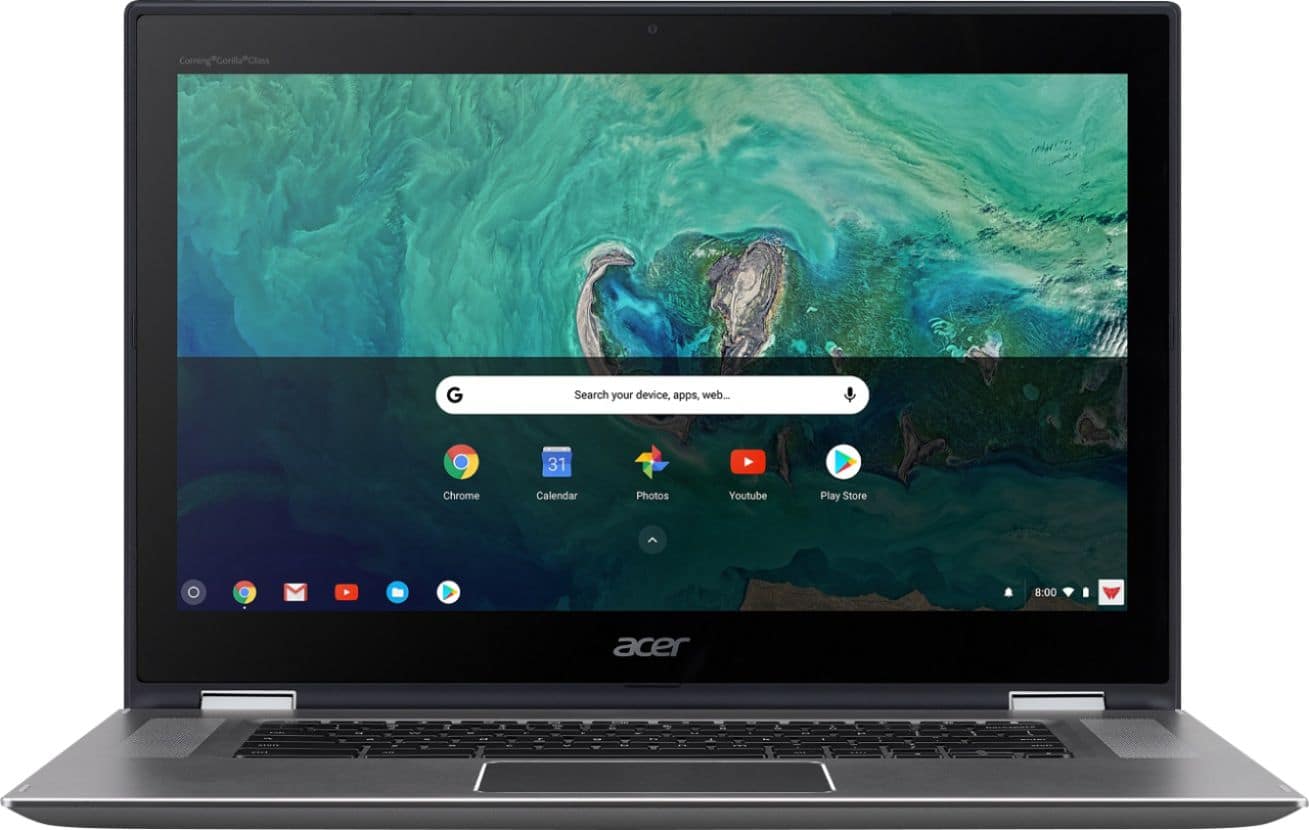
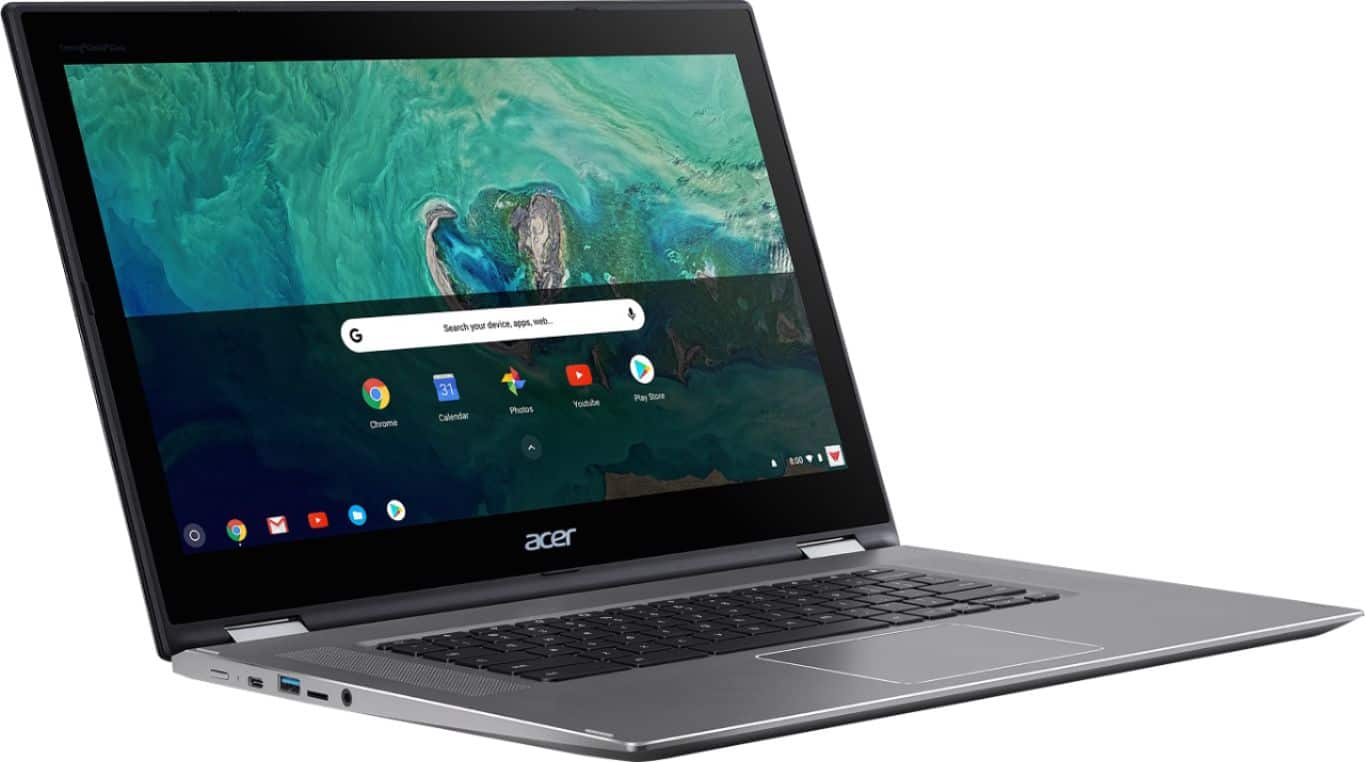
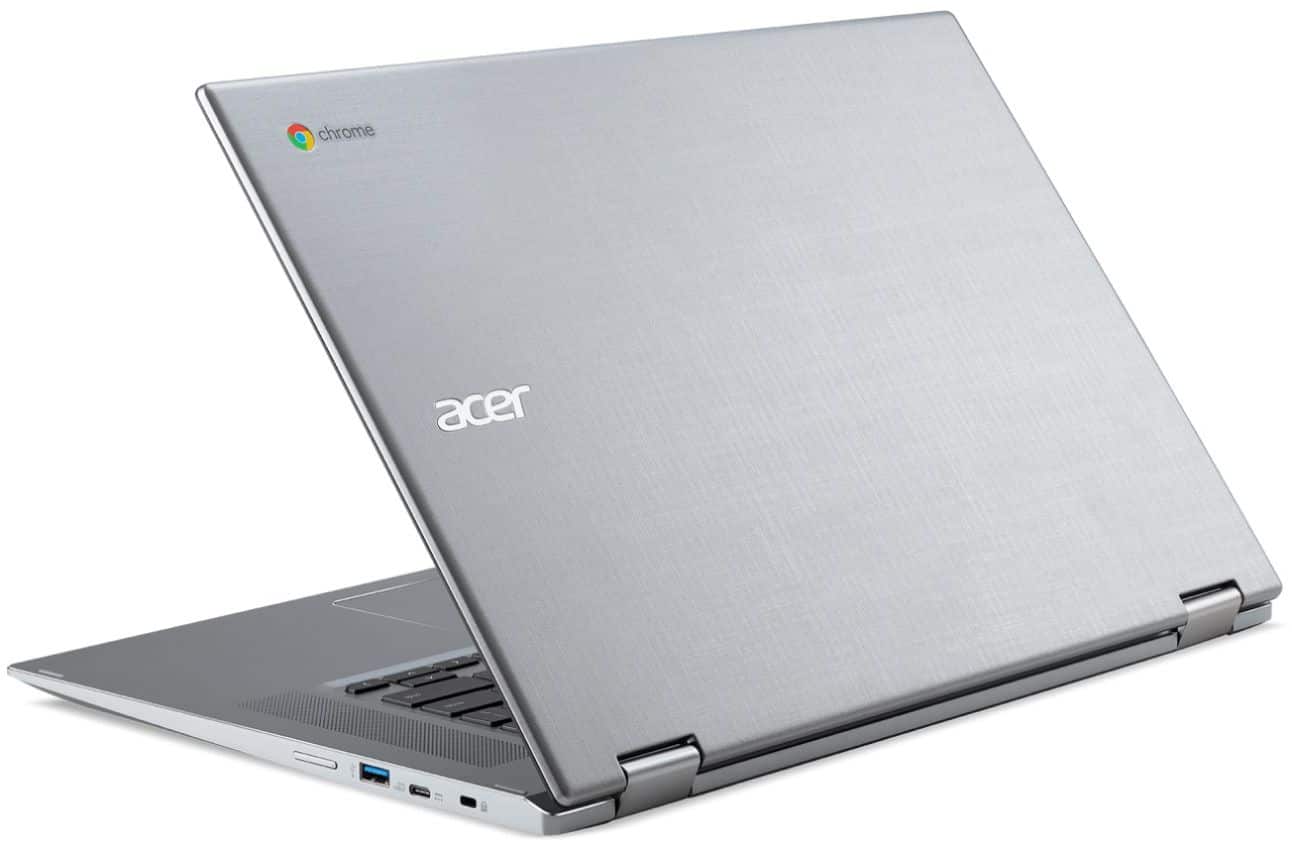
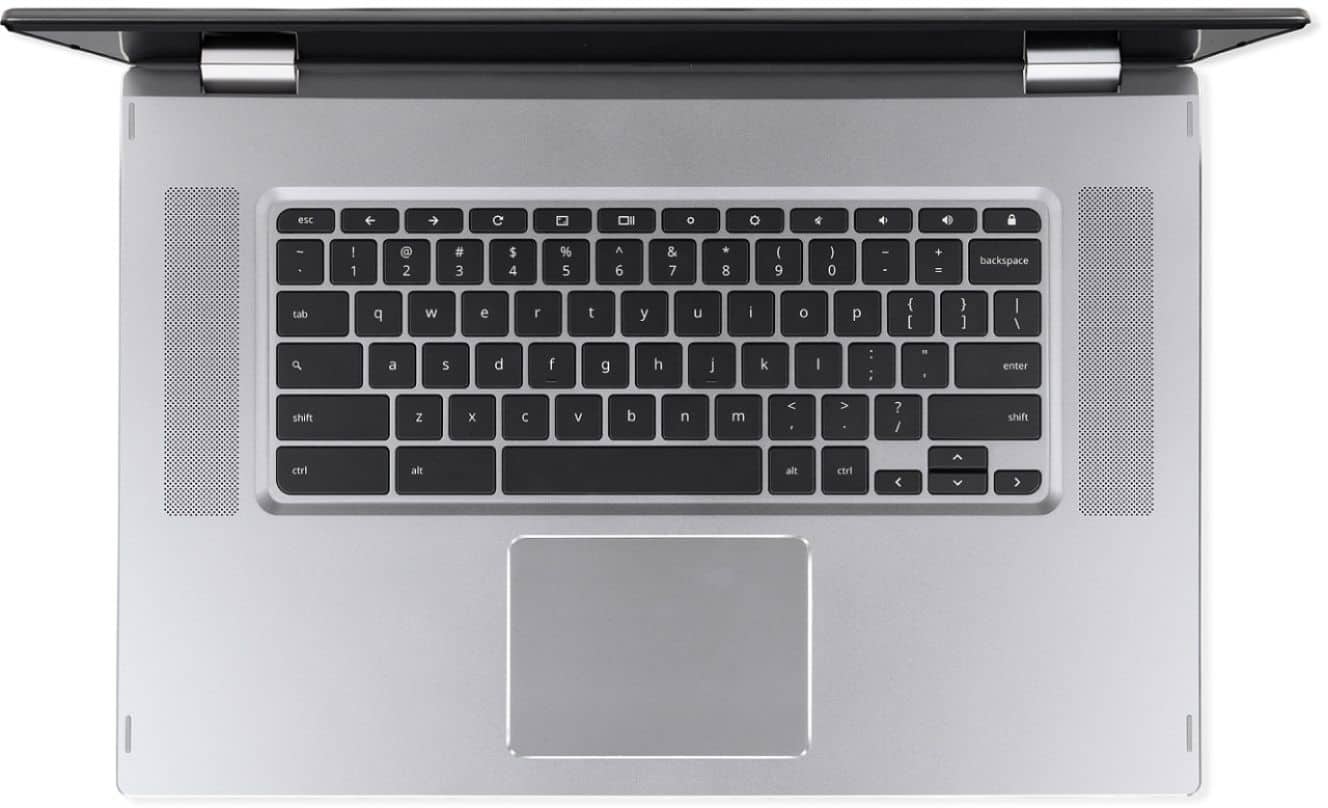
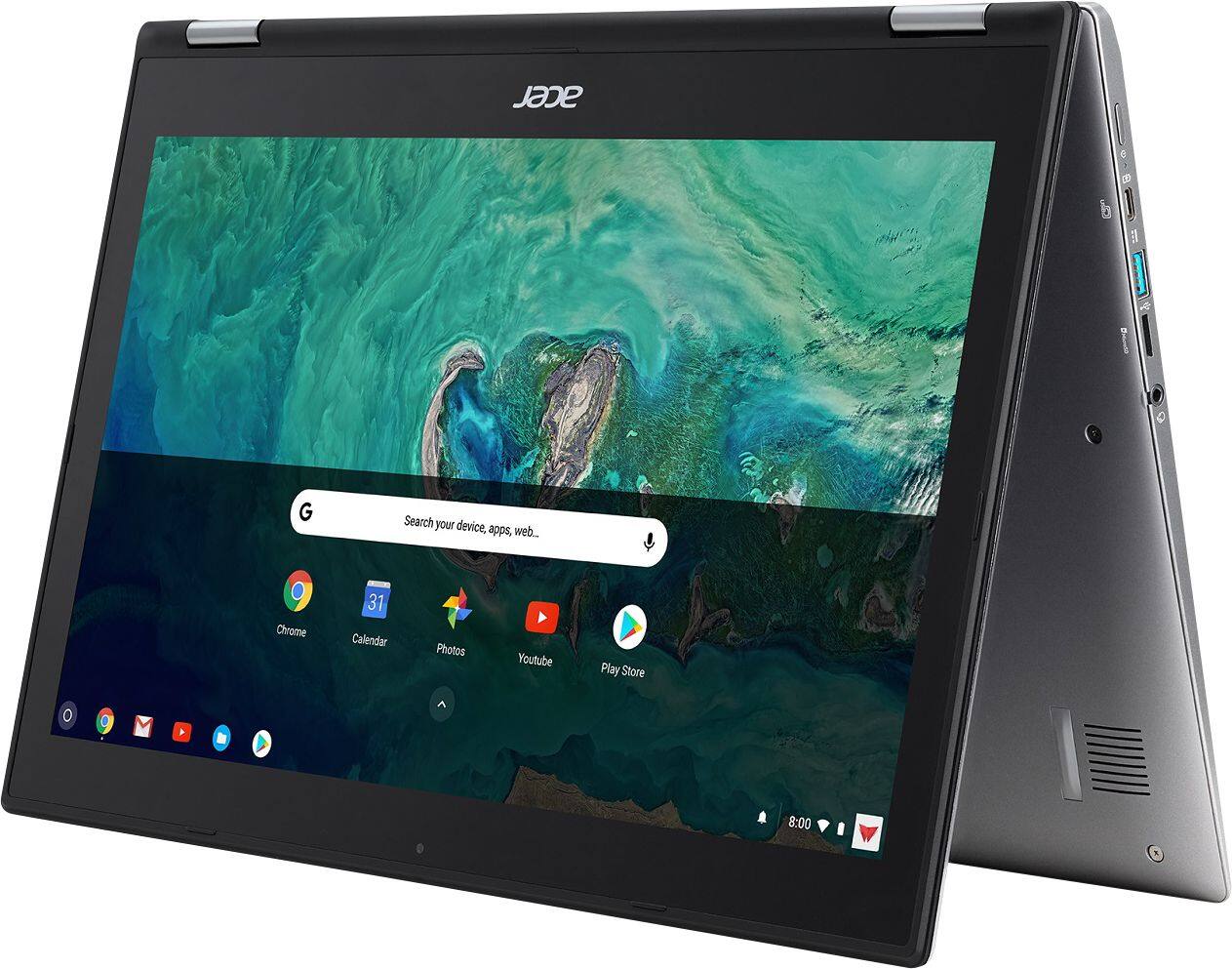
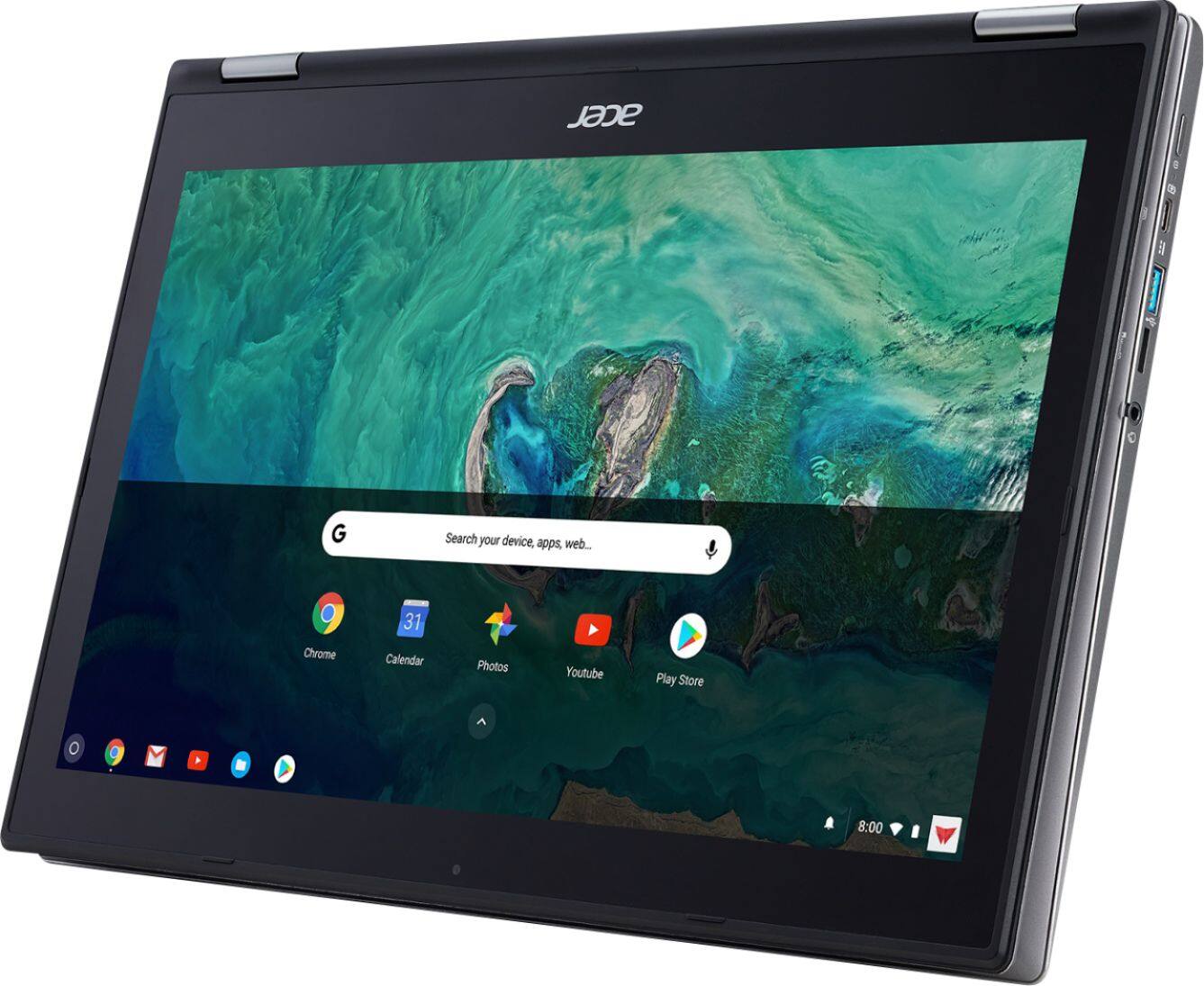
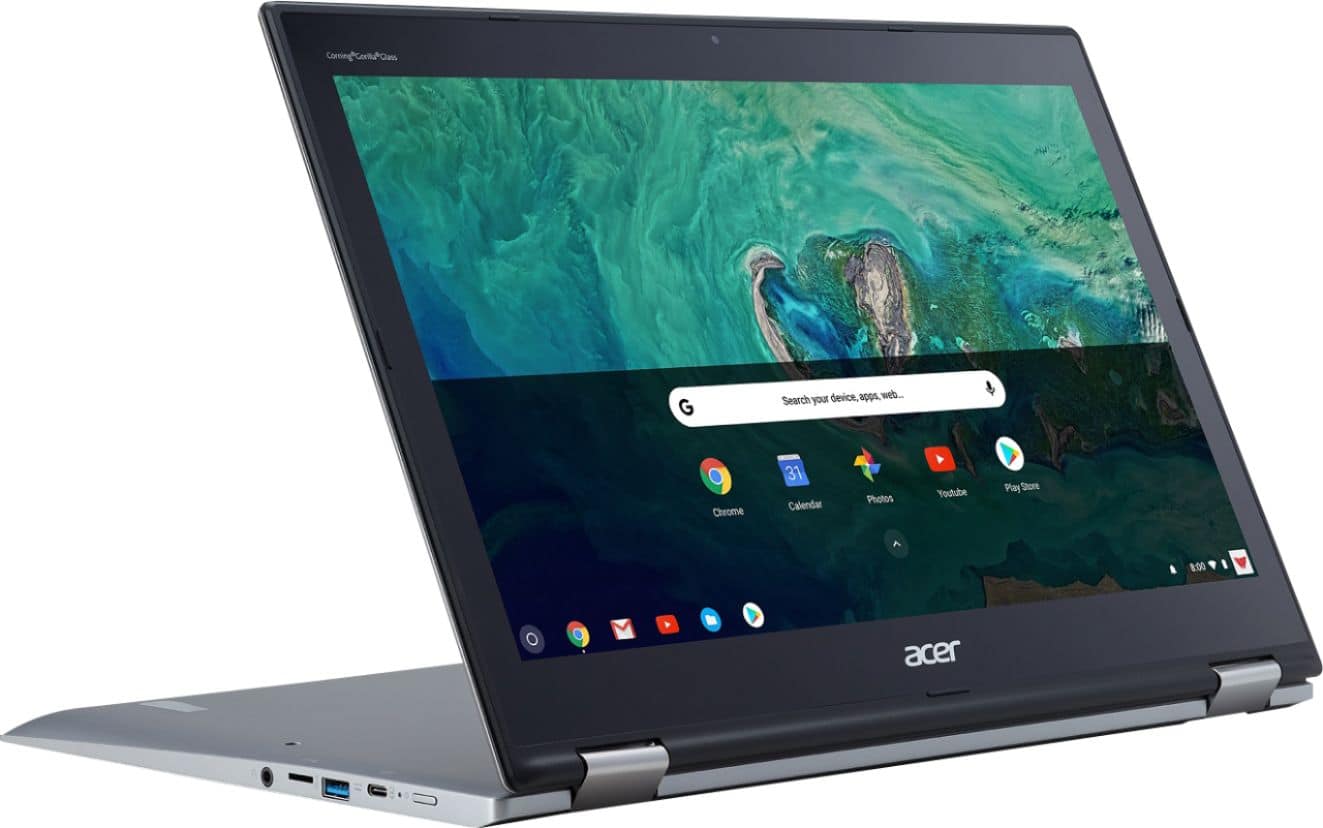

- Model:
- CP315-1H-P1K8
- SKU:
- 6221784
Rating by feature
- Value
Rating 4.5 out of 5 stars
- Quality
Rating 4.6 out of 5 stars
- Ease of Use
Rating 4.7 out of 5 stars
Customers are saying
Customers have good things to say about the Spin 15 Chromebook's large screen size and ease of use, especially for children. Positive feedback also highlights its decent battery life and solid performance for everyday Chromebook tasks. While some users noted minor issues with the operating system and speaker placement, the overall experience appears to be quite positive. The lightweight design is another frequently praised feature.
This summary was generated by AI based on customer reviews.
- Pros mentioned:Battery life, Performance, Screen size

A Top Contender in the Chromebook Ecosystem!
|Posted .This reviewer received promo considerations or sweepstakes entry for writing a review.Introduction The new Acer Spin 15.6 is a new laptop that Acer has designed with several “spins” to it such as laptop mode, tablet mode, presentation mode to name a few. Additionally, Acer has designed this unit with top-tier speed in so much that the unit comes packed with 4gb of ram along with 64 gb of SSD (solid state drive). The following is my overall assessment of this chromebook: ***Pros*** 1. Supreme craftsmanship and design. 2. Beautiful FULL HD screen with 1920 X1080 along with a full immersive screen 15.6. 3. Backlit keyboard and touch screen. Also, the keyboard is quiet, so you don’t have to worry about a “clicky-clack” experience. 4. Immense battery life-I’ve personally gotten 8-10 hours easily. 5. Versatile display as the unit offers laptop, presentation, and table top modes. 6. Fast bootup and shut down. 7. Virus free as chromebooks have a built-in virus protection that is updated frequently. 8. Google Play Store apps which are immense in number are supported. Also, some cell phone apps (Android) are supported. 9. Full Micro Soft Applications are supported (however a subscription is required for the entire suite). Some Micro Soft applications such as Word On-line is free. Also, you can get the free Google Docs that are comparable to Micro Soft Word, Google Sheets which are comparable to Excel and Google Slides which are comparable to PowerPoint. 10. Fast charging as the unit has USB-C charging ports along with USB-A type ports as well. 11. A Head phone jacket is on the unit too. 12. Great speakers as they are positioned on both the left and right of the unit. The audio from them is great. ***Cons*** 1. The Chrome environment greatly differs from the Windows and Mac environments as such, it can be a learning curve with adjusting to the environment. 2. An active Gmail account is required; however, you can login as a guest too. 3. I personally would like to have seen a keypad to the right of the unit as opposed to such a large trackpad. 4. I think Acer should have input 8 gb of ram as opposed to 4 gb. 5. No HDMI is included, but you can purchase an adapter if needed. 6. The weight of the laptop (4.63 lbs) may not be ideal for some with regards to portability. 7. At a weight of 4.63 lbs. employing tablet mode can feel a bit bulky which can tire the arms out rapidly. ***Tangibles worth Noting*** Screen The Acer Spin 15.6 is really a good chromebook with excellent build quality. The Full HD offers a gorgeous view. Viewing and streaming of videos, movies, and YouTube videos is a great experience as the resolution is clear and concise. Craftmanship/Design/Usability I am thoroughly familiar with chromebooks as this is my 3rd chromebook. I can say that they’ve come a long way since my first one which was the Acer C7, which only had a 2gb memory along with 320 gb of hard drive. The picture resolution and the battery life were awful. Additionally, I have the Acer R 11 2-in-1 which has been a great experience from every aspect such as web surfing, watching movies, videos, and YouTube videos as well as streaming. Everyday clerical tasks such as E-mailing, drafting of letters, basic speadsheets and the like have really been a seamless experience. Additionally, the build on this machine is rock solid!! Chromebooks may not be as user-friendly to some as the Mac and Windows environments are, but they can be equally as sufficient, it depends on your needs, wants and desires in a machine. Presently, I am training myself to fully acclimate to the Chrome OS environment and make it as user-friendly as the Windows environment is my staple eco-system. I am in the process of integrating and transferring all of my Word files into the chrome environment. I am using both Dropbox, Google Drive and internal storage to accomplish this. I am determined to not have to switch between computers to accomplish daily tasks. Performance The Acer Spin 15 is a solid performer as it boots up and shuts down swiftly. It can withstand multiple screens being in operation without lag, stall, or crashes. In the past few days, I transferred and edited some files, watched and streamed movies, played songs, opened multiple pages, etc., and this machine has fully withstood the tasks. The Spin 15 can contend with some of the higher end chromebooks in performance, because of factors such as resolution, performance, and long battery life to name a few. Also, you get these quality aspects at a much lower price point. Audio The audio is good on this machine as there are 2 speakers housed on both the left and right of the machine. When playing of music, I had a great immersive sound experience meaning I did not experience any skips, tinny sounds, or unclear audio. To the contrary, this machine offered great audio when listening to music as well as movies and videos. Conclusion/Recommendation I highly recommend this chromebook without any reservations. I think Acer has done a great job from the overall standpoint of build-quality, design and performance. I want to personally commend Acer for being a pioneer in the field of technology. They frequently revise, add on, and try new innovations for their customers. Seemingly, they aren’t afraid to venture into the unknown which keeps them in the forefront of technology. If you’ve thought about trying out a chromebook, I highly recommend this one as you will discover an “Ace” in the hole!!!
I would recommend this to a friend - Pros mentioned:Battery life, Screen size, Speed
A must-buy for anyone looking into Chromebooks!
|Posted .This reviewer received promo considerations or sweepstakes entry for writing a review.It's been since 2009 when I last used a Chromebook - back then I wasn't impressed! Wow, Chrome OS has come a LONG WAY since then and is definitely a contender in the OS market! I'm giving this Chromebook 5 stars based on the following points. I couldn't find any negatives, other than wondering why I waited so long to try one again! 1) Full HD screen - nice and bright, very crisp text! 2) Great backlit keyboard. Comfortable to type on with minimal key travel. 3) It runs buttery-smooth on every task I throw at it, as well as while multitasking. 4) It runs all Android apps from the Google Play store - talk about opening a whole new world of possibilities! 5) The sound from the upward-firing speakers is great for a laptop! 6) USB A and USB C connections - new devices as well as legacy devices will run on this Chromebook without issue! 7) The battery life is rated for 13 hours - I didn't go 13 hours without plugging it in, but I don't see 13 hours being a problem to reach! 8) I feel like I can do literally everything on this Chromebook that I could on my PC that doesn't have to do with system administration - if it's for personal use, it literally could replace my PC! 9) Outstanding build quality! Definitely worth checking out if you're looking at Chromebooks! Pay the extra, it's worth every extra penny!
I would recommend this to a friend - Pros mentioned:Battery life, Screen size
A Giant tablet that looks and works like a PC
|Posted .This reviewer received promo considerations or sweepstakes entry for writing a review.If you are looking for a little larger Galaxy tab or maybe an I-Pad with a keyboard attached - Not for you. This thing is huge and heavy. If 4.5 lbs bothers you - stay away. That being said, if you want a really large and capable computer hybrid/tablet running Chrome/Android - then this is it. Over these past few years I've been waiting on a solution from Samsung or similar for a less then Windows machine that would actually run basic apps and allow me to do some "work." The last Galaxy iteration has been tempting, but I'm not going to go with Windows 10 on a tablet device for what I need to do and the non-windows iterations were not large enough. This is where the Spin 15 fits me perfectly. And let me give a history of my PC/Tablet experience and needs... Power User, period. I have 2 dedicated portable workstations, i.e., maxed out laptops that I use for business. One stays by my side in a backpack and one is in the office, permanently docked. Over the years I’ve learned to work off of the server or the cloud and use images for business; electrical engineering and programming. The last thing I want to do at home is break one of these out with all the periphery and do small tasks that need to be done in between office and client sites. Battery life on these types of machines is bad. I have to have the latest graphics cards and highest CPU I can get into them and am lucky to get over an hour; New Dell G7's, maxed out. They have their place, don't get me wrong, but I need something between my phone and a full-on Laptop/PC. In the past I've tried to fill this niche with a Sony Vaio and a Surface Tablet. Again, both with i5/7's and trying to get horsepower and it really is a matter of the technical lottery with buying the latest and greatest at the time - they both suffer short battery life and the whole tiresome Windows experience when you want something light, like a tablet. Neither fit the experience I'd been wanting; something in-between the Laptop/PC and my Smartphone. (They are both in a box in the basement.) With the the Spin 15, it's configured 64GB memory, 4GB RAM, Pentium processor, gracious battery / power management and paired with the Chrome OS; running version 67.0.3396.99 at time of review. I feel complete. A part of my life’s need to be immersed and connected with technology is complete. “I’m a geek.” What I absolutely love is the multi user, quick login/logout and overall experience. For me, I don’t have to strain with the phone and can grab the Spin 15, flip the lid and if I was logged on before - my work is all right there with fresh battery. The battery doesn’t bleed out like Windows or suspend mode. And there is no lag when opening the lid to getting back to work - it’s just popping. Granted it’s not running the gazillion windows services and all the bells and whistles that comes with a full on PC; I DO NOT NEED THEM for what I’m doing on the Spin. I use this for dropbox, emails, Google Docs, Office 365, Youtube, Netflix, pictures; BASICS and low overhead applications. So this tablet does them all with absolute ease. I have really missed the touch screen since I don’t have the options on the Laptops I need to buy. The Chrome/Android is a Godsend for me in regards to having a break from the PC experience that dominates my work days. I don’t want to go there.. So, yes, Chrome is a lot of it and this machine serves it up well at a size that I LIKE. That being said, I am a bigger guy and my older eyes appreciate the large, soft screen. I have played with the various tablets and just not where I needed them to be with size and performance. ..I didn’t want to buy the smaller-than-I-wanted tablet, keyboard, case, etc.; just to settle for mediocrity. For me, this is MY fit. On the plus side I digress about the multi user capabilities of Chrome. My family has access anytime they do use this. Logging in and out is seamless and my work/experience is never bothered. Everyone likes it in my house and we all have Google accounts anyhow. The keyboard is adequate and feels good for me. Though I am sure there will be some who are missing the delete key or number pad or this or that. “It’s a Chrome Keyboard!” lol. So with a little getting used to I actually find the keys responses and tactile feel very comfortable for a few hours at a go, updating quotes, emails, etc…. I can work on this and there is no stress from lack of function and the ergonomics are not an issue. Speakers are pretty amazing for a laptop, hence the weight. I am sure they could have saved a few ounces and did something smaller, but it is one of the advertised points and I do appreciate the audio capabilities when watching Youtube or similar for what they are. Are they going to rock the house? “No.” I do plug in to the line out jack for external speakers or use bluetooth speakers when appropriate. These are better than any tablet speakers and they are not external box powered speakers - “That happy medium.” The Flip - I’ve read where a few people found the flip stiff or this or that. I don’t know what to compare this to in that regard or what someone may be expecting from a hinge for the display and keyboard. My 8 year old daughter hasn’t complained and I haven’t given any thought. It stays in what position I set it to and is not overly stiff by any means. It is cool to flip the keyboard and have a giant tablet in tablet mode. Maybe people are used to somethign a lot lighter and this could be a matter of getting used to? Again, not an issue for me. On the sides you’ll find a power button, volume rocker, micro SD slot, two USB ports, two USB C ports, security lock connection and a headphone jack. What is cool is you can charge from either side with the provided high power USB C adapter. I have also charged on slow with a standard USB C that I use for my phone, (Takes a while longer and a message pops up.) What’s not to like? Don’t get this if you like bigger or heavier than an IPad type device. There are a few glitches with Chrome integrations on any hardware platform; artifacts, specific apps, etc. None of these have been a show stopper for what I do. If you want to install a non-secure app, then there is a method on the internet on how to boot up the machine/wipe all your stuff out and put it in some sort of admin mode. I don’t need to. Again, for my apps and what I use - these are non - issues; everything is from the Play Store and integrates with no real issues for me. And the artifacting or occasional resizing issues are not show stoppers for me, its something you understand from the Chrome/Android limitations and working in a larger environment. “These are ongoing development software issues with Chrome and hardware integrators and everyone has them.” I am sure there are going to be somethings someone just does not like or not a fit for them. Overall, for the price and bang for buck, I would absolutely go check one out. Get a feel for it and see if it’s for you. It has to be about a size and power thing. I wouldn’t do a Celeron and if you can afford to go with the 64GB memory, there is good reason to, (Many apps do not like to run from memory cards, etc.) Again, it is really a preference of size and capability. For the price and what it can do - it is a solid recommendation for that mid-point of suffering on the phone vs. getting the laptop out or PC fired up. The Spin 15 has my vote for this category and so far I am enjoying a well built machine with great features and surprisingly good battery life. “Go to the store and see for yourself.”
I would recommend this to a friend - Pros mentioned:Battery life, Ease of use, Screen size
Solid Chromebook but Better Laptop than a Tablet
|Posted .This reviewer received promo considerations or sweepstakes entry for writing a review.This is my first Chromebook I've ever had and I will say it is quite easy to work with and use! The main point of this review is to say - this is a $450 Chromebook that's meant to utilize it's large screen for web/app based entertainment or light work purposes. It hits all those points very well and for those of you wanting a large Chromebook, you would be pleased with this for the price. Pros: - It's ease of use is it's main selling point to me. Setup was a breeze and overall the device is very quick and responsive to commands. - The Hinges on the Chromebook to allow it to go from laptop to tablet mode are fantastic. They are firm enough to not have the screen fall over in laptop mode, but still allow for smooth transitions. - The Battery life is pretty good for the size. I have been using it on the brightest screen option and have been impressed with how long it runs - The Google App store integration is really nice to have. Some Apps are easier than the web platform but not all apps are optimized for tablets. - The keyboard is really easy to use. I like how they didn't put a number pad on it making the keyboard more centralized so it's more natural to use. The addition of the back-light keyboard is a really plus. - Battery life is - Having the 15.6 inch screen is really great! I tried out Netflix, Playstation Vue, and Movies Anywhere and all of the videos looked solid. - The speakers do sound very good for the price but they are not overly loud - The Ports are a huge selling point. It's just very nice to be a USB C ports as that is where many electronics are moving towards but still has two USB A ports as well with a headphone jack. Cons: - My biggest issue with this is the bezels. It's 2018 and everything is going to smaller bezels and packing more into less. Since this is a 15.6 inch screen it's already large but the over sized bezels make it seem clunky at times. It's fine in laptop mode but carrying it around and using like a tablet is just not very convenient. I just think overall they could have made this device smaller but still give it that nice large screen size. - I am not overly impressed with the screen resolution. Sometimes, certain apps/websites look too pixelated or have a hard time scaling to the large screen size. - Maybe it's just my model, but my space bar isn't super responsive. I have to make a point that I click it firmly. - Although the ChromeOS is nice and easy to use, my opinion is it still can't replace a Windows OS laptop or maybe even an iPad at times. Still, I think Acer did a nice job putting together a functional Chromebook, with a lot of features, and all for a great price! Would recommend if you are in the market for one.
I would recommend this to a friend Great laptop for every day use
||Posted .This reviewer received promo considerations or sweepstakes entry for writing a review.The tablet mode makes this laptop even more convenient for using it in certain places, absolutely love it.
I would recommend this to a friend- Pros mentioned:Battery life, Screen size
Quick, easy setup and fast browsing the web
|Posted .This reviewer received promo considerations or sweepstakes entry for writing a review.First impressions I finally got around to setting up my new laptop today. A little background first...I have used Windows devices for the past 25 years and have never owned an Android device. As a result, I was a little hesitant about how long it would take me to get used to the new Acer Spin 15 Chromebook. When I picked up the box, I was surprised how heavy it was. I have been using a 13" Ultra book for the past 3 years at work so this 15.6" model seemed big and heavy in comparison. This device does have a nice FHD touch screen, but there is a lot of bezel around the display (about an inch or more on every side). I was happy to see that the laptop did not get hot sitting on your lap, even after a couple of hours. Setup took all of 10 minutes, which has never happened for me with a new Windows device (it might have actually been shorter than that, but I was waiting for more setup steps that never came so I didn't check the clock right away). Usually Windows setup can be 30-45 minutes. I already had a Google account so that part of setup went pretty quick. It was also nice that it knew all my settings from my Chrome browser so it opened up my default browser pages on the first login and had all my saved bookmarks too. Getting around the Chromebook OS is pretty straight-forward and very similar to a Windows PC. The "Start" menu is on the lower left, the opened apps show up on the bottom "taskbar" and the lower left is where the app notifications are located, just like on Windows. I have used the Google Chrome browser for years so there was no learning curve needed for that. Battery life shows nearly 12 hours when fully charged. I'll track this for a few weeks and update the review. My work laptop started with an 8 hour battery life, but after a year it is down to about 3 hours before it dies so this can change quickly based upon usage. I'm not a big gamer, but considering this is a Chromebook, that is not what you would expect to do with it. I'm sure any web based games will work fine, as will any apps from the Play Store. The keyboard is backlit so it is easy to use in dark rooms. There are speakers on both sides of the keyboard which sounded good when testing out Netflix. One thing that will take me a while to get used to us the single click mouse pad. I'm so used to having the right and left mouse buttons that I kept trying to right-click to get to the context menus. It took me awhile to figure out that you have to two-finger click to get to that. I'm guessing Mac users won't have a tough time adjusting to that. Overall, I like this laptop and would recommend it for someone that does mostly browsing. The Chromebook responds quickly and has worked really well for streaming movies and sports online. As I use this more over the next couple of months, I will add some updates on battery performance and any issues I run into, but for now, I am very happy with this laptop.
I would recommend this to a friend - Pros mentioned:Battery life, Screen size
Awesome blend of work and entertainment
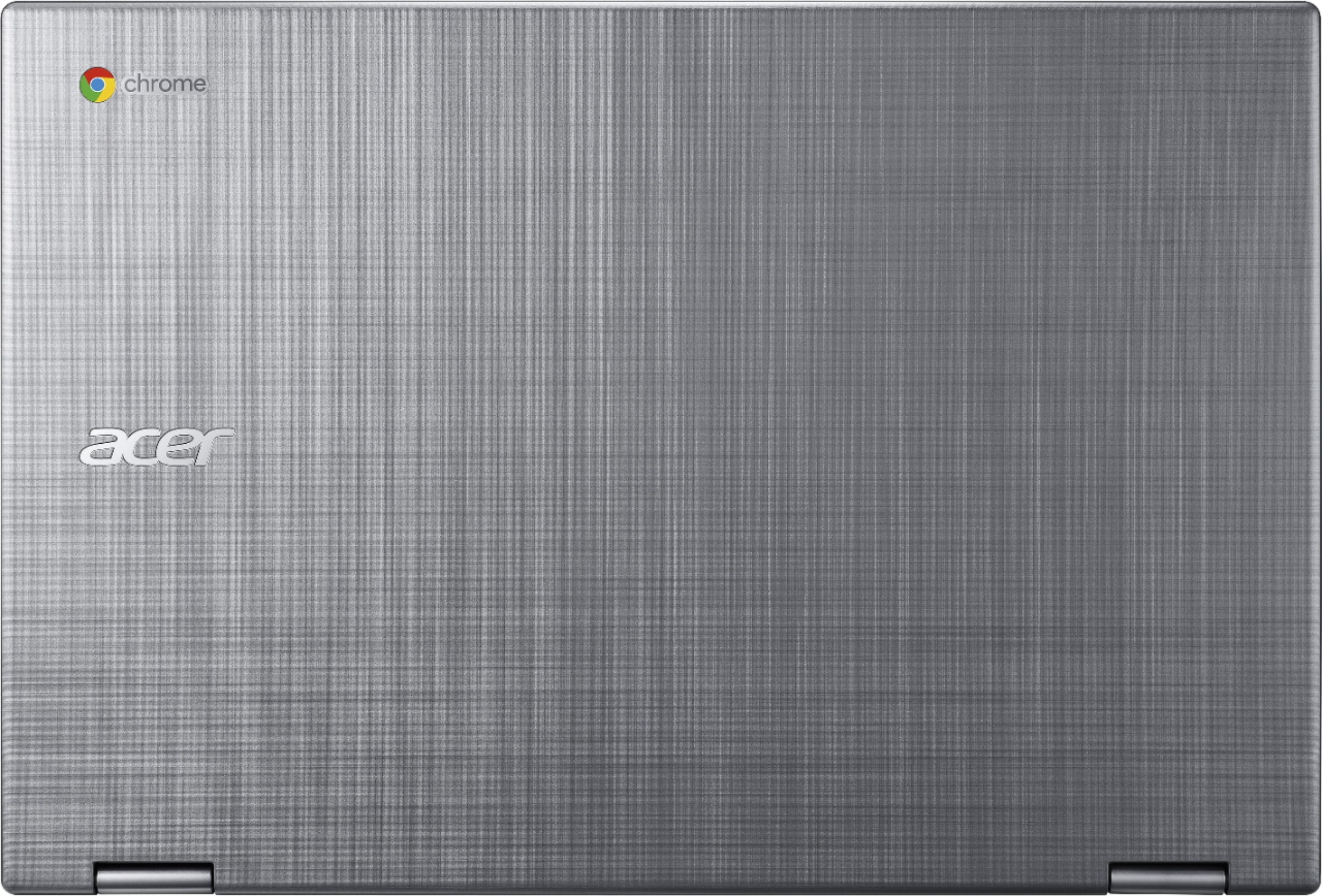
|Posted .This reviewer received promo considerations or sweepstakes entry for writing a review.I chose the Acer Spin 15 as my first dip into the Chromebook pool, and wasn't disappointed in the least. I have a desktop computer for work and gaming, as well as a family iPad, and hadn't experienced what a Chromebook device or OS had to offer for something portable and in between. It more than covered all the bases. From a build perspective, I loved the textured aluminum lid and laser cut edges on the keyboard deck, with two strong metal hinges that at first were a little resistant to open, but made perfect sense when you are able to completely rotate the screen a complete 360 degrees into tablet mode. The ability to use this as a laptop, tablet, tented screen or any configuration in between is pretty amazing. The hinges hold in virtually any position, so the small difficulty in opening the deck is completely acceptable. The keyboard offers low profile soft touch back-lit keycaps (low profile assumedly so you can flip the screen fully and lay the keyboard on the table or lap in tablet mode and not press anything inadvertantly) with flanking loud speakers. When I didn't want loud speakers, sometimes watching a movie in bed at night, it quickly recognized my bluetooth earbuds. The tablet screen itself is a full 1080 HD screen, protective Corning Gorilla glass – very reactive to touchpad usage, responds well to all taps and scroll motions (loved starting to delve into art/sketch programs like Autodesk Sketchpad, either with the tablet screen itself, or an attached Wacom Intuos tablet my daughter owns, which works as well with the unit. I got the 64g onboard memory, which is more than enough room for as many apps as I can find and a few movies to store for travel. Am taking this on vacation to keep the kids entertained, the micro SD slot on the side will allow me to throw a dozen or so movies on top of that. Love,Love,Love the USB 3.1 Type C power port, such an upgrade over AC power. Speaking of power, I charged the battery full and set it on autoplay with movies on one of my apps, it took longer than 12 hours to run the battery to less than 10%, thoroughly impressed with the duration. Not quite a laptop, and not fully a tablet, but a perfect blend of both with great quality at a good price point, I would highly recommend this to anyone looking at a Chromebook with more bells and whistles than you would typically expect to find- work or entertainment, this device really shines covering it all.
I would recommend this to a friend Stunning Design, Incredible Battery-Just Perfect!
|Posted .This reviewer received promo considerations or sweepstakes entry for writing a review.This Acer Chromebook shows what can be accomplished when perfectionist visual designers merge their efforts with great engineers. It is simply, an amazing package of technology and functionality, wrapped in a stunning and sturdy brushed silver aluminum body. You will be proud to carry this beauty into any setting and confident that it will deliver the performance you need for almost any Chromebook task. Last year Acer introduced a great 15” Chromebook and when I tried it out I was shocked to find that the slim and very versatile device could do things that my lifelong devotion to Windows computers had not considered possible. Now Acer has made numerous substantial improvements in that device and once again I find myself in the VVW user category. (Very, Very Wowed!) Here are the key physical specifications: • Acer Spin 15 (Model: CP315 1H-P1K8) • Intel Pentium N4200 (Apollo Lake) 1.1 GHz (2.5 GHz burst speed) Quad Core Processor • 4 GB LPDDR4 RAM • 64 GB Flash Solid State Drive • Intel 505 Graphics Processor (shared memory) • 15.6” IPS 10 point touch screen Cine Crystal LED, Gorilla Glass surface • Full HD (1920x1080) display with up to 2400x1350 resolution • 3 cell 4670 mAh lithium polymer battery (14,010 mAh total capacity) • Backlit keyboard, large touchpad • Wide-View (88 degrees) HDR Webcam with Dual Microphones • 2 USB 3.0 ports, 2 USB 3.1C ports, 3.5 mm headset/speaker connection, Micro SD slot • 2 large upward-facing speakers • 802.11 AC/MIMO Wireless LAN connectivity • Bluetooth 4.2 • Size: 15.20” wide x 10.34” deep x 0.79” thick • Weight: 4.9 pounds Compared to last year’s model, the biggest change is that Acer has added four-way screen capability. Of course you can use it as a normal laptop. But you can swing the screen back 270 degrees to allow it to be used as a presentation device. Fold it back further and you can set up the Chromebook like a tent for watching videos (see photo.) Finally, you can flip the screen completely around to create a jumbo tablet (see photo.) When you fold the screen back the keyboard is automatically disabled and an on-screen keyboard pops up when needed. Some may question the functionality of a 15.6” tablet but I found it just great for reading online newspapers and many other uses. I have a nice 10” Fire tablet but find myself using this Acer Chromebook for many of the uses which were previously handled by that device. Sure it is heavier, but the screen area is about 2.5 times as large which makes so many tasks much easier and more efficient. But the real joy comes from watching Netflix or Amazon Video on this Chromebook. It has much improved speakers compared to last year’s model, the video display is beautiful and the battery life is just incredible. To test the battery I set up Netflix to play continuously. This is perhaps the most power-demanding task you can ask of a laptop. The wireless connection, image processing, video display and speakers all require substantial power. A typical Windows laptop is lucky to get three hours of such use from a fully-charged battery. However, this new Acer Chromebook ran episode after episode of a Netflix series with full volume and a very bright screen for nearly eleven straight hours before the battery was discharged! Besides wonderful flexibility of the four-way display and that amazing battery life Acer has also doubled the SSD storage capacity to 64 GB and added Gorilla Glass to protect the screen from scratches. As a review of the specifications will demonstrate, this Acer Chromebook has nearly every feature that you would want. The screen is a gorgeous HD (normally 1920x1080 but also supports up to 2400x1350) 15.6” Cine Crystal LED with excellent touch control. It has two powerful speakers facing up on either side of the lighted keyboard, a nice wide-view HDR webcam for video chats and a sensitive microphone for voice control. It is very thin – when closed it is 0.79 inches – not much thicker than an iPhone in a case! The WiFi connection is a long-range and very reliable 802.11AC/MIMO and it has two USB 3.1C ports (which are also the external display and power adapter connection points) along with two USB 3.0. It also has Bluetooth and GoogleCast. A nice bonus is that the power transformer is very compact. The Quad-Core Pentium gives plenty of processing power for all Chromebook tasks. I know that some Chromebooks have Intel i5 processors but frankly, that is a waste. You are not running a real operating system or doing heavy data manipulation on a Chromebook and the more powerful Intel microprocessors just drain the battery quickly. A 64 GB SSD may not seem large but it is more than enough to store ten HD movies plus all of the apps you are likely to need. Again, you are probably not going to be storing much on the laptop. Most users will rely upon the essentially infinite storage capacity of Google for their files. How well does it work? Just as beautiful as it looks! It powers up instantly, connects to your WiFi network effortlessly and holds that connection regardless of how far you are from the access point thanks to the AC/MIMO technology. There is no fan so the laptop is elegantly silent in use. It is very light – less than 5 pounds, nicely balanced with a great lighted keyboard and big touchpad. Coming from a Windows background I had to learn the Chrome approach to launching programs. No desktop icons – just links to installed apps on the start page, but you can set those small mini-icons into the “shelf” (equivalent to the Windows taskbar.) Chromebooks do not need anti-virus software because you are not really running a full operating system locally, just accessing Google’s Linux-based OS. This eliminates most problems that plague Windows laptops. Hundreds of useful applications, entertainment options and games are available for free from the Google Store. Besides Google Docs, the Microsoft Office suite is available for free as an online application. Think of this laptop as the ultimate tablet since you can run almost any Android app, easily browse the web, run Office applications, listen to music, watch videos, shop and do it all with the benefit of a real keyboard rather than trying to tap away at a screen. If you have a Google Cast TV you can easily connect it wirelessly and enjoy everything on your big video display. The cost of this Chromebook is about 12% more than last year’s model but the wealth of improvements and beautiful new design make that a tremendous bargain. I enthusiastically recommend this new Acer Chromebook!
I would recommend this to a friendThis Acer Chromebook Is A Unique Laptop Experience
|Posted .This reviewer received promo considerations or sweepstakes entry for writing a review.This Acer Chromebook has a noticeably better build quality compared to the older less expensive Chromebooks, and I would say this Acer Chromebook is priced quite appropriately at $449. Aside from the bottom being made of plastic, the rest of this Acer is made of Aluminum, and it does have a premium build quality considering the original MSRP, most laptops that have this much aluminum are normally a bit more expensive. This Acer Chromebook has a USB-C port on each side, making it convenient to be able to charge the laptop from either side, and the USB-C ports can also be used for connecting devices. The micro SD card slot is a nice addition and it allows adding extra storage. The micro SD slot is made quite well and has a nice clicking noise once the micro SD card is inserted, then pressing inward again on the micro SD card ejects it. Once the micro SD card is in place, it fits completely in the slot so that none of the micro SD card is sticking out. The bottom of this Acer Chromebook has 4 nice thick rubber pads. The lid has 4 magnets that hold it closed, and the magnets keep the lid closed quite securely, this does make it a bit stiff to open the lid, but having the magnets on the lid is certainly a nice touch, as I always like it when magnets are integrated into anything. The Chrome OS is not quite as flexible as a Windows based computer, but there is quite a bit that can be done with this Chromebook. It is a unique experience to be able to install the same apps that used to only be compatible with smart phones and tablets, mostly every Android app I tried installing works just fine. I am adding a list of Android apps that I have installed on my Acer Chromebook, some of which are Google apps which I am surprised were not already installed on the laptop from the factory: Google Docs is great for creating text documents, PowerAmp is one of the best music playing apps, AirDroid is a wireless file transfer app that connects to a desktop and allows the wireless transfer of files, the Dyson Link app connects to my Dyson fan, the basic named app called Clock is made by Google and it has a great selection of alarms, timers, a stopwatch, and it also displays the time digitally and turns the whole screen into a clock, the Microsoft Outlook app can be configured to sound notifications whenever emails arrive, another Google app called Files Go is actually better than what is built in to the Chrome OS, the VLC player app is one of the best video playing apps, the Google Home app allows me to setup my Google Home device and not have to have this app installed on my smart phone, the Philips Hue app is great for controlling my Philips Hue lighting, the GenZe app connects to my electric scooter and allows me to check the battery charging status and GPS location of my scooter, and finally an app which is normally used as a widget but installs and functions as an app on Chromebooks, this app is called CPU Usage Widget Free, it displays the CPU percentage that is being used at any given point of time, of which it is nice to be able to see how much computing power is being used by which apps. The 1080p & 15.6” screen on this Acer Chromebook is nice, and the bigger screen allows it to be used quite easily when it is sitting a few feet away on a table, I use it with my Logitech Bluetooth keyboard and mouse that I also use with my desktop PC, and this setup is quite nice. The textured aluminum panel on the top of the laptop’s lid is quite unique, this texture is not very common in laptops, but the texture has a good appearance and kind of makes the aluminum seem more flashy, compared to a duller aluminum surface. The Intel Pentium N4200 processer in this Acer Chromebook is sufficient, the processor is capable enough for every task I have used this Chromebook for, and the main purpose of this type of less powerful Pentium processor in Chrombooks, is because it uses noticeably less battery power, and the laptop will function for several hours longer compared to a computer that has an Intel i5 or faster processor. Best of all is that the Intel Pentium N4200 processor runs cool enough so that it does not have the need for a fan inside the laptop, which totally avoids any worries of computer destroying dust that normally builds up inside computers that have fans. This Chromebook is certainly not the best of choices for a dedicated gamer’s needs, but it easily handles surfing the web with the Chrome browser and the smooth enough running of most Android apps. I am rating this Acer Chromebook Spin 15 at 4 out of 5 stars because of the great build quality at this price point, and I would suggest this laptop to anyone who wants to be able to install Android apps on a laptop that has great battery life.
I would recommend this to a friendThe Chromebook I've been waiting for
|Posted .This reviewer received promo considerations or sweepstakes entry for writing a review.I have been in the Chromebook market for some time now and have looked at several different models. I was looking for a Chromebook to either supplement or replace my laptop. I believe that the Acer Chromebook Spin 15 2-in-1 is it. At first glance, you notice just HOW BIG it is. It is slightly longer and bulkier when compared to my 15.6 laptop. Measuring at 15.2” x 10.31” x 0.79”. Keeping with the Chromebook build, I was amazed to how light it is at just under 4.9 lbs. I was hesitant to how it would hold up in Tent mode or when holding it in Tablet mode. So far, it feels about the same to a tablet with a case. It has a very solid and sturdy build and comes with a Gorilla Glass screen, so I won’t be too paranoid of it scratching or cracking. The hinges are tight and doesn't feel like it's going to loosen. The lid has sort of this shiny metallic fabric-like design giving you a very minimalist appearance. The Chromebook Spin 15 comes with 2xUSB 3.0, 2xUSB-C. The left side has 1xUSB 3.0, 1xUSB-C, Power button, MicroSD slot, and audio jack. The right has the other 1xUSB 3.0, 1xUSB 3.1 Type C, lock port and Volume Rocker. You can decide which side you want to plug in, depending on your location. After playing around with it for the past week, here are my thoughts: Pros: -Speed. This is a pretty responsive and snappy Chromebook, hardly any lags when I was using the Google Earth app, or watching videos. It comes with the Intel® Pentium® CPU N4200 processor, 1.1 GHz Quad Core. I was again amazed at how responsive it was when using it and using the multi-media apps. -Screen. It is Full HD 15.6-inch, 2400 x 1350 IPS screen. Out of the box it is scaled down to 1920 x 1080 resolution, and you still get a nice high quality screen from different angles. I enjoyed watching my movies and TV shows with that nice HD quality. -Battery life: It comes with a 3-cell 4670 mAh Li-Polymer battery, giving me around 13 hours of battery life. I was typing on it, going online for about 2 hours and it drained from Full Charge to 98%. When watching movies, it dropped a further 4%. Not too bad. After coming back to it in the morning, the battery life was only at 88%. -Storage: LPDDR4 64 GB of storage for you. That's about the standard for large storage capacity Chromebooks. You actually start off with 52.9 GB and after installing all of my essential apps, I’m still at 48.45 GB available. Of course, not enough to fully replace your computer, but the ability to expand that storage with a MicroSD Card (on the left side). -Keyboard: fully back lit. Great when typing in a dark room. Strangely enough, this was the most key feature for me. -Ports: 2xUSB 3.0, 2xUSB-C. One on each side which is great to how you decide to plug it in. -Speakers: THANK YOU Acer for placing them where you can hear something when watching or listening to videos/music! Both speakers are on the surface, one on each side of the keyboard. I was annoyed at the competitors who placed their speakers either at the bottom or on the side of the device. How would that work if in Tablet mode? Acer did a great job in placing them on the surface with the keyboard so that when in Tablet mode, the speakers are still not covered at all. Cons: -The keyboard. Acer could've expanded the keyboard spacing. With all that room on the surface, you still have a shallow keyboard travel. It still felt compact and I was hitting the wrong keys when typing. The speakers could've been moved to the top of the keyboard area and they should've expanded the keyboard area. -No Blue Light Ability. What I am loving about the new tablets and computers is the ability to turn on Blue Light or Reading Mode to lessen the strain on the eyes. I have yet to see if this feature is installed, but so far am out of luck. Final Verdict: I really like this Chromebook. Although it is pretty big, it is light in comparison to other laptops. It’s very fast and responsive, which are very important for me when using multi-media and multi-tasking. I am really impressed with what Acer has done with this Chromebook. I highly recommend this once it is available on shelves.
I would recommend this to a friend- Pros mentioned:Screen size
Simplicity winning me over
|Posted .This reviewer received promo considerations or sweepstakes entry for writing a review.I'm a power user. I multi-task, multi-tab and use CAD and graphics software A LOT. My first thought was that a Chromebook would be totally inadequate, even with a big screen. Then a reality about my habits set-in. All of those things are largely true. While there are some cloud-based graphics products, there aren't a lot for my use as an architect. HOWEVER, when I'm on a jobsite or at home, I found I have very different computer needs. This Acer Chromebook turns out to be perfect for reading news, reviewing PDFs and images, writing emails and messing around with smart home and remote computer management apps. I was relieved to have a simplified interface since Google Play apps tend to be formatted similarly. This Chromebook is lighweight, great looking (metal-like finishes do a good job of hiding fingerprints....glossy touch scren not-so-much) and offers all the right connectivity options- Wifi, Bluetooth, USB-C (2 sides! you pick where to put the power cord!) , mini-headphone jack, USB 3.0, and micro-SD slot. It has a 360 screen (flip to make a tablet, sweet!) My only disapointment was the screen isn't quite as hi-res as my over-40 eyes require. But it is large.
I would recommend this to a friend Chromebook to finally replace your laptop??
|Posted .This reviewer received promo considerations or sweepstakes entry for writing a review.PROS: • Good music playback - 2 front facing speakers with ample volume • Back-lit keyboard - uses a white light - not extremely bright but great for nighttime use - Keys are a soft touch although could provide a little more response. Works well for general usage of a Chromebook. • Big bright clear 15.6" screen covered in Cornings GORILLA GLASS!!! • Screen and touch-pad are very reactive to input and both are made of Gorilla Glass for a smoooothhhhh experience Glass screen does hold a few fingerprints but body and touch-pad always looked good! • Kids love to flip into "tablet" mode and play games with touch! • Quick to launch all apps - runs multiple without issue!! • USB-C power cord - works with my other device chargers! • Battery lasts quite a while with a 4670 mAh = Kids and I ran it 2 days with moderate/heavy usage without charging! Acer claims 13 hrs usage Cons: • Screen bezel - while this isn't a CON so to say - the glass goes well beyond the display screen area - creating rather large border around the display area • glossy screen give lots of reflections - could be an issue outside or with lots of windows due to a mirror effect. Although I have not seen a Chromebook that doesn't have a glossy screen. • little Hard to open - lid has no edge to "grab" or place to separate body from lid. This was true for both me and my kids - so hand size didn't seem to matter. • Lip has a slightly sharp edge all the way around which seemed a bit out of place with the curved edges of the rest of the body • Slightly heavy - weighing in at 4.9lbs according to Acer Site • Webcam works well but quality via the chrome web app was only moderate. • Tablet mode puts speakers facing AWAY from user - kids turn up to 100% and creates lots of noise for others in room. NOTES: • Well Packaged - only items in box are machine and power cord • Only 4GB used for system of the HDD capacity out of box - expandable vis micro SDCARD • Setup was super easy - using my already setup Google account - from OOB to working was within 2 minutes! • Chrome browser experience is good - no lag or delay! All my bookmarks were there even my theme was automatically installed! • Like the textured outer Lid - looks cool - wish it extended over the entire product Overall Opinon: Great buy!! Works extremely well. Didn't have any issues with this product at all. Easy setup had it up and going with relative ease. Google Play Store is already installed and linked to my account immediately. BUY BUY BUY
I would recommend this to a friendBetter than expected
|Posted .This reviewer received promo considerations or sweepstakes entry for writing a review.This Chromebook has so many positive things that is hard to decide where to start. Right out of box it stunned me with very rich, stylish look and design. Aluminum lid and palm rest look great in combination with two large loud speakers next to each outer side of the backlight lit chicklet keyboard. Large center positioned mouse pad is very responsive and easy to use, but I do miss clicking buttons on it. Gorilla glass large colorful 1080p IPS touchscreen it’s impressive and eliminated my need for larger external monitor which I usually do prefer on my desk. Computer system boots up very fast, within 3 to 4 seconds thanks to 64GB SSD and picture is amazingly clear because of combination of Intel graphics chip and above mentioned large IPS display. There is one thing that I did not like at first, black dark (bazel type) area around screen seemed too big at first but then I realized it’s has purpose – for holding it while in tablet mode without covering usable area of the screen and this became positive thing about it. Computer performance gets high score rating from me and it runs same no matter how is used - for emails, browsing, videos, data transfer or work on documents. I like chrome automatic startup with lid opening, which is nice and time saving feature for me. Device has two USB 3.0 ports, two USB type C ports (which can be used to connect additional monitors as well), web camera, integrated microphone, SD card reader and audio jack. Computer has laptop, tablet, tent and desk presenting modes which are supported by two large strong screen hinges. Device seems to be little bit heavy (around 4lb), but considering premium materials used (aluminum, gorilla glass) and size of the device (15,6 screen) I believe this is expected. Pros: Style, design, material, quality, speed, backlight keyboard, battery life, lots of ports, screen, sound, speed. Cons: Weight
I would recommend this to a friendGood Chromebook for Stationary Use
|Posted .This reviewer received promo considerations or sweepstakes entry for writing a review.TLDR Version - Good for single location use, but the weight is too much to want to carry this around as a portable device. Big screen also means shorter battery life and although there's USB-C for power, it's slow charging with anything other than the factory charger. SCREEN: I've used other smaller chromebooks before (Toshiba, Samsung) and this Acer is a great choice if you're looking for a larger screen size. The 15" screen feels luxuriously big compared to the smaller 13" or 12" screens on most other Chromebooks. It's bright and the 1920x1080 native resolution makes this a great option for watching Google Play movies, especially since a Chromebook is your only option for offline watching on a laptop form factor. Downsides are the screen is VERY glossy and reflections of EVERYTHING are very annoying, even at the brightest screen setting. The bezel thickness is also amazingly large for a modern device. They could have easily squeezed a 17" screen given the bezel size (at a higher cost of course). Also, the glossiness makes you not want to use the touchscreen features, especially since literally every touch shows up on the glass. Bring along a microfiber cloth and be prepared to wipe the screen down often if you use it in tablet mode. KEYBOARD/TRACKPAD - Meh, nothing spectacular. Ok to type on, but not the greatest. Also, the device has a beveled edge all the way around it which might irritate your wrists, depending on your typing style. TABLET/CONVERTIBLE FUNCTION - It's ok ( see above re: glossy display), but the overall weight of this device makes using it as a tablet a workout for your arms/wrists. Definitely not a device to use in bed. SOFTWARE / OTHER - It's a chromebook, so basically every other review of Chrome OS applies here. It does support Google Play apps though, so it's a great way to play apps/games on a large screen device with keyboard and mouse support. SOUND - There's two large up-firing speakers on the left and right of the keyboard. Again, this device seems overly large - they could have easily squeezed the 15" screen into a 14" form factor had they been more efficient with the use of space.
I would recommend this to a friend- Pros mentioned:Screen size, Speed
Laptop replacer/killer!
||Posted .This reviewer received promo considerations or sweepstakes entry for writing a review.I was hesitant to get a Chromebook, but the more I thought about it I realized that for my usage just about everything I did on my Dell laptop was in the browser, this included everything I did for work as well. I do have need to use Microsoft's Office products, but getting Office 365 Home for $100/yr and splitting it with 2 friends took care of that requirement. This Chromebook is fast, responsive and it has access to Google's Play store. I still can't get used to how fast it is compared to my old Dell. I have on average 20 tabs open and 3 apps running in the background with no problem. Touch screen and touch pad are super responsive. I favor an actual Mouse so I just took the bluetooth Logitech I already had and plugged it in and it was recognized immediately. It also was a cinch to connect to our wireless Cannon printer with no problems. The only regret I have is that I waited so long to get one of these.
I would recommend this to a friend - Pros mentioned:Screen size
My first and only Chromebook, and I love it.
||Posted .This reviewer received promo considerations or sweepstakes entry for writing a review.I won't pretend to be a computer guru, but I can find my way around a Windows PC or an Apple iPad if I have to. That's actually the reason I bought this Chromebook. I was tired of Microsoft constantly ruining everything with Windows updates, and I simply don't want to be a part of the Apple groupthink. This offered a perfect middle ground. While you don't get tons of RAM or processing power, you don't need it. The Chrome OS is designed such that it provides you with all the speed and power you'll need for web browsing purposes simply by the way the programming works. This is a laptop that's not made for hardcore processing or gaming. But if you simply want something to surf the web comfortably, without viruses, and without having to worry about Windows or Apple getting up your butt, this is the one. Huge screen. Responsive touch screen. Great keyboard. Sleek aesthetics. Access to Google Play. A fantastic purchase all around, and I wrote this review on it!
I would recommend this to a friend - Pros mentioned:Ease of use, Screen size
Great screen
||Posted . Owned for 2 weeks when reviewed.This reviewer received promo considerations or sweepstakes entry for writing a review.Excellent combination of lightweight Computer with a huge screen. The quality of the display is excellent-great for gaming or watching videos. I love chrome books in general for ease of use (especially for kids) and speed of booting up. Great value too
I would recommend this to a friend - Pros mentioned:Performance, Screen size
Great Chromebook
||Posted .This reviewer received promo considerations or sweepstakes entry for writing a review.Wanted a larger screen and was not too worried about moving around. I would not recommend this model for anyone needing a small and lighter computer. However, as a replacement for a laptop used strictly in the home this is a great replacement for Win10 laptop that died. Decent amount of memory and the computer performs very well and boots in seconds like it should. I have found replacements for all programs from my Windows 10 PC that I thought I could not live without in the Play Store.
I would recommend this to a friend - Pros mentioned:Screen size
Nice Tablet with Peace of Mind for Browsing
||Posted .This reviewer received promo considerations or sweepstakes entry for writing a review.I wanted this device because I have learned enough about the internet and cybersecurity to know that browsing simply isn't safe. I would love to click on an add to help support a website I appreciate (but I know third parties handle adds and even a reputable one can occasionally accidentally pick up a malicious add). I would like to be able to browse and follow links that seem legitimate (but what if the legitimate website on the other side was infected without the owner's knowledge?). I would also like to be able to do mobile banking and feel confident. Browser injections, malicious adds.. I was literally feeling afraid of the internet. And that's when I found out about chromebooks. The operating system is designed around security. Browsing in Guest mode lets me actually just... browse. Data from one session will not persist into the next, every tab is sandboxed, and nothing from guestmode should be able to touch the main account. I still have another computer for processing, but for actually just going around the internet this thing is great. The tablet mode is also really nice. I can read newspapers or books on it and it feels a lot more natural than a tiny tablet screen. It's actually just a bit smaller than a real newspaper page. So far everything seems secure and sturdy. I also like the screen and that it has higher resolution than a lot of other models that I looked at. It would be nice if I could use apps in guestmode, but I can see how that would possibly allow persistent data so I can't. I also wish that the keyboard had tiny rubber grooves or something that would stop the screen from slamming when I close it. It's been fine so far, but it still makes me shudder haha.
I would recommend this to a friend - Pros mentioned:Speed
Chromebook
||Posted .This reviewer received promo considerations or sweepstakes entry for writing a review.Im near 40 and have a kid. This laptop was a lot of fun. I didnt think that I would appreciate the 2-in-1 style, but I did. Setting it up to watch football while I was grilling was great. The computer as a whole was fast. Impressively. Ultimately though, my life is too married to having a hard drive for music/pictures and using the Office Suite for work purposes. Ultimately I returned this. But i really did enjoy it.
I would recommend this to a friend