Customer Ratings & Reviews

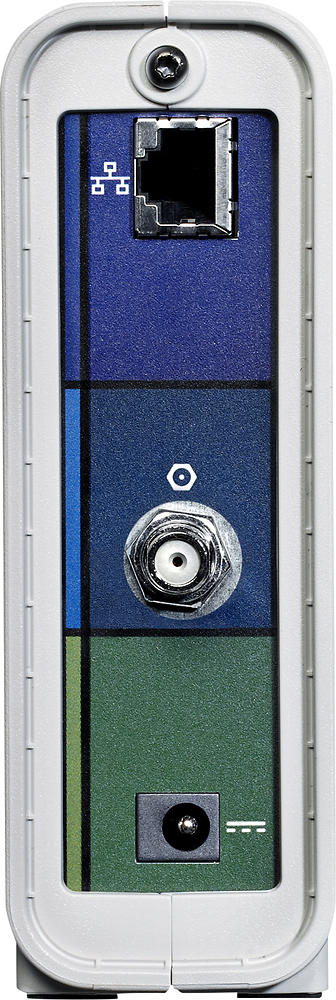



- Model:
- SB6141
- |
- SKU:
- 7534146
Customer reviews
Rating 4.6 out of 5 stars with 9207 reviews
(9,207 customer reviews)Rating by feature
- Performance4.7
Rating 4.7 out of 5 stars
- Value4.7
Rating 4.7 out of 5 stars
- Quality4.7
Rating 4.7 out of 5 stars
Customers are saying
Customers value the SURFboard 8 x 4 DOCSIS 3.0 Cable Modem for its ease of use, strong performance, and competitive price. Many appreciate the straightforward setup and compatibility with various internet providers, along with its compact size. While some find the brightness of the lights to be excessive, the overall positive feedback highlights the modem's effectiveness.
This summary was generated by AI based on customer reviews.
- Pros mentioned:Ease of use, Performance, Speed
Rated 5 out of 5 stars
Best modem I've owned
||Posted .This reviewer received promo considerations or sweepstakes entry for writing a review.This is absolutely the best cable modem I've owned. Works great with my Comcast Internet. Low latency and speeds that exceed my expectations. Setup was very easy. Using a wireless router I have 3 iPhones, IPad, PS4, Xbox 360, Wii U, PS3, Directv Genie and Kindle I have had no issues gaming online while my GF streams Netflix movies. A beast of a modem
I would recommend this to a friend - Pros mentioned:Ease of use, Speed
Rated 5 out of 5 stars
Save your modem lease!!
||Posted .This reviewer received promo considerations or sweepstakes entry for writing a review.I have time warner cable for my internet provider - I never really paid attention to the 8 dollars a month they were charging me for my modem - a modem that was going for 20 dollars on Amazon.. I had been using that modem for 3 years - at 8 dollars a month.... wow... This modem took about 5 minutes to get working, I simply plugged it in , called Time Warner, and they were able to program the modem for me in minutes. My speeds have increased using this over what was provided - as well as it will only take a few months to recoup the cost and start actually saving money via the lease being off the bill. You will want to make sure your cable provider supports this modem -- that being said though, this is one of the most popular modem brands ( for a reason ) and I would be surprised if your cable company did not support it -- either way though your are better off making sure. If you have Time Warner - you are all set - I would imagine the same can be said for other cable companies. Either way if you are spending money on a leased modem . STOP! Get one of these.
I would recommend this to a friend - Pros mentioned:Ease of use, SpeedCons mentioned:Lights
Rated 5 out of 5 stars
Fast
||Posted .This reviewer received promo considerations or sweepstakes entry for writing a review.The modem (as are all modems) was extremely easy to install. Plug in, call ISP and you are good. The speeds are fantastically fast and this modem was well worth the price. ****I purchased this white SB6141 over the black SB6141 for one main reason. If you do your research you will notice that the Black SB6141 are only issued to ISP's from Motorola. Meaning, if you purchase a black model from Amazon (or any store), you are purchasing a used or refurbished product (they also ship in ordinary brown cardboard boxes). The only consumer model of the SB6141 is the white model which ships in traditional packaging. The white model is THE ONLY model that comes with a warranty from Motorola. I know this because I called Motorola twice and spoke to two (2) different reps who said the same thing; "Black boxes are for ISP's and do not have a warranty while the white boxes are for consumers and come with a warranty". Further complicating matters is that the black SB6141's usually have old firmware on them because they were generally made a few years ago. White SB6141 have newer or the newest firmware because they are shipping directly from the manufacturer. Your ISP may or may not flash customer owned modems to the newest firmware. If you purchase the Black model, you might be purchasing a 3 year old modem with no chance of upgrading it (also remember that you cannot flash your own modem's firmware). Do yourself a favor and research this white consumer model over the black ISP model before you pull the trigger. I spent 20 bucks more for the white SB6141 so I could have peace of mind and I would strongly encourage you to do the same.***** The only "con" I have about this modem is that the blue lights on the modem ARE BRIGHT. Seriously, at night, my living room is glowing blue from the lights. I really cannot express enough how bright the lights are. You were warned.
I would recommend this to a friend - Pros mentioned:Price, Speed
Rated 5 out of 5 stars
About the best modem you can get for TimeWarner
||Posted .This reviewer received promo considerations or sweepstakes entry for writing a review.For areas where MAXX service is not available via TimeWarner (such as NorthEast Ohio) this modem is the perfect solution to avoid the monthly fee they charge. It's capable of speeds well beyond current services offered (50/5 in our market, 100/5 in others) offering up to 343/161 so it does provide some future proofing. If you believe that you'll need gigabit capabilities you might want to go up a model to the SB6190 but for me, I'd rather save the money and upgrade down the road if those speeds ever arrive (which by then the pricier model will have dropped in price.) I also like that there's no wireless router built in as I prefer to use my own (the combo units tend to have lower quality and more issues vs a stand alone modem and router). Caught it on sale so the breakeven is about 6-7 months of fees that I won't be paying.
I would recommend this to a friend - Pros mentioned:Performance, Setup, Speed
Rated 4 out of 5 stars
Adequate Modem to Get the Job Done
||Posted .This reviewer received promo considerations or sweepstakes entry for writing a review.Easy to setup but you will need to call your provider to make it work. Most Cable companies use the MAC Address as well as the serial number of the modem. Make sure you KEEP YOUR RECEIPT showing that you OWN the modem. Some cable companies will come back 3 years or more down the road and say they own the modem. Make sure you have proof that you own it. This modem wasn't the best, but it was faster than some of the lower priced models. Overall, the modem seems to work fine.
I would recommend this to a friend - Pros mentioned:PerformanceCons mentioned:Lights
Rated 4 out of 5 stars
Works really well.
||Posted .This reviewer received promo considerations or sweepstakes entry for writing a review.I haven't had cable internet in ten years, but recently set up service and needed a good modem. After researching modems that were compatible with my Comcast service I settled on this Motorola Surfboard. I have been using it for about six weeks now and I am extremely pleased with the performance of the modem. In terms of performance it works very well. The only reason I did not give it 5 stars is something that I guess may only bother me. I've found that the lights on the front of the modem are extremely bright. They are way to bright in my opinion. I feel that on modems and routers and such that the lights should light up enough to see them, but not be so bright that it can illuminate a dark room. While this modem isn't quite that extreme in terms of the brightness, the lights on the front of the modem are too bright if you plan on having this in a room that you might sleep in. I found that they were just too bright for my taste. They need to be toned down more subtle and not blind you when you look at it in a dark room. Since my modem has to be located next to my TV, the brightness of the lights was unacceptable when viewing TV in a dark room, as the bright modem lights were annoying to have to see. I am happy with the technical performance of the modem and I have kept it, but I went out and purchased a very dark plastic folder and cut a small strip to match the front of the modem and taped it over the lights to darken them. I guess I essentially created my own sunglasses for the front of the modem. I found that cutting the lights down 90% made it just right. I could now see that lights I need but am not faced with them being too bright in a dark room. Again, the modem works perfectly with my cable internet service, it's just this one issue with the lights that bothers me. But at least i was able to create my own solution.
I would recommend this to a friend - Pros mentioned:Ease of use, Performance, Setup
Rated 5 out of 5 stars
Easy set up, great modem
||Posted .This reviewer received promo considerations or sweepstakes entry for writing a review.I have purchased two of these modems, each used in different locations and both have performed perfectly. They're easy to set up and do their job well. I have had a lot of good experiences with Surfboards over the past couple decades and I will continue to buy them.
I would recommend this to a friend - Pros mentioned:Price, Speed
Rated 5 out of 5 stars
Saves money at cable company
||Posted .This reviewer received promo considerations or sweepstakes entry for writing a review.The cable company will charge you a monthly rental fee for their modem. This model was compatible with my local company. All I had to do was call and register the MAC address and they checked for any firmware updates and after that I was good to go. This model is adequate for the 50MB speed I have and it was reasonably priced!
I would recommend this to a friend - Pros mentioned:Speed
Rated 5 out of 5 stars
Great Modem, great sales associate.
||Posted .This reviewer received promo considerations or sweepstakes entry for writing a review.I bought the Surfboard Motorola SB6141 DOCSIS 3.0 modem to replace Comcast's $10 a month modem. I conducted quite a bit of research before deciding on the Motorola. Definitely made the right choice. I am very satisfied with it. Great surfing, downloads, and upload speeds! No connectivity problems. Followed a Comcast Tech's directions(He now works in high rise office buildings in Seattle, but used to be residential for fifteen years). With the exception of a computer problem on Comcast's end during the setup things went fine. Rebooted the N600 Netgear wireless dual band router, purchased earlier at Best Buy and was using in conjunction with Comcast's older Motorola 2.0 modem, and I was good to go. What I really appreciated at Best Buy in Lynnwood, Wa. was the sales associate. I cannot remember his name. African American gentleman Very knowledgeable and helpful. The modem was not on the shelf at the time therefore he checked to see if it was in the warehouse. It was and he went back brought some out and restocked the shelf and also brought me one. In conclusion, I was very pleased with the experience from beginning to end.
I would recommend this to a friend - Pros mentioned:Ease of use, Speed
Rated 5 out of 5 stars
Terrific and Reliable Modem
||Posted .This reviewer received promo considerations or sweepstakes entry for writing a review.After spending foolishly year after year leasing a modem from the internet provider (TWC) when the price jumped to $10 a month I decided to buy this modem. It was simpler that I ever imagined to hook up. Literally plug into power outlet and plug in router/PC. Done. Ran speed check with the TWC modem before disconnecting then again with this modem and this one was much, much faster! So sorry I waited so long to buy my own modem. It will pay for itself in less than a year of the monthly lease price. If you have hesitated thinking . . . it will be hard to hook up or that you will mess something up trying to do it. Stop worrying its simple. Can't go wrong with the Motorola Arris SB6141
I would recommend this to a friend - Pros mentioned:Performance, Setup, SpeedCons mentioned:Lights
Rated 5 out of 5 stars
Great for Small Apt
||Posted .This reviewer received promo considerations or sweepstakes entry for writing a review.I bought this modem so I didn't have to rent from Comcast, as they just up the charge to $9 / month. The modem works great, speeds are excellent. Set up was very easy, just plug in and activate. I was able to activate via my cell phone online and didn't have to even call the Comcast rep. I would highly recommend this for anyone looking to upgrade from the cable company's modem to save you some money. It will pay for itself in a years time. The only downside I see with the modem is cosmetic. The lights on the front are very bright. But that has nothing to do with performance. The performance has been excellent, from my experience.
I would recommend this to a friend - Pros mentioned:Ease of use, Price, Speed
Rated 5 out of 5 stars
The Little Modem That Can
||Posted .This reviewer received promo considerations or sweepstakes entry for writing a review.I purchased this modem to replace my old Motorola SurfBoard that Comcast said it would soon stop supporting. The price was fantastic, and I still wanted to avoid Comcast's rental fees. I liked this modem's small profile and how easy it was to set up. It easily supports all of our home network wireless devices with great speed. I was convinced to buy this modem because so many users gave positive reviews. They were right! We have been using this modem heavily about 1.5 months now with no issues.
I would recommend this to a friend - Pros mentioned:Speed
Rated 5 out of 5 stars
Easy install, fast sustained speeds, no issues!
||Posted .This reviewer received promo considerations or sweepstakes entry for writing a review.Lots of research and this one just kept coming up on top for me; reliable manufacturer, good reviews by others, ease of setup, built for the future with 8-up 4-down bonding. Works just like promised with never a hitch. My only complaint is, as others have mentioned, the lights are irritatingly bright; this I solved by mounting under my desk where it is out of sight. TIP: Make sure you purchase this "Retail Packaging - White (i.e. Best Buy Version)". Don't try to save the few bucks buying the black version (cardboard box version); all my research shows they are refurbished rentals from ISP providers and the common complaint is that they stop working about the time the warranty expires. Swapped out my Charter rental modem, was up and running in just a few minutes, and now I don't have to pay the modem rental fee. If your cable company can provision speeds for 105/20 Mbps, this modem can sustain 120/20.5 Mbps actual. This modem can utilize up to 8 channels of downstream for a theoretical max speed of 343 Mbps whereas the Motorola SB6121 and other earlier/cheaper DOCSIS 3 modems can only utilize 4 channels maxing your download speeds out at 172 Mbps. Just something to think about if you plan on using this modem for a few years as speeds offered will inevitably increase. Also, it *does* support IPv6 even though Comcast's page doesn't list it as certified yet. Motorola's data sheet specifically lists the SB6141 as IPv6 ready and tests with an Apple AirPort Extreme (v7.6.4) and MacBook Pro running 10.9 confirm this.
I would recommend this to a friend - Pros mentioned:Performance, Setup, Speed
Rated 5 out of 5 stars
An excellent product
||Posted .This reviewer received promo considerations or sweepstakes entry for writing a review.I have Comcast as my internet provider. I was renting a modem from them for years. I replaced their rented modem with the Motorola Surfboard. Best decision I have make. Within 10 months it pays for itself. Easy to install. Works great. Have higher internet speeds.
I would recommend this to a friend - Pros mentioned:Setup, SpeedCons mentioned:Lights
Rated 5 out of 5 stars
Hi-speed excellence
||Posted .This reviewer received promo considerations or sweepstakes entry for writing a review.Had to upgrade my modem since the cable company upgraded lines. This is a great high-speed modem, quick and easy to setup, just had to plug it in and it was good to go. Only downside is the lights are extremely bright, its like having a night light in the office.
I would recommend this to a friend - Pros mentioned:Ease of use, Performance
Rated 5 out of 5 stars
A Modem
||Posted .This reviewer received promo considerations or sweepstakes entry for writing a review.Great modem that works in bridge mode. I have worked as a network admin, and this is a simple modem that does what a modem should do. In my area they want to charge you $10+ per month to lease you modem, which is ridiculous. So will have paid off the cost after 8 months of owning, and it will be years before they are offering 350mbps here so I should get more than my monies worth. The provider did have an issue with installing the device, not because of they device but because they provider didn't do what they should have done. You have to call and tell them about the device and they have to switch their boot config, and I have found that often they change the mac ID without updating the boot config on their end.
I would recommend this to a friend - Pros mentioned:Setup, Speed
Rated 5 out of 5 stars
if you need a rock solid modem
||Posted .This reviewer received promo considerations or sweepstakes entry for writing a review.I bought this unit to replace a Motorola Surfboard 6121. I had gotten a faster ISP and wanted to take advantage of the higher download speed. The older 6121 would have handled the extra speed but this model should give me a few years before the need for speed recurs and until gigabit per second speeds reach out here to the boonies. These modems are rock solid and easy to set up. I was having trouble getting the speed I was signed up for so I called technical support. Very friendly, very knowledgeable. Turned out the cable I was using wasn't gigabit cable. I hadn't bothered using the CAT 6 cable that came in the modem box. Once I replaced the suspect cable, BAM, I maxed out the speed test that showed 169 Mbps on a 150 Mbps internet plan. I'm getting more speed as an overage than I was getting in total with my old ISP. You can't go wrong with this modem. Highly recommended.
I would recommend this to a friend - Pros mentioned:Performance, Speed
Rated 5 out of 5 stars
Nice modem
||Posted .This reviewer received promo considerations or sweepstakes entry for writing a review.I just received this modem today to replace an aging ubee d3 modem from Comcast and to my surprise unlike the 6121 the 6141 is rock solid! steps to activate: Step 1: unplug all routers, modems, and EMTA's(if applicable). Step 2: Get your new 6141 and do a direct connection to the wall and a direct connection to your computer(Very important!!!) and start it up. Step 3: Let your computer sit for up to 3 minutes then launch firefox or IE(internet Explorer) to get to the Comcast activation page Step 4: Once the activation window is up enter your account number and phone number at the service address, click next Step 5: Once at the replace your current modem with your 6141 click next. Step 6: Once at the ready to activate screen you should only have your 6141 with a ready to activate(if not choose to not activate anything else except the modem). Step 7: Click next and let the modem sit for around 10-15 minutes as it gets updated and the config file is pushed to the 6141 Step 8: after 10-15 minutes click next and your all set and activated! Step 9; reconnect everything back and enjoy super high speeds! For 10 hours now this modem has been rock solid on my Comcast HSI setup. I would highly recommend this modem for super speeds, I once got a peak speed on speed test of 85 mbps with this thing on blast service! Edit 8/4/2013: This modem still rock solid and I have no complaints! With our new double play from Comcast we got a service protection plan for internet so if a tech comes it would be no charge, well I had a tech over to make sure that the modem signals were correct. Turns out the tech said that the signals were way out of specification and so he changed up our wiring outside of the house and now the modem is seeing excellent signal in specification to the network, I would highly recommend you do this to so you can make sure your signal levels are just right. Overall: Still a great buy and would still recommend it! Edit 11/2/2013: Modem is still pumping rock solid power out! I had a couple of disconnects but it turns out it was Comcast fixing an outage in my area. Still recommend it and so far has been the most reliable modem we have had so far! I did some changing of splitter out side: I now have 2 2-way 1ghz splitters, the first one is connected to the line from the street and has the modem on one dedicated port and the second port is connected to my second splitter with 2 cable boxes. Why did I do this? Well Comcast does recommend my setup as now the modem is receiving a higher signal as Docsis 3.0 modems are sensitive to signal fluctuations and also digital cable boxes can be on the second splitter getting lower signal as they are not affected as much by lower signal.
I would recommend this to a friend - Pros mentioned:Ease of use
Rated 5 out of 5 stars
simple setup for high speed throughput
||Posted .This reviewer received promo considerations or sweepstakes entry for writing a review.I purchased this modem for my Comcast 105 Mbps high speed internet service. The setup was simple and it worked right out of the box. I am impressed by the small footprint it takes. I have it connected immediately to my Asus router, and down stream it is further connected to support my OOMA telephone service, my Lowes IRIS home control system, and five ROKU tv over IP boxes running NETFLIX and USTVNOW cable TV, and 10 computers, about the same number of tablets, and several smartphones, and additional Nintendo 3DS devices, and a Wii U and Xbox and PS 3 box, & a smart TV too. I could not be more pleased, and I have not needed to reboot it the past five weeks it has been in operation.
I would recommend this to a friend - Pros mentioned:Speed
Rated 5 out of 5 stars
Great buy for the price
||Posted .This reviewer received promo considerations or sweepstakes entry for writing a review.I was in the market for a modem as I didn't want to be charged the monthly 10$ rental from my internet service provider and thought that in the long run this would be a cheaper option and probably a better quality modem than what is provided by the service provider too. Frankly, I researched for 2 months in advance and ended up buying this particular modem. I got it for a better price by price matching with Amazon, which was great as well. So far, it's been almost 3 months, and along with my router, and some settings optimization this modem is amazing. My internet is even faster than what I'm paying for, It's a no brainer, if you're already paying every month to rent a modem from your provider, then just buy it for yourself! It'll not only pay for itself in a few months, but will save you even more money in the long run!
I would recommend this to a friend