Customer Ratings & Reviews






- Model:
- E410KA-CL464
- SKU:
- 10917326
Rating by feature
- Battery Life
Rating 4.4 out of 5 stars
- Speed
Rating 3.8 out of 5 stars
- Display
Rating 4.3 out of 5 stars
to a friend
you get what you paid for
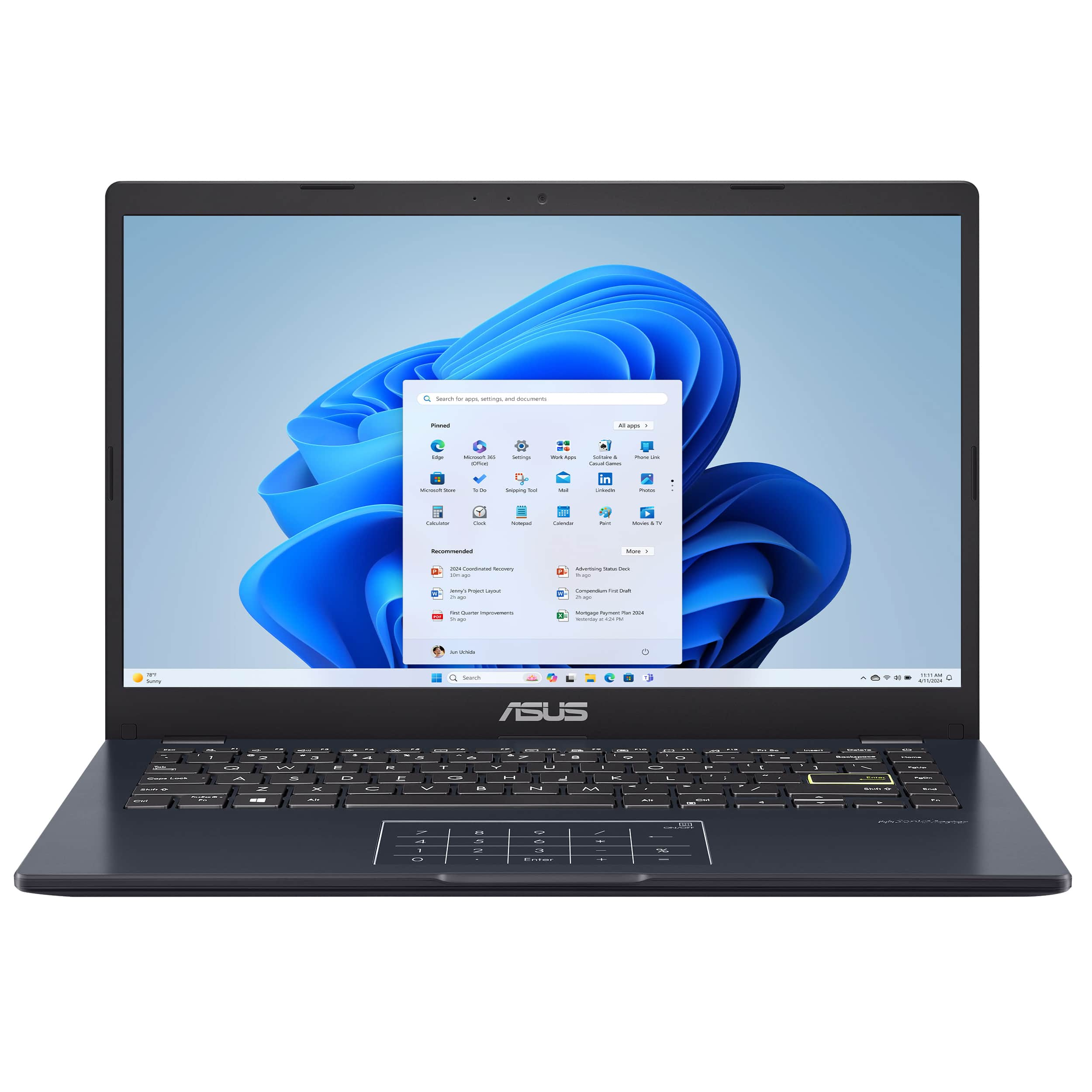
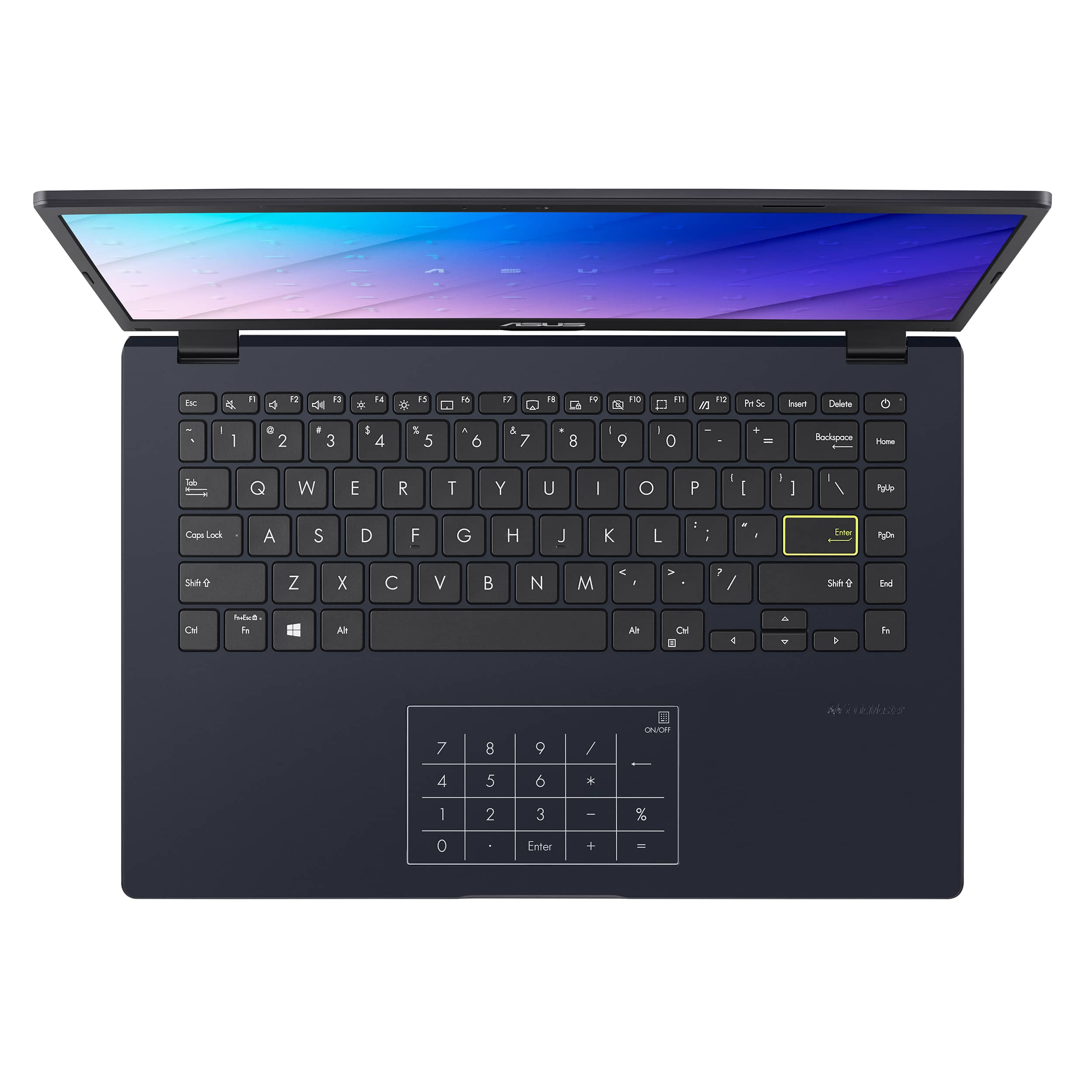
||Posted . Owned for 10 months when reviewed.This reviewer received promo considerations or sweepstakes entry for writing a review.terrible calculator keeps popping up constantly, the key pad is in the way no way to disconnect it
No, I would not recommend this to a friendBrand response from ASUS Answers
Posted .Dear Stewart B,
We’re sorry to hear about the inconvenience caused by the calculator and NumberPad behavior on your ASUS E410KA Laptop. We understand how disruptive this can be, and we appreciate you bringing it to our attention. To help resolve this issue, you can disable the NumberPad by pressing and holding the icon in the top-right corner of the touchpad for one second. This should prevent the calculator from launching automatically.
If the issue persists, we recommend contacting our support team at asus.com/us/support/callus for further assistance.
We stand behind our products and continuously strive to improve our products and processes to achieve customer service excellence. For more information, email us at customerloyalty@asus.com and include the case number "N2208000018-0065" as a reference. We will do our best to resolve your case quickly. Your feedback is very important to us and enables us to improve our support channels. Thank you for choosing ASUS.
Best Regards,
Chantae
ASUS Customer Loyalty US Support
NumberPad - https://www.asus.com/support/faq/1038283/
NO SD Slot
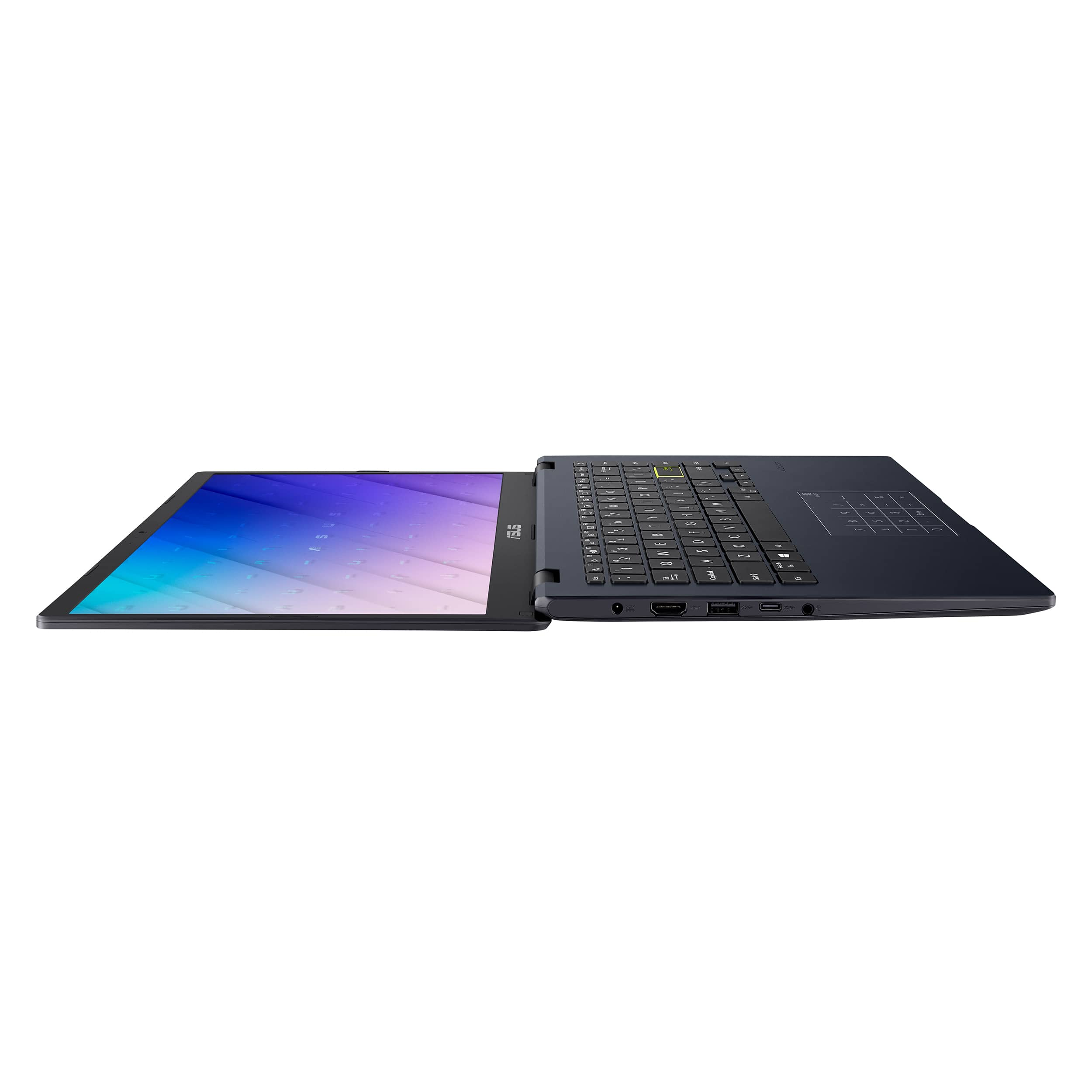
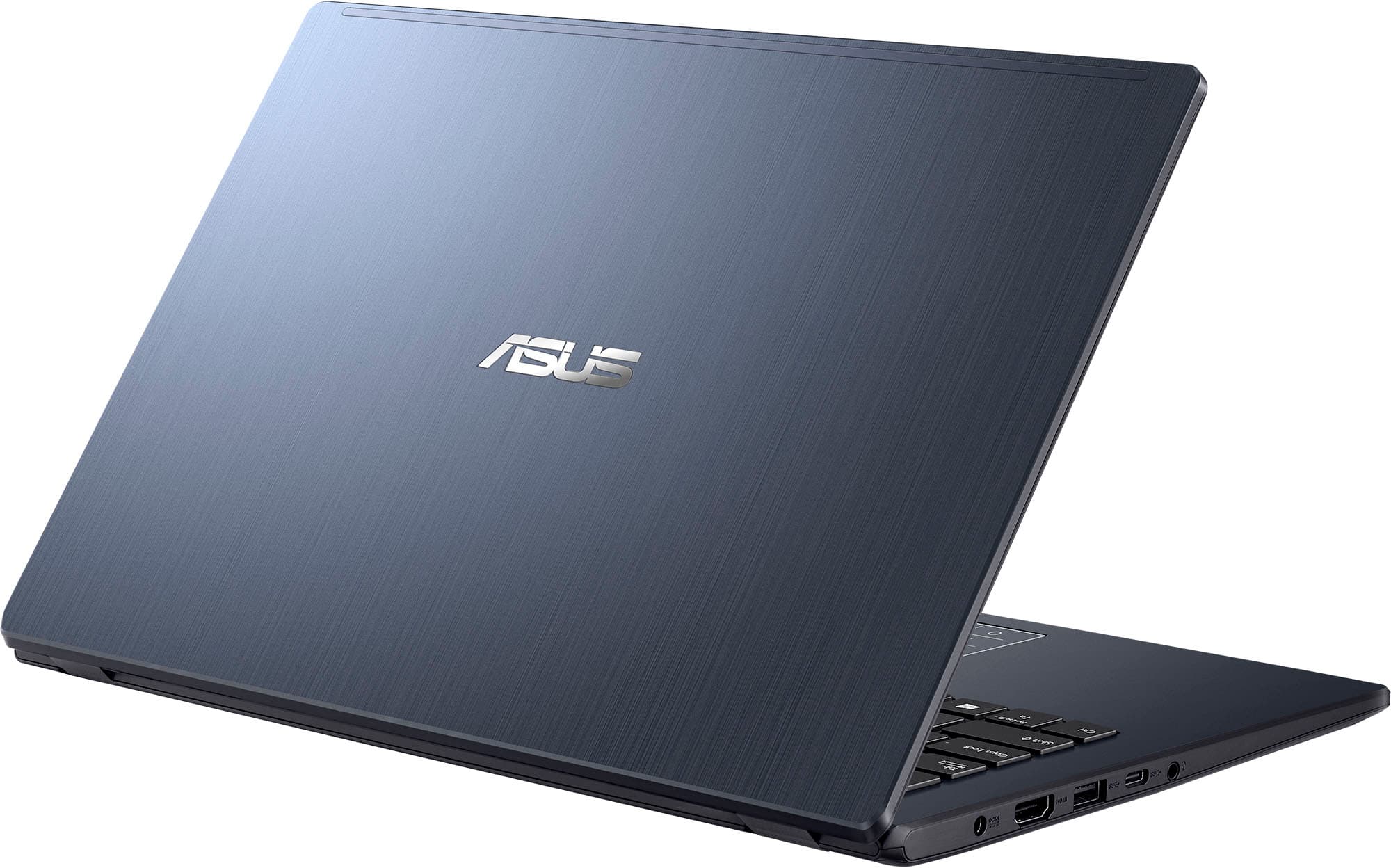
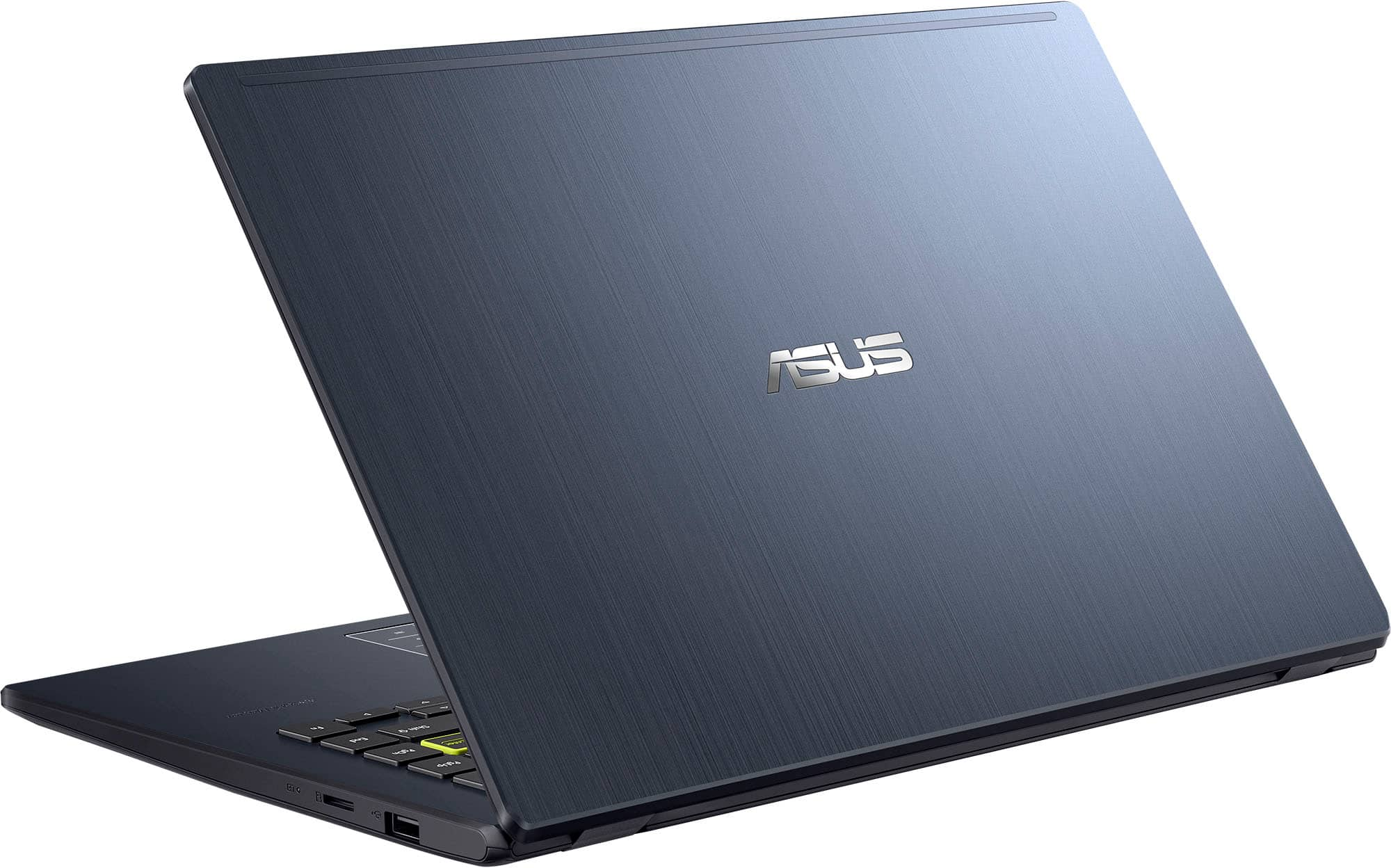
||Posted . Owned for less than 1 week when reviewed.This reviewer received promo considerations or sweepstakes entry for writing a review.This laptop does not have an micro SD slot as indicated in the photos. This was a key feature when choosing this laptop. I am on the fence about retuning it.
I would recommend this to a friendBrand response from ASUS Answers
Posted .Dear K0PIE,
We're sorry to hear that the laptop you've received does not have a Micro SD card reader. On behalf of ASUS and the reseller, we sincerely apologize. This is not the experience we want our customers to have. The decision to make a purchase can be important, and we want to ensure that our customers receive the best products and services. We understand the impression this may have created and we hope this will not be a long-term lasting impression as you have chosen ASUS as a trusted brand for excellence.
Please allow us to make your experience with ASUS a better one. Upon reviewing the device specifications, we found that the Micro SD card reader is only available on selected models. The specifications can be found at the link below. If you are still within the return window, we recommend contacting the place of purchase for an exchange or return.
We do stand behind our products and continuously strive to improve our products and processes to achieve customer service excellence. For more information, email us at customerloyalty@asus.com and include the case number "N2208000018-0029" as a reference. We will do our best to resolve your case quickly. Your feedback is important to us and enables us to improve our support channels. Thank you for choosing ASUS.
Best Regards,
Chantae
ASUS Customer Loyalty US Support
https://www.asus.com/laptops/for-home/vivobook/vivobook-go-14-e410/techspec/
Not good
||Posted .This reviewer received promo considerations or sweepstakes entry for writing a review.Screen goes black every 5 minutes or so. The cursor arrow disappears all the time and it freezes and it's frozen till I have to start over losing any info I am working on
No, I would not recommend this to a friend
Decent but Lacking
|Posted .This reviewer received promo considerations or sweepstakes entry for writing a review.Unboxing the Asus Vivobook Go 14 was a pretty standard affair. The box is minimalist, containing the laptop, a charger, and some basic documentation. Nothing fancy, but that's expected at this price point. The laptop itself is wrapped in protective foam, ensuring it arrives in pristine condition. The build quality of the Vivobook Go 14 is surprisingly decent for a budget laptop. The chassis is made of plastic, but it feels solid and doesn’t flex much under pressure. The lid has a slightly textured finish, which helps avoid fingerprints and gives it a bit of character. It’s lightweight and slim, making it easy to carry around. One of the first things I noticed was that the Vivobook Go 14 comes with Windows 11 S mode enabled. This version of Windows is designed for security and performance, but it limits you to apps from the Microsoft Store. For many users, this can be quite restrictive. Thankfully, switching to regular Windows 11 is straightforward and free. I switched out of S mode almost immediately to install some essential apps not available in the Microsoft Store.Performance and UsabilityLet’s talk about performance. The Intel Celeron processor, coupled with just 64GB of storage, means this laptop isn’t going to win any speed awards. Out of the box, it was clear that the system was struggling a bit. Web browsing and watching YouTube videos were doable, but anything beyond that felt sluggish. To make it more usable, I had to disable Windows animations and clean up some system files to free up storage space. After these tweaks, the performance improved marginally. It’s still not a powerhouse, but it became more bearable for everyday tasks like checking emails, browsing the web, and streaming videos. Despite its limitations, the Vivobook Go 14 can serve as a remote work machine. I tested it by remoting into my work computer via VPN. The experience was surprisingly smooth, and I didn't encounter any major issues. It’s not something I’d recommend for heavy-duty work, but for occasional remote access, it’s perfectly adequate.ConclusionThe Asus Vivobook Go 14 is a budget laptop with all the trade-offs that come with that price tag. It’s well-built and portable, but the performance is limited by the Intel Celeron processor and the small storage capacity. With some tweaks, it can handle basic tasks and even remote work. If you need a secondary laptop for light use or a device for simple tasks, it’s a decent choice. Just don’t expect miracles in the performance department.
No, I would not recommend this to a friendBrand response from ASUS Answers
Posted .Dear Valued Customer,
Thank you for sharing your feedback on the laptop, and we apologize for the problems you've encountered. At ASUS, we take quality control, testing, and inspections seriously to ensure our products meet high standards. What you've experienced was not intentional. The decision to make a purchase can be an important one, and we want to ensure that our customers receive the best products and services. We understand the impression this may have created and we hope this will not be a long-term lasting impression as you have chosen ASUS as a trusted brand for excellence. Providing our customers with a high level of satisfaction is our top priority, and we'll forward your feedback to our Product Team for review. If you require any further assistance, don't hesitate to get in touch with our support team at https://www.asus.com/us/support/CallUs.
We stand behind our products and continuously strive to improve our products and processes to achieve customer service excellence. For more information, email us at customerloyalty@asus.com and include the case number "N2206041107-0036" as a reference. We will do our best to resolve your case quickly. Your feedback is very important to us and enables us to improve our support channels. Thank you for choosing ASUS.
Best Regards,
Chantae
ASUS Customer Loyalty US Support
too slow
||Posted . Owned for 2 weeks when reviewed.This reviewer received promo considerations or sweepstakes entry for writing a review.i really wanted to love this laptop. i gave it two good weeks but it was just extremely slow an very delayed.
No, I would not recommend this to a friendBrand response from ASUS Answers
Posted .Dear Diana C,
We sincerely apologize for the slow system issue you've faced with the notebook and for the inconvenience caused. This is not the kind of quality to expect from our products and it's not the norm. To troubleshoot the issue described, we recommend following the steps in the FAQ below. Should the issue persist, please contact our support team at https://www.asus.com/us/support/CallUs to further investigate the problem or assist with repairing the device.
We stand behind our products and continuously strive to improve our products and processes to achieve customer service excellence. For more information, email us at customerloyalty@asus.com and include the case number "N2207007018-0063" as a reference. We will do our best to resolve your case quickly. Your feedback is very important to us and enables us to improve our support channels. Thank you for choosing ASUS.
Best Regards,
Chantae
ASUS Customer Loyalty US Support
https://www.asus.com/support/faq/1042398/
Asus
||Posted . Owned for 4 months when reviewed.This reviewer received promo considerations or sweepstakes entry for writing a review.It’s a laptop but it won’t last long or keep up which isn’t surprising
No, I would not recommend this to a friendBrand response from ASUS Answers
Posted .Dear Echodot,
Thank you for sharing your comments on the ASUS Vivobook Go 14 Laptop. We understand that it didn't meet your full expectations, and we sincerely apologize for that as we do understand your concerns. We are committed to providing our customers with the highest-quality products and we will forward your review to our Product team for review.
To further investigate the problems you're experiencing or to obtain assistance with getting the device repaired, we recommend contacting our support team at https://www.asus.com/us/support/CallUs.
We stand behind our products and continuously strive to improve our products and processes to achieve customer service excellence. For more information, email us at customerloyalty@asus.com and include the case number "N2207007018-0102" as a reference. We will do our best to resolve your case quickly. Your feedback is very important to us and enables us to improve our support channels. Thank you for choosing ASUS.
Best Regards,
Chantae
ASUS Customer Loyalty US Support
One VERY UPSET (now former) CUSTOMER!
||Posted . Owned for 1 month when reviewed.This reviewer received promo considerations or sweepstakes entry for writing a review.Absolutely HORRIBLE EXPERIENCE, NO HELP AT ALL!!! DEFECTIVE MACHINE, JUST OPENED THE BOX 1 WEEK AGO AND FOUND OUT THE WIFI ADAPTOR IS APPARENTLY DEFECTIVE. THEIR MANAGER STATES THAT FOR AN ADDITIONAL $50, THEY WILL SEND IT BACK TO THE MANUFACTURER TO SEE IF THEY CAN FIX IT. NO EXCHANGE, NO MONEY BACK, "SORRY CANNOT HELP YOU". Sadly, we were considering purchasing another IPhone from them, but not now. ZERO CUSTOMER SERVICE, BUYER BEWARE!
No, I would not recommend this to a friendBrand response from ASUS Answers
Posted .Dear Valued Customer,
We sincerely apologize for the issues you've encountered with the notebook and Best Buy customer service and for the inconvenience caused. This is not the experience we want our customers to have with our resellers or products.
To troubleshoot the wi-fi adapter issue, we recommend following the steps in the FAQ below. Should the issue persist, please contact our support team at https://www.asus.com/us/support/CallUs to further investigate the problem or assist with repairing the device.
We stand behind our products and continuously strive to improve our products and processes to achieve customer service excellence. For more information, email us at customerloyalty@asus.com and include the case number "N2207007018-0067" as a reference. We will do our best to resolve your case quickly. Your feedback is very important to us and enables us to improve our support channels. Thank you for choosing ASUS.
Best Regards,
Chantae
ASUS Customer Loyalty US Support
https://www.asus.com/support/faq/1015073/
Do Not Buy
||Posted .This reviewer received promo considerations or sweepstakes entry for writing a review.Purchased this laptop in October 2024. It stopped working completely for no reason about three weeks ago. Best Buy Geek squad wants to charge me to look at it / ASUS give a no information on how to replace/fix It is still under warranty
No, I would not recommend this to a friendBrand response from ASUS Answers
Posted .Dear Sandy C,
We’re sorry to hear that your ASUS Vivobook Go 14 Laptop stopped working and apologize for the inconvenience this has caused. To address the issue, we recommend performing a Hard Reset, which may help restore functionality.
Hard Reset
1. Remove all external devices such as the AC adapter, USB devices, etc.
2. Press and hold the power button for 60 seconds.
3. Reconnect the AC adapter.
4. Turn on the power of the device.
If the problem continues after this step, please contact our support team at https://www.asus.com/us/support/CallUs so we can assist you further or arrange repair services if needed.
We stand behind our products and continuously strive to improve our products and processes to achieve customer service excellence. For more information, email us at customerloyalty@asus.com and include the case number "N2207007018-0118" as a reference. We will do our best to resolve your case quickly. Your feedback is important to us and enables us to improve our support channels. Thank you for choosing ASUS.
Best Regards,
Chantae
ASUS Customer Loyalty US Support
Does not work properly
||Posted . Owned for less than 1 week when reviewed.This reviewer received promo considerations or sweepstakes entry for writing a review.Does not have minimum amounts of RAM to operate Windows 11 properly. Very laggy and low quality.
No, I would not recommend this to a friendBrand response from ASUS Answers
Posted .Dear CSPL,
We sincerely apologize for the issues you've faced with the notebook and for the inconvenience caused. This is not the kind of quality to expect from ASUS products and it's not the norm. To troubleshoot the lagging issue described, we recommend following the steps in the FAQ below. Should the issue persist, please contact our support team at https://www.asus.com/us/support/CallUs to further investigate the problem or assist with repairing the device.
We stand behind our products and continuously strive to improve our products and processes to achieve customer service excellence. For more information, email us at customerloyalty@asus.com and include the case number "N2207007018-0055" as a reference. We will do our best to resolve your case quickly. Your feedback is very important to us and enables us to improve our support channels. Thank you for choosing ASUS.
Best Regards,
Chantae
ASUS Customer Loyalty US Support
https://www.asus.com/support/faq/1042398/
Not laptop shown received. No sd card slot.
||Posted . Owned for less than 1 week when reviewed.This reviewer received promo considerations or sweepstakes entry for writing a review.Not the laptop shown. No sd card slot. Also cannot get out of s mode.
No, I would not recommend this to a friendBrand response from ASUS Answers
Posted .This specific laptop model doesn't have a SD card reader slot. To successfully go out of S mode, WINDOWS 11 S mode needs to be setup completely and activated online. Once this is completed, please go to Settings, Activation then click "Go to Store" and follow the wizard in order to switch the OS free.
terrible
||Posted . Owned for 2 weeks when reviewed.This reviewer received promo considerations or sweepstakes entry for writing a review.this laptop is very slow and has poor connection very laggy.
No, I would not recommend this to a friendBrand response from ASUS Answers
Posted .Dear Easyrates,
We sincerely apologize for the slow performance issue you're experiencing with the notebook and for the inconvenience caused. To troubleshoot the issue described, we recommend following the steps in the FAQ below. Should the issue persist, please contact our support team at https://www.asus.com/us/support/CallUs to further investigate the problem or assist with repairing the device.
We stand behind our products and continuously strive to improve our products and processes to achieve customer service excellence. For more information, email us at customerloyalty@asus.com and include the case number "N2207007018-0078" as a reference. We will do our best to resolve your case quickly. Your feedback is very important to us and enables us to improve our support channels. Thank you for choosing ASUS.
Best Regards,
Chantae
ASUS Customer Loyalty US Support
[Windows 11/10] Troubleshooting - System is running slowly - https://www.asus.com/support/faq/1042398/
Great job
||Posted . Owned for 3 weeks when reviewed.This reviewer received promo considerations or sweepstakes entry for writing a review.My sister needed a tablet for college. I ordered this one. It came the same day. I am very happy for the experience.
I would recommend this to a friendBrand response from ASUS Answers
Posted .Dear Britney P,
We are happy to hear that you are pleased with the laptop and the customer experience. At ASUS, we take quality control, testing, and inspections seriously to ensure our products meet high standards. Our goal is to ensure that our customers receive the best products and services when it comes to making their purchase decisions. It is our hope that the device operates normally and that you enjoy using it.
We stand behind our products and continuously strive to improve our products and processes to achieve customer service excellence. For more information, send us an email at customerloyalty@asus.com and provide the case number "N2208000018-0032" for reference. We’ll do our best to provide a quick resolution to your case. Your feedback is important as it helps with improvements to ASUS Support channels. Thank you for choosing ASUS.
Best Regards,
Chantae
ASUS Customer Loyalty US Support
Perfect on the go or back up laptop
|Posted .This reviewer received promo considerations or sweepstakes entry for writing a review.The ASUS Vivobook finally brings a budget-friendly laptop designed for basic computing tasks, ideal for students, casual users, and professionals who need a secondary device. Powered by the Intel Celeron N4500 processor, it features 4GB of memory and 64GB of eMMC storage. The laptop has a slim profile, making it easy to carry around, which is a significant plus for students and professionals on the go. While primarily plastic, the build quality feels sturdy enough to handle everyday wear and tear. However, the materials used reflect its budget status, lacking the premium feel of higher-end laptops.DisplayThe Vivobook Go features a 14-inch HD (1366 x 768) display, which is standard for budget laptops. While it doesn't offer Full HD, it performs adequately for most basic tasks. The colors are reasonably accurate, and the brightness levels are sufficient for indoor use. Outdoor visibility, however, can be challenging due to the screen's limited brightness and glare. The display is suitable for web browsing, document editing, and streaming videos, though it may fall short for more demanding visual tasks like photo or video editing.PerformanceThe Intel Celeron N4500 processor is at the heart of the Vivobook Go. It is a dual-core processor designed for entry-level laptops, providing adequate performance for everyday tasks. Paired with 4GB of RAM, the Vivobook Go handles web browsing, word processing, and media consumption without significant issues. However, the performance lags with more demanding applications or multitasking scenarios. Processor: Intel Celeron N4500The Intel Celeron N4500, based on the Jasper Lake architecture, is built on a 10nm process. It boasts two cores and a base clock speed of 1.1 GHz. In real-world usage, the N4500 performs well for basic computing needs. It can handle multiple browser tabs, streaming HD videos, and running office applications without much trouble. Memory: 4GB RAMThe 4GB of RAM in the Vivobook Go is sufficient for daily use, but it does limit the laptop's multitasking capabilities. With only 4GB, users might experience slowdowns when running multiple applications simultaneously or working with larger files. This amount of memory is on the lower end by modern standards, and while it is manageable for casual use, power users will find it restrictive. Storage: 64GB eMMCThe 64GB eMMC storage is another clear indicator of the Vivobook Go's budget status. eMMC storage is slower than SSDs, affecting the overall system responsiveness and application load times. Additionally, with only 64GB of space, users need to manage their storage carefully. After accounting for the space taken up by the operating system and pre-installed applications, the usable storage significantly reduces available space. Keyboard and Touchpad: The Keyboard on the Keyboard is suitable for typing long documents or emails, though it lacks backlighting, which can be a drawback in low-light environments. The touchpad is adequately sized and supports multi-touch gestures. It doesn't offer the premium feel of higher-end models but works well for everyday navigation. Connectivity and PortsThe Vivobook Go includes a reasonable selection of ports for a budget laptop. It features One USB 3.2 Gen 1 Type-A port, one USB 3.2 Gen 1 Type-C port to USB 2.0 Type-A ports, an HDMI output MicroSD card reader, and a 3.5 mm audio jack. These ports cover the basics, allowing users to connect external devices, transfer data, and connect to external displays. Including a USB Type-C port is a welcome addition, providing more versatility in connectivity options. The HDMI output helps connect to larger displays or projectors, making the Vivobook Go a convenient option for presentations and media playback. Battery LifeBattery life is a crucial consideration for a laptop intended for mobility. The Vivobook Go offers decent battery performance, with its 38Wh battery providing around 6-8 hours of usage on a single charge under typical conditions. Which includes tasks like web browsing, video streaming, and word processing. For more demanding tasks, the battery life will be shorter. While not outstanding, this battery life is acceptable for a budget laptop and should be sufficient for a day of classes or meetings with some power management. Audio and Webcam The audio quality of the Vivobook Go is average, with the built-in speakers providing clear but not particularly powerful sound. They are suitable for video calls and casual media consumption but lack the depth and volume for an immersive audio experience. To achieve better audio quality, I recommend external speakers or headphones. The Webcam is a standard 720p unit, providing acceptable video quality for online meetings and video calls. It performs adequately in well-lit environments but struggles in low-light conditions, producing grainy and noisy images. Its Intel Celeron N4500 processor, 4GB of RAM, and 64GB eMMC storage are sufficient for everyday use, making it an excellent choice for students and casual users. However, its limitations in multitasking and storage capacity mean it could be better suited for more demanding applications or users with higher performance needs. The design and build quality are commendable for its price, and including a USB Type-C port adds modern connectivity options. The battery life is decent, ensuring it can last a typical day without frequent recharges. While the display and audio quality are average, they are acceptable for a laptop with these specs. Overall, the ASUS Vivobook Go provides good value for its price, offering a reliable and portable computing solution for budget users. It's an ideal secondary laptop or primary device for those with basic computing needs.
I would recommend this to a friendScreenOut
||Posted .This reviewer received promo considerations or sweepstakes entry for writing a review.I used the laptop twice when it asked to restart. I restarted it and it never displayed anything else. I was so happy to buy it, but now I feel like I made a bad decision.
No, I would not recommend this to a friendBrand response from ASUS Answers
Posted .Dear Valued Customer,
We are sorry to hear about the issue with your display not showing while the device is on. We stand behind our products and continuously strive to improve our customer service. Please follow the troubleshooting steps in our FAQ below. If you have completed all the steps and the issue persists, please contact us at customerloyalty@asus.com and include the link to this review for reference. We will do our best to resolve your case quickly. Your feedback is important to us and helps improve ASUS support channels. Please refer to this case number: N2207007018-0057.
Thank you for choosing ASUS.
Best Regards,
Schottky
ASUS Customer Loyalty US Support
https://www.asus.com/support/faq/1050298/
Trash!!!
||Posted . Owned for 2 weeks when reviewed.This reviewer received promo considerations or sweepstakes entry for writing a review.Absolutely trash!!!!! It won’t restart and I’ve only had the lab to two weeks and it’s not working and nearby won’t give me any help or a refund smh!
No, I would not recommend this to a friendBrand response from ASUS Answers
Posted .Dear Sanchez N,
We're sorry to hear that the notebook is unable to power on and we apologize for the inconvenience caused. This is not the kind of quality to expect from ASUS products and it's not the norm. Based on the issue described, we recommend performing a Hard Reset.
Hard Reset
1. Remove the AC adapter.
2. Press and hold the power button for 60 seconds.
3. Reconnect AC adapter.
4. Turn on the power of the device.
Should the issue persist, please contact our support team at https://www.asus.com/us/support/CallUs to further investigate the problem or assist with repairing the device.
We stand behind our products and continuously strive to improve our products and processes to achieve customer service excellence. For more information, email us at customerloyalty@asus.com and include the case number "N2207007018-0069" as a reference. We will do our best to resolve your case quickly. Your feedback is important to us and enables us to improve our support channels. Thank you for choosing ASUS.
Best Regards,
Chantae
ASUS Customer Loyalty US Support
https://www.asus.com/support/faq/1014276/
Great laptop for light tasks
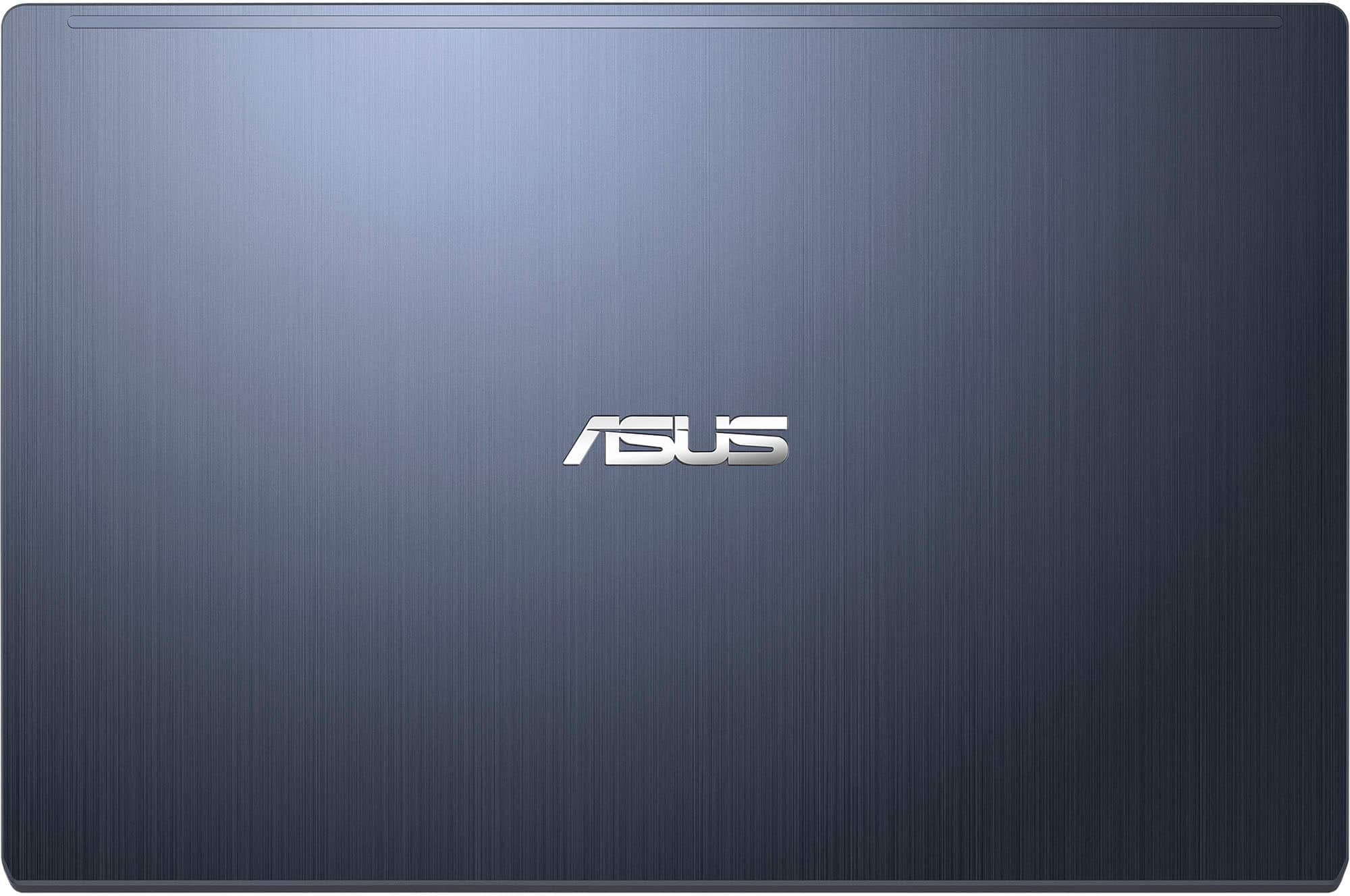
|Posted .This reviewer received promo considerations or sweepstakes entry for writing a review.The ASUS 14" Vivobook Go Laptop – Intel Celeron N4500 is a nice laptop for light to medium tasks. It comes with 4GB of RAM Memory and 64GB of eMMC storage. The storage space goes quickly. The operating system and default apps take up over 30GB of storage space. Leaving you around 20GB or less for your files and other apps you’d like to install. With it being limited in storage space, I will mostly use it to browse the web, check emails, and work on a few office documents. The dark color looks good when it’s clean but it doesn’t look too great when it gets dirty. It’s difficult to keep it clean because it gets fingerprints on it very easily. The included charger has a long cable, which is a plus. The charging brick is 30W and isn’t too large. It’s a very compact size. I wish the charger was USB-C and not proprietary. I guess with the laptop only giving you one USB-C port, having the proprietary port won’t eat up a USB-C port. The keyboard feels pretty good to type on. It’s not great, but it will get the job done. The keys are not backlit, so you will need a lamp to type while in a very dark environment. The Enter button has a lime green accent border around it which makes it look a little weird. After a while you get used to it. Speaking of USB-C ports, I wish they provided one on each side. Instead, they provide an older USB port on each side of the unit. The screen has a matte finish that allows you to see the screen well when there’s a light source shining on the screen. The quality of the screen isn’t the best though. It’s not high def and it’s not as clear while looking at it from various angles. I do like how the screen is able to lay flat like the keyboard. I didn’t think I would have a need for it, but it came in handy when I had it sitting on top of some boxes as I was typing invoice numbers from packages. The battery life is decent. I typically turn down the screen brightness to maximize the amount of time I can use it while on battery. The trackpad is something I’ve never experienced before. It has a built in number pad. I assumed I wouldn’t be able to use the trackpad when I turned the number pad on. I was definitely wrong in that regards. I was amazed that when turning it into a number pad, I can type the numbers and math functions and also use it like a normal trackpad. The trackpad ignores number inputs if your finger is swiping across the trackpad. Another plus is that this laptop is silent. There are no fans. It feels strange using a Windows laptop and never hearing the fans kick on. Overall, I was impressed with what this laptop could do for the category it falls under. As long as you don’t have any demanding tasks, this laptop may suit your needs for light to medium tasks.
I would recommend this to a friendPurchase with caution.
||Posted . Owned for 3 months when reviewed.This reviewer received promo considerations or sweepstakes entry for writing a review.I purchased this for my granddaughter and the laptop doesn't work. Spyware and glitches constantly show malicious items. Will not purchase again.
No, I would not recommend this to a friendBrand response from ASUS Answers
Posted .Dear Yvonne T,
We sincerely apologize for the issues you're experiencing with the notebook and for the inconvenience caused. This is not the kind of quality to expect from our products and it's not the norm. For assistance in determining the exact cause of the problems that you are experiencing, we recommend that you contact our support team at https://www.asus.com/us/support/CallUs.
We stand behind our products and continuously strive to improve our products and processes to achieve customer service excellence. For more information, email us at customerloyalty@asus.com and include the case number "N2207007018-0074" as a reference. We will do our best to resolve your case quickly. Your feedback is very important to us and enables us to improve our support channels. Thank you for choosing ASUS.
Best Regards,
Chantae
ASUS Customer Loyalty US Support
Misleading
||Posted . Owned for 3 weeks when reviewed.This reviewer received promo considerations or sweepstakes entry for writing a review.The package was misleading. It stated that the computer was touch screen when i picked up, it was not. I returned the nest day!
No, I would not recommend this to a friendBrand response from ASUS Answers
Posted .Dear Robin W,
On behalf of ASUS and the reseller, we apologize for the misinformation presented regarding the device specifications. This is not the quality of service we aim to provide, and it's not representative of our brand. We understand the impression this may have created and we hope this will not be a long-term lasting impression as you have chosen ASUS as a trusted brand for excellence.
Having returned the notebook, we hope that you were able to obtain a replacement that has the touchscreen feature.
We do stand behind our products and we continuously strive to improve our products and processes to achieve customer service excellence. If you require any further assistance, please send us an email at customerloyalty@asus.com and include the case number "N2207007018-0053" as a reference. We will do our best to resolve your case quickly. Your feedback is very important to us, and it enables us to improve our support channels. Thank you for choosing ASUS.
Best Regards,
Chantae
ASUS Customer Loyalty US Support
You get what you pay for
||Posted . Owned for 1 week when reviewed.This reviewer received promo considerations or sweepstakes entry for writing a review.We must’ve gotten a defective one because we have to leave it plugged in or the computer shuts off. Would not recommend
No, I would not recommend this to a friendBrand response from ASUS Answers
Posted .Dear Michael R,
Please accept our apologies for the inconvenience caused by the notebook not being able to be powered on without the AC adapter connected. This is not the kind of quality to expect from our products and it's not the norm. At ASUS, we take quality control, testing, and inspections seriously to ensure our products meet high standards. We understand the impression this may have created and we hope this will not be a long-term lasting impression as you have chosen ASUS as a trusted brand for excellence. Please allow us to make your experience with ASUS a better one.
To troubleshoot the issue described, we recommend following the steps in the FAQ below. Should the issue persist, please contact our support team at https://www.asus.com/us/support/CallUs to further investigate the problem or assist with repairing the device.
We stand behind our products and continuously strive to improve our products and processes to achieve customer service excellence. For more information, email us at customerloyalty@asus.com and include the case number "N2207007018-0052" as a reference. We will do our best to resolve your case quickly. Your feedback is very important to us and enables us to improve our support channels. Thank you for choosing ASUS.
Best Regards,
Chantae
ASUS Customer Loyalty US Support
https://www.asus.com/us/support/faq/1012793/
crappy computer
||Posted . Owned for 1 month when reviewed.This reviewer received promo considerations or sweepstakes entry for writing a review.90% of ssd is the system software only thing it is good for is putting in job applications and email
No, I would not recommend this to a friendBrand response from ASUS Answers
Posted .Dear Carl H,
Thank you for sharing your comments regarding the laptop. We understand that it didn't meet your full expectations, and we sincerely apologize for that as we do understand your concerns. Your feedback is greatly appreciated and will be passed to our Product Team for review.
We do stand behind our products and continuously strive to improve our products and processes to achieve customer service excellence. If you require any further assistance, please email us at customerloyalty@asus.com and include the case number "N2207007018-0066" as a reference. We will do our best to resolve your case quickly. Your feedback is very important to us and enables us to improve our support channels. Thank you for choosing ASUS.
Best Regards,
Chantae
ASUS Customer Loyalty US Support