Customer Ratings & Reviews
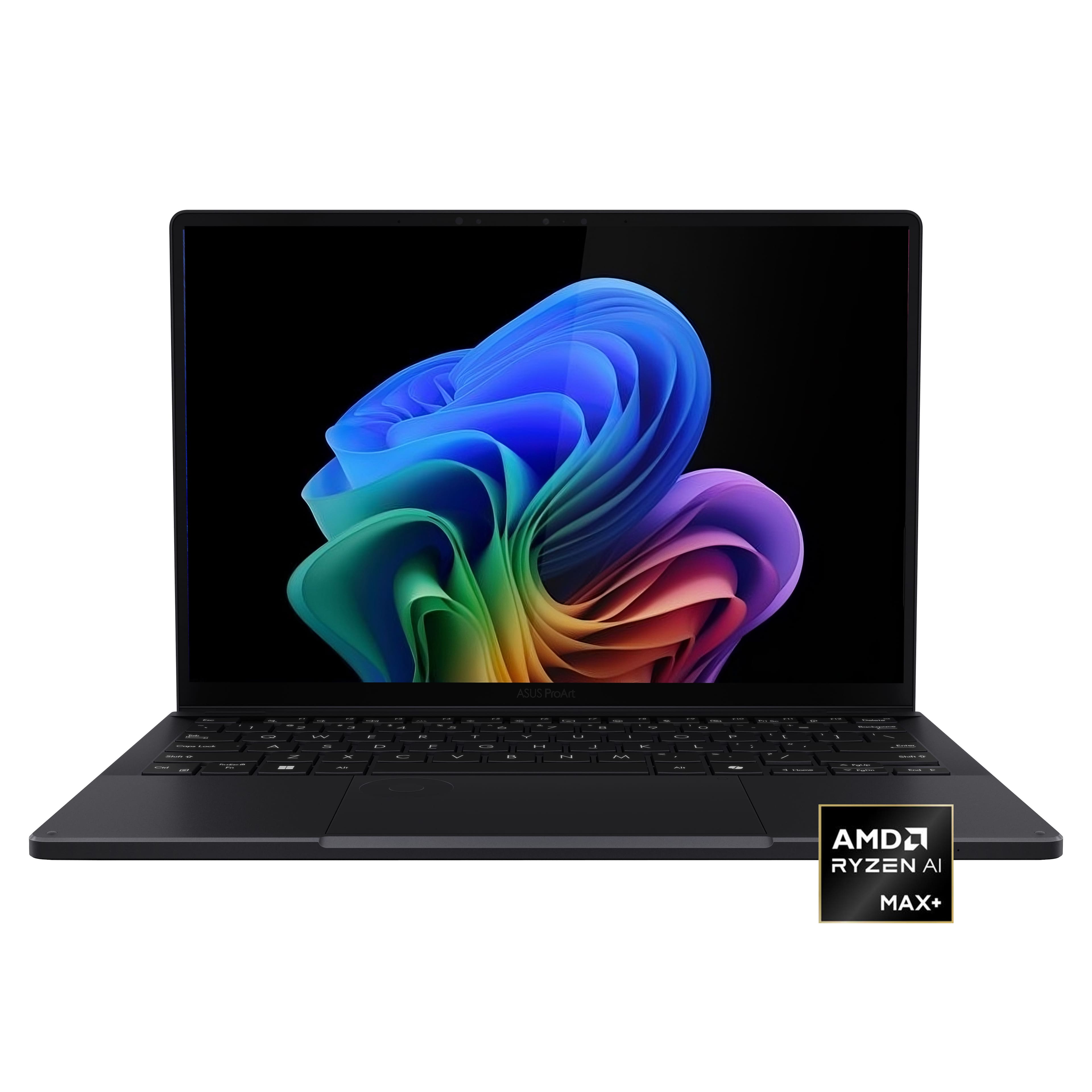







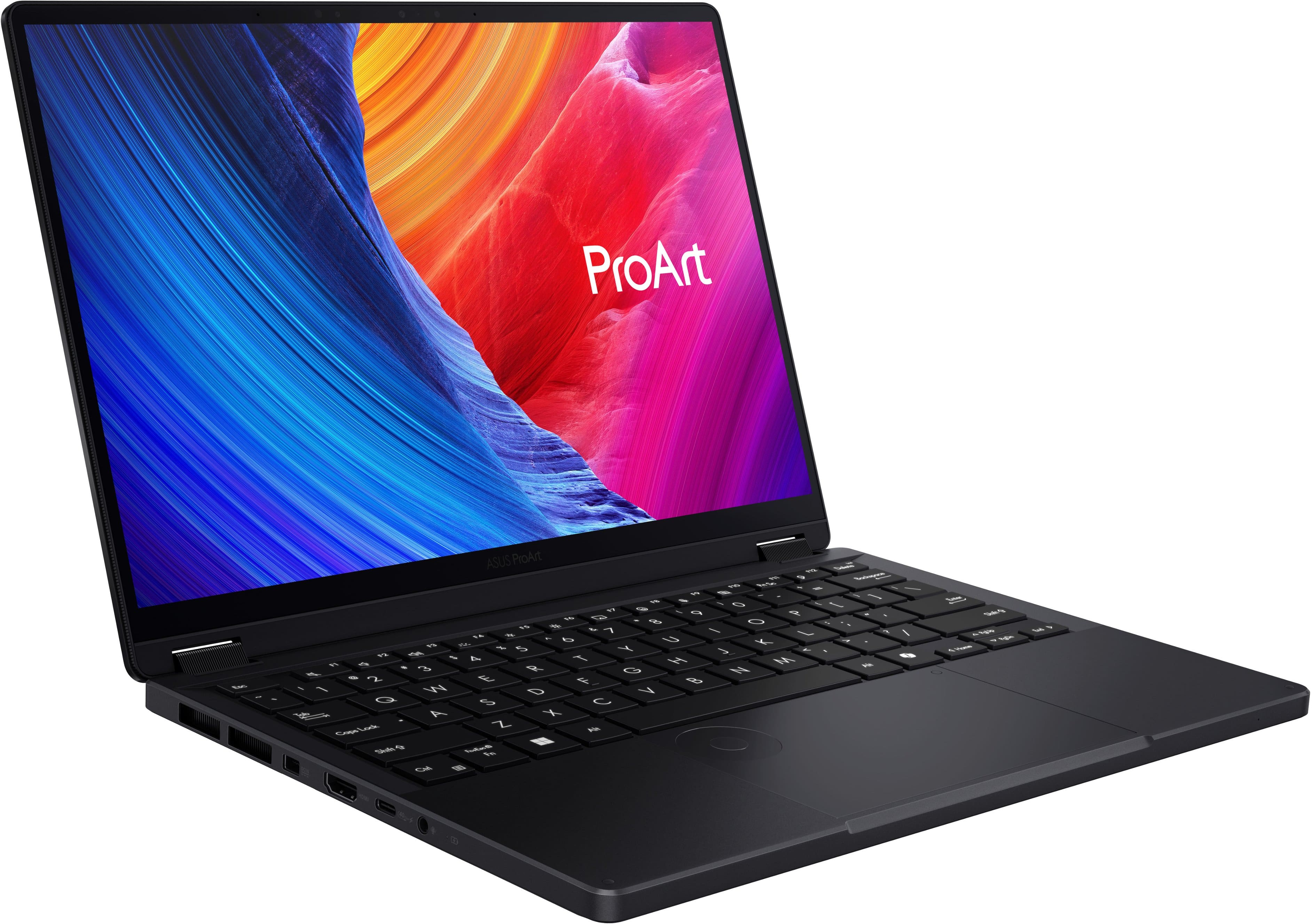
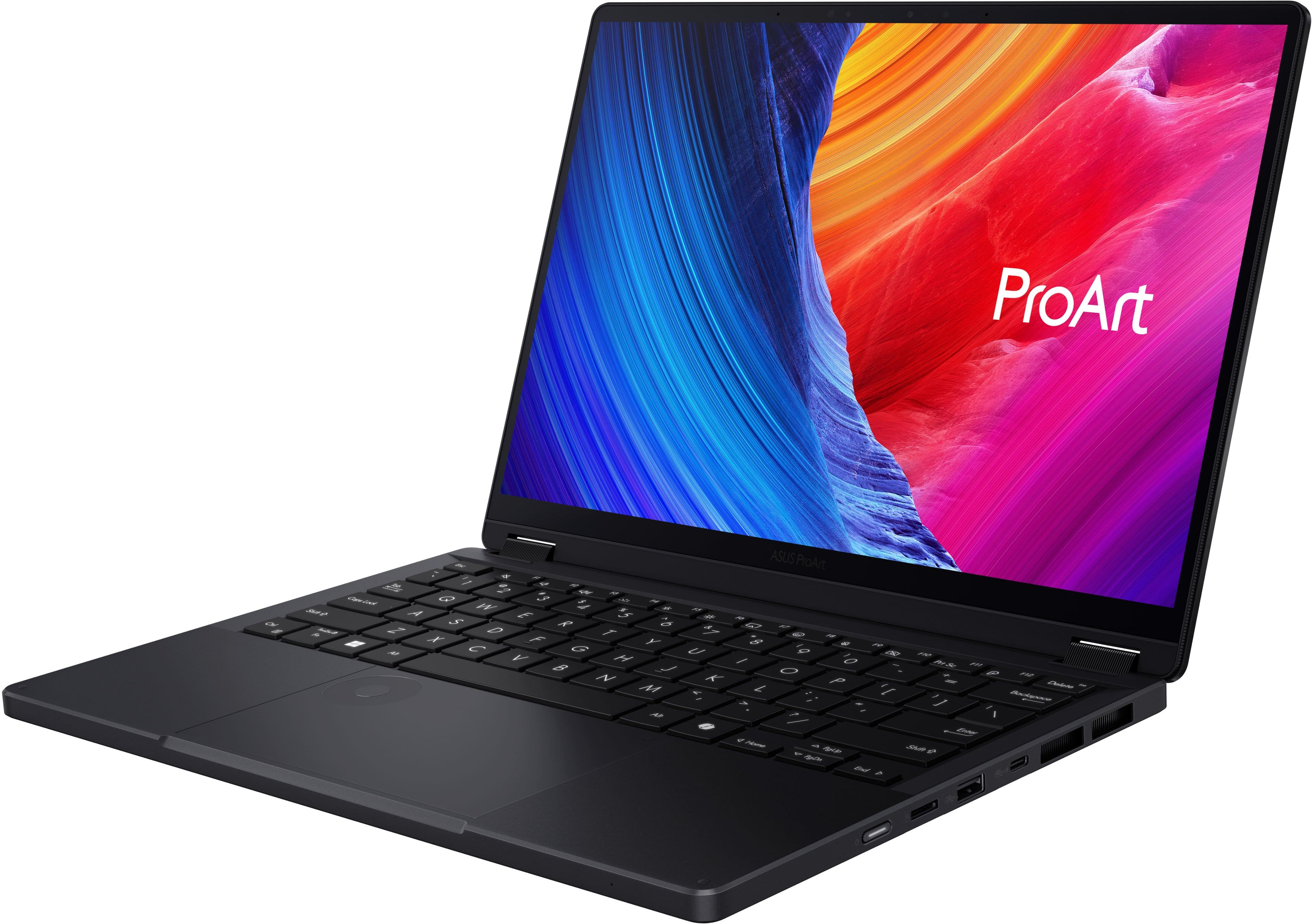
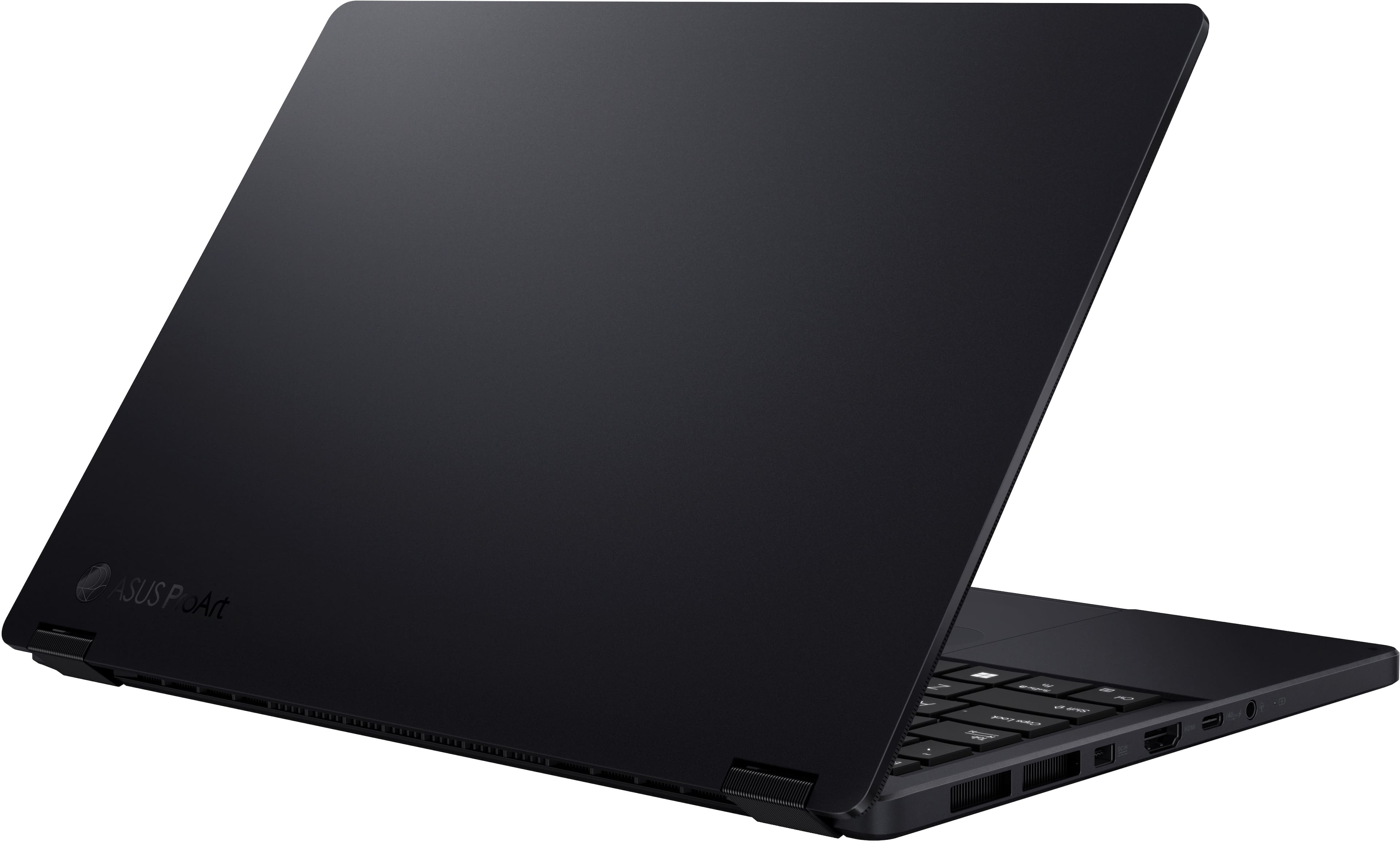
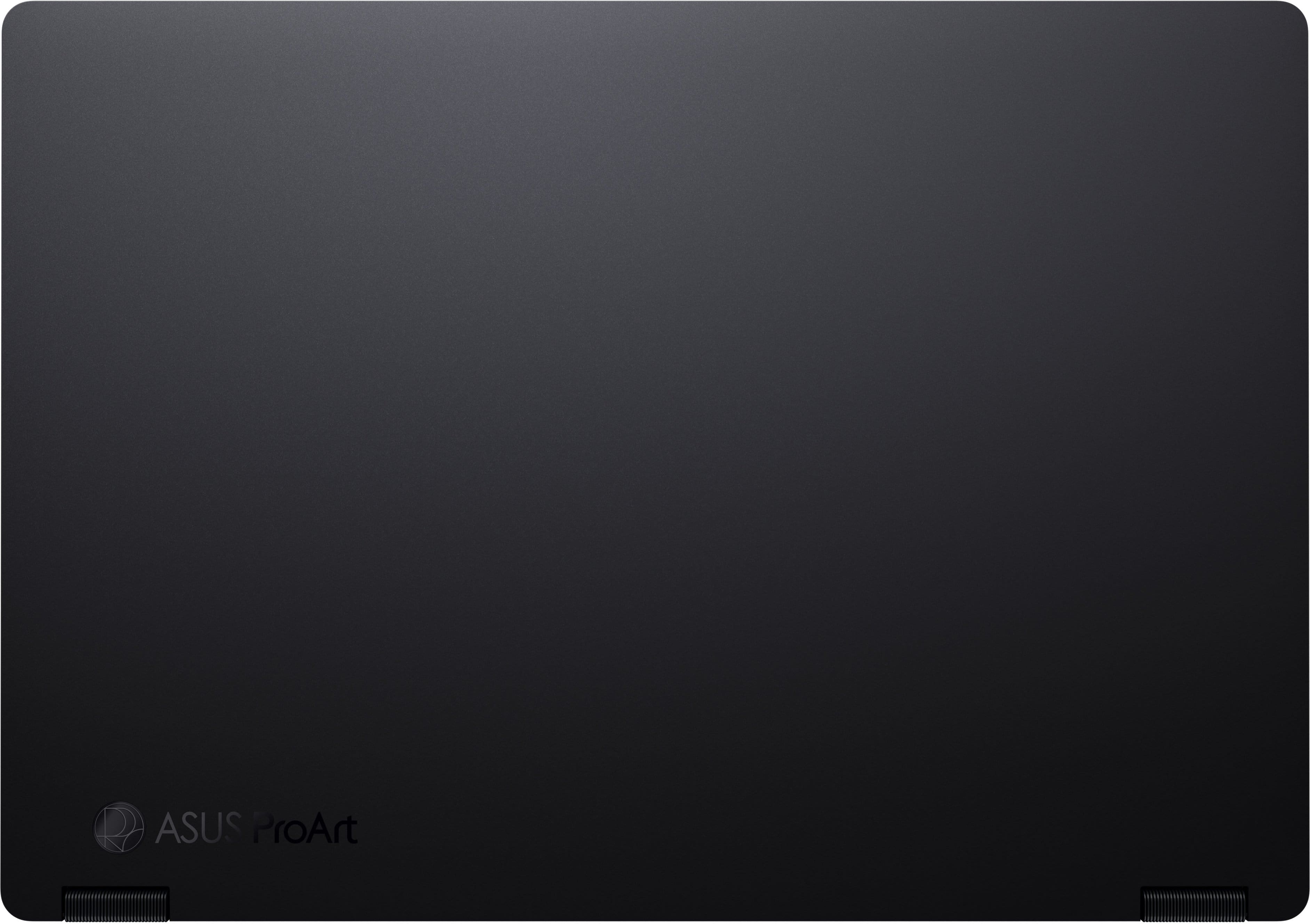
![ProArt Esc 4 11 4 12 13 14 15 16 F7 F8 F9 F10 F11 PH Se F12 1 Delete 2 I 1 e 2 . 3 5 4 % 5 A 6 & 7 8 I 9 - 0 - ee + = Backspace Tab Q W E R T Y U | O P [ I ] - / Caps Lock A S D F G H J K L : 1 - I Enter Shift 0 Z X C V B N M < I > ? / Shift CH - hnslw Fe Alt Alt 4 Home PgUp PgDn End D](https://pisces.bbystatic.com/image2/BestBuy_US/images/products/68811ad2-a4b5-4491-9ae8-bf0885fccbb7.jpg)
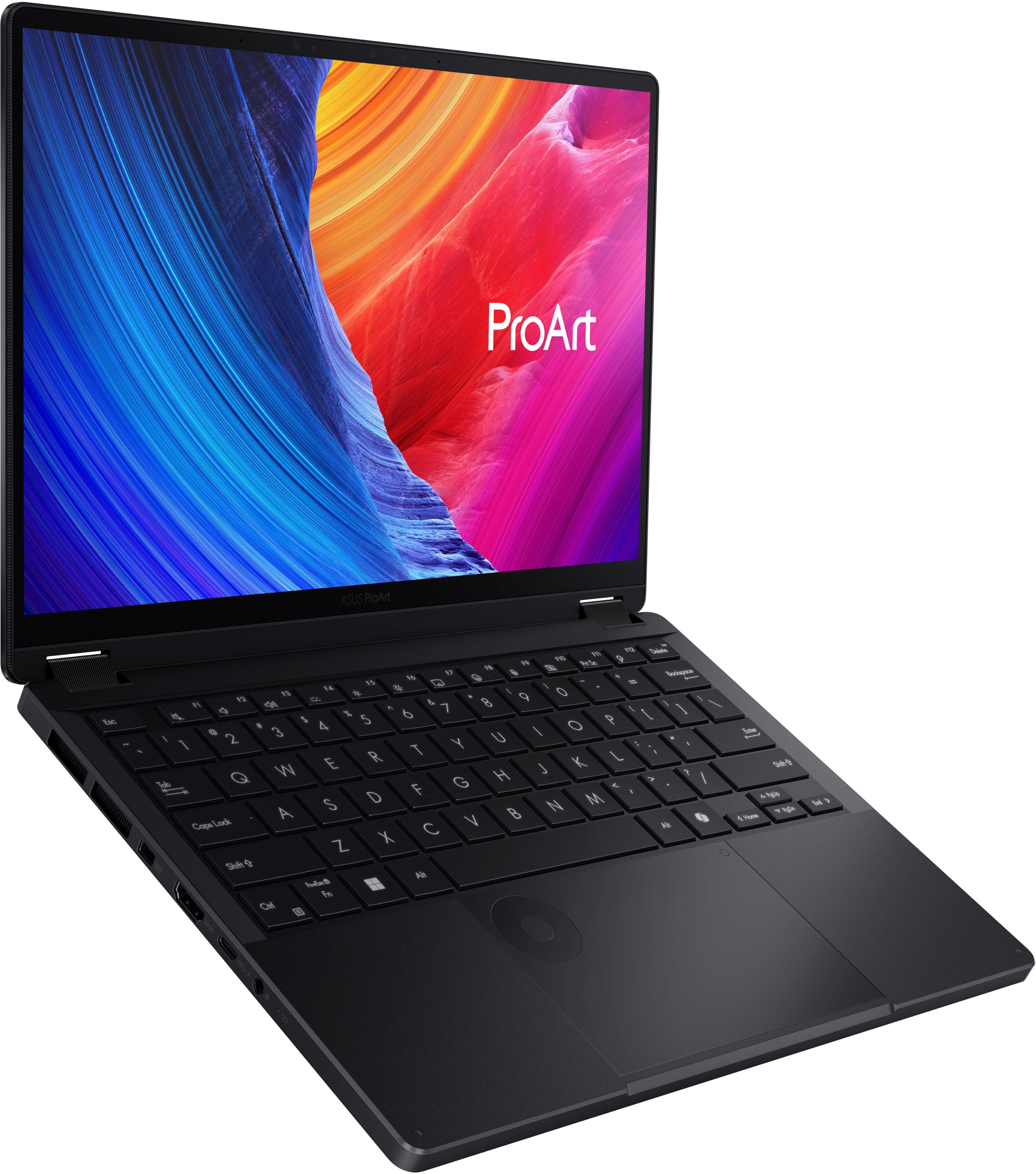
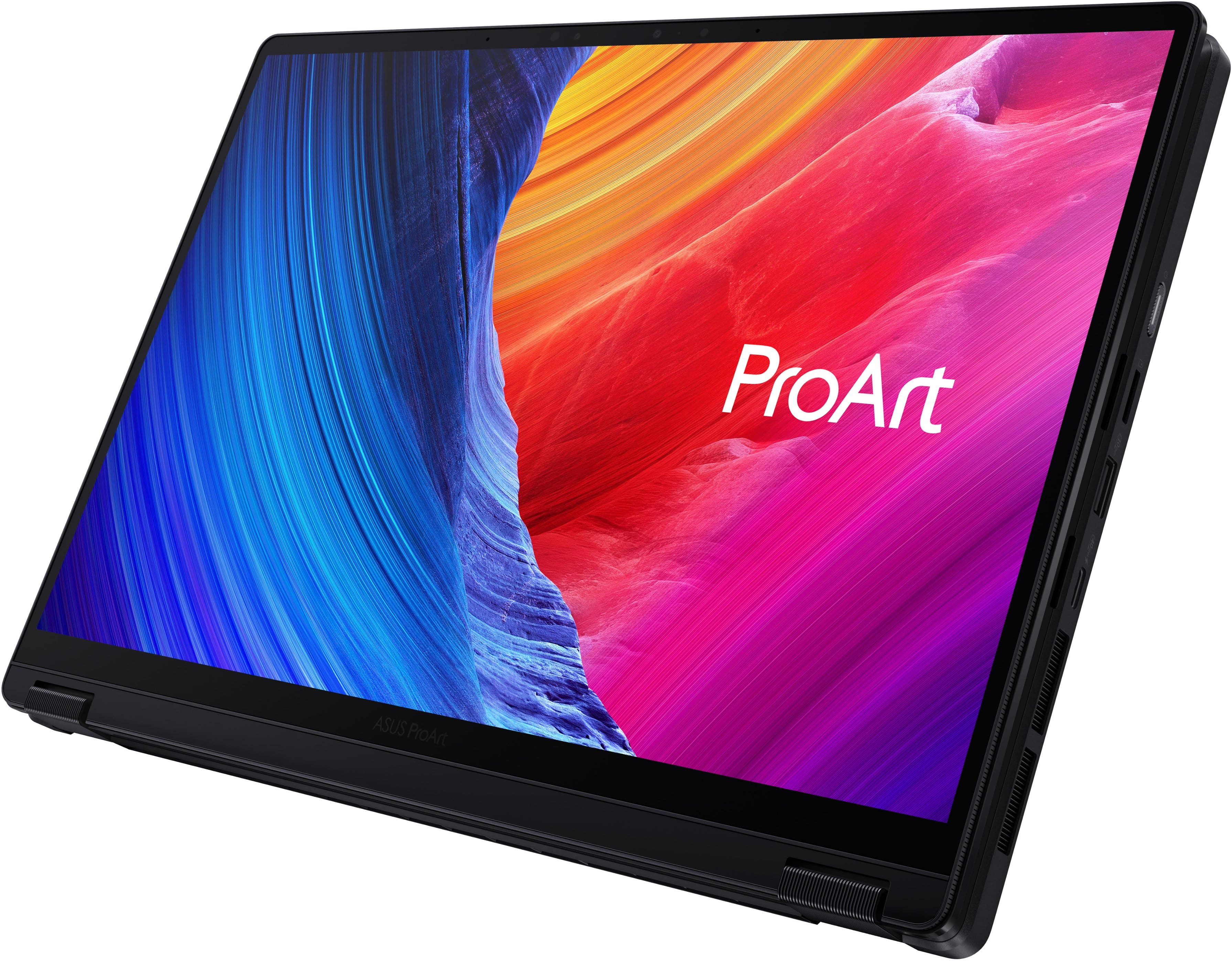
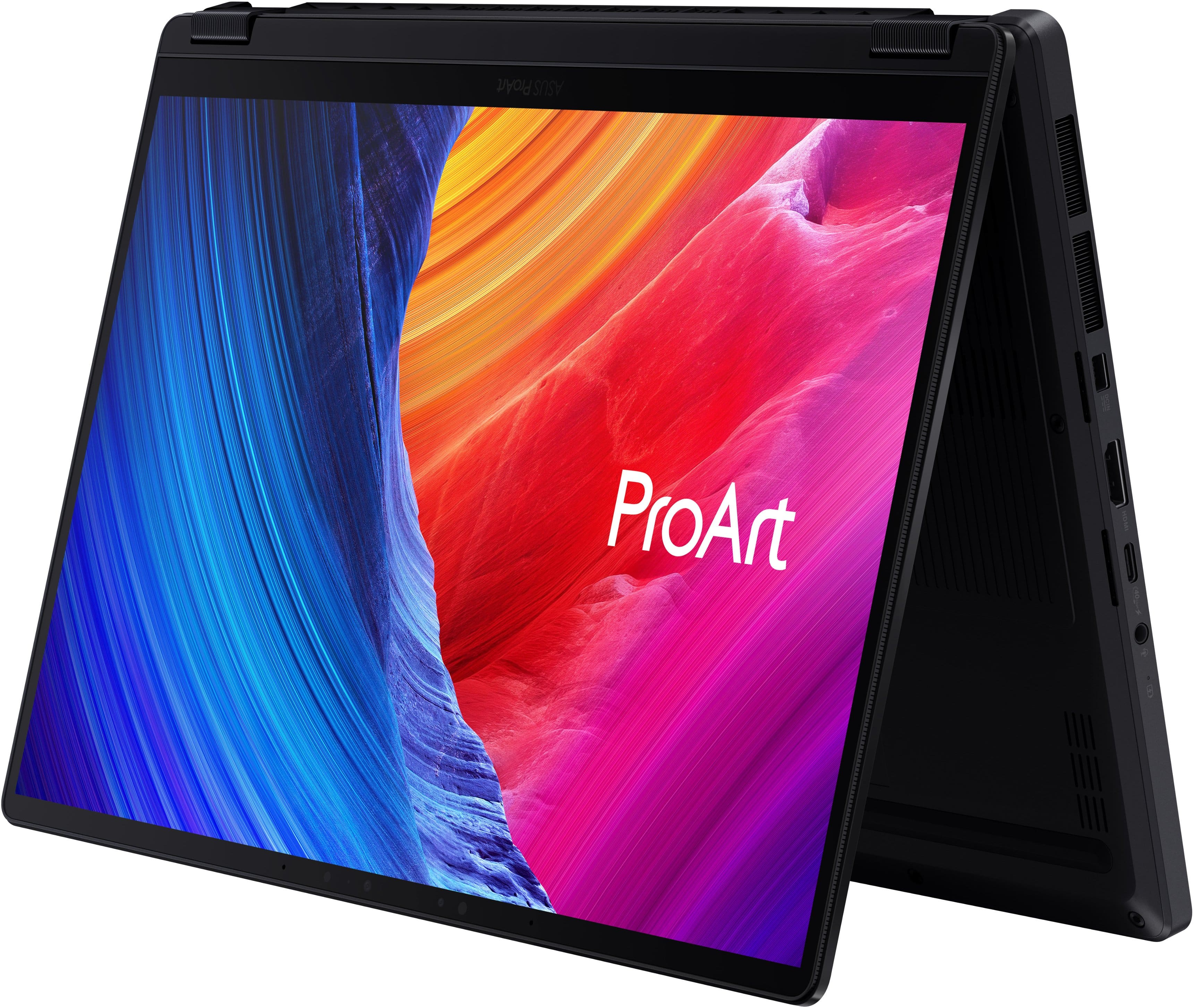
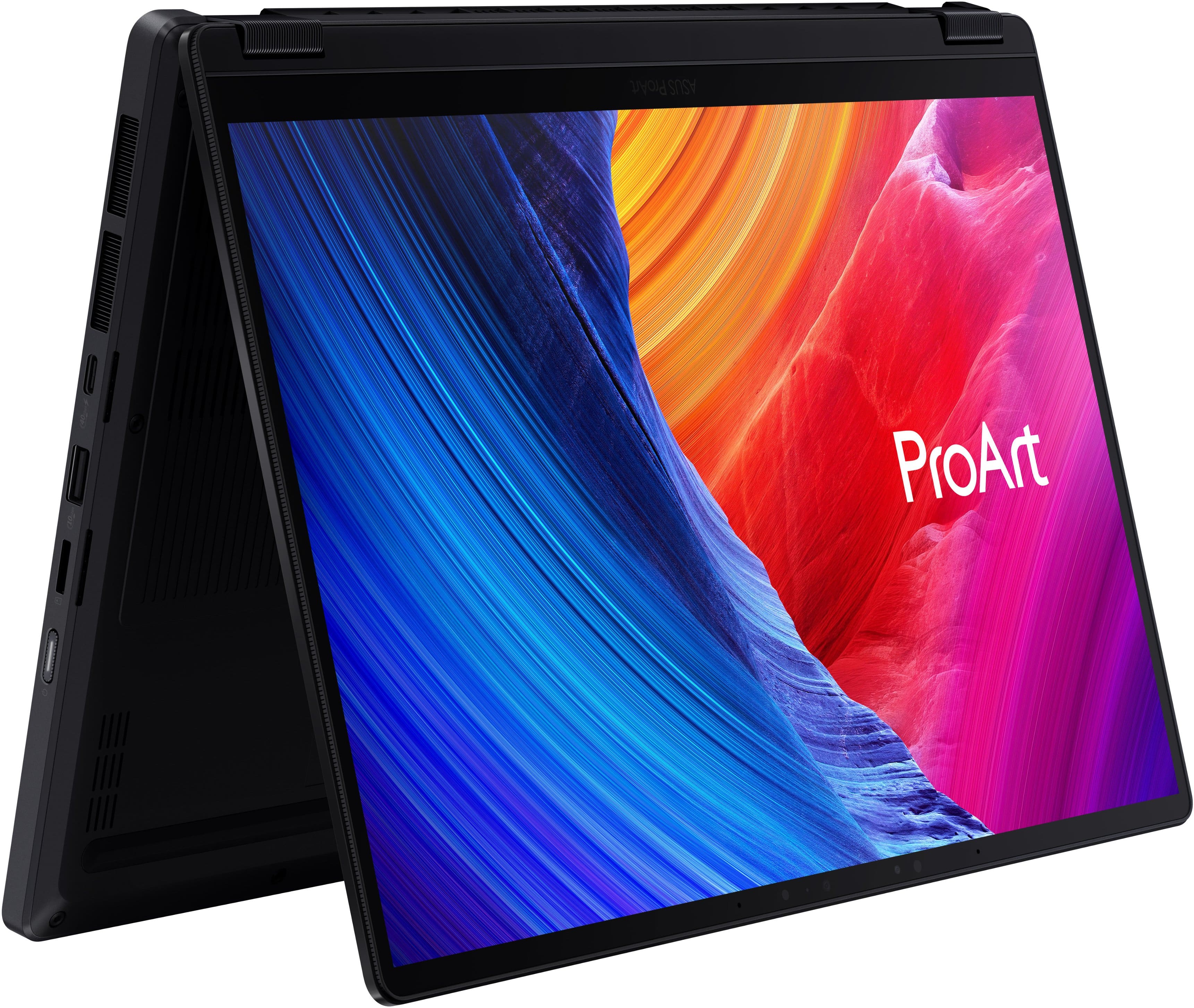


- Model:
- HN7306EA-PA/PX13_90
- SKU:
- 6671013
to a friend
Customers are saying
Customers value the exceptional processor speed, high-quality OLED display, and robust build quality that make this device a top performer for demanding tasks like 3D rendering. While users appreciate the excellent portability and generous port selection, some note that the storage capacity is somewhat limited. Additionally, while the device handles heavy workloads well, some users have expressed concerns regarding the 60Hz refresh rate, fan noise during gaming, and average battery life.
This summary was generated by AI based on customer reviews.
Perfect storm for mobile power users and gamers.
||Posted . Owned for 1 month when reviewed.This reviewer received promo considerations or sweepstakes entry for writing a review.Fit and finish: This machine comes with a very high end fit and finish that I would put against anything and everything on the market. Metal top, bottom and palm rest. Amazing and clean looking screen (although I wish it were matte) with the perfect resolution for 100% scaling on a 13in laptop (for me at least). I am a Thinkpad user for 25+ years and this is one of the best keyboards I have ever used, and with the 1.7MM travel it blows away the current 1.5 thinkpads with ease. The trackpad is accurate and easy to use, add in the wheel and the features are out of this world! Power: This little machine games like a pro (COD Warzone, WoW, Diablo, and legacy games). Its also a power user workhorse of a laptop. Would the 395 and 64GB of ram have been nice? Sure! but I have yet to run into any taks this sweet machine has had any issue or trouble with. Anything and everything I have thrown at it from gaming, to virtualization to heavy use has been handled with ease and aplomb. Heat: I have worked this rig HARD and for hours upon hours at a time and no matter what I throw at it it stays cool as a cucumber. The warmest spot is the bar above the keyboard nearest the screen and it has only gotten warm to the touch. Never has this gotten uncomfortable to use and I wouldn't fear using it on my lap, although I wouldn't game with it on my lap purely so the airflow wasn't disturbed. The highest I have seen is 80C during gaming and power use simultaneously and without propping up the back end. Thats WELL within reason for any machine let alone a thin, light and small 13in powerhouse. Battery: I have been able to get around 10 hours give or take an hour (9-11hours) depending on screen brightness and keyboard backlight on. This is with wifi on doing reasonable web based tasks including but not limited to videos, email, documents, and web surfing. Comfort: The palmrest and bottom of the laptop is thin and comfortable to use flat or propped up. As mentioned above the keyboard and touchpad are very nice and one of the best I have ever used. I would HIGHLY recommend this laptop to anyone looking for the elusive 13in laptop that isnt a tablet with a folio keyboard and that can actually do work and game.
I would recommend this to a friend- Pros mentioned:Oled quality, Performance, PortabilityCons mentioned:Storage capacity

Performance in a 2-in-1 Design!!!
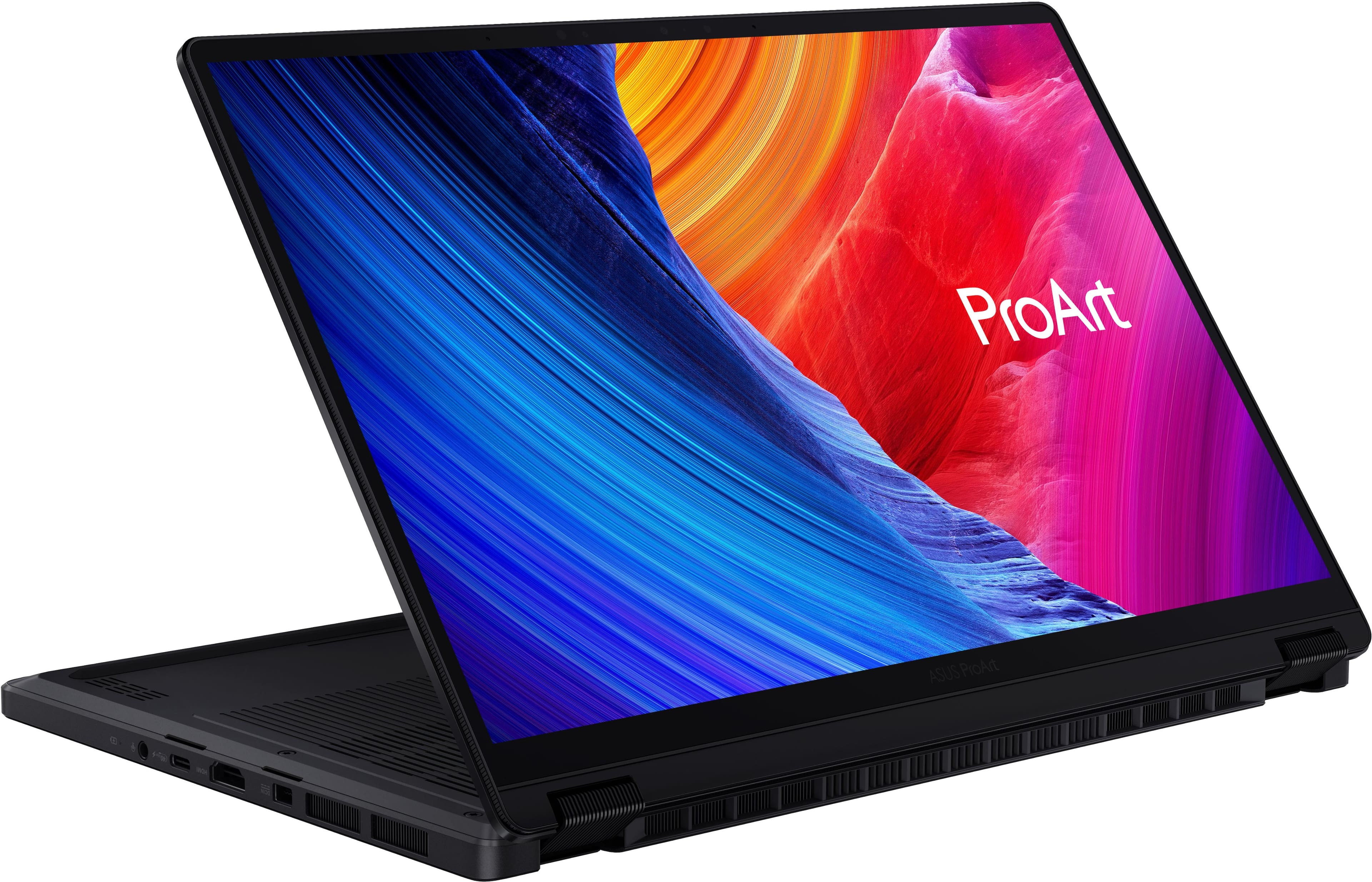
|Posted .This reviewer received promo considerations or sweepstakes entry for writing a review.The Asus ProArt series laptop is built for people who want some serious creative power at their fingertips, everything from editing videos to everyday multitasking, all in one package ready for whatever you may throw at it. I had come to love the ProArt series of laptops when I received my first one in 2024 the ProArt P16, a beautiful, powerful yet very functional and versatile machine. To this day the P16 is my go-to laptop for anything, but that might change now. Introduction the new Asus ProArt PX13, a more compact and highly portable powerhouse. So, lets get right into what the new Asus ProArt PX13 has to offer. As Tested: 13.3 in 3K Touchscreen OLED Display (2-in-1) 32 GB Memory 512 GB Storage AMD Ryzen AI Max+ Processor AMD Radeon Graphics H: .7 in W: 11.74 in D:8.26 in Weight: 3.06 pounds The Asus ProArt Px13 is a powerful machine packaged into a small form factor. From its Ryzen AI Max+ processor to its gorgeous 3K display, it focuses on creative work with portability. Having tested out both the P16 (16 inches) and the PX13 (13.3 inches), the difference I noticed between the two laptops besides the PX13 being a bit faster than my older P16, was the form factor and the 2-in-1 mode. The PX13 is easier to carry around and being creative, drawing, taking notes was just easier on the PX13 converted into the tablet mode. They both come with a 200-w charging brick but can also be charged using a USB-C charger. Display: The 13.3-inch OLED display is just absolutely gorgeous on the PX13. It offers 2880x1800 touchscreen resolution with 60hz refresh rate with 500 nits of brightness. The OLED panels already have a strong reputation for richer and brighter colors and deep blacks, and this one really fits that mold, so images feel rich and detailed instead of flat or washed out. The touchscreen and 2-in-1 design also add real flexibility, especially if you like switching between laptop and tablet mode for sketching, note-taking, or quick edits, also having a stylus really helps. Now, the 60hz refresh rate might throw some people off, but you have to keep in mind that the ProArt series is geared more towards creativity/productivity where you necessarily don’t need the higher refresh rate but more of a higher resolution and better and brighter colors. Performance: Performance has always been a strong point of the ProArt series. I was really impressed when I tested out the P16 and even more after I tested out the PX13. The new Ryzen AI Max+ 388 handles multitasking really well, and the 32GB of unified memory helps keep everything running smoothly even when you’ve got a lot going on at once. The new AMD Ryzen processor in the PX13 is a powerful processor designed for thin and lightweight workstations featuring 8-cores/16 threads with a base clock speed of 3 GHz and Max Boost clock speed of up to 5 GHz. I ran Adobe photoshop and Premiere pro editing some photos and videos with no issues at all. The 32GB of unified memory in the PX13 is one of the things that really helps it feel fast and well-balanced. Because the memory is shared across the system, graphics, and AI-related tasks, the laptop can handle multitasking more efficiently and stay responsive even when you have a lot going on. It also gives you plenty of headroom for creative work, so things like editing, large browser sessions, and running multiple apps at once feel way smoother. Dialpad: The Asus Dialpad that is integrated into the touch pad comes in really handy with the creative work, letting you move precisely through a video timeline, zooming in and out, or just simply turning the volume up and down. The Dialpad can be customized to your liking in the Asus Dialpad app. Ports: Proprietary Asus Charging port HMDI 2.1 1 USB-A 2 X USB-C 4 Audio Jack Micro SD Slot Connectivity: WIFI 7 and Bluetooth Storage: The PX13 is equipped with a PCIe 4.0 SSD which helps the laptop boot quickly, open apps fast, and keep the whole system feeling snappy during everyday use. For creative work, that kind of storage speed also matters when you’re loading project files or moving large media folders. The only real downside of the PX13 is the 512GB of storage because for people dealing with large project files and keeping tons of raw photos the space can start to fill up pretty fast. I am not sure if there is another model available with larger storage capacity, but the PX13 does not have an available slot for expandable memory. Conclusion: Overall, the Asus ProArt Px13 is an amazing laptop. It combines power, a breath-taking display, portability and very handy 2-in-1 design for people who crave power and portability. I would definitely recommend this laptop for any creative individual out there.
I would recommend this to a friend - Pros mentioned:Build quality, Oled quality, PortabilityCons mentioned:Refresh rate
Portable & Powerful Creativity Workstation
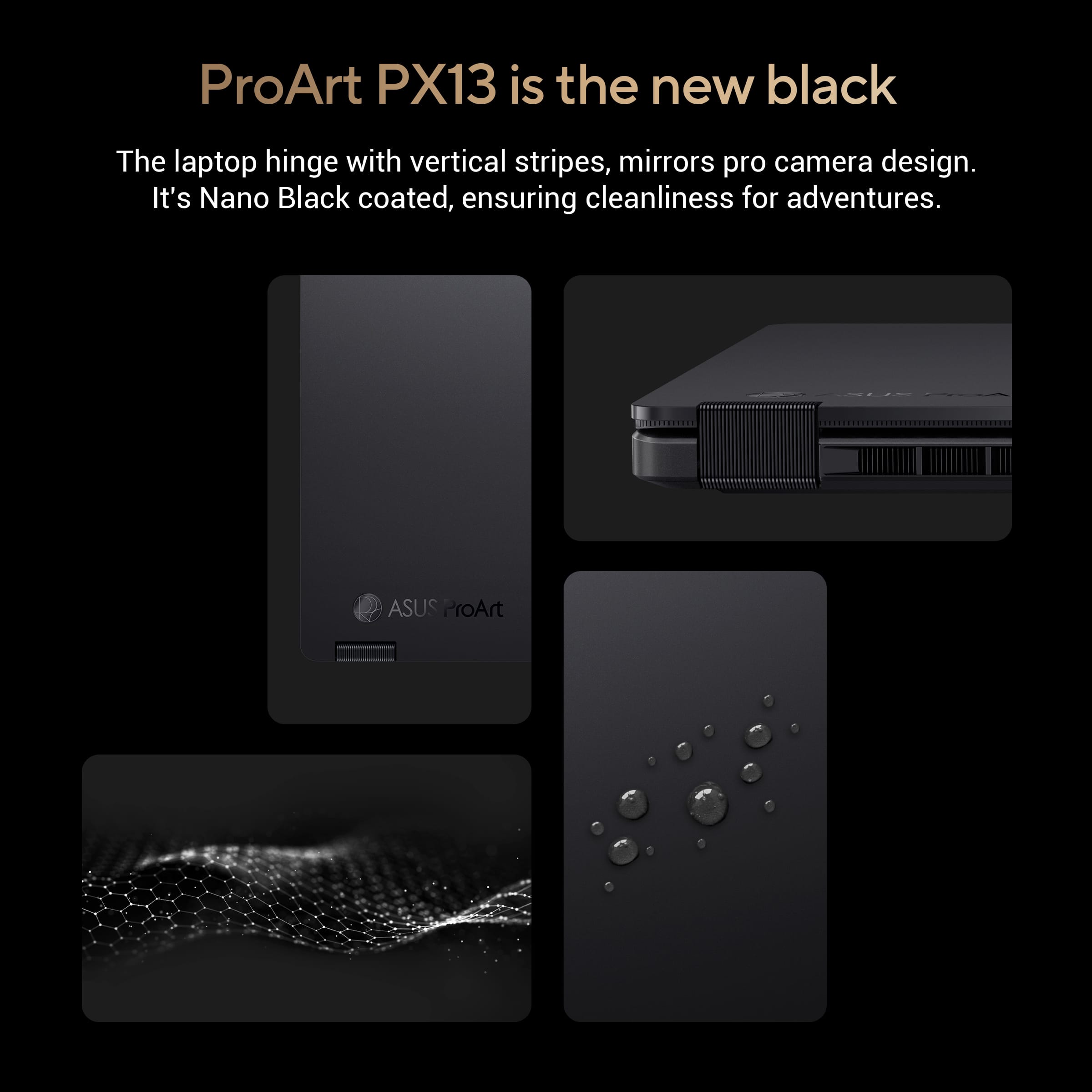
|Posted .This reviewer received promo considerations or sweepstakes entry for writing a review.Longtime owner of many various ASUS products over the past 10+ years. This is my first time venturing into the foray of the ProArt lineup and with this laptop and I am very satisfied with my daily usage of it so far with 5 days in as of May, 25, 2026. -- Design -- To me, this laptop is thin, has a compact sleek look and the nano black color fits it perfect for a 13.3 inch 2 in 1 laptop/tablet with its sturdy premium chassis. This would be ideal for users/creators who want power but do not want to carry a large workstation laptop everyday. Ergonomics feel great, smooth strong hinges from laptop to tablet and back to laptop converting. the only small minor thing I wish was front and center and noticeable is the LED indicator lights such as the SSD (formerly known as the HDD) Indicator LED was more pronounced and shown to the user and the charging indicator LED light. The SSD LED helps if Windows ever happens to freeze and your curious if the SSD is doing something such as installing updates, working in the background, etc. Same with the charging, if I was in a rush and wanted to glance for a second from a far distance to see if the charging LED color has changed to a solid color of some sorts stating the laptop is charged, I can unhook and im ready to rush out the door and be worry free if my laptop is charged all the way or not. Now to the convertible part, the flipping the screen back into tablet mode is really cool. I like how I can bring up Photoshop, or even the old trusty Microsoft Paint and use my finger or even a stylus I had laying around to draw and create/dabble a picture or even take some notes if im in the middle of a meeting. -- Display -- The screen on this laptop is a awesome 13.3 inch. slick looking OLED. Its beautiful looking at anything on the OLED with its deep blacks and colors that just punch. Upon looking in the settings, it shows it capped at 60Hz refresh rate which does not affect me any. If you worry about content/games being to big on this small screen, I assure you, don't be as the screen and resolution set at 2880 x 1800 and to me, it feels just as if I was on a 16 inch laptop. A big win to ASUS for this and most appreciated for content creation, media consumption and light game playing. -- Performance -- To me, this laptop feels like one of the most powerful 13.3 inch laptops out there today. With its AMD Ryzen AI Max+ 388 processor that has a integrated Radeon 8060s. I tried out Hogwarts Legacy, by default, everything was set to ultra automatically in graphics with it detecting the benchmarks inside the game, I was getting about 45-48FPS, I dropped it down to medium and was getting a steady 55FPS. Not to bad. 2nd game I tried was Cyberpunk 2077 with RT on, got around 35-38FPS then I used the Steam Deck preset option in the graphics settings and the game ran great. Sure this laptop and its specs is more beefier then the Steam Deck, however, if your looking for a dedicated gaming laptop to play the newest and latest games on ultra high settings, yeah... this is not gonna be for you. It is decent enough for gaming but on low/mid settings at best. Again, the name of the laptop is "ProArt", its Radeon 8060s is geared more towards "Art" related such as art creation, content creation with video editing, design app/programs such as Adobe Photoshop/Premier Pro, AI tool's processing in the background, 3D Rendering, if a user has most of these open and doing these such things, the strong multi-core processor in this helps keep that workflow moving smoothly along with that 32gb of memory. It's nice. -- Connectivity -- For charging, this has a proprietary square plug for the charging port on the left side, then it has its fair selection of ports on the sides. The port selection is ok here starting on the left side of the laptop, (1) USB 4.0 Gen 3 Type-C, (1) HDMI 2.1, (1) 3.5mm combo audio jack. Right Side, (1) USB-C 4.0, 1x USB-A 3.2, audio jack, then on the right side, you get (1) USB-A 3.2, (1) USB-C Gen 2 card reader & the Power Button with LED indicator indicating if the laptop is on or off. Then it has WiFi 7 2×2 with Bluetooth 5.4 (Mediatek MT7925). Didn't have any problems with WiFi what so ever -- Interface -- The keyboard layout is spacious but compact, typing on this feels ok with decent feedback and very quiet, may I dare say, quiet actuations. The keys are backlit chiclet with bright and good lighting LED's. The touchpad is not to big, decent size for this size of a laptop. The dialpad in the left corner is neat, I tried it with adjusting volume, scrolling through webpages at the speed that I want it to. I think its pretty useful, especially for any creativity programs you can easily customize to within the ASUS dialpad app to your liking. -- Battery -- Battery life is ok on this, its a 73 Wh, up to 200 W power adapter, USB-C charging up to 100W which I rather would use the included ASUS power adapter for the full quicker charge, 50% in 30 minutes. But using it on battery, I got on 2 occasions with a full charge, I got around 6-8 hours of usage with no gaming, just casual browsing, doing work, playing a video here and there. Then with a 3rd charge with a game running at max settings, 1-2 hour average before the battery is depleted and needs to be recharged again. -- Sound -- I give double thumbs up to ASUS for packing some great sounding speakers in this convertible laptop that has a little punch to them. It can get loud and it's crystal clear. -- Software -- Asus has no bloat pre-installed on here except their programs which is.... MyASUS, ProArt Creator Hub, ScreenXpert, GlideX, MuseTree, StoryCube & CapCut. Basic cut of the mill programs to fully utilize this laptop for its purpose. -- Suggestion -- For the next ProArt line next year, please DO NOT GET RID OF THE LED INDICATOR LIGHTS!... even though the power indicator light is on the right side in the middle of the power button and the battery light indicator is on the left side. It should be more noticeable on the front/top of the keyboard or if needed, put all the lights on the same side for ones like me who are use to seeing these LED's/lights back in the 90's/2000's on PC's and laptops. Put a SSD indicator light also for when the SSD is reading/writing. -- Conclusion-- As im using this as my main laptop, it has a gorgeous display, good keyboard, a handful of useful ports, nice speakers, and performance beast, its a premium must buy. I am looking forward to continue using this for work, creation, casual play while lounging around. ASUS really did a banger job with this premium carefully made laptop!
I would recommend this to a friend - Pros mentioned:Build quality, Oled quality, PortabilityCons mentioned:Refresh rate, Storage capacity
A Great 2-in-1 Laptop with Creators in Mind
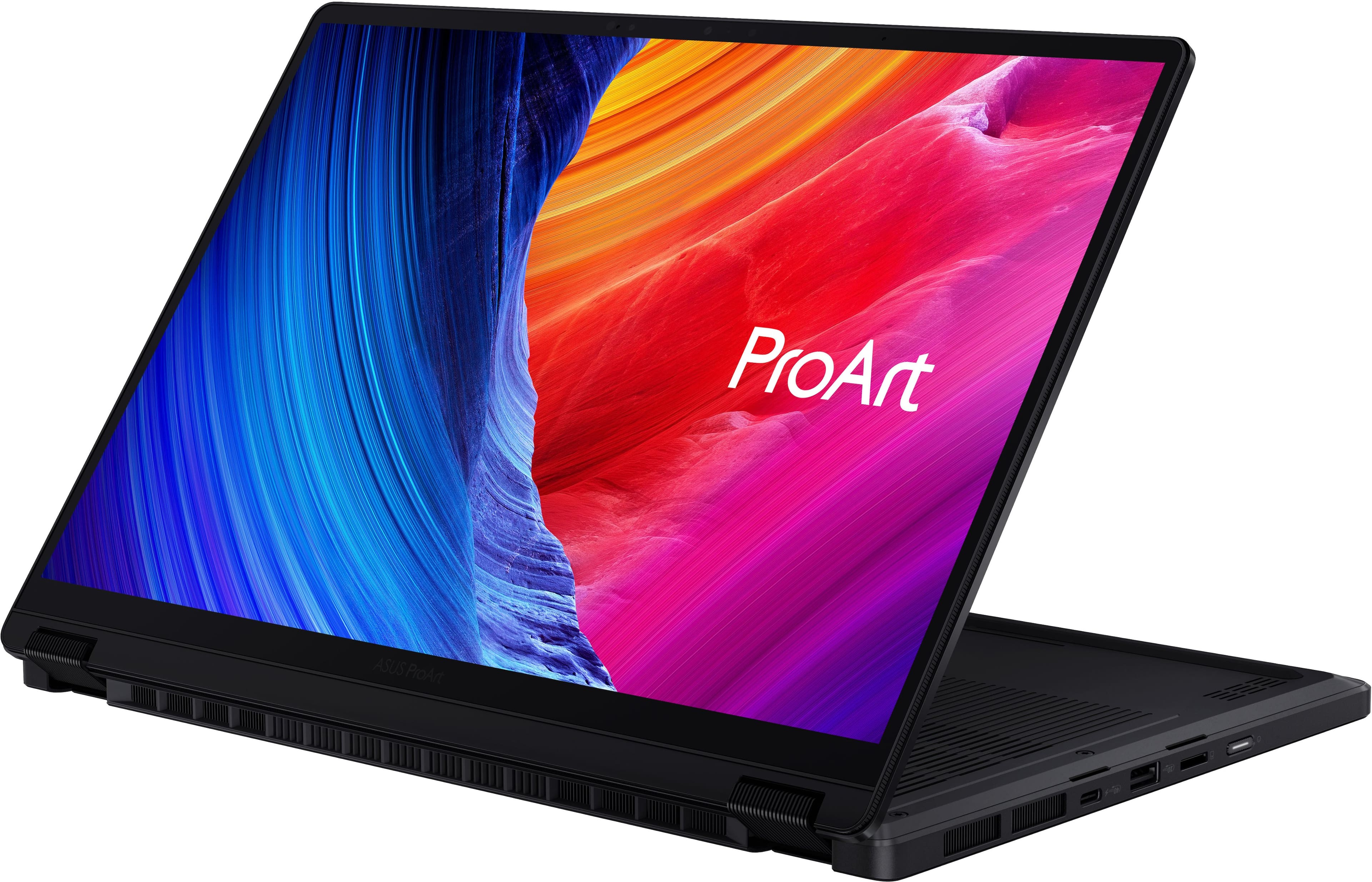
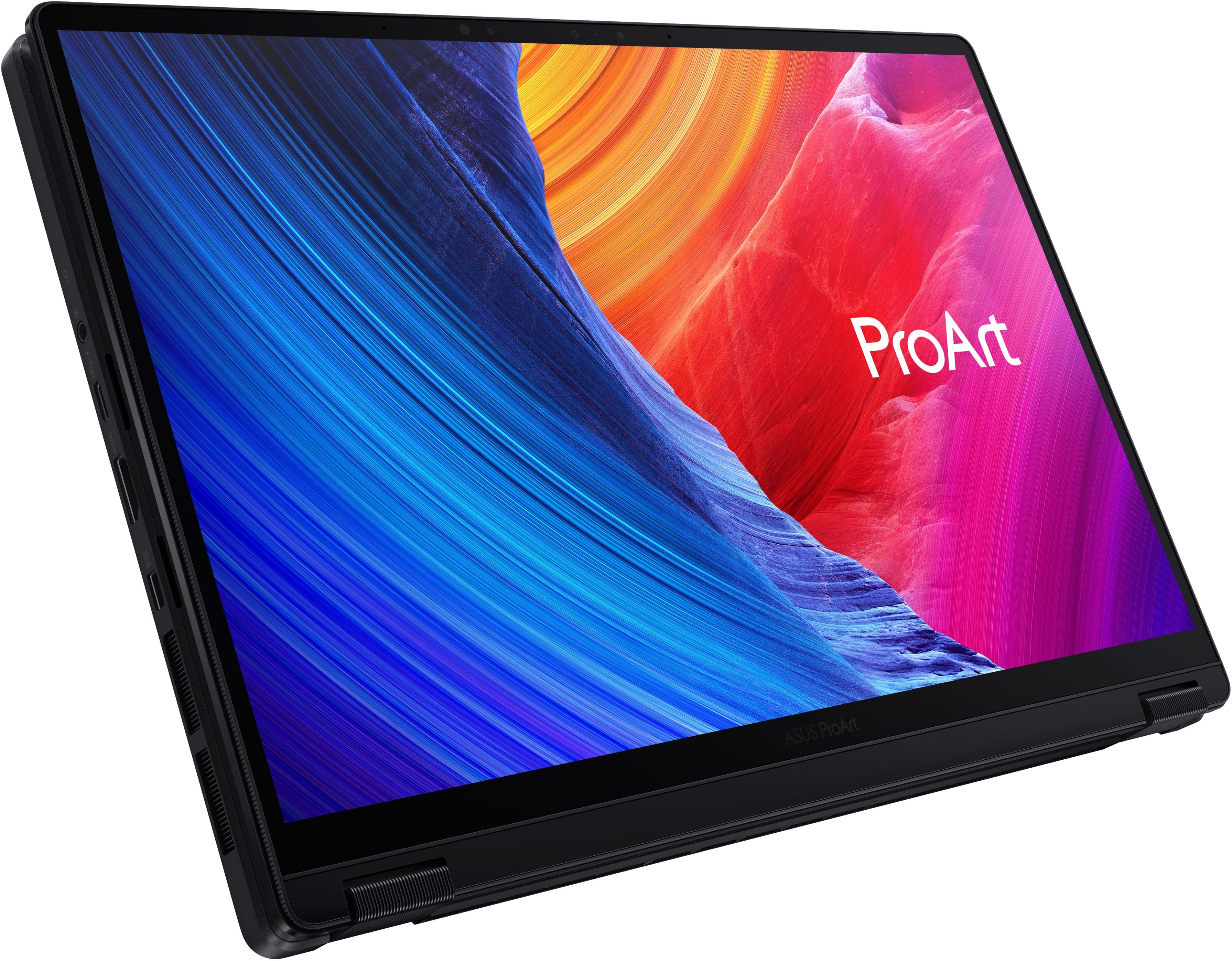
|Posted .This reviewer received promo considerations or sweepstakes entry for writing a review.I recently got my hands on the ASUS ProArt PX13 13.3" 3K OLED Touchscreen 2-in-1 in Nano Black with the new AMD Ryzen AI Max+ 388 processor and 32GB of RAM, and after spending some real time with it, I can honestly say this is one of the most interesting creator focused laptops I’ve used in a while. ASUS clearly designed the ProArt lineup with content creators in mind, but what surprised me most was just how versatile this little machine ended up being. Right out of the box, this laptop has that premium feel. The metal top lid feels sturdy and sleek with that clean professional look with the ProArt design, while the plastic bottom helps keep the overall weight down without making it feel cheap. The Nano Black finish looks incredibly clean and modern, although it will collect a lot of fingerprints, so keep a microfiber cloth nearby. Inside the box, setup was straightforward, but one thing I immediately noticed was the lack of a stylus pen. Since this laptop is a foldable 2-in-1 touchscreen device, I really wish ASUS had included one in the package, especially at this price point. It feels like a missed opportunity because this laptop practically begs to be used for sketching, note taking, or editing directly on screen. One of my favorite things about the PX13 is the flexibility of the design. Being able to fold it completely back into tablet mode is genuinely a useful feature to have. I found myself using it in tent mode while watching videos, tablet mode for casually browsing/scrolling. The touchscreen itself is very responsive and smooth, and the hinges feel solid without being overly stiff. The display is easily one of the standout features. The 13.3in 3K OLED touchscreen looks absolutely gorgeous. Colors are vibrant, blacks are incredibly deep, and HDR content really stands out. Whether I was editing shorts, watching YouTube videos, or just browsing, the OLED screen truly stood out. The sharpness of the 3K resolution also makes text and timelines look crisp and detailed without scaling issues becoming annoying. That being said this screen is only 60Hz and would have loved it to be at least 120Hz, for those who like to game at high refresh rates and for a just a better scrolling experience. Performance wise, the AMD Ryzen AI Max+ 388 paired with 32GB of RAM absolutely flies through creative workloads. I had multiple Chrome tabs open, CapCut running, music in the background, and photo editing software all going at once without slowdown. The extra AI processing capabilities also tie directly into ASUS’s growing AI ecosystem of apps, which honestly ended up being more useful than I expected. ASUS bundles several applications that actually feel meaningful instead of just being bloatware ( though there are some bloatware apps that should be uninstalled). ProArt Creator Hub lets you monitor performance profiles, color settings, and system optimizations all in one place. MuseTree was surprisingly fun to play around with for generating AI images and creative inspiration concepts. StoryCube uses AI to organize photo and video albums automatically, which became useful when sorting through large batches of content. One feature I ended up loving was the ASUS Dial and Control Panel integration. ASUS has a virtual dial directly into the trackpad that can be customized for shortcuts and macros in supported applications and can be toggled on and off by swiping your finger from the top right corner. I mainly used it while editing shorts in CapCut, so I could slowly scrub through my timeline to edit certain parts out. It’s one of those features that sounds gimmicky at first until you actually start using it consistently and customize to your preference. Even though this laptop is clearly built for creators first, I was surprised that it was capable of some gaming. I tested several games on low to medium settings and was averaging around 60 FPS, which is honestly perfectly acceptable for a compact creator laptop like this. No, it’s not replacing a dedicated gaming laptop anytime soon, but for casual gaming sessions after work or while traveling, it handled much better than I expected. The keyboard is another area ASUS nailed. Typing on this thing feels excellent. The keys have a satisfying amount of travel, they’re responsive, and the overall layout feels comfortable even during longer typing sessions. I spent hours writing and editing without feeling fatigued. The trackpad is also excellent, smooth, responsive, and paired with a very satisfying click response. Gestures worked consistently, and the large surface area made navigation easy. The I/O selection is great for just how compact this laptop is. ASUS managed to include a HDMI 2.1, 2x USB-C 40Gbps ports, 1x USB-A 10Gbps port, MicroSD card slot and a 3.5mm headphone jack. For creators, especially photographers and video editors, having the microSD slot built in is incredibly convenient. The dual high-speed USB-C ports also give plenty of flexibility for docks, storage drives, or external monitors. Another nitpick, comes down to storage with this base model. At this price range, I really expected ASUS to include at least a 1TB SSD standard. Unfortunately, with the current AI hardware boom increasing component costs everywhere, it seems like storage capacity was one of the sacrifices made to keep the system competitive. It’s not a dealbreaker, because it is upgradeable, but it’s definitely something to keep in mind if you work with large video files or photo libraries. Pros Gorgeous 13.3-inch 3K OLED touchscreen display Premium and portable 2-in-1 design Strong performance from the Ryzen AI Max+ 388 32GB RAM handles multitasking effortlessly Excellent creator-focused ASUS software suite ASUS Dial is genuinely useful for editing workflows Great keyboard and responsive trackpad Solid port selection including HDMI 2.1 and dual USB-C 40Gbps Surprisingly capable for casual gaming Touchscreen works very well in tablet mode Cons No stylus included in the box 515 GB SSD Nano Black finish attracts fingerprints easily Gaming performance is limited to lower settings Added Bloatware software 60Hz refresh rate Overall, the ASUS ProArt PX13 13.3" 3K OLED Touchscreen 2-in-1 is a laptop designed specifically for creators in mind who want portability without giving up premium features. The OLED screen is beautiful, the AI-focused software apps actually add value, performance is excellent for big workloads, and the 2-in-1 form factor makes it very versatile. This is just a great laptop, with some minor nit picks, but it gets the job done and that's all you can want out of a laptop.
I would recommend this to a friend - Pros mentioned:Performance, Portability, Processor speedCons mentioned:Battery life
A Tiny Laptop With Ridiculous Power
|Posted .This reviewer received promo considerations or sweepstakes entry for writing a review.I’ve used a lot of compact creator laptops over the years, but this new ProArt PX13 finally feels like the one that gets it right. ASUS didn’t just upgrade the specs — it genuinely feels like they unlocked what this 13.3" 2‑in‑1 was always meant to be. With the Ryzen AI Max 388+ and Radeon 8060S inside, it performs way closer to a full workstation than something I can toss in my backpack. The CPU is the first thing that impressed me. The Ryzen AI Max 388+ handles heavy multitasking, AI tools, and creative apps without the usual stutters I’ve come to expect from smaller laptops. Paired with the Radeon 8060S, the GPU performance is shockingly good. Scrubbing through 4K footage, rendering scenes, or running AI‑assisted edits all feels smooth and responsive. The display is another highlight. The 13.3" 3K OLED panel is gorgeous — rich colors, deep blacks, and accuracy I can trust thanks to the 100% P3 coverage and Pantone validation. If you do any color‑sensitive work, this screen gives you confidence that what you’re seeing is correct. I also love how flexible the PX13 is. The 360° hinge makes it easy to switch between laptop mode for editing, tablet mode for sketching, or tent mode for watching content. Stylus input feels natural, which is great for quick sketches or jotting down ideas. Thermals are better than I expected for a 13" chassis, though you’ll definitely feel the heat during long GPU‑heavy sessions. Battery life is solid for an OLED creator laptop, but if you’re pushing AI or GPU tasks, keep the charger nearby. Overall, this configuration turns the ProArt PX13 into a tiny powerhouse. It’s one of the few ultra‑portable devices I’ve used that can handle real creative workloads without feeling compromised. If you want workstation‑level performance in something lightweight and flexible, this model delivers. Pros: Ryzen AI Max 388+ handles demanding creative and AI tasks with ease 32GBs of Unified 8000Mhz DDR5X Ram Radeon 8060S GPU brings serious power to a compact 2‑in‑1 Beautiful 13.3" 3K OLED display with accurate, Pantone‑validated color Lightweight, premium metal build with a smooth 360° hinge Great for creators who need portability without sacrificing performance Cons: 60Hz refresh rate limits its gaming capabilities Battery drains faster during heavy AI or GPU workloads Small chassis limits sustained thermal performance Limited ports for full studio setups (wish it had a full size SD card Slot) 2230 NVMe Storage tops out at 2TB and is more expensive Final thoughts: If you’re a creator, editor, or digital artist who works everywhere — not just at a desk — this version of the ProArt PX13 is absolutely worth a look. The Ryzen AI Max 388+ and Radeon 8060S combo delivers real workstation‑level power, the OLED display is stunning, and the 2‑in‑1 design adds a ton of flexibility. It’s one of the strongest compact creator laptops you can buy right now.
I would recommend this to a friend - Pros mentioned:Build quality, Oled quality, PortabilityCons mentioned:Storage capacity
Literally the all in one laptop
|Posted .This reviewer received promo considerations or sweepstakes entry for writing a review.This thing is a solid portable creator machine. The 3K OLED screen looks fantastic with colors that really pop and deep blacks that make everything from photo editing to watching videos stand out. The touchscreen responds smoothly whether I am working in laptop mode or flipping it over into tablet position. The 2-in-1 design feels well built with a sturdy hinge that holds up nicely in any orientation. Performance wise, the Ryzen AI Max+ 388 handles everything I throw at it without any issues. Video editing, photo work, gaming, multitasking with several creative apps open, and even some AI-assisted tasks all run smoothly thanks to the capable processor and the generous 32GB of RAM. The integrated graphics keep up well for most of my needs. The 512GB SSD makes booting and loading programs fast, though it fills up quickly with larger project files, so I will likely expand the storage soon. Battery life is decent for a powerful 13-inch device like this. It gets me through a good portion of the workday with mixed use, though heavier creative sessions mean I stay closer to a charger. The build quality is premium and compact, which makes it easy to carry around in a bag. The keyboard feels comfortable for longer typing sessions, and the fans stay reasonably quiet under normal loads. Ports are useful too, with solid connectivity options for my workflow. The only negative I can say about this are the speakers. They sound terrible. Overall I am happy with it. It is a capable little workstation that balances strong performance, excellent screen quality, and real portability. If you need something small but serious for creative work, this ProArt PX13 is worth checking out
I would recommend this to a friend - Pros mentioned:Oled quality, Processor speed
Awesome hybrid laptop
|Posted .This reviewer received promo considerations or sweepstakes entry for writing a review.I"m relatively familiar with the Asus ProArt series. Asus in general is synonymous with solid laptops and their ProArt series brings that along with the ability to fold up in to a tablet. After spending some with the ASUS - ProArt PX13 for several reasons I'll get in to I'd recommend this for most First of all...the screen! 2800 x 1800 resolution on an OLED screen that pops. The colors generally stand out. I might have liked a screen a little bigger than 13.3", but considering the screen folds over and turns in to a tablet, I can understand not going with that much of a bigger screen. This laptop has ports galore. Two USB 4.0 type C's with power delivery and display port. A USB 3.2 Type A, an HDMI 2.1 port, a micro SD, and a headphone jack. Pretty much everything anyone could need. In terms of specs, the ProArt PX13 is working with an AMD Ryzen AI Max+ 388 processor which is relatively fast. No, you can't game with it, but for day to day work, its fast. Combine that with 32g of ram, and your day to day work is easily handled. The keyboard...I don't like it. Probably one of my least favorite things in this overall solid laptop. The backlight on them is uber bright, which is great, put the feel of the push, feels sticky. The keys feel meh, and while the touchpad feels smooth to slide over, pushing it as a button...also meh. The Asus - ProArt PX13 pretty much hits all the needs of the average laptop buyer while also adding an amazing screen which will make viewing content in between your school work or day to day stuff la pleasure. While I'm not a fan of the keyboard, overall, I'd recommend this to anyone looking ofr a non-gaming day to day laptop, or even a graphic design person looking for a laptop with touchscreen abilities.
I would recommend this to a friend - Pros mentioned:Build quality, Performance
Well Built Powerhouse
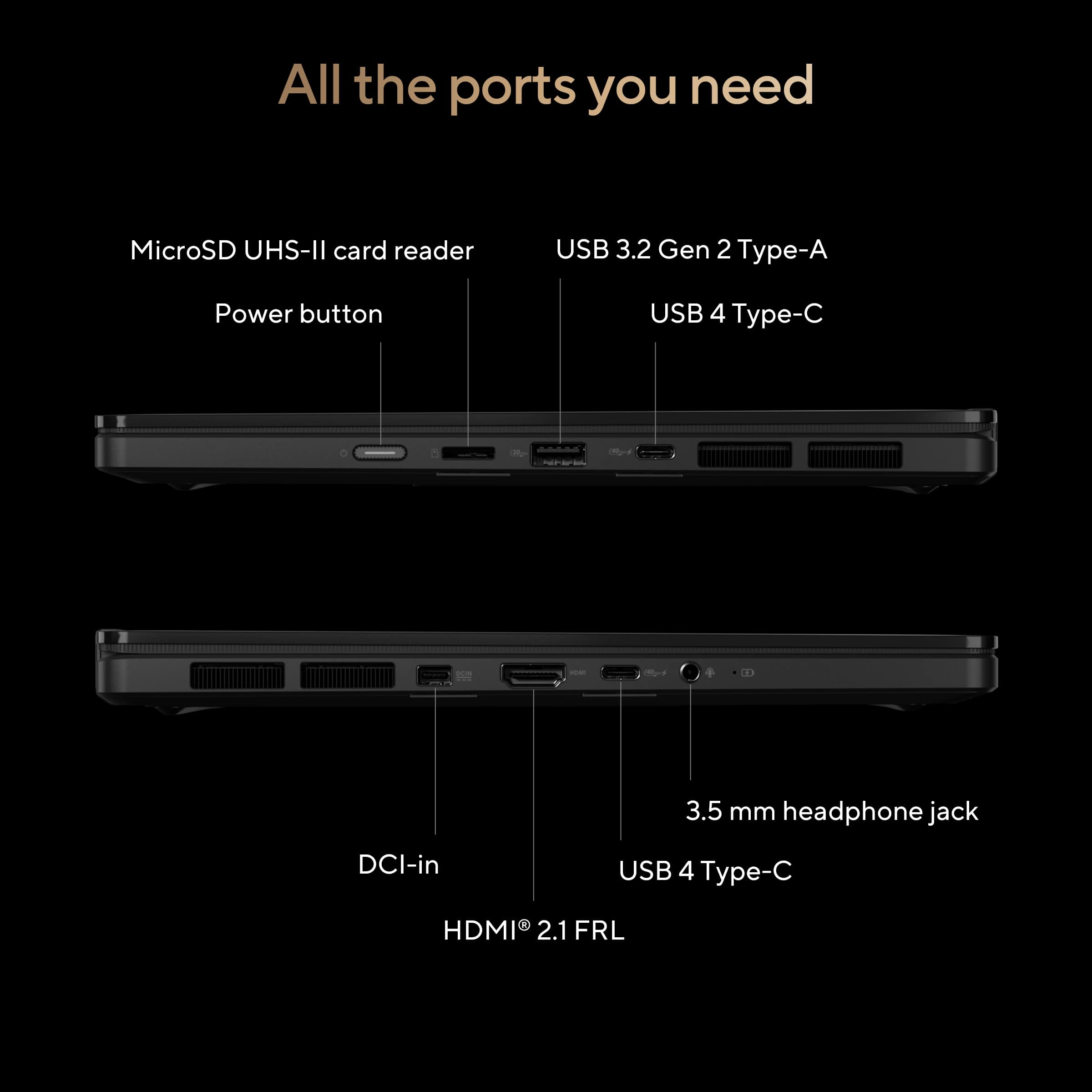
|Posted .This reviewer received promo considerations or sweepstakes entry for writing a review.I came away really impressed with the ASUS ProArt PX13. It feels premium the second you pick it up, with a sturdy chassis, clean design, and a compact size that still feels substantial. The build quality is excellent, and the 2 in 1 form factor makes it easy to switch between laptop and tablet use without feeling flimsy. The 13.3 inch 3K OLED touchscreen looks fantastic. Colors are rich, blacks are deep, and the 2880 x 1800 resolution gives photos, video, and everyday browsing a sharp, high end look. Touch response also feels smooth and natural. Performance has been great in daily use. With the AMD Ryzen AI MAX+ 388 processor and 32GB of RAM, the PX13 handles heavy multitasking, creative apps, and lots of browser tabs without slowing down. It also feels ready for newer AI driven workflows. I also like the port selection. You get two USB C USB4 ports, one USB A 3.2 Gen 2 port, HDMI 2.1, a 3.5 mm audio jack, and a microSD card reader, which is genuinely useful. I guess I can’t write a review without mentioning the interesting dial pad. I can see value in it – it works well and is easy to configure. Maybe it’s just me, but I only found myself using it for screen brightness and potentially volume control. Asus also managed to deliver with minimal bloat. A handful of Asus applications for managing Asus specific features, but I’m happy with how easy it is to sign in and go. Single complaint... I sure wish one of the Asus pens were included... Overall, this is a polished, powerful, and very thoughtfully designed laptop.
I would recommend this to a friend - Pros mentioned:Build quality, Performance
Creative's powerhouse, dressed for business!
|Posted .This reviewer received promo considerations or sweepstakes entry for writing a review.ASUS has really outdone themselves with the update they did on the ProArt PX13! I have the “old” version with an RTX4050 and it is an absolute godsend when it comes to blending creative and professional work. Not only looking the part with the Nano Black finish, sturdy & VERY smudge and scratch resistant, anodized aluminum chassis! The 13.3-inch 3K OLED, 0.2ms response time, 60Hz Refresh Rate, 100% DCI-P3 color gamut, PANTONE Validated, anti-reflection (AR) display, With 70% less harmful blue light, TÜV Rheinland-certified, SGS Eye Care Display, is EXCELLENT for content creation, editing video, photos, writing reviews, scripts, even the boring work, professional work, and the 16:10 WQXGA (2880x1800) display is amazing for organizing your workspace to get things done! Still excellent for gaming, the fast response time and immersive colors will draw you in more than a faster refresh rate, but there are times when 120Hz would be very nice to have; even when creating workflows or setting up org charts for clients, that smoothness is nice to have while checking your work before sending it onward! AMD Ryzen AI Max+ 388 Processor with its 8 cores, 16 threads (down from 12c24t), 3GHz Base Clock that boosts up to 5 GHz. For a GPU, you have the AMD Radeon 8060S RDNA 3.5 Graphics with 40 compute units Supposed to be the FULL GPU integrated into the SoC, you can change how much of the system RAM is dedicated to the GPU, starting out of the box at 4GB and going up to 16GB! I Chose to go with a good medium, 8GB to dedicate while testing gaming and editing videos… that was a good amount to go with for both gaming and Adobe use, but if you’re doing something more VRAM heavy, it’s very easy to adjust that setting in the AMD Adrenaline program! The laptop has a very powerful set of chips inside: an AMD NPU capable of up to 50 TOPs, 32GB (soldered) LPDDR5X 8000 MT/s Memory (up from 7500), 512GB M.2 2230 PCIe NVMe Solid State Drive Gen 4 slot, ability for later upgrade! The 73WHr 4-cell battery, no dedicated GPU, in a traditional sense, should get better battery life than the other models with RTX 4050 & 4060s (~7-8 hours on those, not great but not bad. Video editing, lol, maybe 3-4 hours.). It got 14 hours streaming YouTube at 1080P60 at 50% brightness! Under normal usage I was able to consistently get 11-12 hours with almost two dozen Chrome tabs open, texting, Apple Music running, a hefty Excel Workbook, Word, and OneNote! Not too bad for a machine that you can record, edit, polish, encode, and publish a 4K YouTube video from and is about the size of an actual paper notebook! For I/O connectivity: • HDMI 2.1 • 1 x USB-A 3.2 • 2 x USB-C 4.0 Gen 3, 40GB/s and up to 100 watts PD charging in! • 200-watt DC in, it’s the big juice port! • Micro SD 4.0 card reader supports UHS-II cards • 3.5mm Combo Audio Jack There’s also a 1080P (FHD) camera with IR for Windows Hello a decent array microphone system (I see two, but I think there’s a third one…). More than serviceable speakers for when you need them, not the best but far from the worst! They work just fine for editing, listening to background music, a podcast, or a video, but their loudness & clarity really come in when you’re in a hotel lobby with new friends on a work trip trying to watch the game from a series of hacked together VPNs and questionable Reddit streams! The typing experience on the backlit chiclet keyboard is incredible, the 1.7mm key-travel seems to be the perfect amount, and the precision touchpad with the ProArt’s signature DialPad is carefully placed in the middle of the body, large enough to cover the entire 3K screen, but still able to reach the entire trackpad with either thumb while your fingers are in the rest position on the keyboard. The US MIL-STD 810H military-grade toughness is a great carryover from the previous model, I’ve put the 2024 model through a lot and it still looks almost new. I’ve also used real “military grade” hardware, and this thing is NOT 4x the size, overbuilt by the lowest bidder, can run on AA batteries or a hand crank, and can communicate through all the latest methods, or encrypted frequency hopping radio… or two-wire laid by a private who mouthed off. I’m sure there’s a dongle somewhere, Toughbooks have USB-C now. Overall, this is a fantastic update to the ProArt PX13 that even with some shortcomings from the current memory crunch, hits well above it’s weight class in performance and value! If you don’t care about thin and light, great battery life, and whisper quiet regular operations… get a gaming laptop that’ll likely lift the constraints of non-upgradeable RAM, one 2230 m.2 SSD slot, but also won’t weight just 3.06 lbs and be about the same size (ProArt PX13: 8.26" x 11.74" x 0.62") just under double the thickness as a college ruled notebook (Paper notebook: 9" x 11” x 0.33”). I’d recommend this stylish and incredibly functional laptop to anyone in the creative and design space that needs a lot of power at the ready but doesn’t want to break their back lugging all that power around, while still having the flexibility of an active touchscreen for pen support and most every port you’d need on the go without an additional hub, dock, or dongle! This is also an incredibly capable professional & student laptop, featuring one of the nicest keyboards to type on in a 13-inch chassis (or larger) with amazing key travel, feedback, backlighting, durability, and spacing to allow excellent reach for all sized hands. Also, the enormous trackpad is in the middle of the chassis to allow for good palm placement while typing and the ability to easily reach with either thumb to move, slide, or use the ASUS DialPad built-in! Absolutely fantastic machine that you’ll love from the second you get it out of all it’s boxes!
I would recommend this to a friend - Pros mentioned:PortabilityCons mentioned:Fan noise, Storage capacity
It's not great, it's not bad
||Posted . Owned for 1 week when reviewed.This reviewer received promo considerations or sweepstakes entry for writing a review.So here is the real truth about the product. It's a niche product that has a cool size factor; but is always constantly running loud with the fans on unless you install ghelper and run it in power saving mode. It comes with a 512gb of space... not only that but use the smaller form factor. This means if you want to upgrade out of the box, you need to by a 1 or 2TB NVME which will add more to your cost. Another thing, if you want to game with it... which it does a decent job; you'll need to push 8gb of RAM typically to the GPU which will take down your RAM to 24GB. You'll still be fine, but it's windows; in the long run; your going to want the 32GB of RAM. You can lower the VRAM allocation, but defeats the purpose. What it did well at is size, weight, your standard two in one and ports for what it is. Again, it's a not a bad device; it's just the amount of heat, noise, and the limited size NVME card out of the box is a show stopper for many. Fine, your not going to game, so then what's the point of the device? You can find many better laptops for the price with better specs not sharing the RAM with a bigger NVME. This is just food for thought and really... really want to love the device; but had to take it back. ASUS, if people have to spend $100 more just to have 1TB out of the gate, you'll solve alot of problems from thes tart.
No, I would not recommend this to a friendBrand response from ASUS Answers
Posted .Dear GForce,
Thank you for sharing your experience with your ASUS HN7306EA laptop. We are pleased to hear that you found value in its size, weight, two‑in‑one functionality, and port selection. However, we sincerely apologize for the concerns you've raised regarding the fan noise, heat levels, limited NVMe storage capacity out of the box, and RAM allocation when gaming. We regret that these aspects did not meet your expectations and ultimately led to the device being returned.
Your feedback is very valuable, and we will ensure it is passed along to our product team for further review.
We stand behind our products and continuously strive to improve our products and processes to achieve customer service excellence. If you require any further assistance, please email us at customerloyalty@asus.com and include the case number "N2605027538-0001" as a reference. We will do our best to resolve your case quickly. Your feedback is very important to us, and it enables us to improve our support channels. Thank you for choosing ASUS.
Best Regards,
Chantae
ASUS Customer Loyalty US Support
Awesome 2-in-1 Laptop for Everything
|Posted .This reviewer received promo considerations or sweepstakes entry for writing a review.The Asus ProArt PX13 is a 2-in-1 laptop that is aimed at creators but is great at any task. The configuration I am reviewing consists of the following components AMD Ryzen Ai Max+ 388 8 core/16 thread Zen 5 CPU Integrated Radeon 8060S graphics Integrated XDNA 2 NPU supporting 50 TOPS. 32 GB LPDDR5X 8000 MT/s memory 512 GB Kioxia M.2 Type 2230 NVMe PCIe 4.0 SSD MediaTek Wi-Fi 7 MT7925 Wireless LAN card 13.3 inch 2880 x 1800 60Hz OLED touchscreen with 500 nits of brightness 1x Proprietary DCI-in Power Connector 2x USB-C 4.0 ports supporting 40Gb/s, power delivery and display 1x USB-A 3.2 port supporting 10Gb/s 1x Micro SD 4.0 Card Reader 1x HDMI 2.1 FRL connector 3.5mm Headphone jack Build quality is excellent and quite possibly the best of any laptop I have ever owned. It feels sturdy and solid and yet very light. Package Contents The package contains the following items: The Asus ProArt PX13 laptop itself 200W Power Adapter with proprietary DCI-in connector AC Power Cord QuickStart/Warranty pamphlets Setup Setup was very simple and like every other Windows laptop I’ve owned. You turn it on, answer some questions, create or log into your existing Windows account and let it update. Then you let it update the Asus software. It took about ½ to 1 hour for it to finish updating everything. Impressions The OLED screen is very bright and offers deep vibrant colors. It is excellent for media consumption and productivity work such as programming. The screen is Pantone validated with full DCI-P3 coverage, so it offers full accurate colors and is therefore suitable for professional creators. There are people who have complained that the screen is only 60Hz, but for me I can’t really notice any difference with higher refresh rates, so it doesn’t bother me at all. The touchscreen also supports pen styluses and in tablet mode could make a decent drawing tablet. The keyboard offers good physical feedback and in my limited time was accurate and pleasant to use for typing. In fact, I feel this is one of the better laptop keyboards that I have used. I love that the keyboard is also backlit so it's easy to find the correct keys in a dark working environment. The trackpad is also very good and accurate during my time with it. It has a unique feature where you can dynamically turn on/off the embedded dial by swiping diagonally downwards from the top right corner to the bottom left corner of the trackpad. Once the dial is activated, you can use it to zoom in/out of a page or to adjust system settings such as increasing/decreasing audio volume or screen brightness depending on where the cursor is currently located on the screen. It works rather well and I can easily imagine the dial as an intuitive interface/control for specific types of software, and I hope that more software can take advantage of it. I feel the port selection is excellent. I currently have it connected to an external monitor using the HDMI port and an external keyboard and mouse to the USB-A port (using a USB hub). I have plenty of future expansion possibilities with the two USB-C ports and MicroSD card reader. The speakers are also very good for downward firing speakers and are probably one of the better sounding downward firing speakers I’ve used. I prefer upward firing speakers on my laptops, but these are decent for casual media consumption. They produce clear sound and dialog, and it gets loud enough to be easily heard. The webcam supports 1080p and provides a sharp picture with good low light performance and the microphone was able to record my voice clearly. This laptop would be good for video conferencing and Zoom meetings. The laptop was mostly silent during regular usage. For gaming and other processor intensive tasks, the fan does rev up to be noticeable, but it isn’t anywhere near the loudness of some of my older gaming laptops. And once the application ends, the fans quickly shut off to be silent. Gaming The integrated Radeon 8060s graphics has a reputation of being the best integrated graphics available for a laptop and has the approximate power of a discrete Nvidia 4060 graphics chip. So, I just had to test it out in a game. Because of the TV series, the game that I am currently replaying is Fallout 4. Running Fallout 4 with Ultra settings at 2560 x 1440 gives a rock solid 20 fps. So, for this game, it doesn’t have enough power for 1400p gaming. When I lowered the resolution to 1920 x 1080, I got a very respectable 70 fps which is very playable. Based on this one game, I would say the Asus ProArt PX13 is great for 1080p gaming. Because of limited time and hard drive space, I wasn’t able to test other games. Creator The Asus ProArt PX13 is aimed at creators so I wanted to see how it handles Daz Studio v4.24. This software can be used to generate 3D scenes. During testing, everything performed super smoothly. Loading 3D models was very fast and once loaded, rotating and zooming in/out of the 3D scene was very zippy. When using OpenGL to render the final scenes, it was blazingly fast. Summary I can easily recommend the Asus ProArt PX13 for anyone looking for a premium compact laptop. While it is targeted towards creators, it is actually a great laptop for any task. It’s one of the best laptops I have ever owned. During my time with it, it has been rock-solid. With a brilliant OLED screen, this laptop is great for general media consumption, productivity and software development work. Because of the integrated GPU and NPU, it should be good for experimenting with local LLM models and AI. The integrated Radeon 8060s GPU has the approximate power of a discrete Nvidia 4060 and can handle most games at 1080p. With its versatile 2-in-1 design and support for a pen stylus, it can be a decent drawing tablet when used in tablet mode. Its powerful Ryzen Ai Max+ 388 and integrated Radeon 8060s GPU allows creator software such as Daz Studio to perform splendidly to render amazing looking 3D scenes very quickly.
I would recommend this to a friend- Pros mentioned:PerformanceCons mentioned:Refresh rate
A good laptop that can be so much more
||Posted . Owned for 1 week when reviewed.This reviewer received promo considerations or sweepstakes entry for writing a review.This is a good laptop. However, the price and what you get with it are what ultimately being this laptop down. For nearly $2K after tax I would expect to receive a very nice laptop with high specs. This laptop provides great performance ,but has only half the hardware to do it with. Eventually returned it and went with the ROG flow due to it t having double the cores, double the RAM, and double the storage for around $500 more. If this were sitting in the $1200 range, I would call it a 5 star, but the price simply doesn't match the performance. Also stick with a 60Hz OLED monitor. That makes now sense when paying for a high tier laptop.
No, I would not recommend this to a friendBrand response from ASUS Answers
Posted .Dear BrianH,
Thank you for sharing your impressions of the ASUS HN7306EA laptop. We are pleased to know that you found the performance strong, but we sincerely apologize that the overall specifications and pricing did not meet your expectations, which ultimately led to its return for another model. We also understand your concern regarding the inclusion of a 60Hz OLED monitor on a higher-tier device.
Your feedback is highly valued, and we will ensure that it is passed along to our product team for further review.
We stand behind our products and continuously strive to improve our products and processes to achieve customer service excellence. If you require any further assistance, please email us at customerloyalty@asus.com and include the case number "N2605027538-0003" as a reference. We will do our best to resolve your case quickly. Your feedback is very important to us, and it enables us to improve our support channels. Thank you for choosing ASUS.
Best Regards,
Chantae
ASUS Customer Loyalty US Support
Outstanding Performance and Gorgeous Display
|Posted .This reviewer received promo considerations or sweepstakes entry for writing a review.I've been testing the new 2026 ASUS ProArt 2-in-1 laptop over the past week. The model I am reviewing features a 13.3-inch OLED touchscreen, a Ryzen AI Max+ 388 APU processor, 32 GB of shared memory, and a 512 GB SSD. Overall, it is a fantastic laptop. The device boasts a solid build, grippy hinges, and a very lightweight chassis. The keyboard has good travel, making typing incredibly comfortable, and the keys feature three levels of backlighting to accommodate various lighting conditions. The trackpad works well, feels smooth, and I appreciate that the trackwheel requires a corner-to-center swipe to activate, which effectively prevents accidentally turning it on. The port selection is solid, featuring two high-speed USB-C ports (conveniently placed with one on each side), a USB-A port, a headphone jack, an HDMI port, and a microSD slot. However, as a photographer, I would have preferred a full-sized SD card slot. I also would have preferred an additional USB-C port instead of the proprietary charging port. The OLED display is gorgeous. I used the laptop to show my nieces some photos I took of them over the weekend, and we were all impressed by its outstanding brightness, clarity, and color accuracy. The touchscreen is also highly responsive; being able to pinch to zoom or move photos around without using the trackpad is an excellent workflow upgrade. While the built-in speakers sound good and can get significantly loud, they are down-firing, which can make the audio feel a bit distant and non-immersive. Battery life is excellent. This laptop easily lasted a full day of use while I performed light editing, watched videos, and played some Xbox games. When it was time to plug in, the battery charged to full in less than an hour. As for performance, this laptop is outstanding. Applications load quickly, Wi-Fi maintains a strong signal, and the chassis never gets hot, meaning the fan rarely ever turns on. On top of that, it is a thin and light 2-in1 that can handle full Xbox games without the need for a dedicated GPU. Absolutely impressive! Ultimately, I test a lot of tech, and the ASUS ProArt stands out as one of the best laptops I've used. It has officially earned its spot as my new daily driver. If you're looking for a versatile, high-performance 2-in-1, I highly recommend it.
I would recommend this to a friendDONT JUDGE A BOOK BY THE TINY COVER
|Posted .This reviewer received promo considerations or sweepstakes entry for writing a review.The ProArt PX13 is a powerhouse of a machine. It's little but don't let that fool you, packing in a AMD Ryzen AI MAX+ 395 and 32gb of 8000Mhz lpddr5x ram that you can use to share to power the GPU, this thing doesn't make you wait on anything. This beauty will eat up any video soft, render blender models, compile adobe premiere files effortlessly. Seriously this thing is a beast. Pros ASUS Lumina OLED Touchscreen (2880x1800) - 100% DCI-P3 color accuracy, pantone validation, Delta E < 1 color fidelity, - and 4096 pressure-level [Mpp2.6] stylus support - low blue light certified - corning gorilla glass 360 hinge to convert from laptop to tablet AMD Ryzen AI MAX+ 395 (16 cores / 32 threads) - liquid metal thermal compound (instead of thermal paste) - quad radiator layout 32GB LPDDR5X Ram unique ASUS Dialpad (on/off rotary control built into trackpad) Military-Grade durability -(tested against shock, vibration, high altitudes[15K'] and extreme weather [-25.6F]) ProArt Creator Hub, MuseTree, StoryCube Custom Software included USB 3.2 Gen 2, HDMI 2.1, UHS-II MicroSD reader & Ultrafast wi-Fi 7 3-microphone array with saptial tracking Cons Locked at 60hz High screen gloss (highly reflective) No Physical privacy shutter on the camera Overall this is a great laptop/tablet system, i am truly surprised it didnt come with a dedicated pen, though you can purchase one separately. But even without one, it doesn't matter because this thing is a powerhouse and a real top runner, its functions, renders and does everything include ai just all out fast. I have a few desktops that i use to render things that seem slow now in comparison. Not to mention this machine comes prepacked with unique apps, has on the fly customizable settings, 360 flip to tablet mode, touchscreen, ...this is definitely worth checking out if you are looking for a workhorse portable media device to take on the road, you won't be disappointed.
I would recommend this to a friend- Pros mentioned:Portability
Great Replacement for Microsoft Surface 2
||Posted . Owned for 2 weeks when reviewed.This reviewer received promo considerations or sweepstakes entry for writing a review.A bit smaller than the Microsoft Surface 2, it more than makes up for size with speed and staying much cooler. Love being able to simply fold screen back for tablet/pen without detaching. Solid and reliable so far... easy to use. BTW my surface pen works with it - an added and unexpected bonus.
I would recommend this to a friend - Pros mentioned:Build quality, Performance
Fast and easy to set up.
||Posted . Owned for less than 1 week when reviewed.This reviewer received promo considerations or sweepstakes entry for writing a review.Well built and fast lap top. Love the touch screen. All In all a great laptop for the money.
I would recommend this to a friend - Pros mentioned:Processor speed
Audio Issues
||Posted . Owned for 2 weeks when reviewed.This reviewer received promo considerations or sweepstakes entry for writing a review.The performance has been as good as expected with the ryzen ai max + 388. It handles everything you throw at it with ease. The 60hz screen may be a problem to some but I don’t mind it. The only major problem I had was with the audio drivers. My internal speakers stopped working and I ended up having to fully reset the laptop to fix it. Hopefully ASUS updates this.
I would recommend this to a friend Thumbs up to ASUS!
||Posted . Owned for 2 weeks when reviewed.This reviewer received promo considerations or sweepstakes entry for writing a review.This laptop is a great choice for someone looking for a device able to handle creative work. Although some people point out that the screen has only a 60 Hz refresh rate, this hardly bothers me at all as a creative artist. As for the screen quality, it is great and pleasing for video and photo editing. Thanks to the OLED screen, colors on display are vivid and clear. Also, the laptop is on the smaller size, which is nice when travelling with it, and makes it comfortable to use in tablet mode. Overall, I am satisfied with this laptop!
I would recommend this to a friend- Pros mentioned:Performance
Great overall
||Posted . Owned for 1 week when reviewed.This reviewer received promo considerations or sweepstakes entry for writing a review.Great for students, can run blender and fusion great, also suitable for moderate gaming. Overall great laptop
I would recommend this to a friendBrand response from ASUS Answers
Posted .Dear Faiz,
Thank you for sharing your experience with the ASUS HN7306EA Laptop. We are delighted to hear that it has proven to be a great fit for students, performs well with applications such as Blender and Fusion, and is also suitable for moderate gaming.
We hope the laptop continues to operate reliably and provide you with consistent performance for your studies, creative projects, and gaming sessions.
We stand behind our products and continuously strive to improve our products and processes to achieve customer service excellence. If you require any further assistance, please email us at customerloyalty@asus.com and include the case number "N2605027538-0004" as a reference. We will do our best to resolve your case quickly. Your feedback is very important to us, and it enables us to improve our support channels. Thank you for choosing ASUS.
Best Regards,
Chantae
ASUS Customer Loyalty US Suppor
- Pros mentioned:Build quality, Performance, PortabilityCons mentioned:Fan noise
Incredibly powerful, efficient, usable 2-in-1
|Posted .This reviewer received promo considerations or sweepstakes entry for writing a review.The Asus ProArt PX13 has the most premium feel of any laptop that I've used since I had an M2 Macbook Air. This Asus 2-in-1 is sublime. I was excited upon selecting it as I have yet to use one of the Ryzen AI Max APUs. When I heard the 388 was coming out, with the same 8060S iGPU used on the 395, I knew that this had potential to be a really special machine. And that it is. #Unboxing and first impressions# The ProArt PX13 had really great packaging design. The actual box for the laptop is pretty oversized. Inside the larger retail box, you find a smaller box locked in place by cardboard spacers. This smaller box is just big enough in length and width to hold the PX13 itself. In a larger cardboard section you find the power adapter, which is pretty substantial at 200W given this machine doesn't have a dGPU. As I noted above, this thing just oozes quality. The foldover hinge design is solid and there is absolutely zero shaking of the screen when typing, nor is there any annoying gap when folded back in tablet mode. The keyboard is well lit and has very little flex to the keys. It's about as good as you can get on a laptop. The touchpad is special, too. In addition to just having a very nice feel to it, the wheel has a built in Dial that can be configured in Photoshop and other apps to work like the Surface Dial. The Asus Dial has a raised texture to it so you can easily feel for it on the touchpad. #Using the PX13# One of the first things I noticed when unboxing the PX13 is that the power adapter has a proprietary plug on it, the same as my Asus gaming laptop. Fortunately, the PX13 is capable of pulling power from USB-C PD, though it does give you a warning that it is meant to use the original 200W adapter. Since the Ryzen AI Max 388 APU has a 55W TDP, this seems a little unnecessary to me. I haven't tried to stress the machine that much, but it seems difficult to believe that this thing could draw more than 100W for long enough that you could drain the battery when plugged into USB-C. Either way - on the go, you could certainly get away with taking a very small USB-C power adapter with you. From a pure performance standpoint, the PX13 is an amazingly powerful device for something that fits into such a tight power and thermal envelope. In whisper mode, the battery life and (lack of) fan noise are fantastic. In performance mode, the fan noise can get pretty loud if running a game or sending a large prompt through one of the Asus AI tools, but it spins down quickly when the load drops. In Cyberpunk's built in bench test, the 8060S managed 37 FPS using the Ray Tracing Low preset with FSR 3 in Performance mode (which is definnitely needed given the 2880x1800 display resolution). Using the Steam Deck preset I was able to get around 60 fps most of the time, which again is pretty amazing considering this has no dGPU! The Asus AI tools are pretty cool, especially if you're just getting started using local LLMs and don't have a lot of experience setting up your own open source tools. MuseTree is basically a pretty interface for something like ComfyUI with built-in support for safetensors models (it includes a Dreamshaper 8 model). The resolution on the generated images is not great, but for a starting point and for something 100% locally hosted it is pretty nice. Likewise the StoryCube app allows you to use the power of the AI Max+ 388 to get AI analysis and indexing of your photo and video collection. I think this might be the most powerful feature of the PX13 for folks who want to get away from cloud providers and still have powerful AI searching of their photos. #Final thoughts# The Asus ProArt PX13 is an amazing device. Last night I was laying on the couch reading documentation for a project in tablet mode for an hour or so after playing Overwatch on the same device. It's definitely a device you can show off and offers some great built-in tools to get started with local AI generation. Two big thumbs up from me.
I would recommend this to a friend