Black Friday in JulyEnds Sunday. Limited quantities. No rainchecks.Shop now

Skip to contentGo to Product Search
Main Content

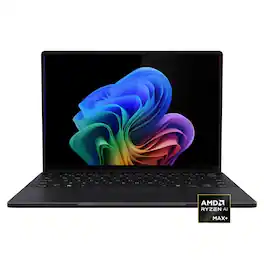
ASUS - ProArt PX13 13.3" 3K OLED Touchscreen 2-in-1 - AMD Ryzen AI Max+ 388 2026 - 32GB Memory - 512GB Storage - Copilot+ PC - Nano Black

Model: HN7306EA-PA/PX13_90
SKU: 6671013
Sold byBest Buy

Customers are saying

Customers highly value the product's exceptional processor speed, stunning OLED display quality, and overall strong performance, which is complemented by its excellent build quality and portability. They also appreciate the generous port selection and ample RAM. However, customers frequently mention the locked 60Hz refresh rate and limited storage capacity as downsides. Other concerns include noticeable fan noise during heavy use and a relatively short battery life.

Generated by AI based on customer reviews.
See it in-store: Roseville has a demo model on display.

Highlights

Features
  • Create Faster on a Windows 11 Home Copilot+ PC

    Copilot+ on Windows 11 Home brings AI into your creative flow. Quickly find clips, get smart summaries, and manage tasks with ease so you can spend less time organizing and more time shooting, editing, and creating on the go.

  • Create in True Color on the ASUS Lumina OLED 3K Touch Screen

    The Pantone-validated ASUS Lumina OLED 3K touchscreen with full DCI-P3 coverage shows true color and crisp detail. Stylus support and DialPad controls make trimming, grading, and fine tuning feel natural.

  • Unstoppable Power with AMD Ryzen AI Max+ 388

    The AMD Ryzen AI Max+ 388 processor at 85W TDP with up to 50 TOPS and pro grade graphics delivers smooth 4K multi layer edits even when your footage gets wild. Shoot hard, edit fast, keep moving.

  • Unleash Next-Level Graphics Performance

    Push creative limits with the AMD Ryzen AI Max+ 388 and its advanced graphical capabilities, delivering 7.4x faster Stable Diffusion image generation, 1.8x faster GPU accelerated editing in Premiere Pro, and 2.4x faster Blender rendering, and more*.

  • 32GB LPDDR5X Unified Memory at 8000 MHz

    With 32GB of ultra fast LPDDR5X, ProArt PX13 handles demanding creative work, from high resolution action edits to multi app workflows, with smooth performance and room to create.

  • 512GB Super-Fast PCIe 4.0 Storage

    Equipped with a 512GB PCIe 4.0 SSD, the system delivers accelerated data throughput, reduced latency, and faster read/write operations compared to PCIe 3.0 — enabling quick boot times, rapid application loading, and efficient file handling for demanding workloads.

  • Flip, Sketch, Create 360-degree Versatility

    The 360-degree convertible design allows you to seamlessly switch between clamshell, tent, and tablet modes. This adaptable form factor lets you sketch, write, or edit naturally in any environment, instantly adapting to your drafting and creative flow.

  • Studio On The Go, Built For The Grind

    Weighing just 3.06 lb and featuring scratch-resistant Corning Gorilla Glass for screen protection, this device is tested to military-grade standards. It is built for mobility and reliability on location, ready to withstand travel and outdoor shoots.

  • Immersive Audio Clarity by Harman Kardon

    Featuring a Harman Kardon stereo system and immersive Dolby Atmos technology, the three-mic array delivers exceptionally clear, enveloping sound, adding realism and precision to your audio and video creations.

  • Professional Ports No Dongles Needed

    Stay ready to offload, review, and connect with a full lineup of creator friendly ports. Dual 40 Gbps USB 4.0 Type C with power delivery and display support, USB 3.2 Gen 2 Type A, HDMI 2.1 FRL, and a fast Micro SD 4.0 card reader keep your workflow smooth without carrying extra adapters.

  • Kickstart Your Creativity with Pro Software Included

    Unlock premium value with a 6-month free subscription to CapCut and a 3-month free subscription to Adobe Creative Cloud to jumpstart your professional creative journey.

  • Seamless Workflow with Exclusive ASUS Apps

    Gain total mastery over your workflow using the ASUS creative ecosystem. Utilize the haptic control of the ASUS DialPad and manage performance with ProArt Creator Hub, while AI apps like MuseTree and StoryCube streamline idea mapping and media management for maximum efficiency.

  • Creator Pro PC

    Creator Pro PCs help you create without compromise ​ with the performance needed for advanced apps, creative ​ workflows, and producing high-quality work.

See all features
Specifications
  • Screen Size
    13.3 inches
    Screen Resolution
    2880 x 1800
    Touch Screen
    Yes
    Refresh Rate
    60Hz
    Brightness
    500 nits
Sponsored

Reviews

Rating 4.5 out of 5 stars with 35 reviews

91% would recommend to a friend
Customers are sayingCustomers highly value the product's exceptional processor speed, stunning OLED display quality, and overall strong performance, which is complemented by its excellent build quality and portability. They also appreciate the generous port selection and ample RAM. However, customers frequently mention the locked 60Hz refresh rate and limited storage capacity as downsides. Other concerns include noticeable fan noise during heavy use and a relatively short battery life.
This summary was generated by AI based on customer reviews.
  • Processor Speed (12)
  • OLED Quality (11)
  • Performance (11)
  • Portability (11)
  • Build Quality (10)
  • Refresh Rate (5)
  • Storage Capacity (5)
  • Fan Noise (4)
  • Battery Life (3)

Customer Images

The vast majority of our reviews come from verified purchases. Reviews from customers may include My Best Buy members, employees, and Tech Insider Network members (as tagged). Select reviewers may receive discounted products, promotional considerations or entries into drawings for honest, helpful reviews.

  • Rated 5 out of 5 stars

    Perfect storm for mobile power users and gamers.

    Fit and finish: This machine comes with a very high end fit and finish that I would put against anything and everything on the market. Metal top, bottom and palm rest. Amazing and clean looking screen (although I wish it were matte) with the perfect resolution for 100% scaling on a 13in laptop (for me at least). I am a Thinkpad user for 25+ years and this is one of the best keyboards I have ever used, and with the 1.7MM travel it blows away the current 1.5 thinkpads with ease. The trackpad is accurate and easy to use, add in the wheel and the features are out of this world! Power: This little machine games like a pro (COD Warzone, WoW, Diablo, and legacy games). Its also a power user workhorse of a laptop. Would the 395 and 64GB of ram have been nice? Sure! but I have yet to run into any taks this sweet machine has had any issue or trouble with. Anything and everything I have thrown at it from gaming, to virtualization to heavy use has been handled with ease and aplomb. Heat: I have worked this rig HARD and for hours upon hours at a time and no matter what I throw at it it stays cool as a cucumber. The warmest spot is the bar above the keyboard nearest the screen and it has only gotten warm to the touch. Never has this gotten uncomfortable to use and I wouldn't fear using it on my lap, although I wouldn't game with it on my lap purely so the airflow wasn't disturbed. The highest I have seen is 80C during gaming and power use simultaneously and without propping up the back end. Thats WELL within reason for any machine let alone a thin, light and small 13in powerhouse. Battery: I have been able to get around 10 hours give or take an hour (9-11hours) depending on screen brightness and keyboard backlight on. This is with wifi on doing reasonable web based tasks including but not limited to videos, email, documents, and web surfing. Comfort: The palmrest and bottom of the laptop is thin and comfortable to use flat or propped up. As mentioned above the keyboard and touchpad are very nice and one of the best I have ever used. I would HIGHLY recommend this laptop to anyone looking for the elusive 13in laptop that isnt a tablet with a folio keyboard and that can actually do work and game.

    Posted by Andrew

  • Rated 5 out of 5 stars

    Performance in a 2-in-1 Design!!!

    The Asus ProArt series laptop is built for people who want some serious creative power at their fingertips, everything from editing videos to everyday multitasking, all in one package ready for whatever you may throw at it. I had come to love the ProArt series of laptops when I received my first one in 2024 the ProArt P16, a beautiful, powerful yet very functional and versatile machine. To this day the P16 is my go-to laptop for anything, but that might change now. Introduction the new Asus ProArt PX13, a more compact and highly portable powerhouse. So, lets get right into what the new Asus ProArt PX13 has to offer. As Tested: 13.3 in 3K Touchscreen OLED Display (2-in-1) 32 GB Memory 512 GB Storage AMD Ryzen AI Max+ Processor AMD Radeon Graphics H: .7 in W: 11.74 in D:8.26 in Weight: 3.06 pounds The Asus ProArt Px13 is a powerful machine packaged into a small form factor. From its Ryzen AI Max+ processor to its gorgeous 3K display, it focuses on creative work with portability. Having tested out both the P16 (16 inches) and the PX13 (13.3 inches), the difference I noticed between the two laptops besides the PX13 being a bit faster than my older P16, was the form factor and the 2-in-1 mode. The PX13 is easier to carry around and being creative, drawing, taking notes was just easier on the PX13 converted into the tablet mode. They both come with a 200-w charging brick but can also be charged using a USB-C charger. Display: The 13.3-inch OLED display is just absolutely gorgeous on the PX13. It offers 2880x1800 touchscreen resolution with 60hz refresh rate with 500 nits of brightness. The OLED panels already have a strong reputation for richer and brighter colors and deep blacks, and this one really fits that mold, so images feel rich and detailed instead of flat or washed out. The touchscreen and 2-in-1 design also add real flexibility, especially if you like switching between laptop and tablet mode for sketching, note-taking, or quick edits, also having a stylus really helps. Now, the 60hz refresh rate might throw some people off, but you have to keep in mind that the ProArt series is geared more towards creativity/productivity where you necessarily don’t need the higher refresh rate but more of a higher resolution and better and brighter colors. Performance: Performance has always been a strong point of the ProArt series. I was really impressed when I tested out the P16 and even more after I tested out the PX13. The new Ryzen AI Max+ 388 handles multitasking really well, and the 32GB of unified memory helps keep everything running smoothly even when you’ve got a lot going on at once. The new AMD Ryzen processor in the PX13 is a powerful processor designed for thin and lightweight workstations featuring 8-cores/16 threads with a base clock speed of 3 GHz and Max Boost clock speed of up to 5 GHz. I ran Adobe photoshop and Premiere pro editing some photos and videos with no issues at all. The 32GB of unified memory in the PX13 is one of the things that really helps it feel fast and well-balanced. Because the memory is shared across the system, graphics, and AI-related tasks, the laptop can handle multitasking more efficiently and stay responsive even when you have a lot going on. It also gives you plenty of headroom for creative work, so things like editing, large browser sessions, and running multiple apps at once feel way smoother. Dialpad: The Asus Dialpad that is integrated into the touch pad comes in really handy with the creative work, letting you move precisely through a video timeline, zooming in and out, or just simply turning the volume up and down. The Dialpad can be customized to your liking in the Asus Dialpad app. Ports: Proprietary Asus Charging port HMDI 2.1 1 USB-A 2 X USB-C 4 Audio Jack Micro SD Slot Connectivity: WIFI 7 and Bluetooth Storage: The PX13 is equipped with a PCIe 4.0 SSD which helps the laptop boot quickly, open apps fast, and keep the whole system feeling snappy during everyday use. For creative work, that kind of storage speed also matters when you’re loading project files or moving large media folders. The only real downside of the PX13 is the 512GB of storage because for people dealing with large project files and keeping tons of raw photos the space can start to fill up pretty fast. I am not sure if there is another model available with larger storage capacity, but the PX13 does not have an available slot for expandable memory. Conclusion: Overall, the Asus ProArt Px13 is an amazing laptop. It combines power, a breath-taking display, portability and very handy 2-in-1 design for people who crave power and portability. I would definitely recommend this laptop for any creative individual out there.

    Posted by Hmirza

  • Rated 5 out of 5 stars

    Portable & Powerful Creativity Workstation

    Longtime owner of many various ASUS products over the past 10+ years. This is my first time venturing into the foray of the ProArt lineup and with this laptop and I am very satisfied with my daily usage of it so far with 5 days in as of May, 25, 2026. -- Design -- To me, this laptop is thin, has a compact sleek look and the nano black color fits it perfect for a 13.3 inch 2 in 1 laptop/tablet with its sturdy premium chassis. This would be ideal for users/creators who want power but do not want to carry a large workstation laptop everyday. Ergonomics feel great, smooth strong hinges from laptop to tablet and back to laptop converting. the only small minor thing I wish was front and center and noticeable is the LED indicator lights such as the SSD (formerly known as the HDD) Indicator LED was more pronounced and shown to the user and the charging indicator LED light. The SSD LED helps if Windows ever happens to freeze and your curious if the SSD is doing something such as installing updates, working in the background, etc. Same with the charging, if I was in a rush and wanted to glance for a second from a far distance to see if the charging LED color has changed to a solid color of some sorts stating the laptop is charged, I can unhook and im ready to rush out the door and be worry free if my laptop is charged all the way or not. Now to the convertible part, the flipping the screen back into tablet mode is really cool. I like how I can bring up Photoshop, or even the old trusty Microsoft Paint and use my finger or even a stylus I had laying around to draw and create/dabble a picture or even take some notes if im in the middle of a meeting. -- Display -- The screen on this laptop is a awesome 13.3 inch. slick looking OLED. Its beautiful looking at anything on the OLED with its deep blacks and colors that just punch. Upon looking in the settings, it shows it capped at 60Hz refresh rate which does not affect me any. If you worry about content/games being to big on this small screen, I assure you, don't be as the screen and resolution set at 2880 x 1800 and to me, it feels just as if I was on a 16 inch laptop. A big win to ASUS for this and most appreciated for content creation, media consumption and light game playing. -- Performance -- To me, this laptop feels like one of the most powerful 13.3 inch laptops out there today. With its AMD Ryzen AI Max+ 388 processor that has a integrated Radeon 8060s. I tried out Hogwarts Legacy, by default, everything was set to ultra automatically in graphics with it detecting the benchmarks inside the game, I was getting about 45-48FPS, I dropped it down to medium and was getting a steady 55FPS. Not to bad. 2nd game I tried was Cyberpunk 2077 with RT on, got around 35-38FPS then I used the Steam Deck preset option in the graphics settings and the game ran great. Sure this laptop and its specs is more beefier then the Steam Deck, however, if your looking for a dedicated gaming laptop to play the newest and latest games on ultra high settings, yeah... this is not gonna be for you. It is decent enough for gaming but on low/mid settings at best. Again, the name of the laptop is "ProArt", its Radeon 8060s is geared more towards "Art" related such as art creation, content creation with video editing, design app/programs such as Adobe Photoshop/Premier Pro, AI tool's processing in the background, 3D Rendering, if a user has most of these open and doing these such things, the strong multi-core processor in this helps keep that workflow moving smoothly along with that 32gb of memory. It's nice. -- Connectivity -- For charging, this has a proprietary square plug for the charging port on the left side, then it has its fair selection of ports on the sides. The port selection is ok here starting on the left side of the laptop, (1) USB 4.0 Gen 3 Type-C, (1) HDMI 2.1, (1) 3.5mm combo audio jack. Right Side, (1) USB-C 4.0, 1x USB-A 3.2, audio jack, then on the right side, you get (1) USB-A 3.2, (1) USB-C Gen 2 card reader & the Power Button with LED indicator indicating if the laptop is on or off. Then it has WiFi 7 2×2 with Bluetooth 5.4 (Mediatek MT7925). Didn't have any problems with WiFi what so ever -- Interface -- The keyboard layout is spacious but compact, typing on this feels ok with decent feedback and very quiet, may I dare say, quiet actuations. The keys are backlit chiclet with bright and good lighting LED's. The touchpad is not to big, decent size for this size of a laptop. The dialpad in the left corner is neat, I tried it with adjusting volume, scrolling through webpages at the speed that I want it to. I think its pretty useful, especially for any creativity programs you can easily customize to within the ASUS dialpad app to your liking. -- Battery -- Battery life is ok on this, its a 73 Wh, up to 200 W power adapter, USB-C charging up to 100W which I rather would use the included ASUS power adapter for the full quicker charge, 50% in 30 minutes. But using it on battery, I got on 2 occasions with a full charge, I got around 6-8 hours of usage with no gaming, just casual browsing, doing work, playing a video here and there. Then with a 3rd charge with a game running at max settings, 1-2 hour average before the battery is depleted and needs to be recharged again. -- Sound -- I give double thumbs up to ASUS for packing some great sounding speakers in this convertible laptop that has a little punch to them. It can get loud and it's crystal clear. -- Software -- Asus has no bloat pre-installed on here except their programs which is.... MyASUS, ProArt Creator Hub, ScreenXpert, GlideX, MuseTree, StoryCube & CapCut. Basic cut of the mill programs to fully utilize this laptop for its purpose. -- Suggestion -- For the next ProArt line next year, please DO NOT GET RID OF THE LED INDICATOR LIGHTS!... even though the power indicator light is on the right side in the middle of the power button and the battery light indicator is on the left side. It should be more noticeable on the front/top of the keyboard or if needed, put all the lights on the same side for ones like me who are use to seeing these LED's/lights back in the 90's/2000's on PC's and laptops. Put a SSD indicator light also for when the SSD is reading/writing. -- Conclusion-- As im using this as my main laptop, it has a gorgeous display, good keyboard, a handful of useful ports, nice speakers, and performance beast, its a premium must buy. I am looking forward to continue using this for work, creation, casual play while lounging around. ASUS really did a banger job with this premium carefully made laptop!

    Posted by Yancy

  • Rated 5 out of 5 stars

    A Great 2-in-1 Laptop with Creators in Mind

    I recently got my hands on the ASUS ProArt PX13 13.3" 3K OLED Touchscreen 2-in-1 in Nano Black with the new AMD Ryzen AI Max+ 388 processor and 32GB of RAM, and after spending some real time with it, I can honestly say this is one of the most interesting creator focused laptops I’ve used in a while. ASUS clearly designed the ProArt lineup with content creators in mind, but what surprised me most was just how versatile this little machine ended up being. Right out of the box, this laptop has that premium feel. The metal top lid feels sturdy and sleek with that clean professional look with the ProArt design, while the plastic bottom helps keep the overall weight down without making it feel cheap. The Nano Black finish looks incredibly clean and modern, although it will collect a lot of fingerprints, so keep a microfiber cloth nearby. Inside the box, setup was straightforward, but one thing I immediately noticed was the lack of a stylus pen. Since this laptop is a foldable 2-in-1 touchscreen device, I really wish ASUS had included one in the package, especially at this price point. It feels like a missed opportunity because this laptop practically begs to be used for sketching, note taking, or editing directly on screen. One of my favorite things about the PX13 is the flexibility of the design. Being able to fold it completely back into tablet mode is genuinely a useful feature to have. I found myself using it in tent mode while watching videos, tablet mode for casually browsing/scrolling. The touchscreen itself is very responsive and smooth, and the hinges feel solid without being overly stiff. The display is easily one of the standout features. The 13.3in 3K OLED touchscreen looks absolutely gorgeous. Colors are vibrant, blacks are incredibly deep, and HDR content really stands out. Whether I was editing shorts, watching YouTube videos, or just browsing, the OLED screen truly stood out. The sharpness of the 3K resolution also makes text and timelines look crisp and detailed without scaling issues becoming annoying. That being said this screen is only 60Hz and would have loved it to be at least 120Hz, for those who like to game at high refresh rates and for a just a better scrolling experience. Performance wise, the AMD Ryzen AI Max+ 388 paired with 32GB of RAM absolutely flies through creative workloads. I had multiple Chrome tabs open, CapCut running, music in the background, and photo editing software all going at once without slowdown. The extra AI processing capabilities also tie directly into ASUS’s growing AI ecosystem of apps, which honestly ended up being more useful than I expected. ASUS bundles several applications that actually feel meaningful instead of just being bloatware ( though there are some bloatware apps that should be uninstalled). ProArt Creator Hub lets you monitor performance profiles, color settings, and system optimizations all in one place. MuseTree was surprisingly fun to play around with for generating AI images and creative inspiration concepts. StoryCube uses AI to organize photo and video albums automatically, which became useful when sorting through large batches of content. One feature I ended up loving was the ASUS Dial and Control Panel integration. ASUS has a virtual dial directly into the trackpad that can be customized for shortcuts and macros in supported applications and can be toggled on and off by swiping your finger from the top right corner. I mainly used it while editing shorts in CapCut, so I could slowly scrub through my timeline to edit certain parts out. It’s one of those features that sounds gimmicky at first until you actually start using it consistently and customize to your preference. Even though this laptop is clearly built for creators first, I was surprised that it was capable of some gaming. I tested several games on low to medium settings and was averaging around 60 FPS, which is honestly perfectly acceptable for a compact creator laptop like this. No, it’s not replacing a dedicated gaming laptop anytime soon, but for casual gaming sessions after work or while traveling, it handled much better than I expected. The keyboard is another area ASUS nailed. Typing on this thing feels excellent. The keys have a satisfying amount of travel, they’re responsive, and the overall layout feels comfortable even during longer typing sessions. I spent hours writing and editing without feeling fatigued. The trackpad is also excellent, smooth, responsive, and paired with a very satisfying click response. Gestures worked consistently, and the large surface area made navigation easy. The I/O selection is great for just how compact this laptop is. ASUS managed to include a HDMI 2.1, 2x USB-C 40Gbps ports, 1x USB-A 10Gbps port, MicroSD card slot and a 3.5mm headphone jack. For creators, especially photographers and video editors, having the microSD slot built in is incredibly convenient. The dual high-speed USB-C ports also give plenty of flexibility for docks, storage drives, or external monitors. Another nitpick, comes down to storage with this base model. At this price range, I really expected ASUS to include at least a 1TB SSD standard. Unfortunately, with the current AI hardware boom increasing component costs everywhere, it seems like storage capacity was one of the sacrifices made to keep the system competitive. It’s not a dealbreaker, because it is upgradeable, but it’s definitely something to keep in mind if you work with large video files or photo libraries. Pros Gorgeous 13.3-inch 3K OLED touchscreen display Premium and portable 2-in-1 design Strong performance from the Ryzen AI Max+ 388 32GB RAM handles multitasking effortlessly Excellent creator-focused ASUS software suite ASUS Dial is genuinely useful for editing workflows Great keyboard and responsive trackpad Solid port selection including HDMI 2.1 and dual USB-C 40Gbps Surprisingly capable for casual gaming Touchscreen works very well in tablet mode Cons No stylus included in the box 515 GB SSD Nano Black finish attracts fingerprints easily Gaming performance is limited to lower settings Added Bloatware software 60Hz refresh rate Overall, the ASUS ProArt PX13 13.3" 3K OLED Touchscreen 2-in-1 is a laptop designed specifically for creators in mind who want portability without giving up premium features. The OLED screen is beautiful, the AI-focused software apps actually add value, performance is excellent for big workloads, and the 2-in-1 form factor makes it very versatile. This is just a great laptop, with some minor nit picks, but it gets the job done and that's all you can want out of a laptop.

    Posted by Ian L

  • Rated 5 out of 5 stars

    A Tiny Laptop With Ridiculous Power

    I’ve used a lot of compact creator laptops over the years, but this new ProArt PX13 finally feels like the one that gets it right. ASUS didn’t just upgrade the specs — it genuinely feels like they unlocked what this 13.3" 2‑in‑1 was always meant to be. With the Ryzen AI Max 388+ and Radeon 8060S inside, it performs way closer to a full workstation than something I can toss in my backpack. The CPU is the first thing that impressed me. The Ryzen AI Max 388+ handles heavy multitasking, AI tools, and creative apps without the usual stutters I’ve come to expect from smaller laptops. Paired with the Radeon 8060S, the GPU performance is shockingly good. Scrubbing through 4K footage, rendering scenes, or running AI‑assisted edits all feels smooth and responsive. The display is another highlight. The 13.3" 3K OLED panel is gorgeous — rich colors, deep blacks, and accuracy I can trust thanks to the 100% P3 coverage and Pantone validation. If you do any color‑sensitive work, this screen gives you confidence that what you’re seeing is correct. I also love how flexible the PX13 is. The 360° hinge makes it easy to switch between laptop mode for editing, tablet mode for sketching, or tent mode for watching content. Stylus input feels natural, which is great for quick sketches or jotting down ideas. Thermals are better than I expected for a 13" chassis, though you’ll definitely feel the heat during long GPU‑heavy sessions. Battery life is solid for an OLED creator laptop, but if you’re pushing AI or GPU tasks, keep the charger nearby. Overall, this configuration turns the ProArt PX13 into a tiny powerhouse. It’s one of the few ultra‑portable devices I’ve used that can handle real creative workloads without feeling compromised. If you want workstation‑level performance in something lightweight and flexible, this model delivers. Pros: Ryzen AI Max 388+ handles demanding creative and AI tasks with ease 32GBs of Unified 8000Mhz DDR5X Ram Radeon 8060S GPU brings serious power to a compact 2‑in‑1 Beautiful 13.3" 3K OLED display with accurate, Pantone‑validated color Lightweight, premium metal build with a smooth 360° hinge Great for creators who need portability without sacrificing performance Cons: 60Hz refresh rate limits its gaming capabilities Battery drains faster during heavy AI or GPU workloads Small chassis limits sustained thermal performance Limited ports for full studio setups (wish it had a full size SD card Slot) 2230 NVMe Storage tops out at 2TB and is more expensive Final thoughts: If you’re a creator, editor, or digital artist who works everywhere — not just at a desk — this version of the ProArt PX13 is absolutely worth a look. The Ryzen AI Max 388+ and Radeon 8060S combo delivers real workstation‑level power, the OLED display is stunning, and the 2‑in‑1 design adds a ton of flexibility. It’s one of the strongest compact creator laptops you can buy right now.

    Posted by Jaguarone

From the manufacturer

Compare similar products

ASUS - ProArt PX13 13.3" 3K OLED Touchscreen 2-in-1 - AMD Ryzen AI Max+ 388 2026 - 32GB Memory - 512GB Storage - Copilot+ PC - Nano Black
4.5(35)

Meet the ASUS ProArt PX13, your ultimate portable studio. Experience uncompromised power from the next-gen AMD Ryzen AI processor and ample unified memory for seamless AI workflows and video editing. Enjoy versatile creation anywhere with the 360-degree convertible design, while the Studio-grade ASUS Lumina OLED touchscreen delivers professional color accuracy you can trust. Ultra-light and built to military-grade standards, the PX13 is ultra-portable and ready for reliable creation on the go, supported by creator-focused AI apps like MuseTree and StoryCube.
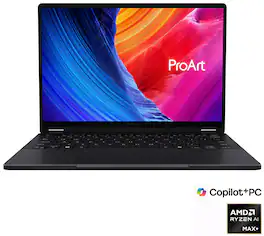
ASUS - ProArt PX13 13" 3K OLED Touch Screen Laptop - Copilot+ PC - AMD Ryzen AI 9 HX 370 - 32GB Memory - RTX 4050 - 1TB SSD - Nano Black

Meet ProArt PX13 – your go-to 13-inch convertible laptop, designed to effortlessly switch between forms, ready to fuel your creative passion whenever inspiration strikes. Its OLED touchscreen ensures precise color accuracy for flawless proofing, while versatile I/O ports seamlessly connect all your peripherals. This NVIDIA Studio-validated laptop packs GeForce RTX 4050 Laptop GPU and up to a 50 TOPS AMD Ryzen AI 9 HX 370 processor, a pairing that will supercharge all your creative endeavors. With AI-enhanced creative features, military-grade toughness, and a long-lasting battery, ProArt PX13 transforms any setting into your studio.

ASUS - ProArt PZ14 14" 3K OLED Touchscreen Laptop - Snapdragon X2 Elite (2026) - 16GB Memory - 512GB Storage - Copilot+ PC - Nano Black
4.0(1)

ProArt PZ14 is a Copilot+ PC built for AI‑powered creativity. Featuring an 18‑core Snapdragon X2 Elite processor with up to 80 NPU TOPS, it delivers smooth, intelligent performance for modern workflows. Create and view with precision on the 144 Hz ASUS Lumina Pro OLED touchscreen, work flexibly with a detachable Bluetooth keyboard and stand cover, and simplify your process with ASUS AI apps. With a slim, lightweight design and IP52 water and dust resistance, ProArt PZ14 is ready to create anywhere.

ASUS - ProArt PZ13 13" OLED 3K Detachable Laptop - Copilot+ PC - Snapdragon X Plus - 16GB Memory - 1TB SSD - Nano Black

Meet ProArt PZ13 – your ultimate 2-in-1 creative companion for the studio and on the move. Its OLED touchscreen ensures precise color accuracy for flawless proofing, while versatile I/O ports seamlessly connect all your peripherals. This next-gen AI laptop packs a Snapdragon X Plus 8-core processor with 45 TOPs NPU and Qualcomm X Elite Adreno graphics, a pairing that will supercharge all your creative endeavors. With AI-enhanced creative features and a long-lasting battery, ProArt PZ13 transforms any setting into your studio

Pros for ASUS - ProArt PX13 13.3" 3K OLED Touchscreen 2-in-1 - AMD Ryzen AI Max+ 388 2026 - 32GB Memory - 512GB Storage - Copilot+ PC - Nano Black
Processor Speed, Portability, Build Quality, OLED Quality, PerformancePortability, Processor Speed, Overall Performance, Screen Quality, RAMThere were no pros for this productBuild Quality, Portability, Processor Speed, Battery Life, OLED Display
Cons for ASUS - ProArt PX13 13.3" 3K OLED Touchscreen 2-in-1 - AMD Ryzen AI Max+ 388 2026 - 32GB Memory - 512GB Storage - Copilot+ PC - Nano Black
Refresh Rate, Fan Noise, Battery Life, Storage CapacityBattery Life, Refresh Rate, Fan Noise, Heat DissipationThere were no cons for this productRefresh Rate, Weight, Port Count

Specs

Questions & Answers
  • How many external monitors can this laptop support?

    The ASUS ProArt PX13 (model HN7306EA) laptop can support up to three external monitors simultaneously, in addition to its built-in display. The laptop has two USB 4.0 Gen 3 Type-C ports that support display output and one HDMI 2.1 port for native monitor connections.

    Answered by ASUS Answers
    ASUS Answers response
  • What is the Wattage (100% GPU/CPU) used total? Can it be charged using USB C?

    This specific laptop model has a combined CPU and GPU maximum thermal design power (TDP) of roughly 115 W to 120 W. Yes, the laptop can be charged using a USB-C charger. However, there are limitations, the USB-C port supports up to 100 W of Power Delivery (PD). If you are gaming or rendering videos at 100% capacity, a 100 W USB-C charger will not be able to fully run the laptop on maximum settings. During these heavy tasks, the system may occasionally dip into the battery for extra power. USB-C charger is perfect for charging while the laptop is in sleep mode.

    Answered by ASUS Answers
    ASUS Answers response
  • does it come with the pen? if not what is a compatible one?

    It doesn’t come with a pen unfortunately, Asus sells their own. But it’ll natively support any Microsoft pen protocol stylus.

    Answered by Faiz
  • Does this come with a pen? If not, what pens are compatible and where are they in stock at Best Buy stores?

    It works with my Microsoft Surface pen (but did not work with the Lenovo).

    Answered by Savannah
  • Can It able to work with Linux distros like Fedora KDE, Kali Linux for network and cybersecurity?

Ask a question
No content

Customers often buy these together

Sponsored

Similar products from outside of Best Buy

sponsored
Ask BlueAI

Finance Options

My Best Buy® Credit Card
Choose a benefit:Or
Lease to own

Special Offers

Top Offers
Included with Purchase

Finance Options

My Best Buy® Credit Card
Choose a benefit:Or
Lease to own

Special Offers

Top Offers
Included with Purchase