Customer Ratings & Reviews






















- Model:
- HN7306WU-PX13.R3704050
- SKU:
- 10936937
Rating by feature
- Battery Life
Rating 4.0 out of 5 stars
- Speed
Rating 4.6 out of 5 stars
- Display
Rating 4.7 out of 5 stars
to a friend
Best Ones!
||Posted . Owned for 3 weeks when reviewed.This reviewer received promo considerations or sweepstakes entry for writing a review.Much laptop! Very cool for Art! 10/10 flatties forever!
I would recommend this to a friendBest Buy sold me a non working laptop
||Posted .This reviewer received promo considerations or sweepstakes entry for writing a review.Best Buy sold me a laptop that didnt have to monitor touch sensor working. The laptop didnt come with a stylus and I had to buy one. When i finally got the pen i was 3 days over the "14 day" return limit. I called for just instore credit but thet made me eat the laptop because i wasnt able to identify a broken part. It's terrible Geek Squad refurbished. Broke stillThey don't have a policy on that they can sell you broke items and stabd proud.
I would recommend this to a friendBrand response from ASUS Answers
Posted .Dear DustinM,
Thank you for your comment.
We do understand your dissatisfaction with the quality of the laptop you received from your vendor and the inconvenience this may have caused if the touchscreen is not working . If you need further assistance with this laptop or with warranty for refurbished ASUS products, please email me at cl-rodel@asus.com and I will be more than happy to help. Or you are most welcome to call Product Support Hotline at: 1(888) 678-3688. Also, you can chat with an ASUS live support agent from the link: https://www.asus.com/us/support/article/1135/.
Thank you for choosing an ASUS product.
Regards,
Rodel
ASUS Customer Loyalty
I love the computer, but it was really bad experie
||Posted . Owned for 2 weeks when reviewed.This reviewer received promo considerations or sweepstakes entry for writing a review.I bought this laptop and the first day I used it. It overheated really hot on the top and the bottom and on the screen.
No, I would not recommend this to a friendBrand response from ASUS Answers
Posted .Dear Telmd,
Thank you for bringing this to our attention, and we sincerely apologize for the inconvenience you've experienced with your ASUS HN7306WU laptop. Excessive heat on the first day of use is not expected, and we understand how concerning this can be.
To help resolve the issue, we recommend reviewing the steps in our troubleshooting guide linked below. If the issue continues, please contact our support team at https://www.asus.com/us/support/CallUs so we can assist you further.
We stand behind our products and continuously strive to improve our products and processes to achieve customer service excellence. For more information, email us at customerloyalty@asus.com and include the case number "N2410019634-0020" as a reference. We will do our best to resolve your case quickly. Your feedback is very important to us and enables us to improve our support channels. Thank you for choosing ASUS.
Best Regards,
Chantae
ASUS Customer Loyalty US Support
[Windows 11/10] Troubleshooting - Overheating and Fan issues - https://www.asus.com/support/faq/1015064/

A compelling laptop for the creatives (4.7 stars).
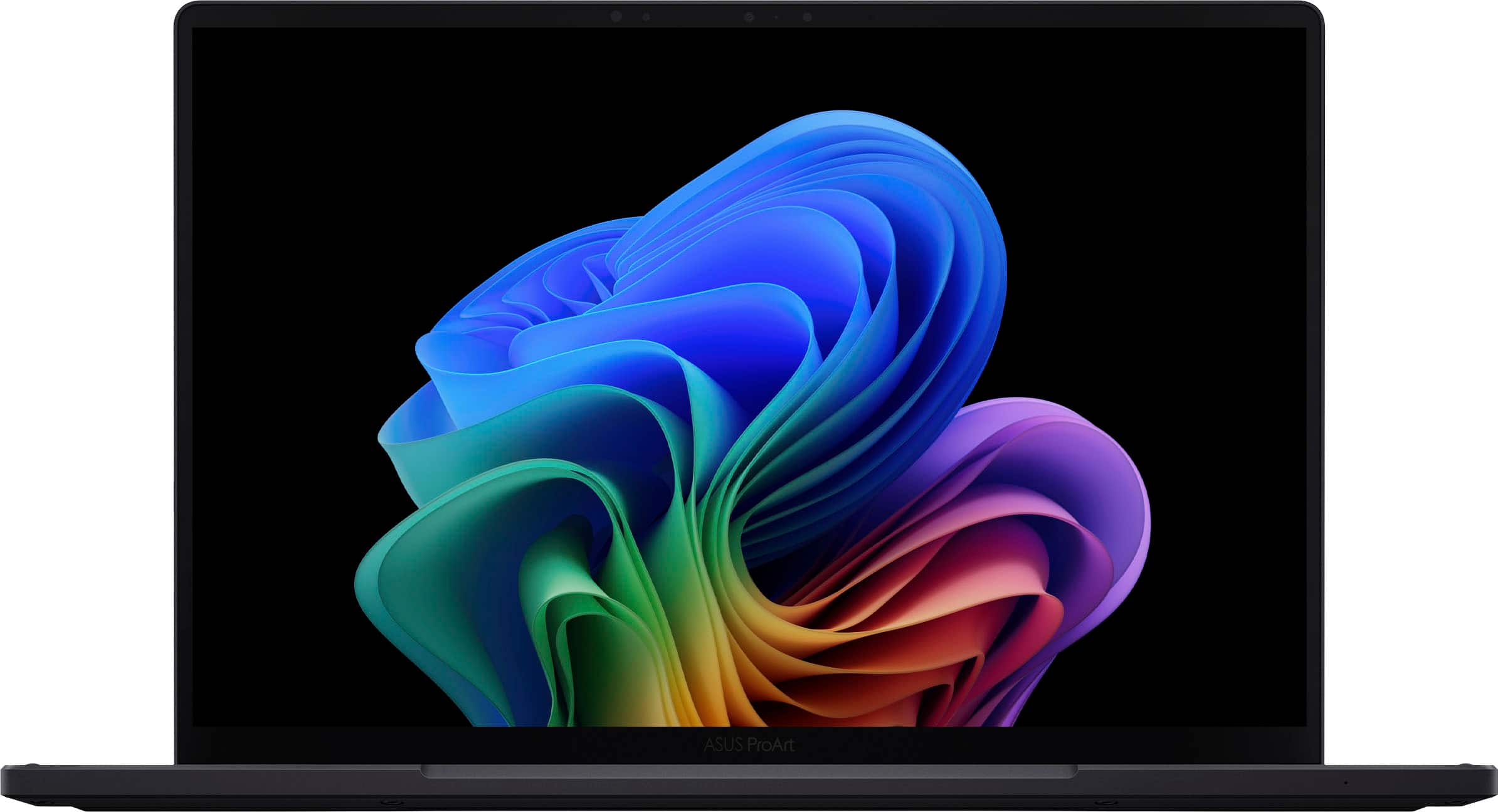
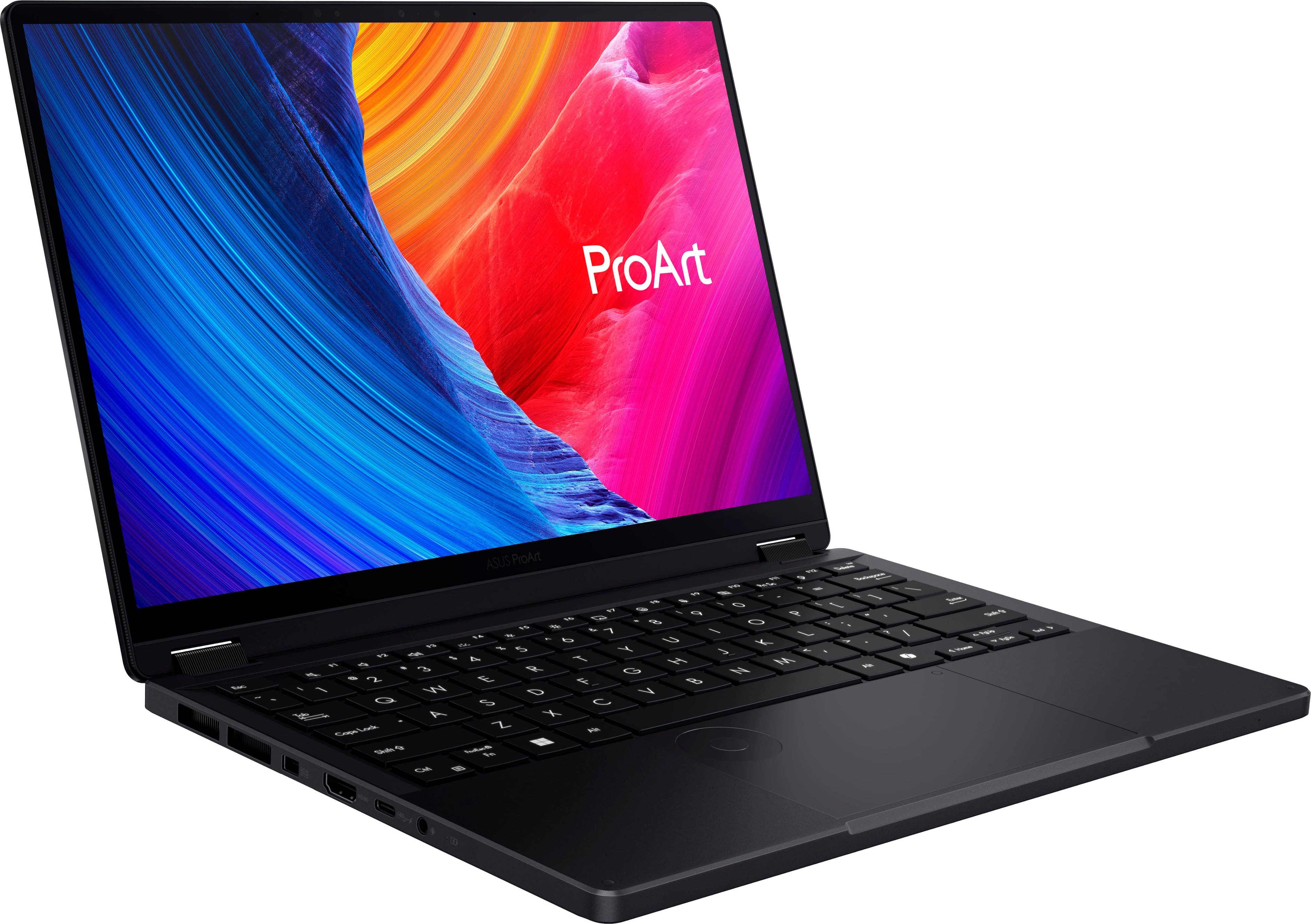
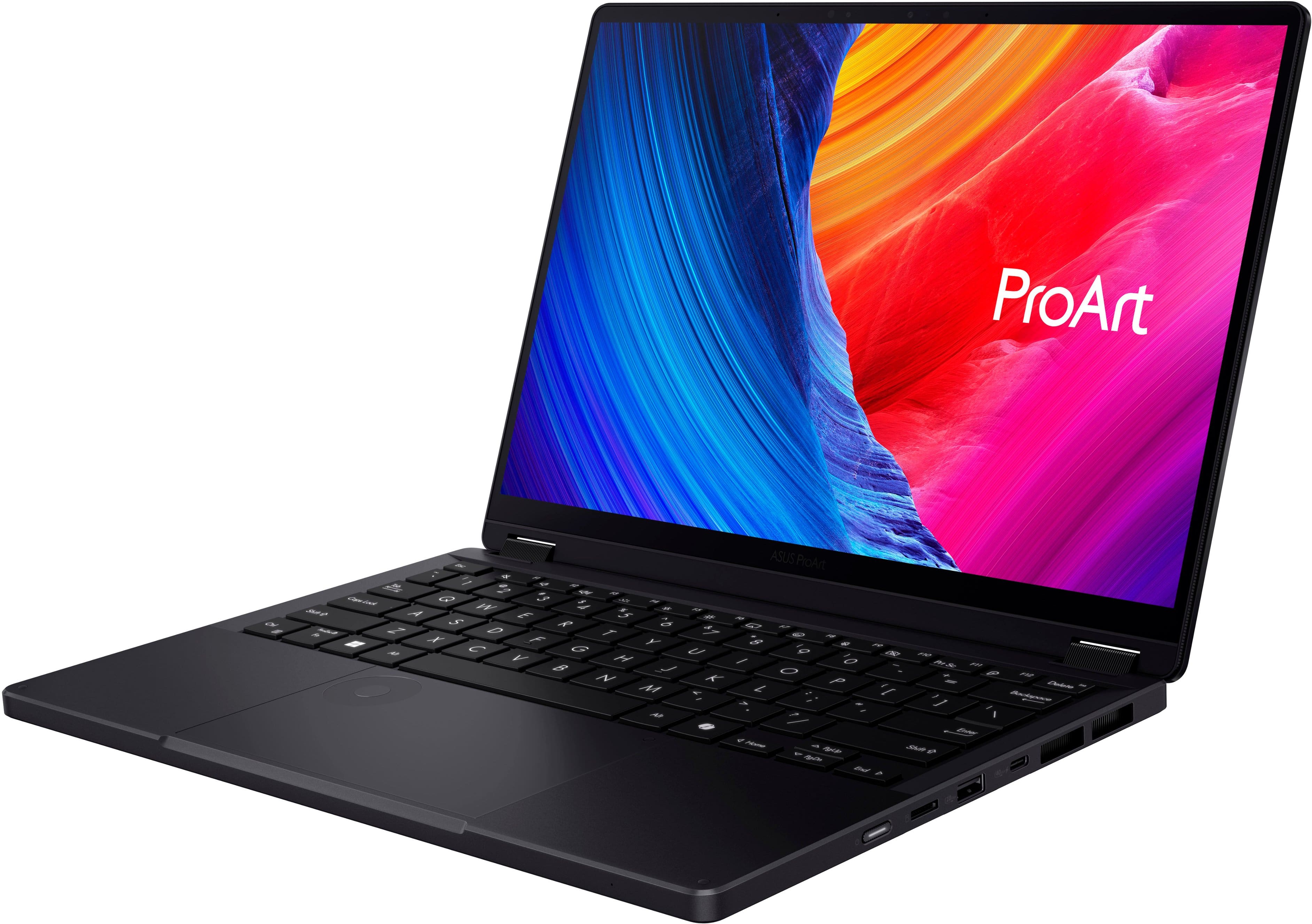
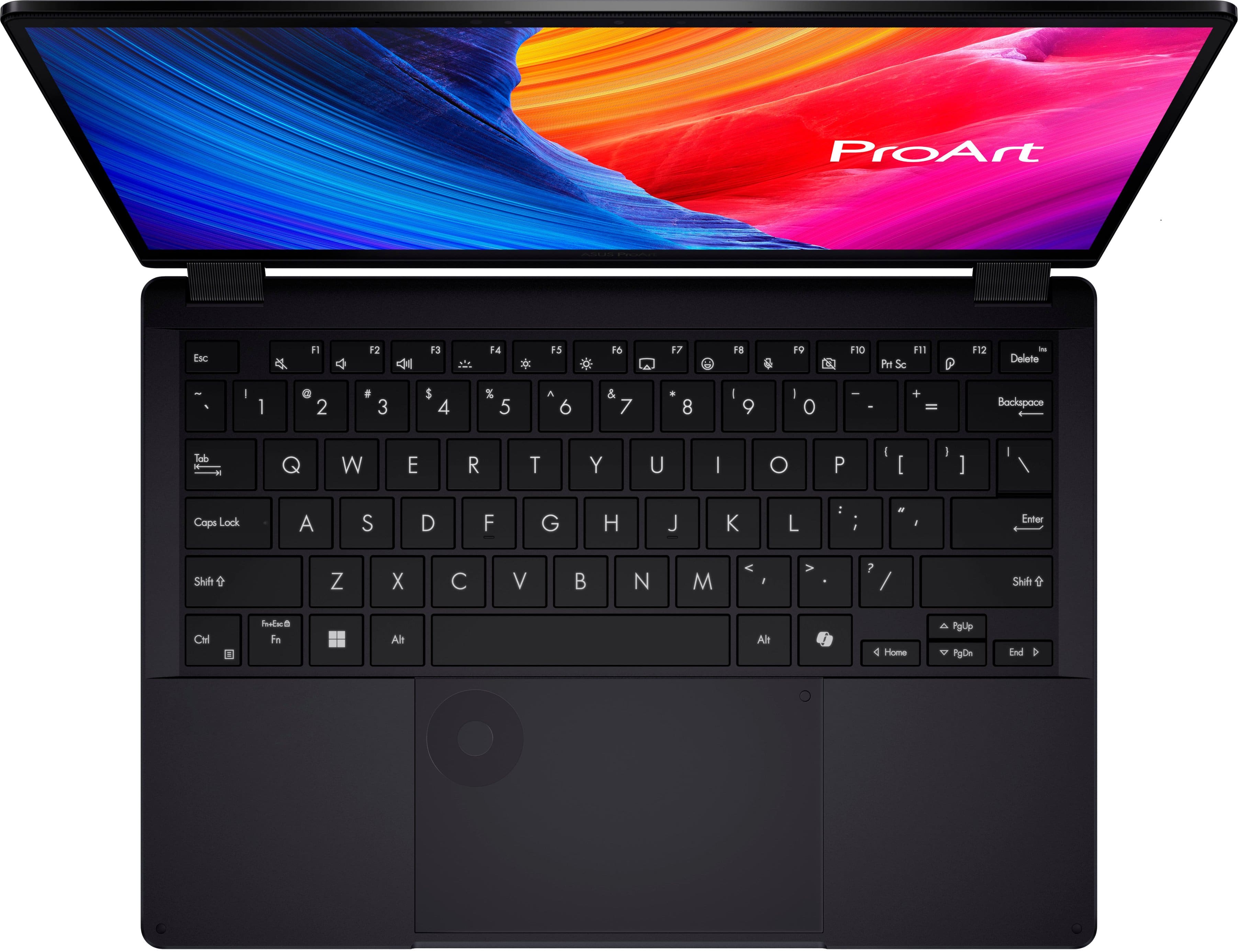
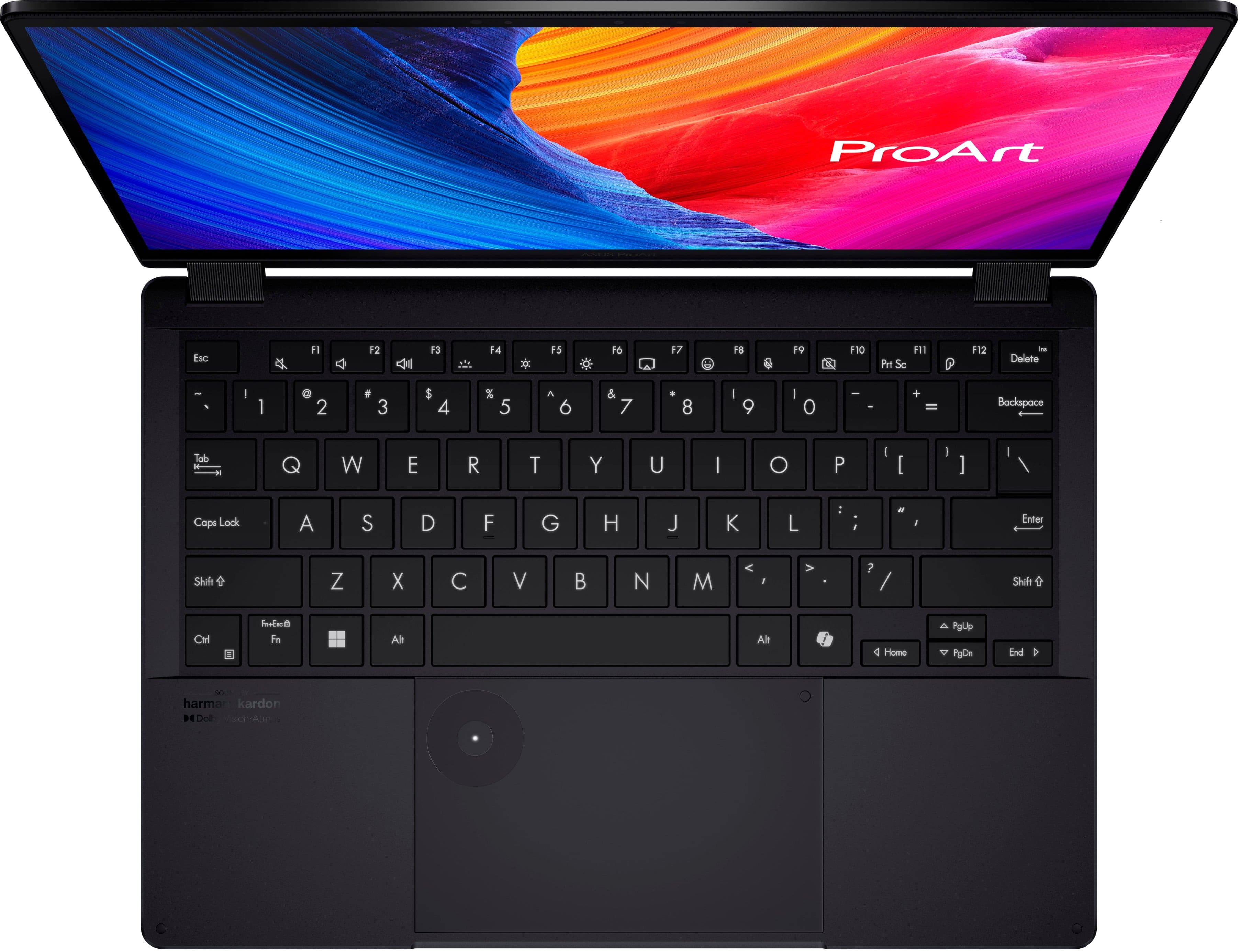
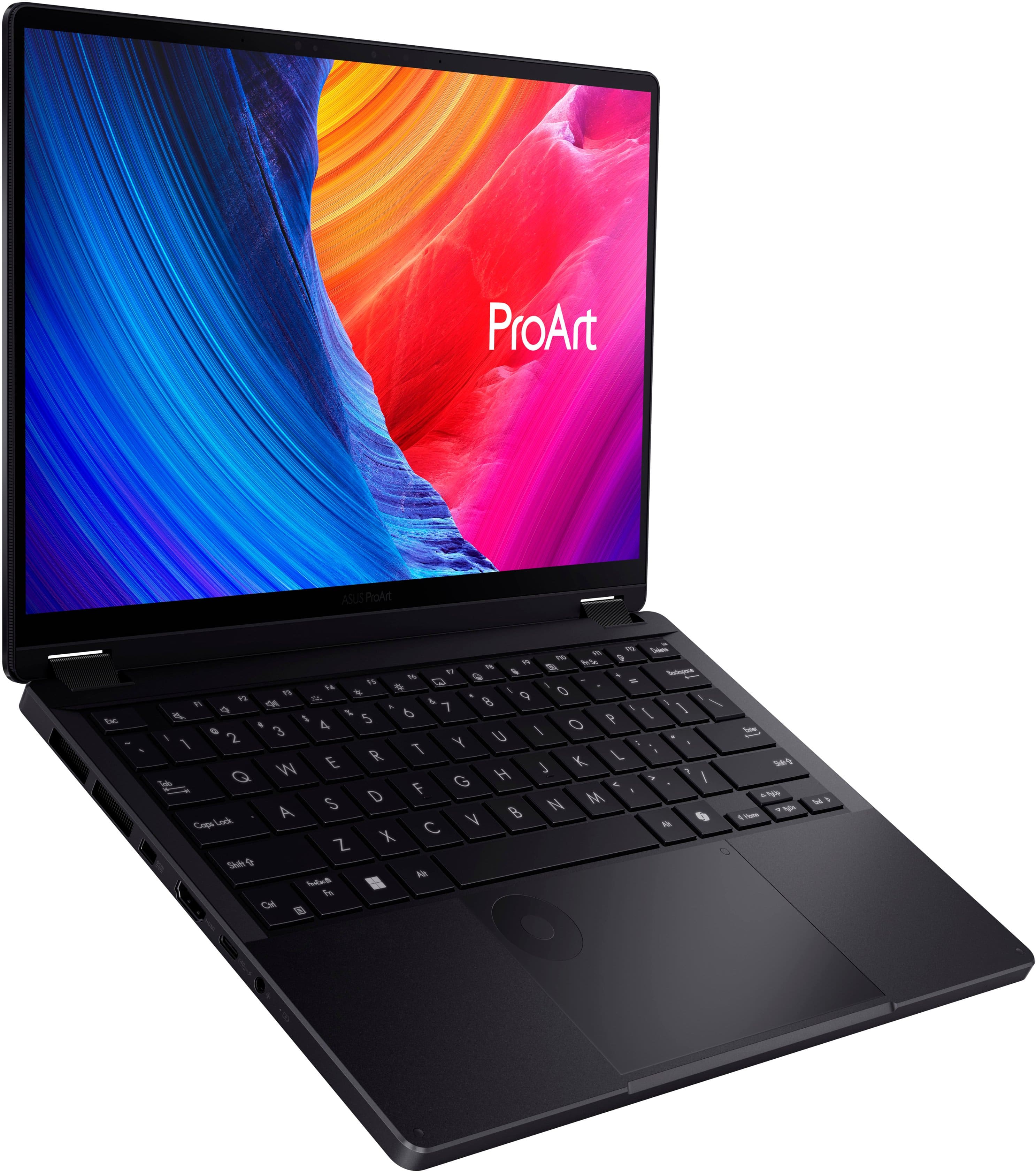
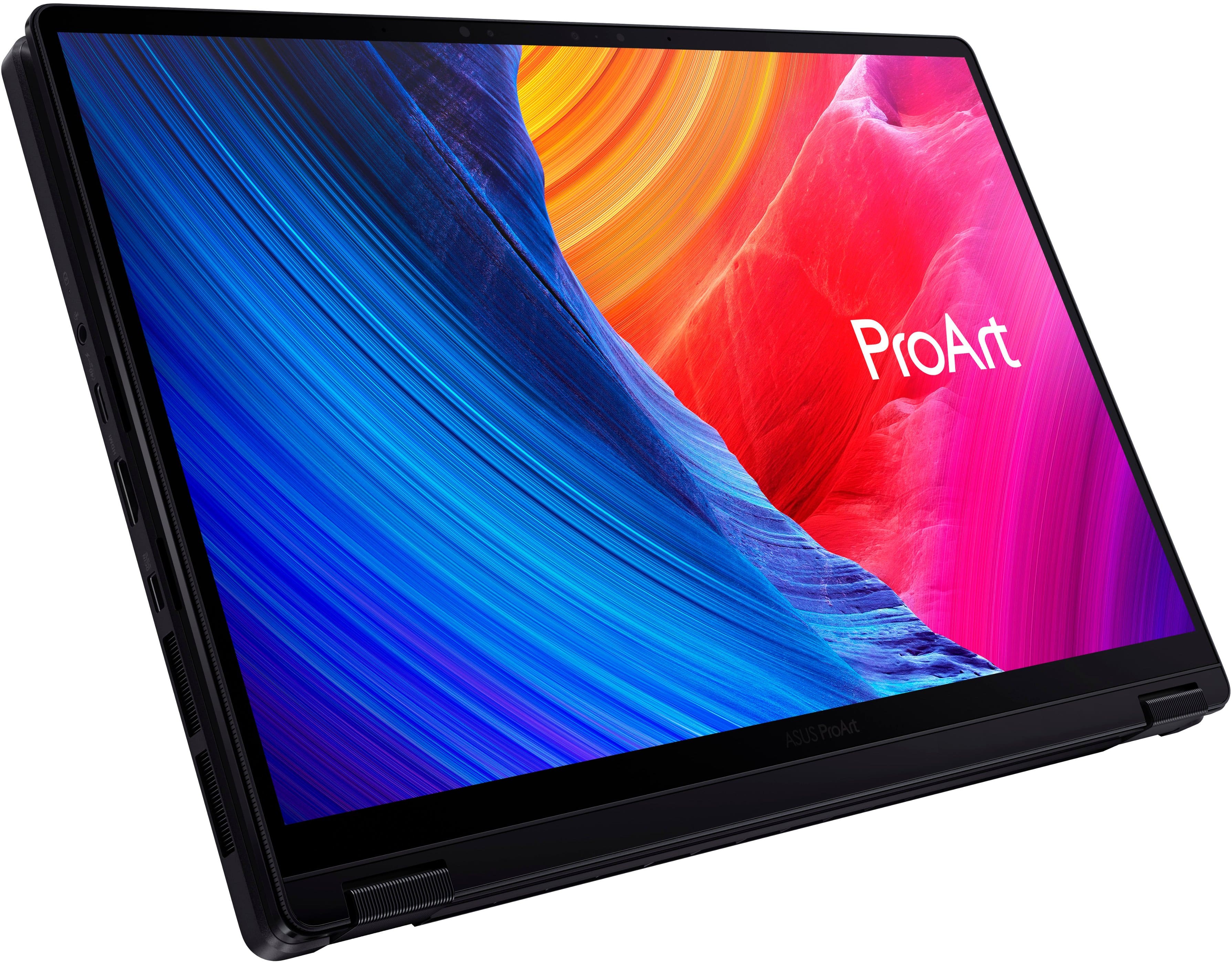
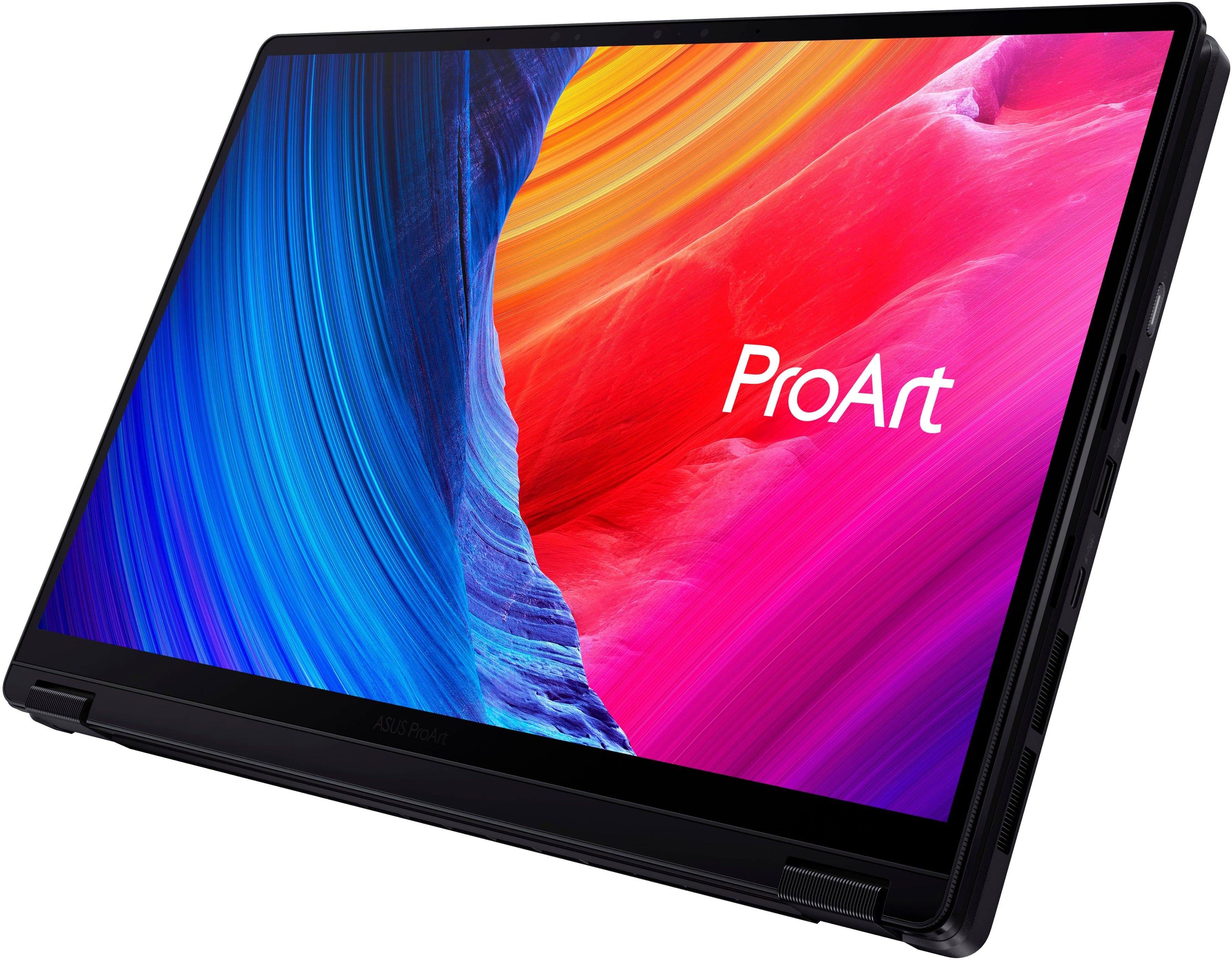
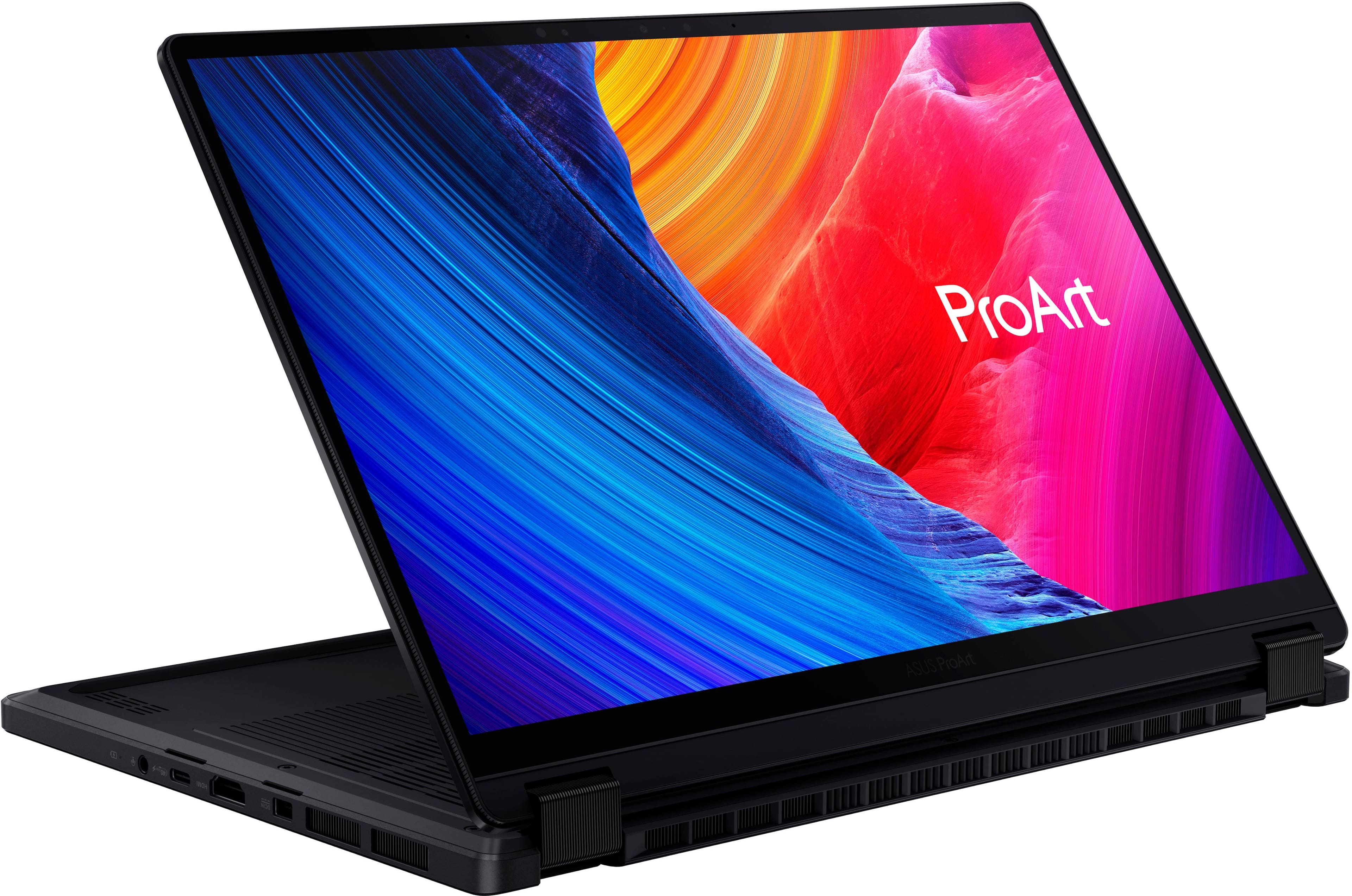
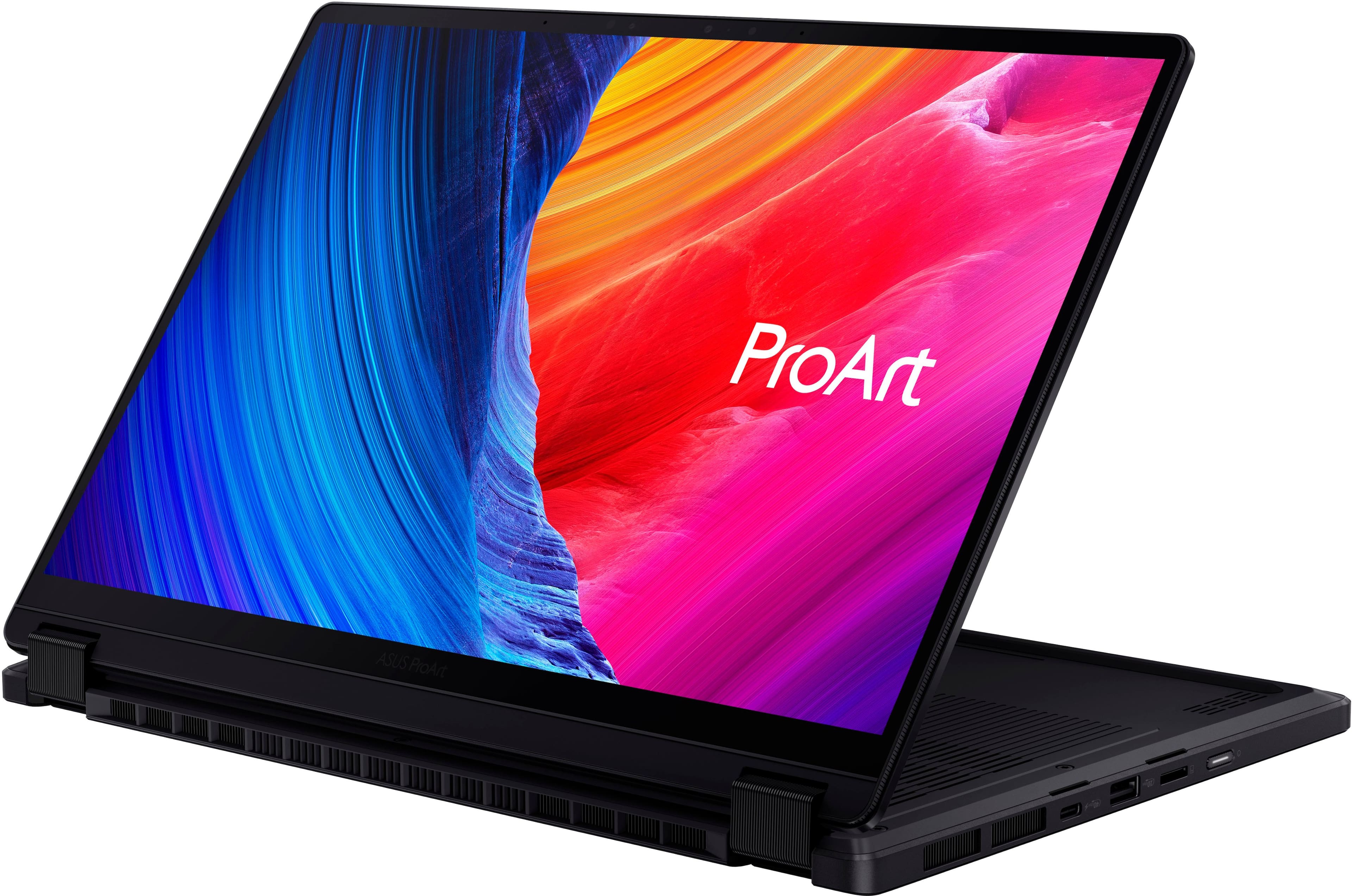
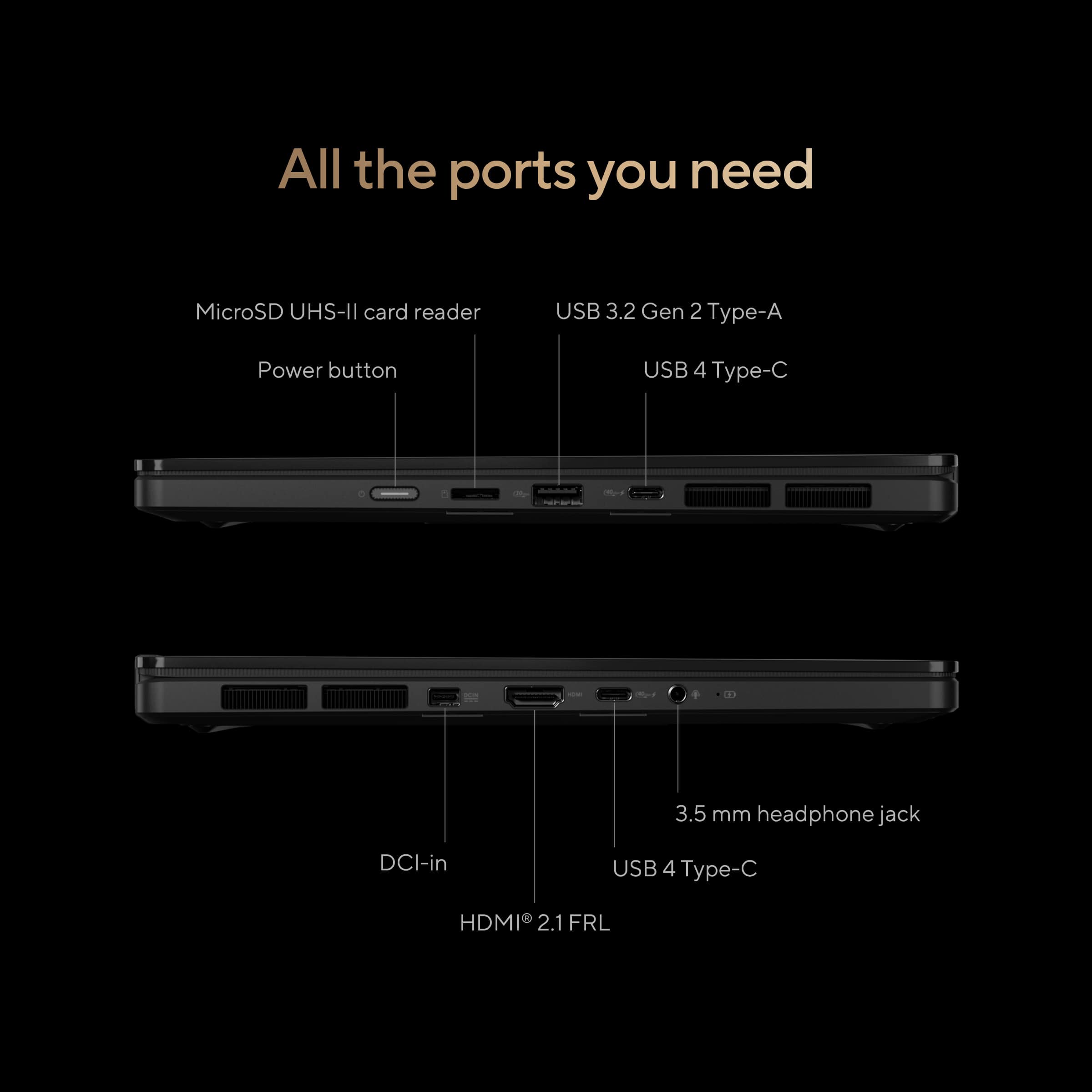
|Posted .This reviewer received promo considerations or sweepstakes entry for writing a review.There’s a lot to love with the PX13 from ASUS. From the minute you take it out of the box the things that strike you first are the industrial design with the sleek matte finish and how light weight this is (feels lighter than my normal daily driver tablet and keyboard case combined). When you power it on and get it to the desktop that OLED screen with it’s razor sharp PPI really shines. I also loved that I can charge it from either side of the chassis - it’s the little things! There’s plenty of features that cater to creatives - from the 360-degree hinge that lets you fold the screen over for easy writing or drawing with the ASUS Pen 2.0 (not included but I had one on hand) and the ASUS Dial which lets you easily swap between functions, apps or tools. Even if you’re not a creative the ASUS Dial is an easy and quick way to quickly change common settings like the volume or screen brightness. There’s also a Pro Art Creator Hub to allow you tweak settings like the fan noise levels, color profiles and [hardware] performance optimization. For entertaining, this laptop also supports Dolby Vision and Dolby Atmos. Watching Netflix Premium on it was a joy and I dare say it seemed sharper and more detailed than what I’m usually using for watching shows or movies on the go. I was worried about the brightness being only 500 nits, but in most cases, I found it more comfortable to have the brightness around 70-80% which also helped with the battery life as well. The only criticism I had about the display was the 60 Hz refresh rate. For basic web browsing I averaged around 6-7 hours of use. It should be noted that I usually have quite a few tabs open so your mileage may vary. The keyboard was pleasant for typing as was the trackpad (I was worried that I would accidentally active or mess with the DialPad but I found during usage it’s enough out of the way where that’s not the case). On the topic of web browsing, I only have a WiFi 6 router and found this laptop to be very snappy while browsing the web. It’s still nice that it comes with WiFi 7 so when I finally do decide to upgrade my router down the line, I’m still relevant in terms of my laptop’s WiFi capabilities. During my usage period, I found that the laptop ran surprisingly cool. The reason I say “surprisingly” for the curious is I saw how many watts the power block for this thing was, while unboxing everything, and I was immediately concerned that heat and/or fan noise were going to be issues. I’m happy to report that unless you really put the laptop under load, fan noise isn’t really an issue - it’s about as loud as say rainfall or a fridge. Heat was not really noticeable unless under load and even then it was modest in my opinion. What could be improved? I mentioned the refresh rate above. The webcam was also just alright. It wasn’t as sharp as I expected for a creator-focused laptop at 1080p. I also wish it came with a full-size SD instead of the MicroSD and the ASUS Pen (along with somewhere to store it). These are all somewhat minor things though and it still comes with a very robust set of I/O’s notably, a USB 3.2 Gen 2 Type-A, some 40Gbps USB 4.0 Gen 3 Type-C ports, an HDMI 2.1, and a 3.5mm audio jack amongst other ports. TLDR; ASUS strikes a lot of the right chords in regards to features, performance and compactness with this one and if I had a friend that was going to college or a creative in the business world looking for a great computer to create their best work, I would recommend this in a heartbeat!
I would recommend this to a friendFreezes up repeatedly and doesn’t function
||Posted . Owned for 1 month when reviewed.This reviewer received promo considerations or sweepstakes entry for writing a review.This machine malfunctioned over and over. While I was working, the screen and keyboard froze and it was not possible to reboot or even turn the machine off. After a few weeks of this occurring daily, I returned it to Best Buy and purchased a different brand of computer.
No, I would not recommend this to a friendBrand response from ASUS Answers
Posted .Dear CountryDoc,
We sincerely apologize for the issues you've faced with the ASUS ProArt PX13 Laptop and for the inconvenience caused. What you've experienced was not intentional or representative of our brand. Our top priority is providing our customers with high-quality products, and we'll forward your feedback to our team for review.
Although you returned the laptop, we stand behind our products and continuously strive to improve our products and processes to achieve customer service excellence. If you require any further assistance, please email us at customerloyalty@asus.com and include the case number "N2410019634-0007" as a reference. We will do our best to resolve your case quickly. Your feedback is very important to us, and it enables us to improve our support channels. Thank you for choosing ASUS.
Best Regards,
Chantae
ASUS Customer Loyalty US Support
Beware Best Buy lies about Open Box item condition
||Posted .This reviewer received promo considerations or sweepstakes entry for writing a review.This is specifically a Best Buy review on this item: Purchased an Open Box, Excellent. Arrived quickly, but missing everything except the computer itself. Returned to Best Buy locally, who insisted that should not have happened. They listed it as available, Open-Box, Excellent within an hour of me returning it. This is blatant false advertising when it states that accessories will be included. It didn't even have a power adapter in the box.
No, I would not recommend this to a friendBrand response from ASUS Answers
Posted .Dear Thomas,
We regret to learn that you ordered an Open Box laptop in excellent condition but all the accessories were missing. This is not the kind of experience we want our customers to have with our resellers and we sincerely apologize for any inconvenience this may have caused you. If you wish to file a formal complaint, we recommend contacting BestBuy customer service.
We do stand behind our products and continuously strive to improve our products and processes to achieve customer service excellence. If you require any further assistance, email us at customerloyalty@asus.com and include the case number " N2410019634-0011" as a reference. We will do our best to resolve your case quickly. Your feedback is very important to us and enables us to improve our support channels. Thank you for choosing ASUS.
Best Regards,
Chantae
ASUS Customer Loyalty US Support
High art
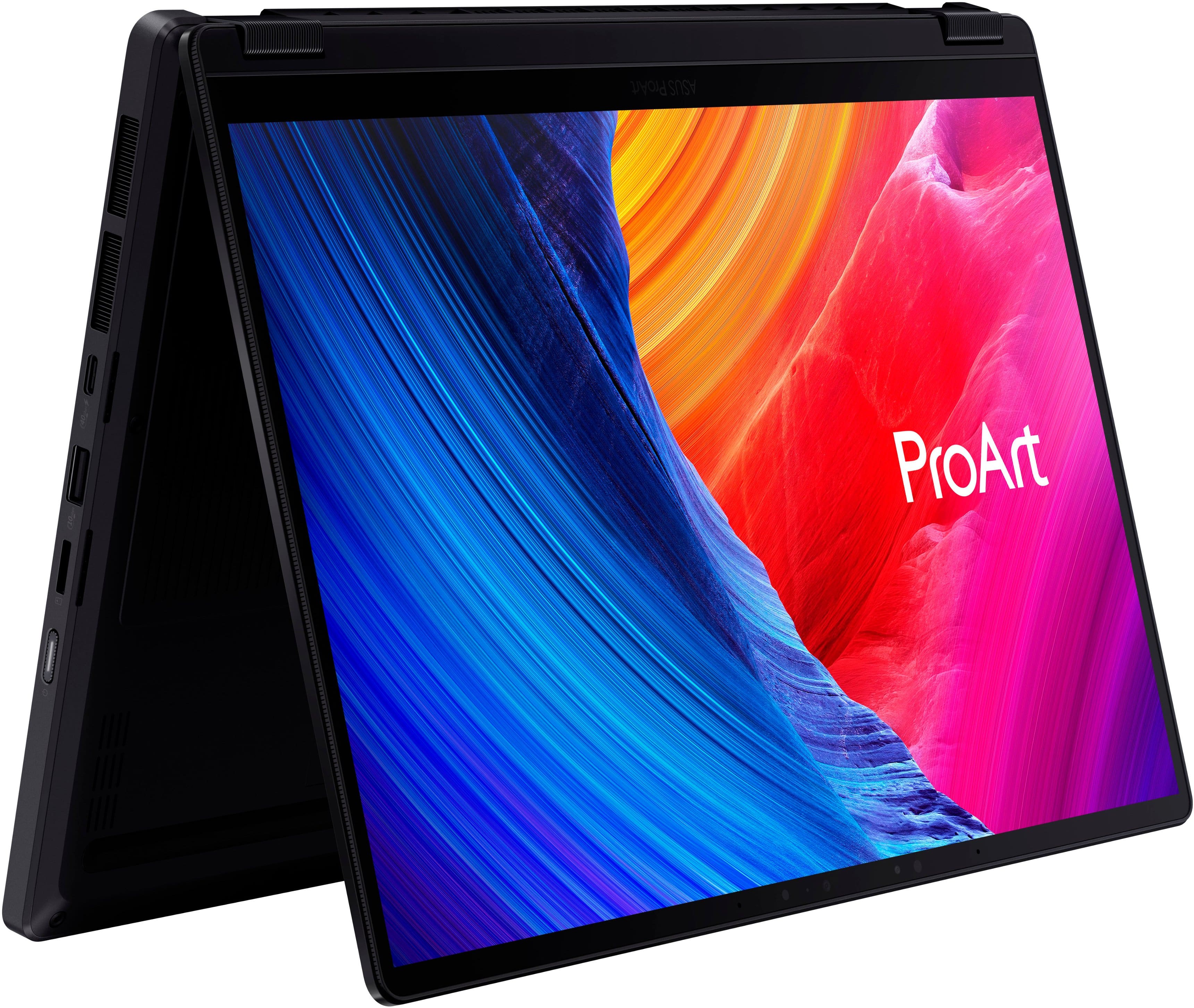
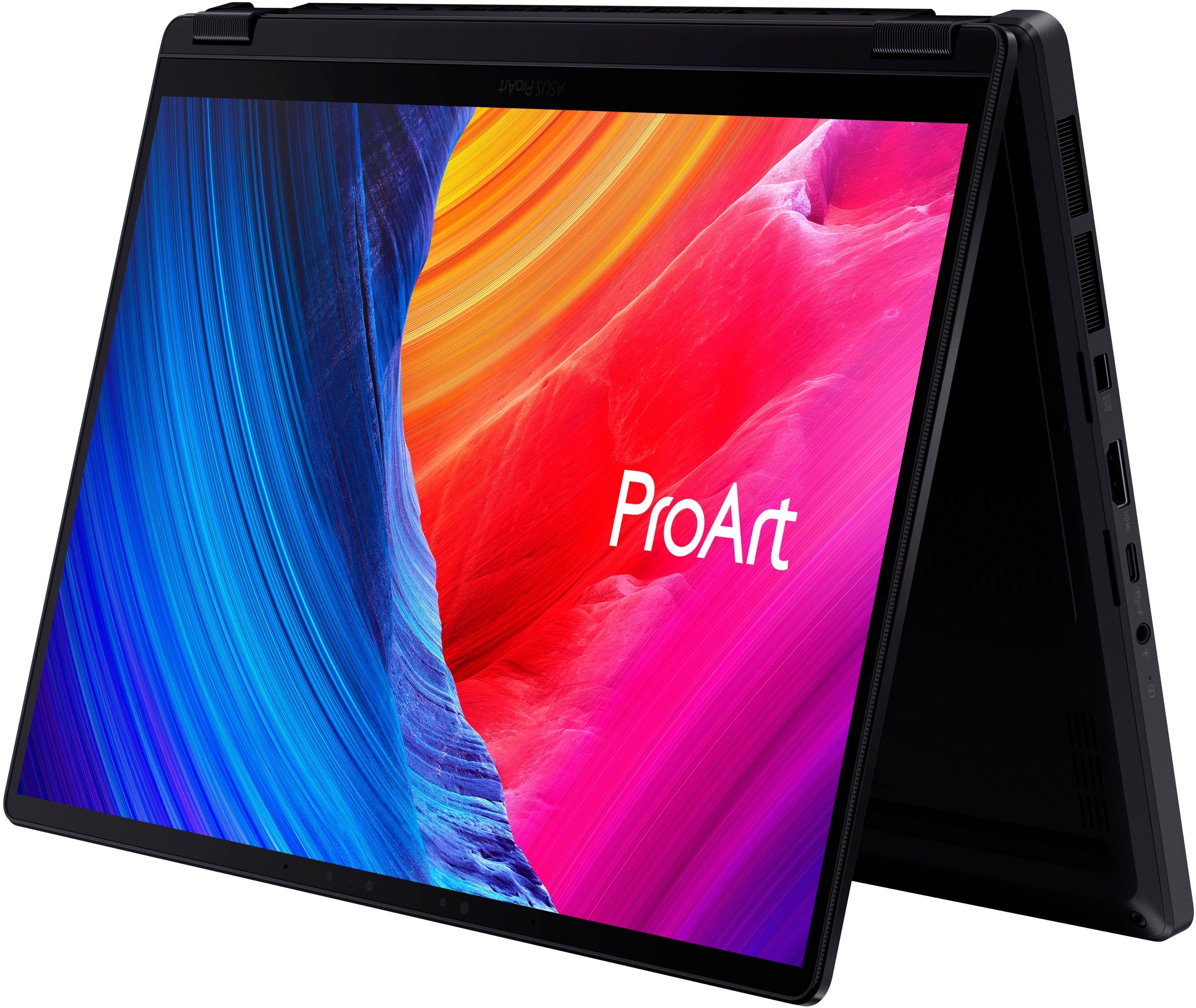
|Posted .This reviewer received promo considerations or sweepstakes entry for writing a review.There’s a lot to unpack here. Not literally but proverbially. Ultimately this is a seemingly new line of laptop by ASUS that is designed for artists and creators so I’ll save you the reading and stress this as hard as I can. This is a fantastic laptop for anyone looking to create art and a very expensive laptop for those that just want to browse the web. Know what you’re getting into up front here. Out of the box, I was impressed. The packaging is sleek, and modern. You know from unboxing alone that you’ve got a high end device that comes with the laptop, charging cord, and stylus. What stuck out to me immediately was that this is kind of the perfect size laptop. It’s very light, thin, incredibly sturdy, and has a large screen. The screen is on a 360 degree hinge so you can use the laptop in a traditional setup, roll the screen back and use it like a laptop, or fold it like a tent. Seeing as there’s a touchscreen in place (which works great), you’ve got plenty of options on the layout you want to use. The keyboard is also backlit which is nice for those of us working in bed. As for external ports, there’s the power port, an HDMI 2.1, and audio jack, a USB-C port, another USB-C port on the other side, a USB-A port, and micro SD card reader. While there’s plenty of selection, I’d imagine a lot of folks would also prefer a full card reader as opposed to only a micro card reader. Either way, the selections are solid. Upon powering up (not that this was a surprise) but the laptop was really quiet. The laptop runs on Windows 11, which is great as that’s been a very strong operating system since launch. You get the Windows programming we all know and love, alongside new features like Passkey and their AI Co-Pilot which are both fantastic tools. What stuck out to me while just operating the laptop was a catch 22 of display power. This version is only 3k, not 4k, which is the first time I’m learning that 3k is even an option, but it only has a 60hz refresh rate which is low and a surprising choice as I’d think 120hz would be the minimum ASUS would want for a laptop designed for creators. All of that said though, the brightness and colors REALLY shine here. The blacks are darker and the colors pop more so while it could be better, and this is probably the area that I’d improve first, it still looks incredible. An interesting feature of the laptop is the dial pad. I’m not heavy into photoshop or content editing so I can fully admit that I don’t anticipate using this as much as others, and while it’s hard to describe via text, the touchpad/mouse that you’re used to on most laptops, has a bonus feature here. In the upper left corner of the touchpad is a literal dial pad that you can spin. It works nearly everywhere on the computer and I mostly goofed off with using it on turning the volume up or down but can’t imagine wanting to use it habitually in the future. Running off an RTX 4050 with 32GB ram, and 1TB storage, this thing really is a beast of speed and processing so thumbs up here. As for sound, it doesn’t blow me away but is stronger than a lot of laptops I’ve had in the past. The laptop also definitely runs on battery and while it’s hard to gauge how long I’d run it, and it’s of course variable by task, I’d estimate around 8 hours of battery life from messing around on this. Lastly, the laptop comes with multiple creator softwares such as CapCut, Storycube, and Musetree. I’m far from an expert in each but they seem a bit more AI based for creating art, storing photos, and imagine/video generation. It’s a nice bonus but I’ll have to dig into this further. All said, from top to bottom this is a top level laptop for creators on the go. You COULD find better speakers, a bigger screen, or faster refresh rates elsewhere, but if you’re looking for an incredibly powerful, quick, user friendly laptop that can do nearly every task at the highest level, this is the computer for you.
I would recommend this to a friendDefective laptop
||Posted .This reviewer received promo considerations or sweepstakes entry for writing a review.Bought for a friend of mine in India but when they opened it the screen is not working and have just dots on them. Since it is a gift to my friend didn’t open up in US and opened up only now in India and found defective. With the return back period over, wondering how can I return while I am back in US only after a month
No, I would not recommend this to a friendBrand response from ASUS Answers
Posted .Dear Bala,
We regret to hear that the ASUS ProArt PX13 Laptop you have purchased has a defective screen, and we apologize for the inconvenience this may have caused you. This is not the kind of quality to expect from our products, and it's not the norm. To further investigate this problem, we recommend contacting our support team directly at https://www.asus.com/us/support/CallUs.
We stand behind our products and continuously strive to improve our products and processes to achieve customer service excellence. For more information, email us at customerloyalty@asus.com and include the case number "N2410019634-0015" as a reference. We will do our best to resolve your case quickly. Your feedback is very important to us and enables us to improve our support channels. Thank you for choosing ASUS.
Best Regards,
Chantae
ASUS Customer Loyalty US Support
Worst laptop
||Posted . Owned for 1 month when reviewed.This reviewer received promo considerations or sweepstakes entry for writing a review.Worst laptop ine er bought. Tha laptop b cones overheated, hang and even shutdown automayically. Its not the os issue, my windows 11 os is up to date. I wish i could return that, but eince i didnt have the bestbuy membership, i couldnt return after 15 days. Never buy this laptop.
No, I would not recommend this to a friendBrand response from ASUS Answers
Posted .Dear Valued Customer,
We sincerely apologize for the system performance and overheating issues you're experiencing with the notebook and for the inconvenience caused. This is not the kind of quality to expect from our products and it's not the norm.
Based on the issues described, we recommend updating the BIOS. Please back up all valuable data before proceeding as this may result in the loss of any current settings, apps, and data. Ensure the unit is plugged in and do not close the lid. The following FAQ below provides the troubleshooting steps.
If you already have the latest BIOS version installed, we recommend reaching out to our support team at https://www.asus.com/us/support/CallUs to further investigate the problems you're experiencing or to assist with getting the device repaired.
We do stand behind our products and we continuously strive to improve our products and processes to achieve customer service excellence. For more information, send us an email at customerloyalty@asus.com and provide the case number "N2410019634-0003" for reference. We’ll do our best to provide a quick resolution to your case. Your feedback is important as it helps with improvements to ASUS Support channels. Thank you for choosing ASUS.
Best Regards,
Chantae
ASUS Customer Loyalty US Support
https://www.asus.com/support/FAQ/1008276/
Not worth the hype
||Posted . Owned for 9 months when reviewed.This reviewer received promo considerations or sweepstakes entry for writing a review.Would not recommend, especially in AMD. I had so many issues with what was supposed to be a top-of-the-line laptop.
No, I would not recommend this to a friendBrand response from ASUS Answers
Posted .Dear BlessingN,
Thank you for sharing your experience with the ASUS HN7306WU Laptop. We sincerely apologize for the difficulties you have encountered with your device, particularly with the AMD configuration.
To further investigate and resolve these concerns, we recommend contacting our dedicated support team directly at: https://www.asus.com/us/support/callus/. Our specialists will provide personalized assistance and guide you through the necessary steps to restore optimal performance.
We stand behind our product and we continuously strive to improve our products and processes in order to achieve customer service excellence. For more information send us an email at customerloyalty@asus.com and provide the case number "N2410019634-0026" for reference. We’ll do our best to provide a quick resolution to your case. Your feedback is important as it helps with improvements to ASUS Support channels. Thank you for choosing ASUS.
Best Regards,
Chantae
ASUS Customer Loyalty US Support
Excellence meets Versatility
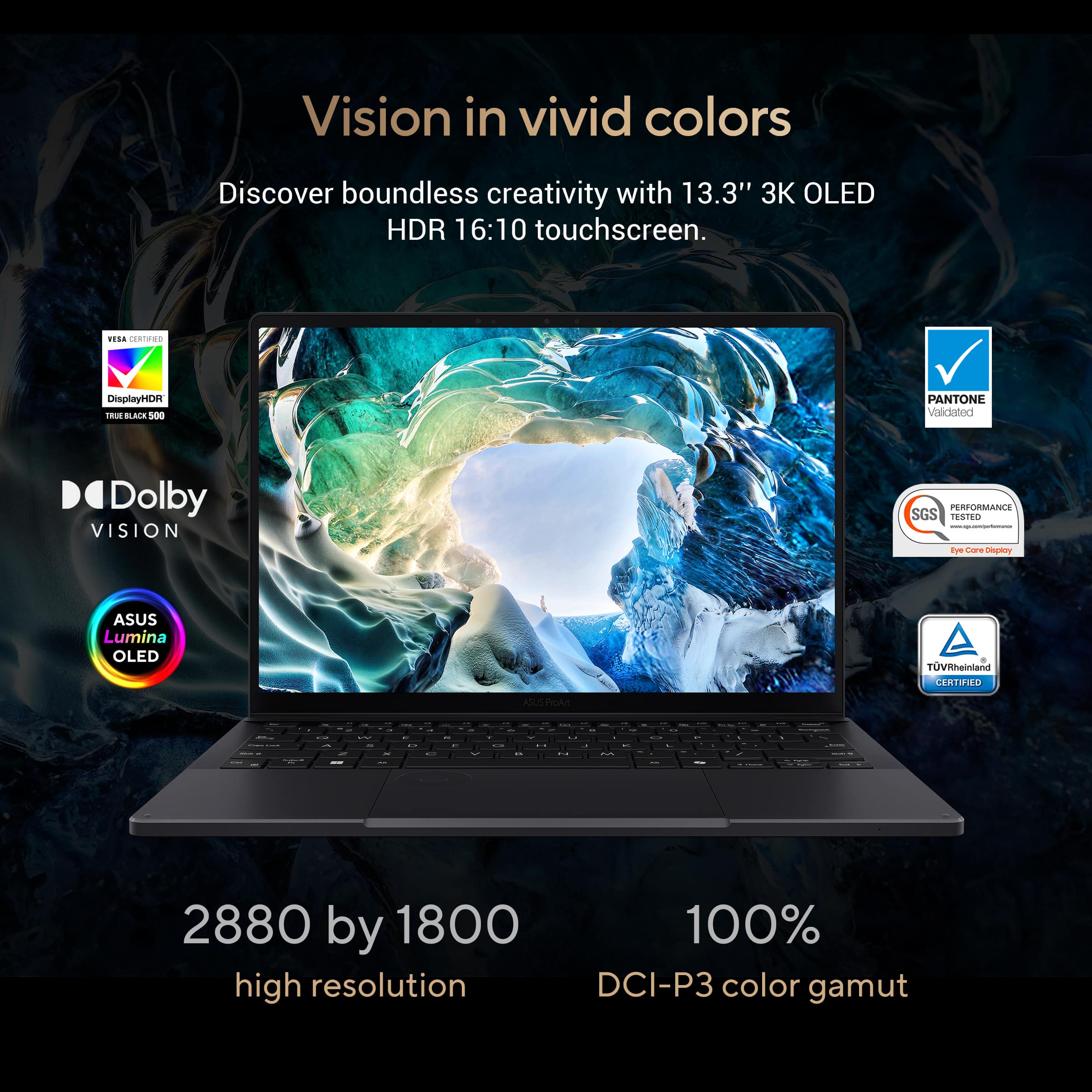
|Posted .This reviewer received promo considerations or sweepstakes entry for writing a review.I recently received the ASUS ProArt PX13 13 3K Touch Screen Laptop and this device is nothing short of impressive. As an avid gamer, adult student, business owner, and would be limited content creator, I require a powerful machine that can handle heavy workloads without compromising performance, productivity, or durability. The ProArt PX 13 fulfills all my computer usage needs. The ProArt PX13's performance and power come from its AMD Ryzen AI 9 HX 370 processor, which, combined with 32GB of memory and the NVIDIA GeForce RTX 4050 graphics card, offers unparalleled performance. The AI capabilities make multitasking seamless and efficient. Whether you are rendering high-resolution 3D models, editing 4K videos, playing the latest video game, or running other AI-driven applications like the pre-installable MuseTree, this laptop handles it all with ease. I understand this device literally says art in the name and is meant for that, but please note how formidable this unit performs with games that are graphic-rich processor monsters. The 13-inch 3K ASUS Lumina OLED touchscreen's display makes those graphics visual masterpieces. With a 100% DCI-P3 gamut, VESA Display HDR True Black certification, and a Delta E value of less than 1, the display offers an immensely accurate, vibrant color palette with stunning deep blacks and breathtaking brights. The Corning Gorilla Glass ensures durability and a certain level of scratch resistance. Much like a cell phone this incorporation will help maintain the screen’s pristine condition with normal regular use. I cannot stress how good movies look on the ProArt. The unit, being convertible, weighs a touch over 3 pounds. This is lighter than most laptops but not nearly as light as most conventional tablets on the market. I would like to see ASUS offer a case with a hand grip/strap to help secure that weight to your hand when working on your feet. I looked a bit, but I am not sure if I was just missing them. On the accidental chance you do drop the unit, it does meet US military-grade durability standards, ensuring it can withstand the rigors of daily use. The ProArt PX13’s sophisticated design has included a new DialPad add on to the traditional mouse pad. The DialPad offers intuitive control over various functions, making tasks like adjusting brush sizes or zooming in and out much more efficient. The unit also uses WiFi7 technology, to stabilize internet connections and secure the fastest speeds available. I noticed a significant difference when working on our back patio, as opposed to my other laptop that is still relatively new itself. The unit has plenty of ports for managing peripherals. ASUS also did not forget about sound quality with this unit. The internal speakers are above average. But it is exquisite when you set the tablet into a pie-slice shape; the acoustics are amplified tenfold, and it is quite impressive. My concluding thoughts are that the ASUS ProArt PX13 3K Touch Screen laptop is a powerhouse designed for creative professionals who require high performance, portability, and reliability. Its combination of advanced hardware, stunning display, sleek design, and comprehensive connectivity options make it an ideal choice for anyone looking to enhance their creative workflow. Regardless of your media needs, I am confident that the ProArt PX13 can meet and exceed your expectations.
I would recommend this to a friendBig things come in small packages!
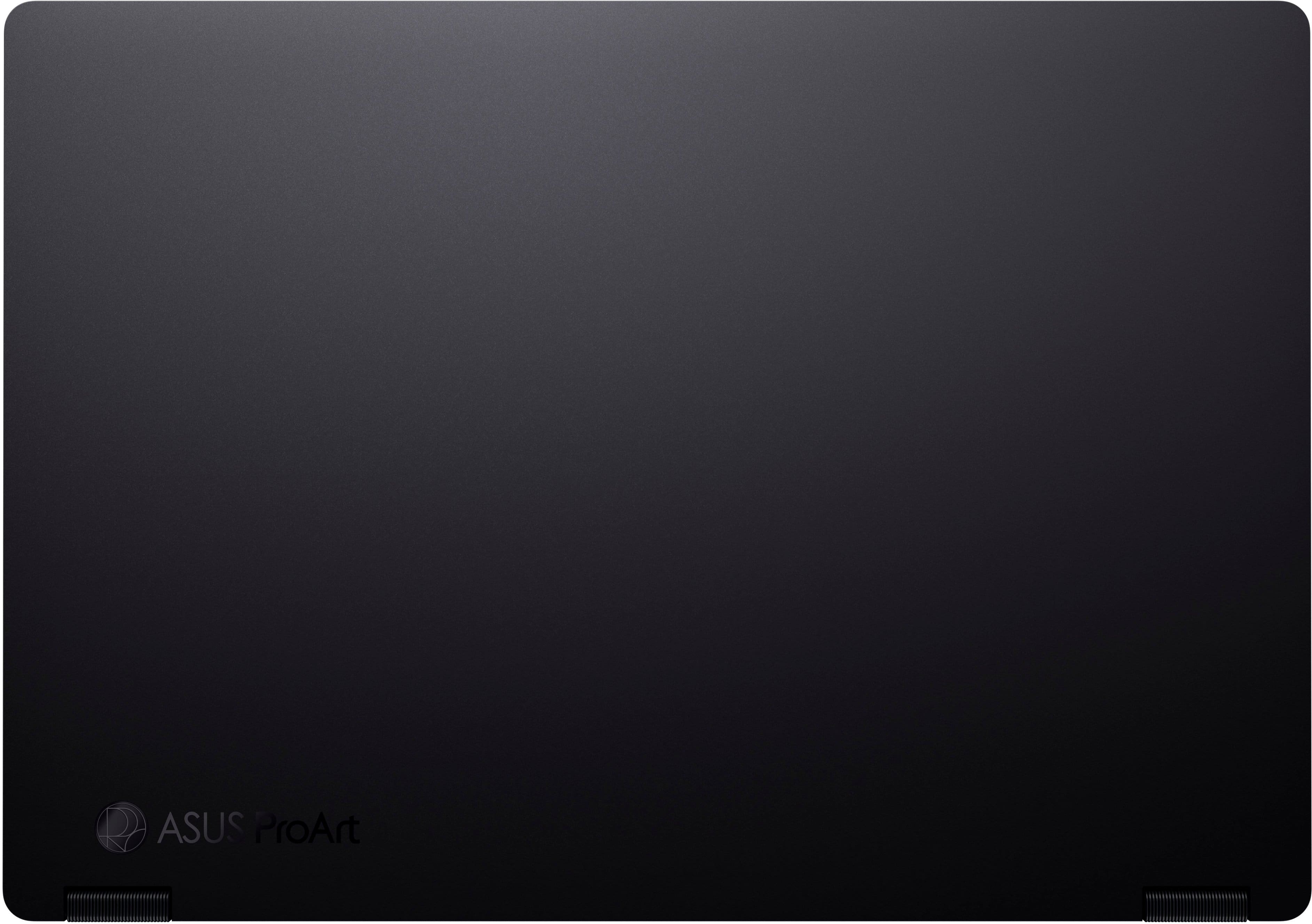
|Posted .This reviewer received promo considerations or sweepstakes entry for writing a review.The AMD Ryzen AI 9 HX 370 powered ASUS ProArt PX13 convertible laptop packs an amazing punch in every measurable aspect, especially considering its diminutive size. With 32gb of RAM, a 1TB SSD, and an NVIDIA GeForce RTX 4050 GPU, the performance for resource intensive activities, whether gaming or content creation and editing, is super impressive. It's also extremely durable, featuring MIL-STD 810H military grade standard for shock, drop, and vibration resistance. Because of the high performance of the system, Asus has really put emphasis on keeping things cool. Vents on the back and half of the bottom of the unit, combined with separate fans and heat pipes for the CPU and GPU make this a true "laptop"; even with hours of use it's barely warm on my legs :) The ProArt is aptly named, it's a beautiful work of art in its own right with a handsome, matte black finish; but the display is really where it shines, with a resolution of 2880x1800! The display is a touchscreen and can be used in "normal" mode, as well as "tent" or "tablet" mode. This 3K OLED display has an incredible 1 million:1 contrast ratio, 0.2ms response time, and as a result has the most photorealistic display with deep blacks and vibrant colors that I have ever seen. The keyboard is an absolute joy to type on, with large, backlit, responsive keys. There's a separate key to launch CoPilot, Microsoft's AI which is incredibly useful for so many different things: writing emails and reports; translating from one language to another; generating code; even generating images, videos, and music! The connectivity on the PX13 is also quite impressive for the size; HDMI output; one USB 3.2 type A connector; 2 USB 4.0 Gen 3 Type C connectors which support power delivery as well as external display; a 3.5mm audio out jack; and a microSD card reader. Wi-Fi adapter supports WiFi 7. The front facing camera is FHD (1080p resolution) with IR so it works with Windows Hello. All I have to do is look at the camera and I'm logged in, works like a dream! The PX13 comes with AI powered preloaded apps accessible from the ProArt Creator Hub including MuseTree, StoryCube, and CapCut. You also get a 3 month subscription to Adobe Creative Cloud and other Adobe products. I played with MuseTree for a bit and it was pretty amazing at generating content just by typing what you're looking for. The oversized touchpad features ASUS's new DialPad in the top left corner, which interfaces with Adobe and other graphics applications for controlling everything from brightness/contrast, going forward or backward during video editing, controlling the volume, and other features. It's customizable as well for any other program you'd like to use it with. While the main focus of the ProArt line of computers is visual content creation, it also is a wonderful gaming laptop as well. I enjoy driving/racing games such as Trackmania, Rocket League, and Forza Horizon 5; all of which played flawlessly, even at the highest resolutions and highest amount of detail turned on. Overall, I give the ProArt PX13 my highest recommendation. The performance is top notch; it’s light but still incredibly sturdy for travel; and will suit you well for any demanding, intensive tasks.
I would recommend this to a friendWow!
|Posted .This reviewer received promo considerations or sweepstakes entry for writing a review.This is just what I needed! As I work to create new content for my business, I struggled to create content in a fast effective manner. I now have the tools I need with this laptop. I'm still trying to learn everything that this laptop can do. It certainly feels like a premium laptop and I love that the bottom is plastic rather than aluminum since it sits on my lap most of the time so it's not uncomfortably cold. It's got fantastic specs: AMD Ryzen AI9 HX 370 32GB RAM NVIDIA GeForce RTX 4050 1TB SSD I've not had any issues with the laptop being able to keep up with everything I need to do. Up until this model, I've been strictly an Intel user but I'm pleased with the processing speed of the AMD Ryzen AI9 processor. The RTX 4050 could run any game I would throw at it, however the screen to me would be too small for gaming, but it is great for a creator and artist and some video rendering would definitely benefit from the high end graphics this laptop provides. Speaking of screen, the 3k touchscreen display is fantastic. The touchscreen is very responsive and images display smoothly without any glitches I've seen. I have multiple spreadsheets open regularly to handle inventories and other reports as well as multiple tabs for product research and purchasing. I stream music constantly and watch videos when I have extra time (extra time, what's that?) The sound quality that comes out of this ultra portable device is better than expected! The battery doesn't quite last as long as specs suggest, but they never really do. I keep everything at a performance setting rather than battery saver. The keyboard is comfortable to use and quiet when typing. Included software: CapCut, StoryCube, MuseTree, GlideX, ScreenXpert, ProArt Creator Hub. Also included is a dedicated copilot button for AI collaboration. I've only used ChatGPT up until now but they function just the same. I am still learning how to use these apps, however I can see that these make this a powerhouse creating machine! The dial pad is a super cool feature that helps with shortcuts and functions to a myriad of apps and aid in making the included apps much more efficient. I'm excited to push this tiny workhorse to its limits and see what it can do.
I would recommend this to a friendDoes a lot and does them well!
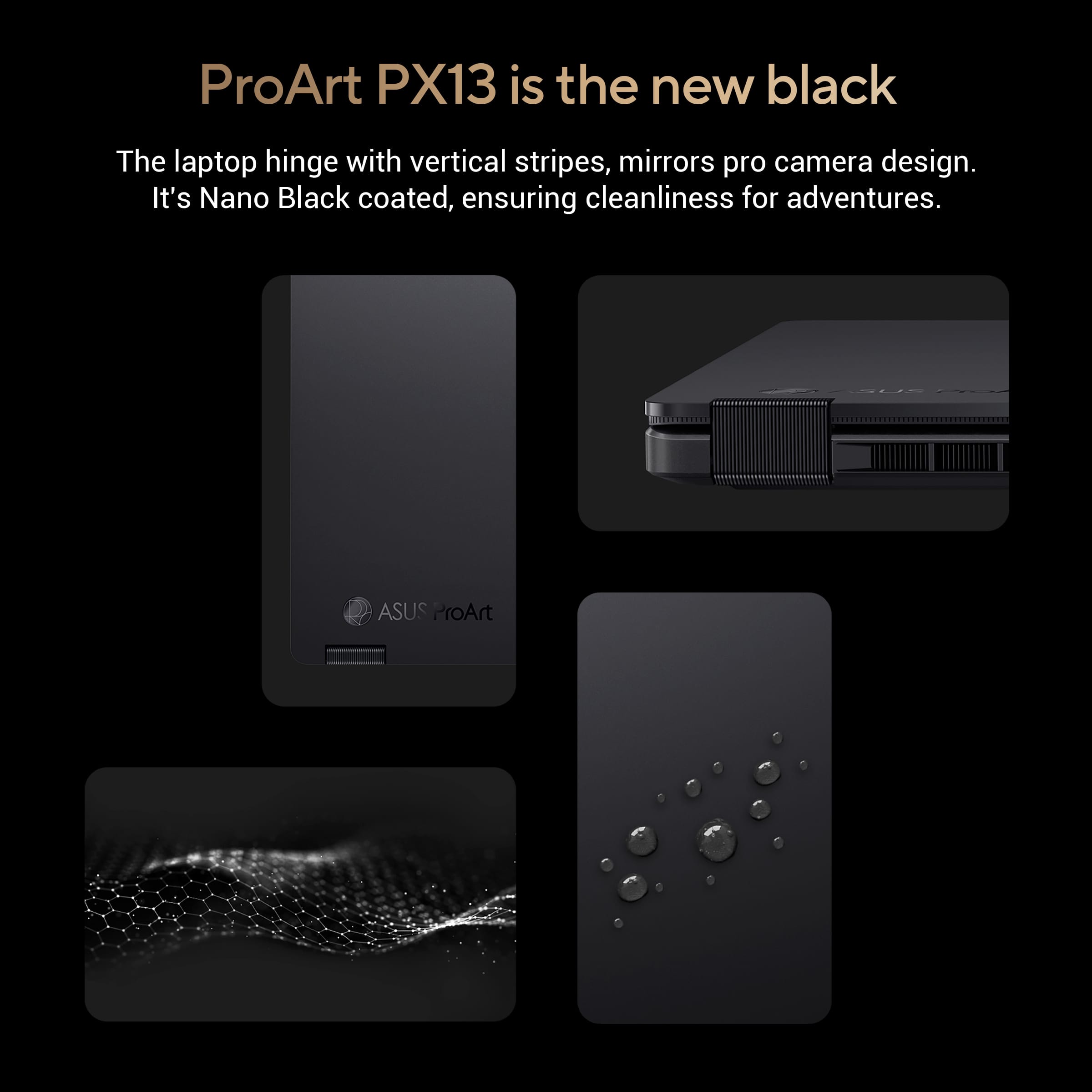
|Posted .This reviewer received promo considerations or sweepstakes entry for writing a review.This is the best form factor for performance and portability. It seems tailored for content creators but I think it fits almost every type of user, and as someone who does a lot, I love it. DESIGN Physically, the xart pro has very good build. The case texture is nice to touch and does not attract dust or does not look dirty even with light dust. Its sleek black hits the spot between those who want elegant and rugged design. The size and weight is perfect as well. It is quite light for a 13incher with oled screen, a dedicated graphics card and an almost complete array of ports—something I think is unheard of for a powerful slim laptop. Changing shape and form is convenient even though the hinges are firm. The keyboard is nicely spaced alongside the wide trackpad with dials. For the thickness of the PC itself, the keys are responsive with little to no slack but does not sacrifice key return. PERFORMANCE Performance is expected with current specs. The processor is AI driven which helps with using Microsoft’s Copilot—because the processor can AI even without internet, perhaps why it has a dedicated button for Copilot. With the 32GB memory, software loading is quick. App switching is snappy. I love the way the dial helps me navigate through my creative apps. It minimizes me having to pull up apps from the bottom toolbar and kind of segments my app usage. The dial can be configured to do other things like scroll through display brightness, or settings that need scrolling. I set it up for my specific work apps so it’s easy to switch between those that I most commonly use. Rendering, videos is pretty fast and the 32gb of memory helps with data loading making video processing quite easy. Though it does heat up a bit, which is normal when I am rendering or converting something, the vents seem to be doing a good job dissipating heat. I love how Asus thought of full customizations, because in the settings, I can switch the fan to quiet mode so it does not sound loud when needed. The screen is straight up marvelous. It is what is expected of OLED screens but I'm also happy about the correct sensitivity for touch. I do not have work that requires particular color calibration, but the hues output seem to be consistent with my two other devices, by straight display comparison. Of course, like I said about Asus settings, I can fully customize display settings and calibrations. Wifi is decent. I don’t think I have a Wifi 7 router to make the most of this laptops capability but my previous machine drops connection and shows me false signal bars at my workstation. This one keeps a solid connection. Speakers are ok. It is not insanely great, but it is not bad either. Its not super clean at high volumes but is still highly capable with distinguishable levels when you pay attention to the mids and highs. It is slim after all, so I know not to expect thumps. Besides, I usually use my headphones when I do detailed audio cuts. Battery life is pretty decent. I used to have a compact high-end 4K ultrabook that has touch 4K and last me only a little bit over an hour unplugged. I used this for a normal work hour, with multiple apps up, a youtube video on, a mobile game running in the background while navigating through storycube (TBD below) to organize my photos—and at 80 minutes, I still had over 20%. Of course for machines like this, you need to be plugged. But when I am on the road, I will not be full-on processing—maybe retouching as ideas come to mind, so I can make do with what I have OTHER FEATURES I would like to call out how good StoryCube and Musetree are – and they come free with this PX13. For the most part, I already have Adobe cloud and Canva, however, these included tools, besides being free, work great with this laptop—something that is well-thought out, making this machine very capable from turning it on. StoryCube brings all my raw content together from different sources and organizes them and aids in outputting them to my media of choice. MuseTree makes use of this laptop’s 24/7 AI processing to come up with designs. This is a very huge plus for me, because it makes me feel like Asus really cares about the whole experience, not just providing me with very capable hardware. From AI processing, to the quick dial, to the portable but very capable form factor (size, weight, ports, hinges) and the included software, I think Asus hits the spot here for 90% of users out there. This I think is one of those gold standards for great purchases.
I would recommend this to a friendAMD enters the ring
|Posted .This reviewer received promo considerations or sweepstakes entry for writing a review.Don’t be fooled by the Asus ProArt PX13 small stature, it is packing some major heat. This incredibly compact 13” 2-in-1 notebook is bringing a lot to the table with AMD new entry into the arena, their new Zen 5 based “Ryzen AI” platform and this one has the 12-core/24-thread HX 370 variant which is pretty much their flagship model. These new Ryzen chips actually have more AI compute performance than any of the other major players if you are excited about the possibilities that brings with Microsoft’s CoPilot being so heavily integrated into Windows 11 and all their applications. This also packs an RTX 4050 under the hood for additional acceleration in certain applications or some casual gaming. Power users rejoice that don’t want to be forced into a more “gamer” aesthetic to get the top-of-the-line specs. Aesthetically this laptop is one of the best looking I’ve ever owned. The incredibly small form factor combined with the sexy ProArt badge and fingerprint resistant matte black finish just does it for me. Once you open the lid it is still beautiful, particularly the amazing 3K OLED touchscreen. The colors look fantastic and vivid on this display, im not sure if it is because of the gorilla glass used on this screen but the clarity is fantastic. Glossy finish as usual with these types of screens, the anti-glare coating used by Asus isn’t overly effective in bright environments. Keyboard is nice enough as is the track pad, but the track pad does have a cool extra feature with what is essentially a macro knob built in. You can set this up to do a variety of tasks from something basic in windows as turn up or down the volume or in a variety of Adobe applications where you could set it to change zoom or scrub back/forward through video footage. Performance wise as I alluded to above this thing is a beast in a small frame. The 12-core/24-thread Zen 5 HX 370 processor shows that AMD is on top of the game currently in the land of x86 based chips. The battery life with normal productivity use is average at best by today’s standards, roughly 7-8hrs of watching YouTube, writing emails, keeping up with banking on the web, and other tasks like that. At full bore things heat up quickly with all these horses under the hood, but generally didn’t thermal throttle except in long term high intensity compute loads like processing a 5-axis CNC tool path. In synthetic benchmarks like Cinebench 2024 I got 114 single core and 979 multi core scores which puts it ahead of my XPS14 with a Core 7 Ultra 155h and my Galaxy Book4 Edge with the Snapdragon Elite X. However, synthetic benchmarks aside, there are certain applications that just run vastly superior on this laptop compared to the higher scoring snapdrag because they aren’t having to run through x86 emulation. Laptops like these still certainly have a more than valid place in the market for power users until native ARM apps are available across the board for proper apples to apples comparisons. Just a couple of last things worth mentioning, Asus provides good connectivity with the PX13 having two USB-C ports capable of 40Gbps and up to 100w power delivery for connected devices, one gen3.2 USB-A, a full HDMI 2.1 port, and a combo headphone jack. The only drawback is they elected to go with a proprietary charging connection instead of something like USB-C or a more traditional banana plug. Wireless connectivity is top notch with WiFi 7 supported, I was getting over 800Mbps on my home wifi network not even using all the WiFi 7 goodies like MLO. Overall im impressed and have enjoyed my time using the PX13 from Asus and would recommend it to others as well. While it’s certainly not a full desktop replacement those power users like graphic designers, web and software developers, and engineers looking for a capable lightweight small form factor option should check this one out a little more closely.
I would recommend this to a friendGarage! Don’t Buy
||Posted . Owned for 3 weeks when reviewed.This reviewer received promo considerations or sweepstakes entry for writing a review.Garbage ! Slow and locks up to easy. Running programs is not easy when they lock up.
No, I would not recommend this to a friendBrand response from ASUS Answers
Posted .Dear Timbo,
We apologize for the performance difficulties you’ve encountered with your ASUS HN7306WU laptop, including slow operation and applications locking up. We understand how disruptive this can be and appreciate you bringing it to our attention.
To assist in resolving the issue, we recommend reviewing the steps in our system troubleshooting guide linked below. If the issue continues, please contact our support team at https://www.asus.com/us/support/CallUs so we can assist you further or arrange repair service if necessary.
We stand behind our products and continuously strive to improve our products and processes to achieve customer service excellence. For more information, email us at customerloyalty@asus.com and include the case number "N2410019634-0024" as a reference. We will do our best to resolve your case quickly. Your feedback is very important to us and enables us to improve our support channels. Thank you for choosing ASUS.
Best Regards,
Chantae
ASUS Customer Loyalty US Support
[Windows 11/10] Troubleshooting - System is running slowly - https://www.asus.com/support/faq/1042398/
Please avoid
||Posted . Owned for 3 weeks when reviewed.This reviewer received promo considerations or sweepstakes entry for writing a review.Genuinely the worst laptop I’ve used in my life. Would freeze daily, blue screen twice a week, and would refuse to wake from sleep half the time. Windows would also regularly soft lock itself.
No, I would not recommend this to a friendBrand response from ASUS Answers
Posted .Dear Sept,
We sincerely apologize for the system performance issues you've encountered with the notebook and for the inconvenience caused. What you've experienced was not intentional or representative of our brand. To troubleshoot the issue described, we recommend following the steps in the FAQ below. Should the issue persist, please contact our support team at https://www.asus.com/us/support/CallUs to further investigate the problem or assist with repairing the device.
We stand behind our products and continuously strive to improve our products and processes to achieve customer service excellence. For more information, email us at customerloyalty@asus.com and include the case number "N2410019634-0005" as a reference. We will do our best to resolve your case quickly. Your feedback is very important to us and enables us to improve our support channels. Thank you for choosing ASUS.
Best Regards,
Chantae
ASUS Customer Loyalty US Support
[Windows 11/10] Troubleshooting - Resolving System Error Messages or Unresponsiveness (Freeze/Black Screen/White Screen during usage) - https://www.asus.com/support/faq/1038855/
Software failed
||Posted .This reviewer received promo considerations or sweepstakes entry for writing a review.I had to return it after the first day due to a software failire. Good thing they refund the money and i could buy the Asus ProArt P16
No, I would not recommend this to a friendBrand response from ASUS Answers
Posted .Dear Tyrmeeliseo G,
We sincerely regret to hear that the notebook failed, and we apologize for any inconvenience this may have caused you. This is not the quality of products we aim to provide and it's not the norm. We understand that you have returned the device for a different model, and we hope that it operates normally and that you enjoy using it.
We stand behind our products and continuously strive to improve our products and processes to achieve customer service excellence. If you require any further assistance, please email us at customerloyalty@asus.com and include the case number "N2410019634-0013" as a reference. We will do our best to resolve your case quickly. Your feedback is very important to us, and it enables us to improve our support channels. Thank you for choosing ASUS.
Best Regards,
Chantae
ASUS Customer Loyalty US Support
A small but powerful laptop
|Posted .This reviewer received promo considerations or sweepstakes entry for writing a review.Opening up the new ProArt PX13 felt like it should have been accompanied by its own music. The device comes in a super nice all-black box, with the ProArt name embossed in shiny black letters. Inside, the laptop is encased in a black cloth-like sleeve. This is a thin and light laptop, but Asus has done a great job of striking the right balance between thinness and usefulness. It’s nice to see a full-size HDMI port, which is often hard to find these days. Two ventilation ports flank the screen on each side of the keyboard deck. The port selection is actually quite good, and includes 2 USB-C and 1 USB-A port, as well as a headphone jack, micro SD card reader and proprietary power port. *Hardware Let’s start with the hardware. The version I got is black aluminum, covered with what Asus calls a “nano coating”. Whatever it is, this stuff is amazing! I’ve had other dark-colored aluminum laptops, and they’ve been fingerprint magnets. Not this one! It may seem a small thing, but this is a nice touch that makes the device seem a bit more premium. The underside of the keyboard reveals a plastic panel with vents for air. I’m not sure what I think about that, as the plastic seems a bit out of place with the rest of the premium metal and glass materials. On the other hand, it does make for a nicer feeling material to put on your lap, and it looks like the entire bottom may be removable. I believe it may be possible to replace the SSD, and if so, that is great! Opening the laptop reveals a gorgeous 3k screen. Especially for this size, 4k would be overkill and reduce battery life, which needs to be preserved. The resolution makes everything super sharp, and the brightness is more than enough. It’s also a touchscreen that works as a tablet when the screen is folded back over the base. I happened to have a Bamboo stylus that I wasn’t using, and it was a pleasant surprise that it worked with the PX13! I didn’t do a lot with the handwriting, but it seems to work well. For me, this is an extra feature that’s nice to have, but not my main reason for getting this laptop. The keyboard is one of the best I’ve used on a laptop. When I got the PX13, I was upgrading from my favorite laptop keyboard ever, and I thought I’d be disappointed in the Asus keyboard. I’m happy to say, however, that this is a fantastic keyboard! It has the right amount of key travel to give solid feedback on every keypress. The keys are larger than many other laptops that try to squeeze in too many extra keys, and that makes the keyboard immediately comfortable. It’s also backlit, with multiple levels of brightness and even a dedicated emoji key. love this keyboard! The touchpad is also quite good. It’s a good size in relation to the keyboard, and I think Asus did a really good job of finding the right ratio between the two. One thing that makes this laptop unique is the inclusion of the their “dialpad”. Although I haven’t had an Asus laptop before this one, I understand that they’ve featured physical dials on some models. The PX13 features a version of the dial that utilizes a dedicated part of the touchpad in the upper left. It can be programmed to provide different functions depending on what’s on the screen, and the idea is that you can easily bring up things that are used most often, eliminating the need for finding the right key sequence or opening the right menu. When I first used it, I found it a bit difficult to activate (it’s off by default), and then it was finicky to use. While I haven’t mastered it yet, I’m coming around to see how it might come in handy to have some functions easily available. The good news is that, if you find that you don’t like it, it can be left off and it won’t inhibit your use of the trackpad. The PX13 features stereo speakers under the keyboard, tuned by Harmon Kardon. These speakers may not reproduce the full dynamic range of music, but they are surprisingly loud for a laptop. I wasn’t expecting much, but I was happy to discover that they could be used in a pinch to fill a room with sound and are more than adequate for online meetings. Speaking of online meetings, the camera is fine for online meetings, offering 1080 resolution. *Battery Life This is one of the few places where I was a little disappointed. Battery life is rated at 10 hours, but as always, that depends upon how you’re using it. There are a host of settings that you can play with to get more performance or better battery life, but with the settings on “balanced”, I was getting around 6 hours. Not bad, but not good enough to leave the charger at home. And speaking of chargers, this one is rather large. It features a nice long cable and allows the power plug to be removed, but it adds some bulk when traveling. Thankfully, the PX13 will also charge using a USB-C power cable, if you have one, although it may not charge as fast as with the proprietary charger. *Software and features Asus has done a really good job of including useful software, not just “bloatware”. Three main software tools are included: • MuseTree is a tool that provides a modern interface for interfacing with OpenAI for text and creative drawings. In my limited tests with it, it was not immediately intuitive as to the best way to use it, but I look forward to becoming more adept with it. Installation took several tries, as early attempts either wouldn’t complete or showed error messages about the machine not having enough resources. Eventually I got it to complete, and now I’m good to go. It is very slow to start up, but I assume that is due to all the AI connections it’s making behind the scenes. If Asus can improve this, I think it has a lot of promise, but as we all know, AI is changing every day. • ProArt Creative Hub is a nice tool, providing a dashboard for getting an overview of system performance similar to task manager, but more visually appealing. It also provides the ability to adjust things such as color calibration and blue light control. From here you can manage your performance profile and keep tabs on system temperature and fan usage. This will be my go-to tool for managing system performance and tweaking settings for creative work. There’s even a dedicated button on the function key row to bring it up! • StoryCube is an intriguing tool. As an avid photographer, I have thousands and thousands of photos, making organizing and managing them a challenge. So, I was excited to find out if this tool could make my job easier. I immediately encountered a roadblock—StoryCube seemingly cannot tell the difference between the local folder used with OneDrive and the cloud version. The program kept telling me to choose a local folder, as cloud folders aren’t supported. Unfortunately for me, that means I can’t use it until I figure this out. These three are a good set of tools for managing the device and making use of AI for personal creativity projects. I’m looking forward to becoming proficient with them, but it will obviously take some time. Asus has also included complimentary subscriptions to Adobe and CapCut, which is a good value if you don’t already have such tools and want to try them out. The MyAsus tool does a really good job of combining lots of information about the device in one place. From here, you can monitor system performance metrices, make changes to settings, perform diagnostics, and find system updates. I really like the way Asus puts everything together in one place, but unless I missed it, this is not available without setting up a free account. I’m not opposed to setting up the account (and that is necessary for registering your device), but key settings should be available regardless of whether you have an account or not. Again, I could have missed it, but I can’t go back and undo the fact that I have an account. *Copilot and AI Computer manufacturers, especially Microsoft, are touting the “new age” of AI computing. Admittedly, I have a lot to learn, but I’m very interested in discovering how AI can be used to improve my workflows. The software included by Asus is a good start, and these seem similar to tools that Microsoft is including with their latest machines. The real game changers, however, have yet to arrive, so it’s too early to tell how these new Copilot certified PCs will actually change the game. The dedicated Copilot key is nothing more than a shortcut to the Copilot prompt page on Microsoft’s website for now. That’s fine, but it’s not more than we already had. So, I’ll stay tuned until later when Microsoft rolls out some of their bigger changes, and then hopefully the PX13 will ready for the new challenges that will come with those changes. The PX13 is a really great machine. It’s not cheap, but Asus hasn’t skimped on this one. A top of the line AMD chipset with dedicated GPU, 32 GB of RAM, 1 TB of storage and a 3K OLED screen make for an excellent and very portable machine. Add in the extra touches that Asus has thoughtfully included, and the result is a very nice machine. Especially if you’re the creative type, this is a machine that you should be considering, given the attention that Asus has paid to the screen. The only real mark against it, in my opinion, is the middling battery life. 6-8 hours on a charge isn’t bad, but these days there are more and more options that can beat that. Other than that, this one should be on your short list.
I would recommend this to a friendVery heavy laptop
||Posted . Owned for 1 month when reviewed.This reviewer received promo considerations or sweepstakes entry for writing a review.I returned it. I realized that the computer didn't have the required USB-C outlet.
No, I would not recommend this to a friendBrand response from ASUS Answers
Posted .Dear VaskenK,
Thank you for your comment.
We do understand the inconvenience this may have caused if the weight of this laptop did not meet your expectations. This laptop does have two USB-C ports for power delivery.
Should you need further assistance with this laptop or other ASUS products, please email me at cl-rodel@asus.com and I would be more than happy to help. Or, you are most welcome to call Product Support Hotline at: 1(888) 678-3688. Also, you can chat with an ASUS live support agent from the link: https://www.asus.com/us/support/article/1135/.
Thank you for choosing an ASUS product.
Regards,
Rodel
ASUS Customer Loyalty