Customer Ratings & Reviews
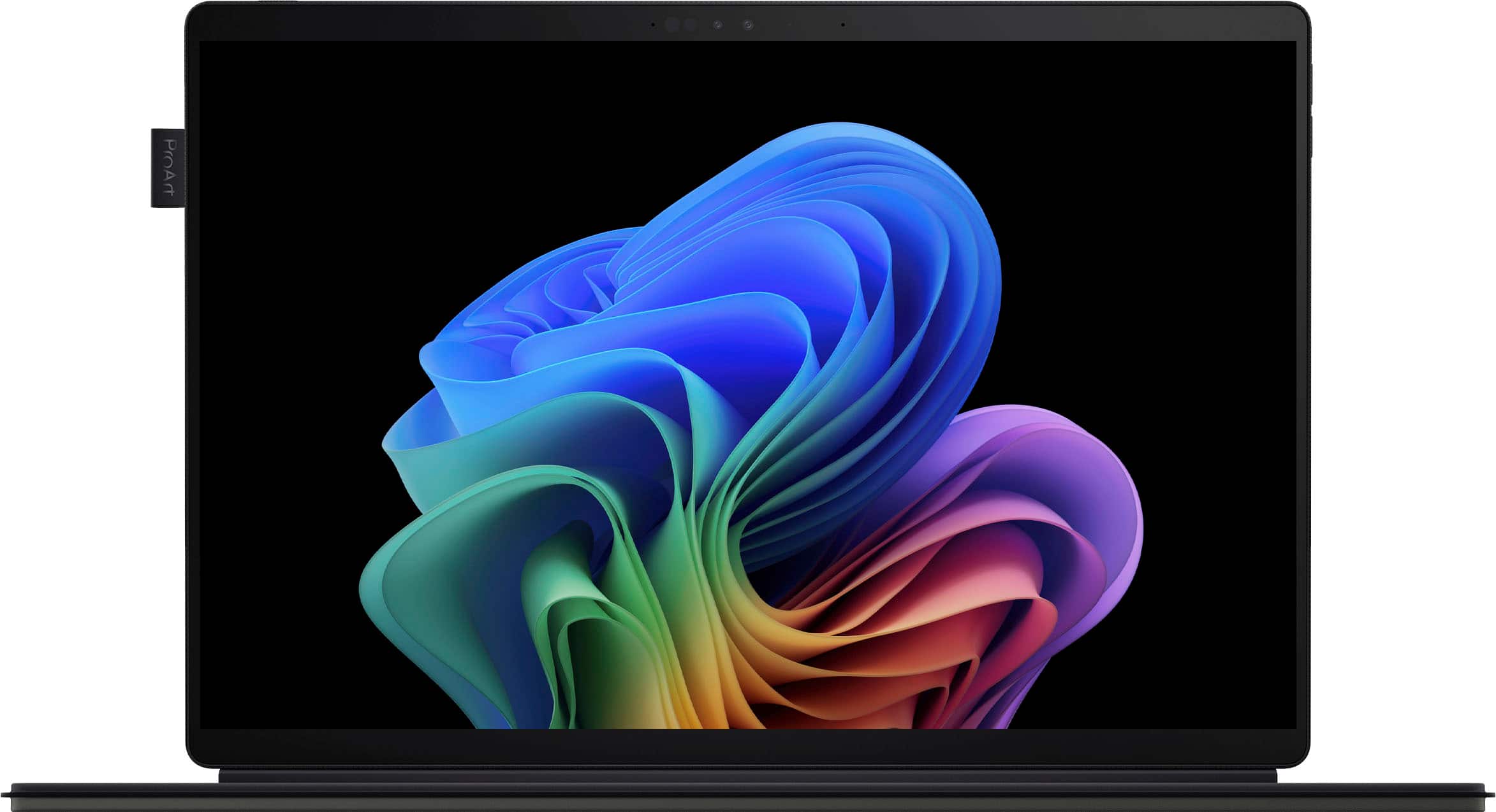
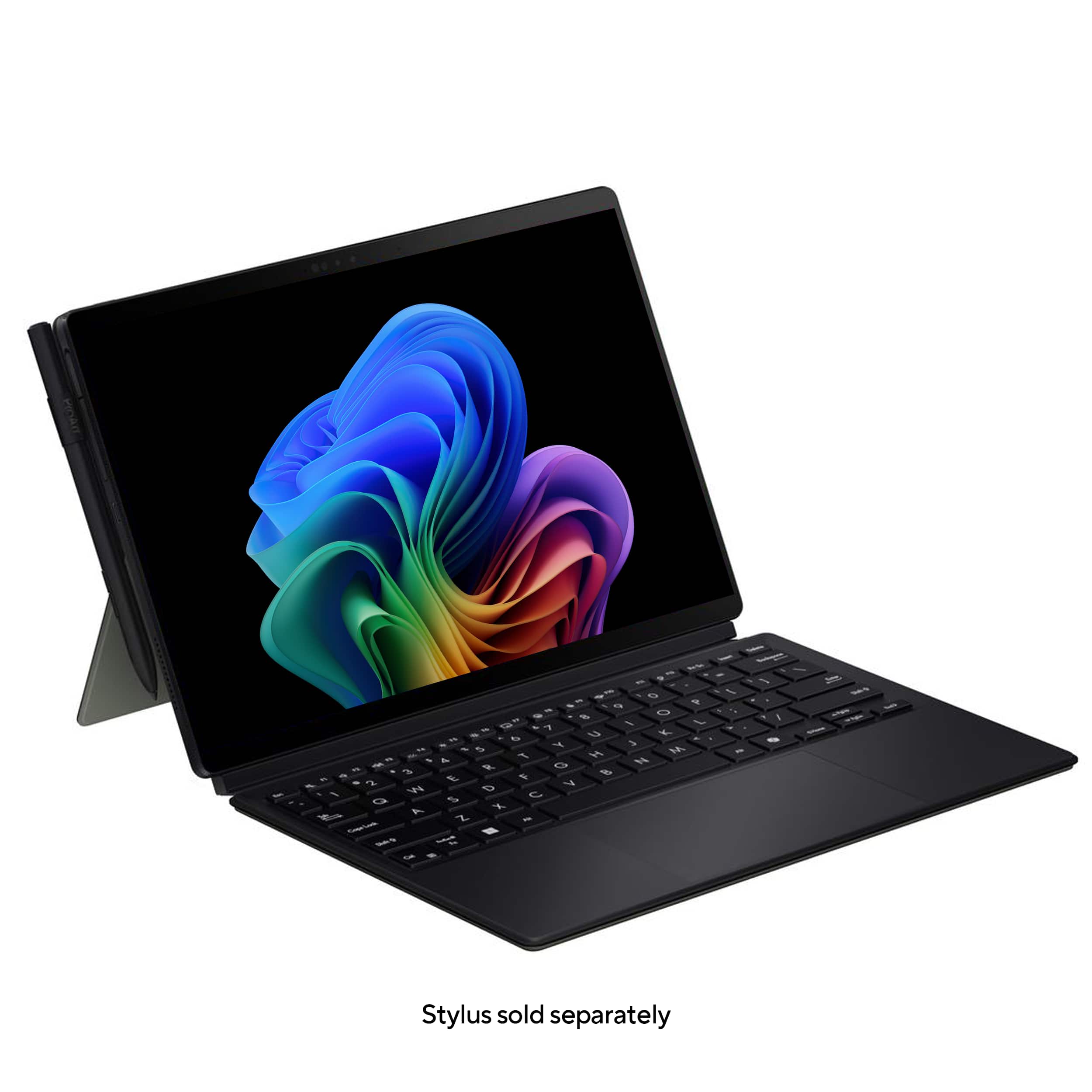
![Exc a F 4 F2 13 F4 15 * F6 17 FB & P9 1 F1 P F12 Pr Se bneert Delote I 1 . 2 . 3 $ 4 % 5 A 6 & 7 8 I 9 I O I a + - Bockapace Tb Q W E R T Y U I O P I [ I ] I / Cope Lock A S D F G H J K L Enter Sift 6 Z X C V B N M < 7 / Shuh CHl Bah Fa Alt Alt Home a Pylip PgCe EndD](https://pisces.bbystatic.com/image2/BestBuy_US/images/products/8ac45208-62fc-45fb-8b69-587235d002d5.jpg)
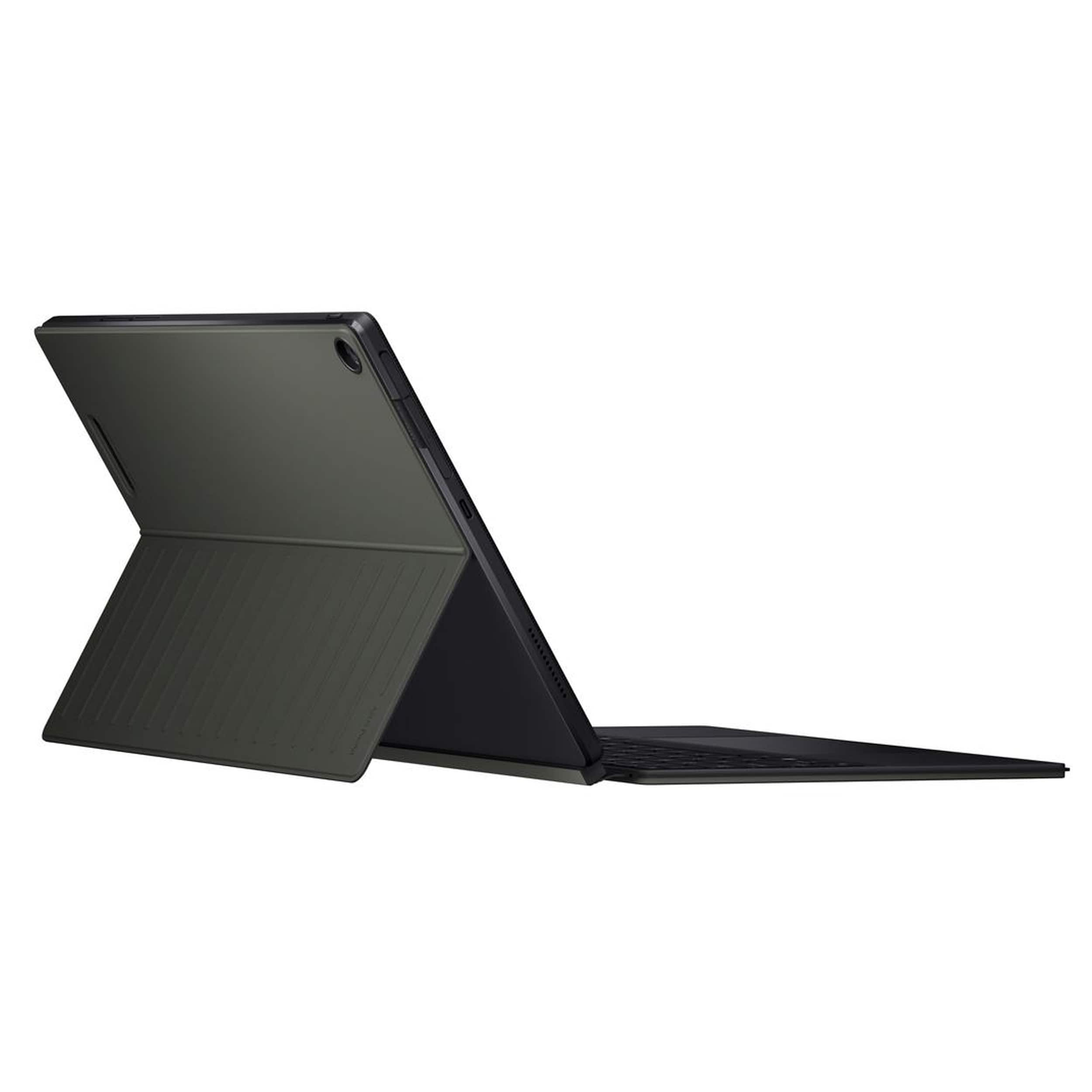
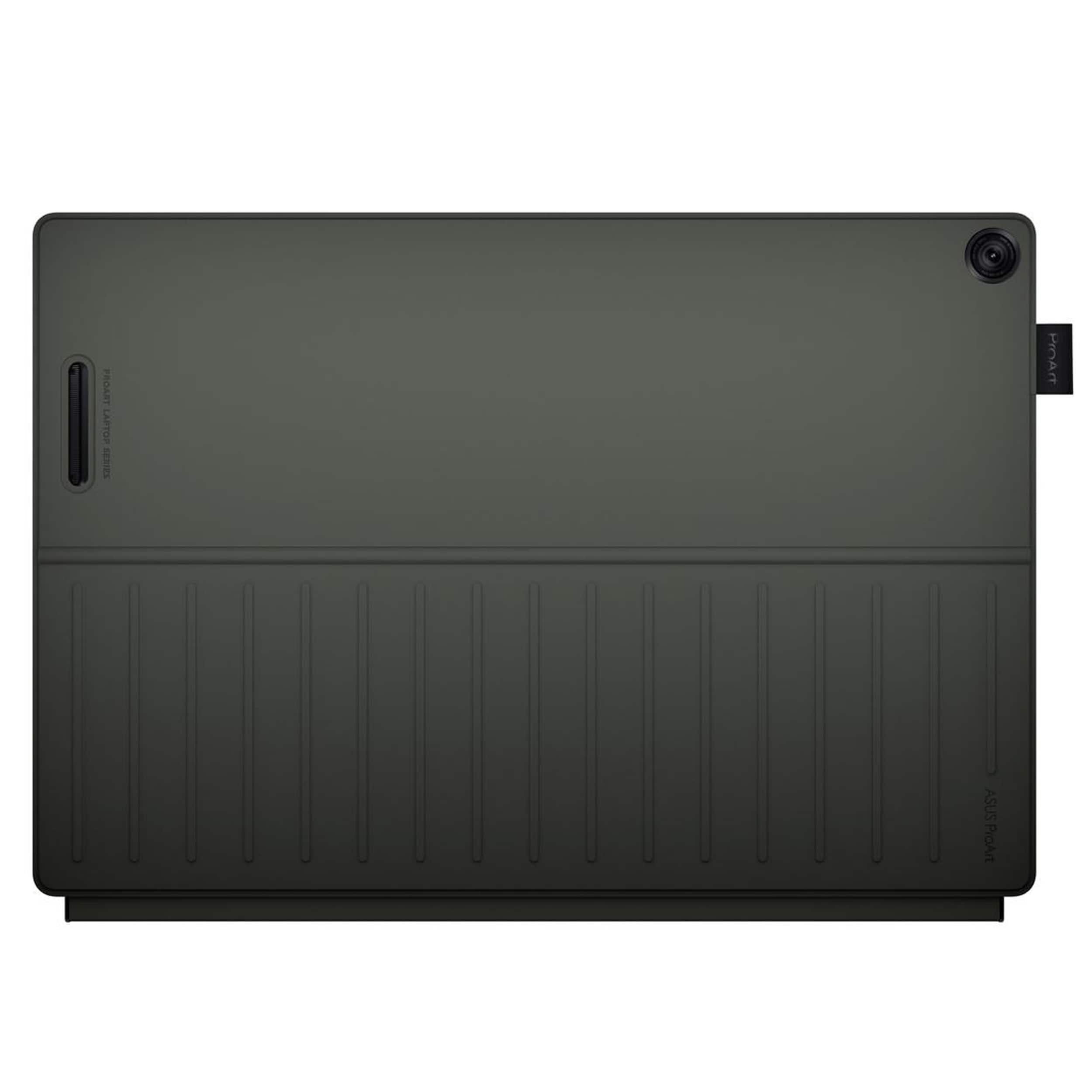
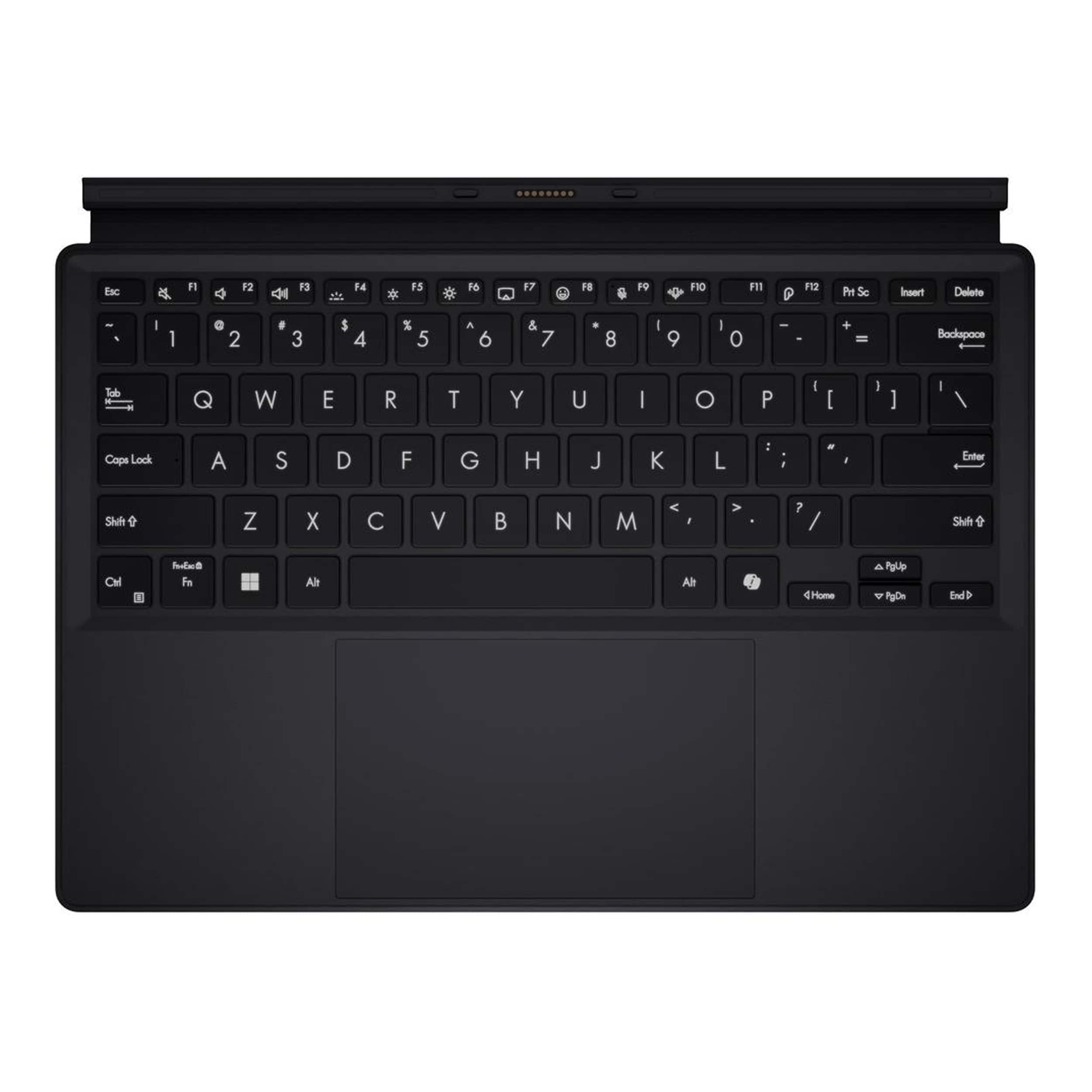
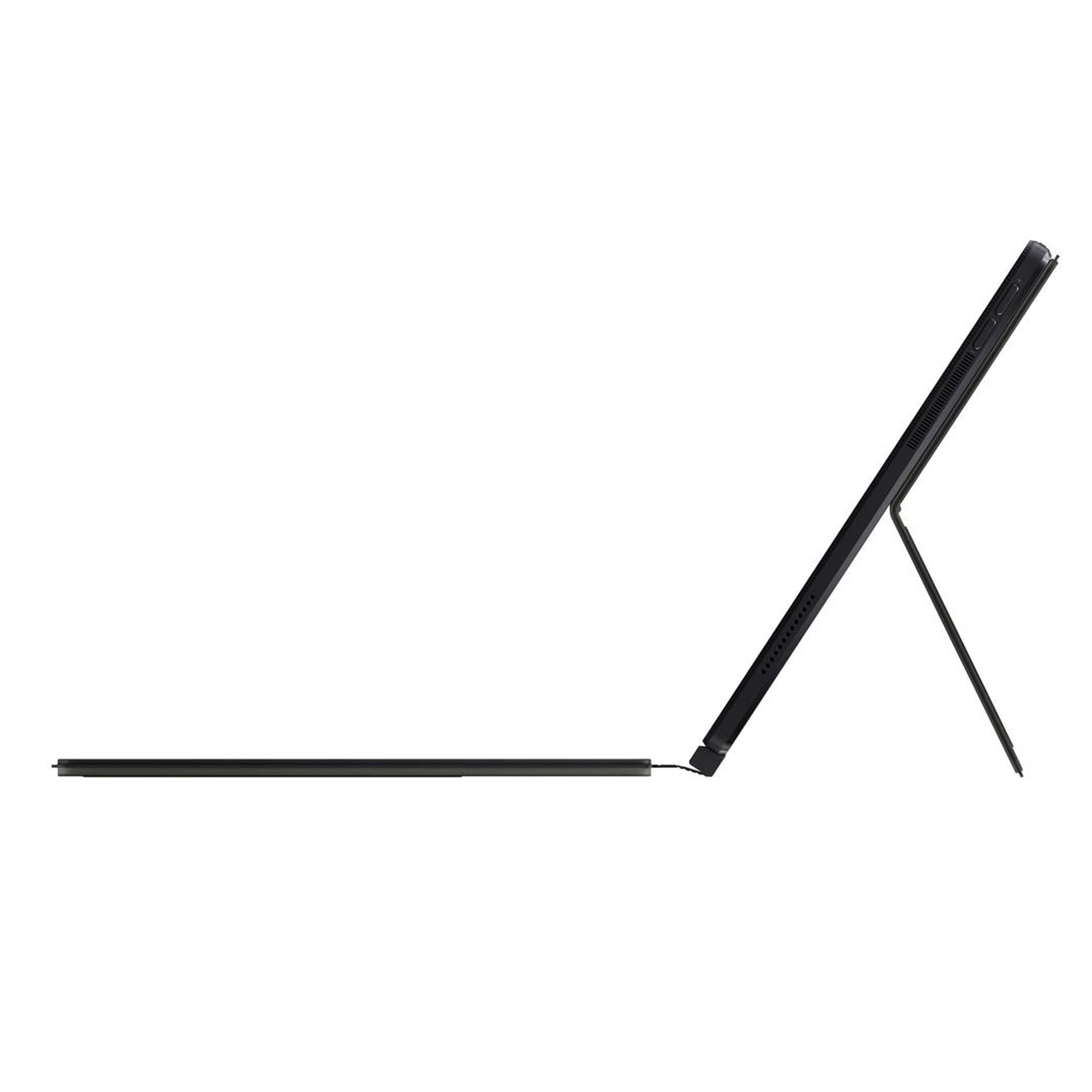
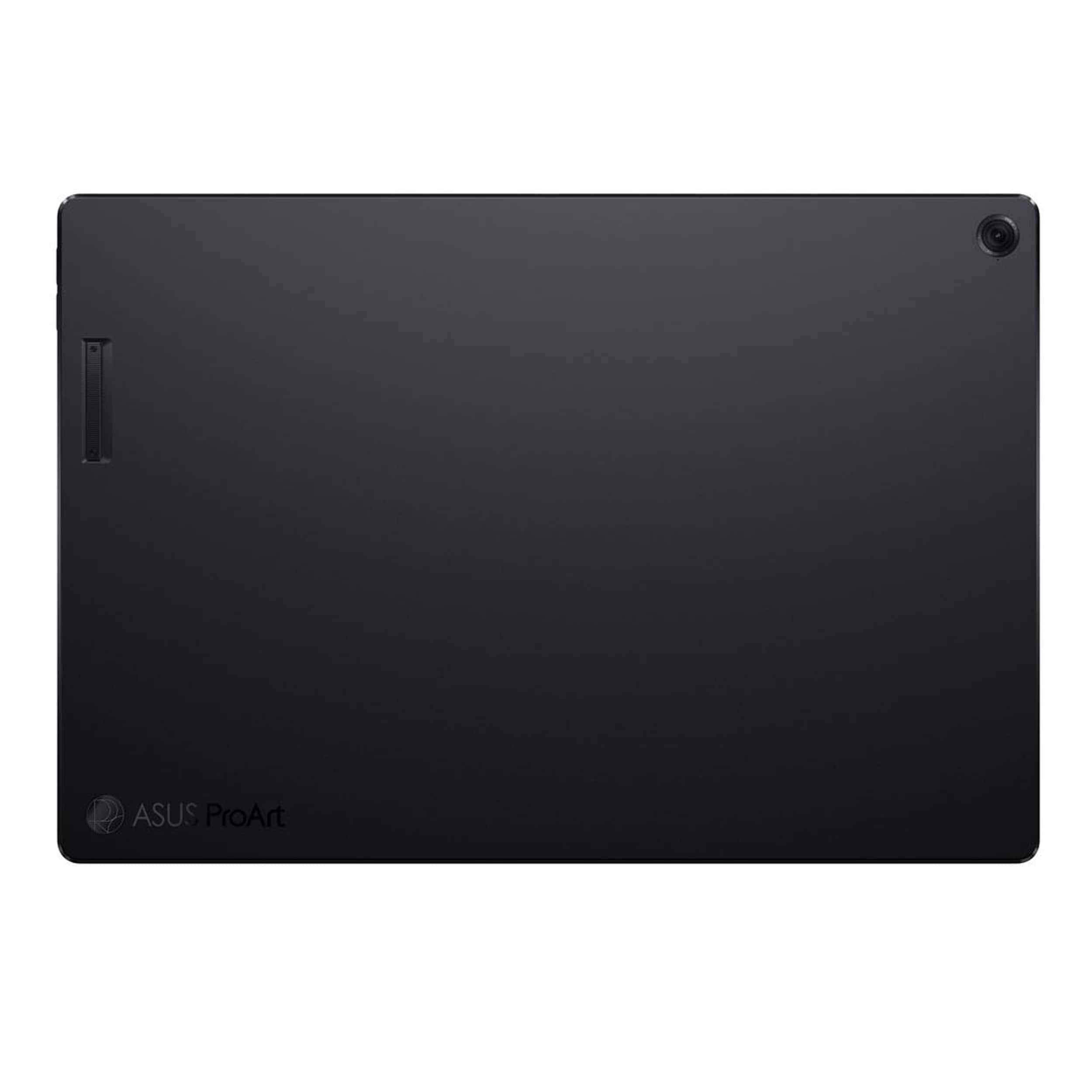

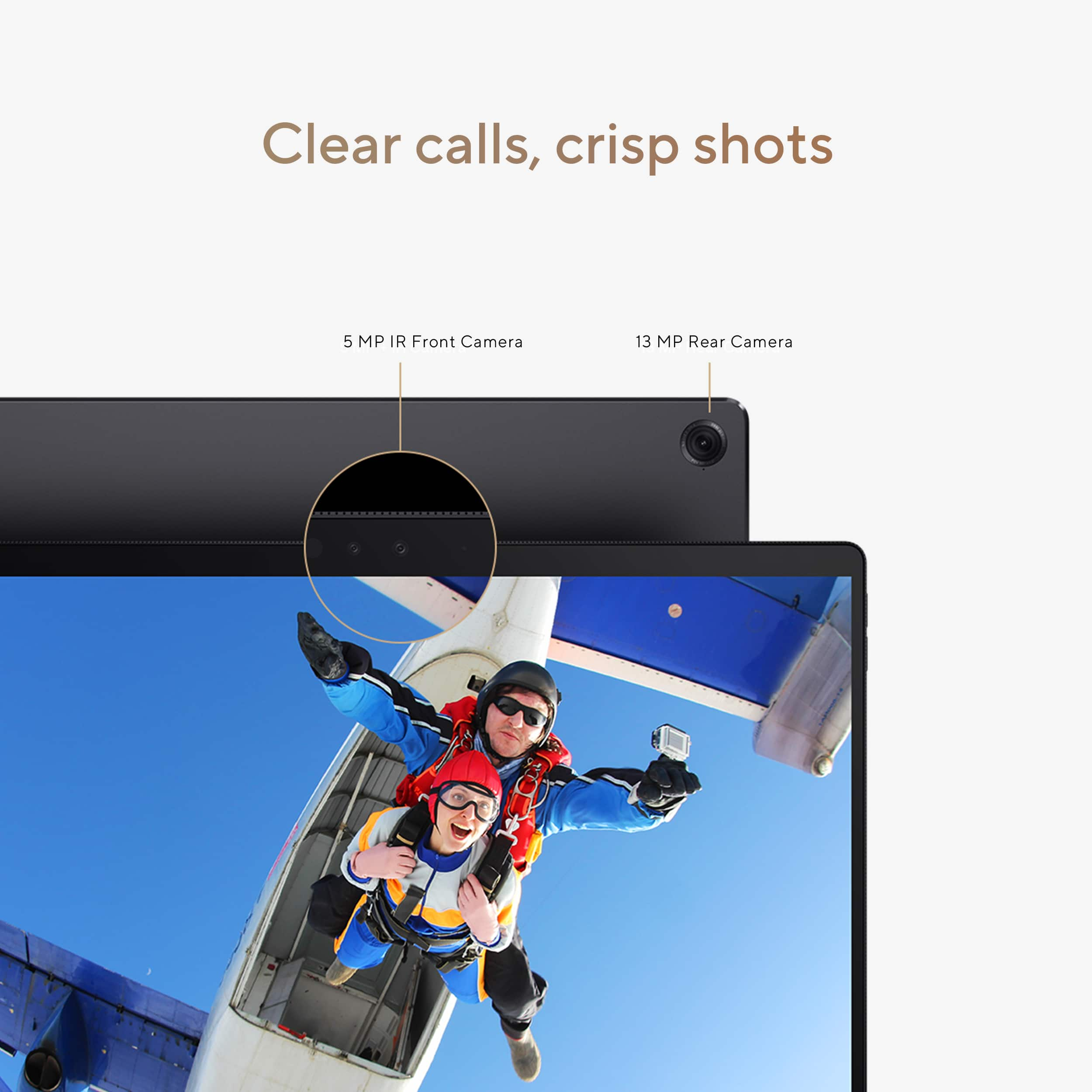
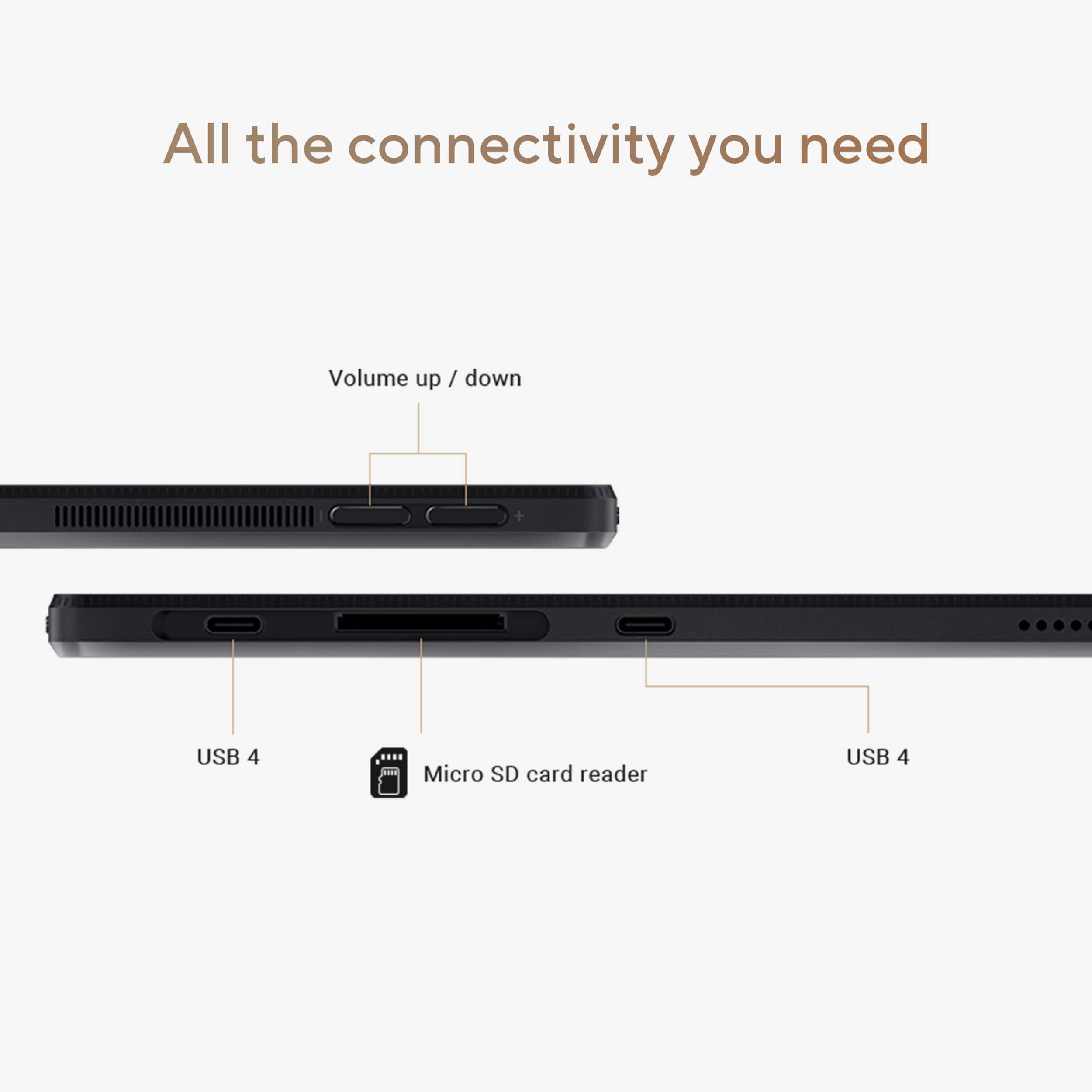
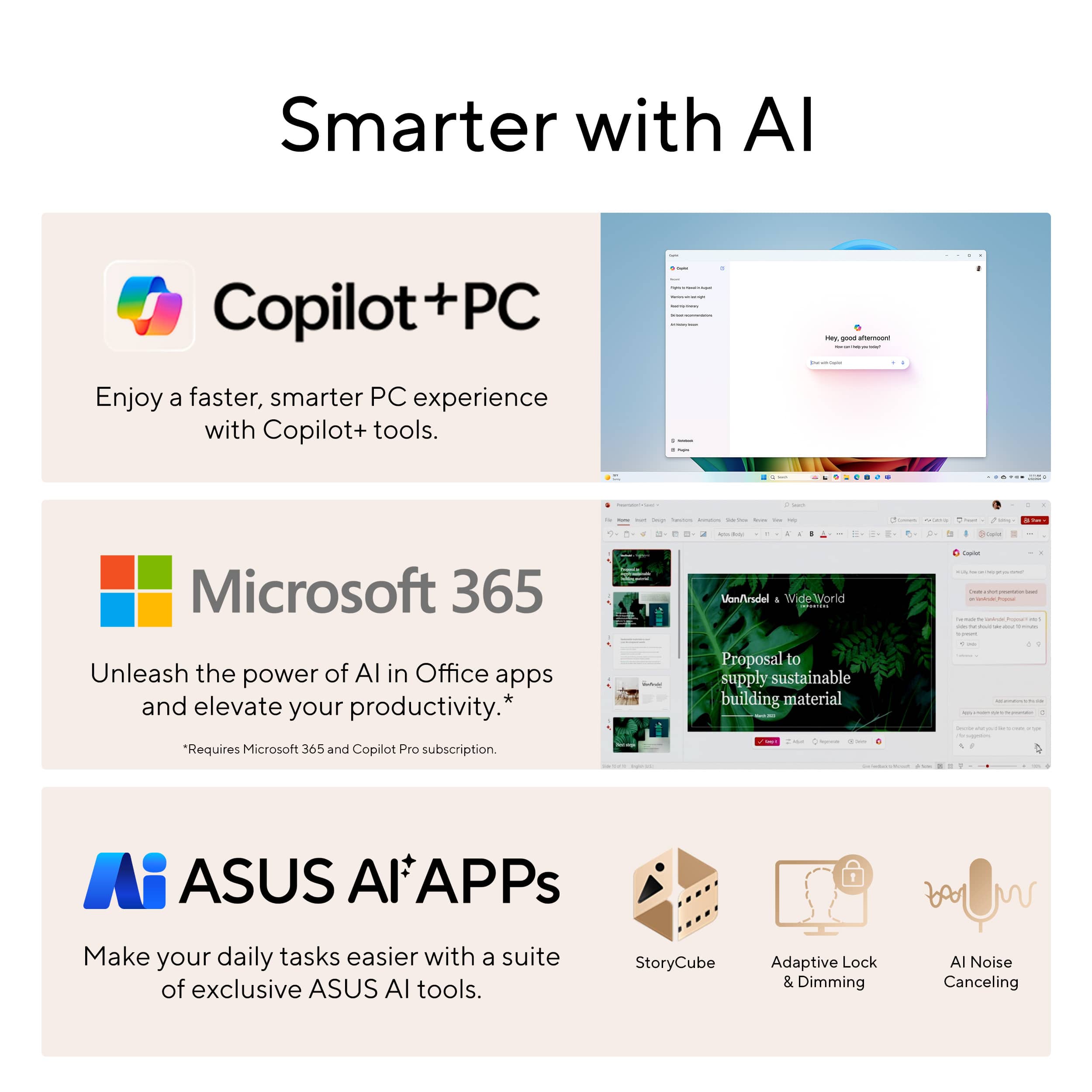








- Model:
- HT5306QA-PZ13.X1P1TB
- SKU:
- 6585178
Rating by feature
- Battery Life
Rating 4.7 out of 5 stars
- Speed
Rating 4.5 out of 5 stars
- Display
Rating 4.6 out of 5 stars
Customers are saying
Customers express satisfaction with the impressive battery life, beautiful OLED display, and solid build quality, along with its portability and fast processor. However, some customers find the product to be a bit heavy. Additionally, there are comments about the limited port count and the 60Hz screen refresh rate.
This summary was generated by AI based on customer reviews.
Great machine
||Posted .This reviewer received promo considerations or sweepstakes entry for writing a review.Got it to replace my android tablet for work and I love it.
I would recommend this to a friendBest Laptop ever!
||Posted . Owned for less than 1 week when reviewed.This reviewer received promo considerations or sweepstakes entry for writing a review.This baby is fast! I love it! I’ve been needing a new laptop for school and this is perfect.
I would recommend this to a friendApple Watch
||Posted .This reviewer received promo considerations or sweepstakes entry for writing a review.Good luck for bestbuy Thanks alot for helping and staaf
I would recommend this to a friend- Pros mentioned:Battery life, Oled display, Portability

Looking for a wonderful, real world laptop?
|Posted .This reviewer received promo considerations or sweepstakes entry for writing a review.Here it is!! This laptop has one of, if not the best, displays I have seen and used in some time, including (subjectively speaking) my 6+ years old 4K laptop. But to the basics. It's fast, easy to use, has that gorgeous screen and is very portable! I started by loading 10,000+ songs on it and then using it as a networked player throughout my home. Not a single problem accessing and playing music. I also tested playing directly to a few of my Bluetooth headphones including my Bose QC45 and Sennheiser Momentum 4 headphones. I put my Pandora and SiriusXM accounts on and enjoyed my music via those headphones played back on this excellent laptop! It sounds great and I am listening to "Willie's Roadhouse" (on SiriusXM) as I write this! I have also put Disney+ and MAX on the laptop and the picture is excellent and sound via the headphones is also quite good. Zero buffeting of the film and soundtrack and never less than a sharply detailed screen was presented! Most people use their laptops for smurfing the interwebs and this one is fast! No buffering on movies or music, photos load instantly and it is without a doubt the best screen I have yet to use! And for writing on forums, et al, there is a nice bonus feature: The F8 Key is also a "smilie" key! 😊 The only minus I really have is that sometimes when typing on the included keyboard with my wrists resting on the lower half of the board, everything, and I mean EVERYTHING, I have typed is suddenly erased!! This has happened multiple times and now I uncomfortably "float" my wrists above above the keyboard. Being a handicapable seasoned citizen with a sense of humor, this is both frustrating and funny! But I'm thinking about getting a Bluetooth keyboard. The case that comes with it is excellent and has kept the laptop in perfect shape the two times I have dropped it getting up from my couch. It charges quickly and a full charge lasts several hours. In the real world this is perhaps the all 'round best laptop I have owned to date. It's fast, looks great, is durable and does everything that I need it to. I think it would do the same for pretty much anyone looking for a real world laptop. Highly recommended? But of course!
I would recommend this to a friend Good lap
||Posted . Owned for 1 week when reviewed.This reviewer received promo considerations or sweepstakes entry for writing a review.The laptop is good and very versatile. We really liked it
I would recommend this to a friend- Cons mentioned:Weight
Sent it back
||Posted . Owned for 3 weeks when reviewed.This reviewer received promo considerations or sweepstakes entry for writing a review.Too heavy for a notepad; too clunky for a laptop, having all the weight all in the screen. I sent it back without ever even turning it on.
No, I would not recommend this to a friendBrand response from ASUS Answers
Posted .Dear Clay,
Thank you for sharing your comments regarding the laptop. We understand that it didn't meet your full expectations, and we sincerely apologize for that as we do understand your concerns. Providing our customers with high-quality products is our top priority, and we'll forward your feedback to our team for review.
We stand behind our products and continuously strive to improve our products and processes to achieve customer service excellence. If you require any further assistance, please email us at customerloyalty@asus.com and include the case number "N2412010326-0001" as a reference. We will do our best to resolve your case quickly. Your feedback is very important to us and enables us to improve our support channels. Thank you for choosing ASUS.
Best Regards,
Chantae
ASUS Customer Loyalty US Support
- Pros mentioned:Battery life, Build quality, PortabilityCons mentioned:Port count
A great alternative to Microsoft's Surface Pro
|Posted .This reviewer received promo considerations or sweepstakes entry for writing a review.The Asus Proart PZ13 is my second tablet style windows device. My last 1 was a Surface Pro 4 which served me well for a number of years before Microsoft said no more upgrade soup for you. Since then I went back to using traditional laptops but found myself using my convertible style laptop like a tablet while on the couch wishing it was just a tablet, especially while reading long forum posts or watching videos. I would usually switch over to my Android tablet for those tasks as it would be lighter and thinner than using my laptop. I recently got my wife a Microsoft Surface Laptop with a SnapdragonX and was impressed with the usability of the non Intel processor. Granted this is NOT a device that is geared toward intensive gaming. It is more than capable for internet based, but these Qualcomm devices lack dedicated graphics. The one thing I liked about the SnapdragonX Surface Laptop was the lack of fan noise. While it did get warm, I have yet to experience it get HOT. Battery life has been terrific for web browsing, watching videos and communications. The PZ13 is no different. Its lighter and thinner than the Surface Laptop, thinner than the Surface Pro 11 and just a touch thicker than my Samsung Tab S9+. There is a vent and fan port on the side and back of the PZ13 but the 0DB cooling so far works with no fan noise much like my Samsung Tab S9. Microsoft CoPilot works just as it did in my Surface Laptop, it is responsive and quick, but it's more for fun. I need to switch my brain from wanting to google everything right off the bat and start hitting that CoPilot button. I do wish that the CoPilot button wasn't just underneath the period button thought. Build construction is on par with the Surface Pro. As a matter of fact I like that the kickstand is not integrated with the PZ13. Althought my SP4 stand never failed, I was always worried about it. The inclusion of the keyboard case is definitely appreciated. On that note the keyboard feels nice to type with decent key travel and not cramped with several levels of backlighting. However there is no angle adjustability so it wants to be flat. With some acrobatics, you can use this while on the couch, this tablet PC is definitely NOT a laptop. The large trackpad is responsive and smooth. Multitouch gestures work as they should. The magnetic back with integrated kickstand is stiff yet easy enough to adjust with one hand. The magnet keeps it on the back of the tablet without much worry that it will come off, yet it is easy to just slide off. I wouldn't carrying it by the kickstand unless you want to quickly introduce the PZ13 to the floor. The only ports found on this tablet PC will be 2 USB4 Type-C ports that will support up to 5K monitors. Only 1 USB C port is exposed. Just above that the second USB C port is under a flap which accompanied by a full sized SD card reader slot. Sound is loud and easy to hear but speakers sound a bit boxy. I connected some bluetooth speakers and earbuds and I don't really need to worry too much about sound. The OLED screen only has a 60hz refresh rate, but again this is not meant to be a gaming laptop so I really don't notice too much a difference. For this tablet, I would rather have this refresh rate over the hit the battery would potentially take. Windows Hello cameras pick me quickly and the computer is unlocked reliably. Color Calibration is as good as my Asus ProArt IPS 27" 4K Monitor. Colors look great and the screen is sharp. My aging eyes can still see small text clearly. The left and right bezels while in landscape are rather slim, while the top and bottom bezels are a bit larger. This will aid when using the tablet in portrait mode. I have been using the PZ13 as a personal device at work so I can keep up with my personal schedule, email, messages from my phone. I even use my Samsung Tab S9+ as a secondary screen. I don't even use the keyboard since my work keyboard mouse can both switch between 3 devices. The PZ13 is lightweight with a minimal footprint, can last through my work day without having to be plugged in. This is our second SnapdragonX Windows PC and for our uses, it is more than sufficient for daily computing. It's as quick to jump into a windows machine as it is to get on to an Android or iOS device. I hope these Snapdragon processors are a precursor to having both Windows/Android or iOS Co-Exist on a single device and use larger screens as full on PCs. Similar to what Samsung Dex is doing, but with Windows. In the meantime, I am happy with what the PZ13 offers.
I would recommend this to a friend Great laptop
||Posted . Owned for 1 month when reviewed.This reviewer received promo considerations or sweepstakes entry for writing a review.Awesome laptop working great. It helps out in university
I would recommend this to a friendExcellent Product
||Posted . Owned for 2 months when reviewed.This reviewer received promo considerations or sweepstakes entry for writing a review.The product is working very excellently. I love thid computer!
I would recommend this to a friendDont waste your money save up for the model one up
||Posted .This reviewer received promo considerations or sweepstakes entry for writing a review.Wish i would have bought the model on up from this its kinda just a expensive android tab that doesn't do anything it claims on adds the model one up does waste of money wish i could return.it and spend the xtra money get something that works
No, I would not recommend this to a friendBrand response from ASUS Answers
Posted .Dear JeffC,
Thank you for your comment.
We do understand your disappointment with the laptop and the inconvenience this may have caused if it is not working properly. If you are experiencing stability or performance issues with this laptop, ensure Windows, drivers, BIOS and applications are up to date. Updates for this laptop are posted at: https://www.asus.com/us/laptops/for-creators/proart/proart-pz13-ht5306/helpdesk_download?model2Name=HT5306QA. Keeping this laptop updated will maintain optimum system stability and performance. Additionally, while accessing web applications, ensure the unit has access to an established router and internet service is working properly since poor and unstable internet connection will definitely affect system speed and performance. If these steps were performed to no avail, please try to run a diagnostics or optimization test using the "My ASUS" utility software or application. If this is not pre-installed on the laptop, please download the application at the Microsoft Store. For details on how to use "My ASUS", please go to: https://www.asus.com/support/FAQ/1041686/.
If you need further assistance with this product, please email me at cl-rodel@asus.com and I would be more than happy to help. Or, you are most welcome to call Product Support Hotline at: 1(888) 678-3688. Also, you can chat with an ASUS live support agent from the link: https://www.asus.com/us/support/article/1135/.
Thank you for choosing an ASUS product.
Regards,
Rodel
ASUS Customer Loyalty
- Pros mentioned:Build quality, Portability, Processor speed
A power packed durable creative travel companion
|Posted .This reviewer received promo considerations or sweepstakes entry for writing a review.When I first unboxed the new ASUS ProArt PZ13 convertible tablet, I was struck by its build quality. It’s incredibly slim and lightweight, making it easy to carry around, but still has a perfect size with a 13" screen. The first thing that impressed me was the magnetic cover and keyboard, both of which feel incredibly durable. They detach and connect seamlessly, staying securely in place without any hassle. The cover doubles as a fold-out stand, making it easy to prop the tablet up at the perfect angle for desktop use, which is a very convenient feature. The keyboard is exceptional for a magnetic detachable one. It has full-size, backlit keys with optimal key travel and a nice tactile feel, which makes typing enjoyable for the compact portability. The full-size trackpad is a great addition, offering responsive tracking, so I never feel like I'm compromising despite the portable form factor. The speakers, positioned on the sides, sound great for their size, providing clear and well-balanced audio. Connectivity is minimal but practical, with 2 USB-C 4.0 ports and a MicroSD card reader, and they even include a MicroSD adapter in the package. The 3K OLED touchscreen is simply stunning, offering vibrant colors and brilliant contrast. The touch responsiveness is top-notch, and the included stylus pen works flawlessly, making it perfect for creative tasks. The screen's clarity and color accuracy are ideal for design work, content creation, or simply enjoying high-quality media. The tablet and screen is composed of military grade components and gorilla glass making it seamlessly indestructible to a certain degree with water and dust resistance, but I do not wish to test that theory for such an investment. As a tablet, it easily feels like much more—it’s more of a portable laptop with power and speeds that you don’t often expect in a device this size. It runs on the powerful Qualcomm Snapdragon X plus processor paired with an Elite Adreno GPU, providing entry to mid-level performance, which is more than sufficient for most tasks, even light gaming or design work. With 16GB of memory and a 1TB SSD, there's plenty of room for storage and lightning-fast access to files. Another thing I appreciated is that the ProArt PZ13 doesn’t come with a ton of bloatware. Instead, it’s equipped with a suite of productivity and personalization software that actually fits well with the device’s creative spirit. The ProArt Creator Hub replaces the usual ASUS Armory Crate and provides excellent tools for monitoring and fine-tuning power usage and performance stats. The ProArt Story Cube is another standout app, allowing for memory filing and creative storytelling with AI assistance, making it a fun and useful tool for organizing projects. This ASUS ProArt PZ13 tablet packs a serious punch in terms of power, durability, and creativity. It’s an ideal travel companion for those who need on-the-go production and creativity without compromising performance. I could go on and on because this device has so much to offer, and I’ve barely scratched the surface of its full potential! Whether you’re a designer, artist, or someone who just needs a high-performance, portable machine, this tablet delivers.
I would recommend this to a friend - Pros mentioned:Oled display, Processor speedCons mentioned:Port count
Built for the Creator in You
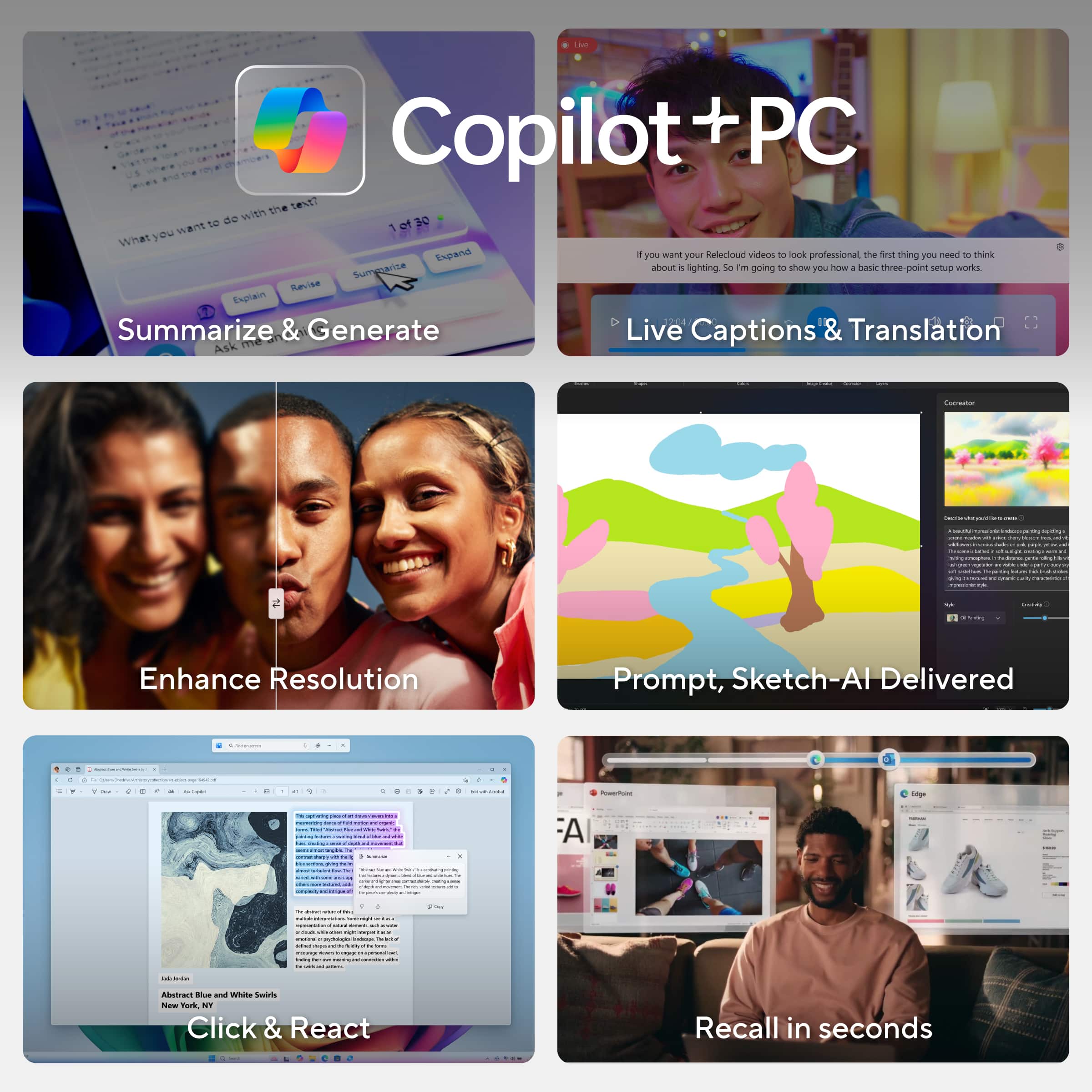
|Posted .This reviewer received promo considerations or sweepstakes entry for writing a review.In my experience, ASUS has proven itself to be an exceptional brand when it comes to computer electronics. I have owned several of their devices. As a writer, and creator of other forms of artistic endeavors, I was intrigued with what this ASUS ProArt PZ13 13.3" Convertible Tablet had to offer for the type of content I create. There are several 'app' programs pre-loaded on the tablet which allows you to explore and have fun with "AI enhanced creativity." StoryCube lets you organize your media files. CapCut is where you can really get creative. Start projects, make use of premade templates (memes, Vlog, and retro edit are my favorites), have the AI create auto captions and transitions; the video translator is also an awesome feature. Of course, there is Copilot+PC, as well, which I'm still experimenting with. The ProArt Creator Hub boasts many useful tools to monitor and manage your tablet's resources including - performance optimization, color control & calibration, memory & storage, CPU load, etc. The Snapdragon X processor and 16gb memory performs impressively, enabling responsive, smooth transitions between apps, browser tabs, and when working with several open software programs, simultaneously. Plus, the 1TB SSD storage is a simple 'minimum' necessity, in my opinion. The detachable backlit keyboard lets you use the tablet as what amounts to a wannabe "laptop." This tablet is slim and 'lightweight' but is solidly built, both inside and out. The durable cover/adjustable stand/keyboard case really looks and feels sturdy, and is absolutely designed to protect the tablet. The beautiful, bright, clear OLED touchscreen is hyper responsive! Visuals are super colorful! However, I could easily see everywhere my fingers touched the Corning Gorilla Glass. Not that this is a 'deal breaker.' It's just something worth noting, and an incentive for you to regularly clean the screen. The dual cameras - front facing and on the back side - are what you'd expect. Audio coming from the speakers sounds good, even without pumping up the volume to its maximum level. There is an exhaust "window" on the right hand side and along the top edge of the tablet for the fan, which I could hear working more loudly when I tried playing a couple of lower graphics intensive games on Steam. Yet, it was whisper quiet when using the tablet for other basic computing functions. As for connectivity options ... there are 2 USB-C ports, along with a slot for an SD card. If you are wanting to use additional wired peripherals, you will likely be needing to purchase an adapter to give you more port plug-ins. While this model ProArt tablet does not include an (optional) ASUS Pen 2.0, there IS a microSD card adapter included for those wanting to transfer images or video from a camera or camcorder, in order to make use of all this AI enhanced tablet has to offer. Overall, this ASUS ProArt PZ13 tablet is a well-thought out and beautifully designed device. To me, it's basically a laptop masquerading as a tablet. I'm enjoying this ProArt tablet so far, and hope to use it to create many amazing projects.
I would recommend this to a friend Err
||Posted . Owned for 3 weeks when reviewed.This reviewer received promo considerations or sweepstakes entry for writing a review.Not all software supports in this chip, mouse pad problem.
No, I would not recommend this to a friendBrand response from Snapdragon team
Posted .Hi JayedZ,
Thank you for your feedback. We’re continuously working to expand support for more applications, both natively and via emulation. Please visit https://www.qualcomm.com/products/features/windowsapps to see the most popular supported apps.
Brand response from ASUS Answers
Posted .Dear JayedZ,
We're sorry to hear that you're having issues with the touchpad and we apologize for the inconvenience caused. This is not the kind of quality to expect from our products and it's not the norm. Please allow us to make your experience with ASUS a better one.
To troubleshoot the issue described, we recommend following the steps in the FAQ below. Should the issue persist, please contact our support team at https://www.asus.com/us/support/CallUs to further investigate the problem or assist with repairing the device.
We stand behind our products and continuously strive to improve our products and processes to achieve customer service excellence. For more information, email us at customerloyalty@asus.com and include the case number "N2410015968-0002" as a reference. We will do our best to resolve your case quickly. Your feedback is very important to us and enables us to improve our support channels. Thank you for choosing ASUS.
Best Regards,
Schottky
ASUS Customer Loyalty US Support
https://www.asus.com/support/faq/1042539/
Buyer beware
||Posted . Owned for 6 months when reviewed.This reviewer received promo considerations or sweepstakes entry for writing a review.I purchased this model back in November I have only opened an used about 15 times since then. This month I needed to used and the power will not turn on. I took it to Geek Squad they didn't really attempt to fix it they told me that they can ship it to Asus and it will be 2 weeks and it is likely that I'll lose my files and or my laptop will be replaced. I am utterly disappointed with this purchase and experience I am having especially as a BB card holder and member.
No, I would not recommend this to a friendBrand response from ASUS Answers
Posted .Dear AGanersMom,
Thank you for reaching out.
We certainly understand the inconvenience this may have caused. If the laptop will not boot up or it's just black screen but the fan, please do the following. Please try to do a power cycle by pressing and holding down the power button to shut it down completely. If it still black screen after a few minutes, at least 10 minutes, please repeat the power cycle process again. If the laptop is applying updates in the System Registry, it will black screen temporarily until the update were applied successfully. Also, please try to disconnect the power cable and let the unit drain for 24 hours to clear the memory. This will reset the hardware to default settings. After doing this, please reconnect your AC adapter, do not power on the laptop until the battery was charged. If you need further assistance, please email me at cl-rodel@asus.com and I will be more than happy to help. Or, you are most welcome to call Product Support Hotline at: 1(888) 678-3688. Also, you can chat with an ASUS live support agent from the link: https://www.asus.com/us/support/article/1135/.
Thank you for choosing an ASUS product.
Regards,
Rodel
ASUS Customer Loyalty
- Pros mentioned:Battery life, Build quality, Oled display
Beautiful Display, Great Portability
|Posted .This reviewer received promo considerations or sweepstakes entry for writing a review.This is a striking table. The display is incredibly at 13 inches with a 2880 by 1800 resolution. This is an OLED display, so you can expect the best contrast ratio. Content pops off of the screen. It is bright, clear, and just a joy to have such an amazing screen on the device. It is amazing portable. It includes a case and keyboard cover, which are separate. Meaning that you can detach or attach the keyboard, but still keep the back of the case on the tablet. This is important because the back of the table case has an amazing kickstand. The stand feels solid and I like that it can adjust to so many different angles. The keyboard is great as well. For a thin keyboard it does feel like it has some travel. The trackpad is very large for a keyboard cover and is great to use. The trackage also has built in sliders (on either edge of the trackpad) for adjusting volume or brightness. The speakers are great as well. It has 16GB of RAM and a 1TB storage drive. It is very fast and the Snapdragon processor might be one of the best things to happen to Windows devices. Performance is not an issue and I’m able to get more than 1 day of use. I use this mainly for working in the browser, but have also installed some development tools that are optimized for the ARM processor. It can also play some games, more casual game, it is definitely not a high end gaming laptop. For an everyday computer, this is great to use. The battery last a very long time, it is very portable. The star of the show is the display, for me.
I would recommend this to a friend Just an I’ve over priced tablet
||Posted . Owned for 1 month when reviewed.This reviewer received promo considerations or sweepstakes entry for writing a review.Just an I’ve over priced tablet, freezes, battery doesn’t last long. Really not worth the price. A bit uncomfortable to place anywhere.
No, I would not recommend this to a friendBrand response from Snapdragon team
Posted .Hi AnaV, Snapdragon X Series processors are designed to deliver exceptional performance with remarkable efficiency, ensuring all-day battery life. If you’re experiencing shorter battery life, please check your power settings and display brightness, as these can impact battery performance. Additionally, restarting your PC and ensuring you have the latest updates installed can also help optimize battery life.
Brand response from ASUS Answers
Posted .Dear Ana V,
We sincerely apologize for the system performance and battery issue you're experiencing with the ASUS ProArt PZ13 Laptop, and for the inconvenience this may have caused you. This is not the kind of quality to expect from our products and it's not the norm. To troubleshoot the issue described, we recommend following the steps in the FAQ below. Should the issue persist, please contact our support team at https://www.asus.com/us/support/CallUs to further investigate the problem or assist with repairing the device.
We stand behind our products and continuously strive to improve our products and processes to achieve customer service excellence. For more information, email us at customerloyalty@asus.com and include the case number "N2412010326-0004" as a reference. We will do our best to resolve your case quickly. Your feedback is very important to us and enables us to improve our support channels. Thank you for choosing ASUS.
Best Regards,
Chantae
ASUS Customer Loyalty US Support
[Windows 11/10] Troubleshooting - Resolving System Error Messages or Unresponsiveness (Freeze/Black Screen/White Screen during usage) - https://www.asus.com/us/support/faq/1038855/
[Windows 11/10] Troubleshooting - Short Battery Life (Rapid Battery Drain) - https://www.asus.com/support/faq/1043914/
unlucky buy have to return it
||Posted .This reviewer received promo considerations or sweepstakes entry for writing a review.The unit i got is totally dead. Could not power on or charge. Simply quality issue so i returned it. Maybe it's just my bad luck.
No, I would not recommend this to a friendBrand response from ASUS Answers
Posted .Dear JieX,
We’re sorry to hear your laptop isn’t powering on. Before you return your unit, please try the troubleshooting steps outlined in our FAQ below. If the issue persists, contact our support team at https://www.asus.com/us/support/CallUs so we can further investigate or arrange a repair.
We stand behind our products and are committed to continuously improving both our devices and our support processes. For personalized assistance, email us at customerloyalty@asus.com and include your case number N2412010326-0005. We’ll do everything we can to resolve your issue quickly.
Your feedback helps us serve you better—thank you for choosing ASUS.
Best regards,
Schottky
ASUS Customer Loyalty US Support
FAQ: Device Boot Failure or No Display After Boot https://www.asus.com/support/faq/1014276/
Terrible service and product!
||Posted . Owned for 2 months when reviewed.This reviewer received promo considerations or sweepstakes entry for writing a review.I bought this laptop two months ago, and now a line has appeared on the screen, making that part unclickable. I took it back to Best Buy, and they wanted $200 just to run a diagnostic with no guarantee of a fix. If they can’t fix it, they’re not liable for anything. This is the worst customer service I’ve experienced from a major retailer. I’ll never shop at Best Buy again.
No, I would not recommend this to a friendBrand response from ASUS Answers
Posted .Dear Daniel,
We regret to hear about the display issue you're facing with the laptop, and we apologize for the difficulties you have encountered with the reseller team. We understand the impression this may have created and we hope this will not be a long-term lasting impression as you have chosen ASUS as a trusted brand for excellence.
To further investigate the problem or to obtain assistance with getting the device repaired, we recommend contacting our support team at https://www.asus.com/us/support/CallUs.
We stand behind our products and continuously strive to improve our products and processes to achieve customer service excellence. For more information, email us at customerloyalty@asus.com and include the case number "N2411005450-0002" as a reference. We will do our best to resolve your case quickly. Your feedback is very important to us and enables us to improve our support channels. Thank you for choosing ASUS.
Best Regards,
Chantae
ASUS Customer Loyalty US Support
- Pros mentioned:Build quality, Oled displayCons mentioned:Weight
Niche product, worth it?
|Posted .This reviewer received promo considerations or sweepstakes entry for writing a review.As a content creator constantly on the move, finding the right device that balances performance, portability, and display quality is crucial. Recently, I decided to invest in the Asus ProArt PZ13 laptop/tablet, a product from the renowned ProArt line known for its studio-quality PCs and displays. Pros: Display Quality: The display of the Asus ProArt PZ13 lives up to the ProArt reputation. Indoors, the clarity and color representation are exceptional. The colors are vibrant and accurate, making it a joy to edit photos and videos. The 13-inch screen size strikes a perfect balance between portability and usability, providing ample screen real estate without being cumbersome. Included Accessories: The included keyboard and rear cover are thoughtful additions. The keyboard self-aligns and snaps into place effortlessly thanks to the magnetic connector. This feature is particularly handy when you’re setting up quickly in different locations. The keys themselves have a satisfying feel and response, making typing a pleasant experience. The touchpad is also well-sized and has a nice tactile feel, contributing to the overall usability of the device. Portability and Silent Operation: The 13-inch screen size is ideal for a portable device. Additionally, the device operates almost silently when not under heavy load, which is great for working in quiet environments like libraries or cafes. Cons: Outdoor Usability: One of the significant drawbacks of the Asus ProArt PZ13 is its outdoor usability. The screen is highly reflective and becomes almost unusable in direct sunlight. For a product marketed towards on-the-go content creators, this is a considerable limitation. The display looks washed out and loses its brilliance outdoors, which can be frustrating when you need to work outside. Keyboard Issues: I’ve encountered occasional issues with the keyboard becoming unresponsive. At times, I had to press the power button to put the device to sleep and then wake it up again to get the keyboard working. This could be a bug that might be fixed with a software update, or it could be related to specific applications I was using. Camera App and Touchpad: The camera app has crashed several times during use, which again is hopefully just a bug. Additionally, while the touchpad is generally good, it has a slightly tacky feel that might not be to everyone’s liking, although this does aid in precision. Weight and Stylus Omission: Despite being marketed as an on-the-go device, the ProArt PZ13 is relatively heavy, which can be a drawback for those who need to carry it around frequently (I have full blown 17" laptops that weigh less). Maybe it's very durable, as they say it is, and that adds weight to it. It's not overly heavy, just heavy for it's size. Moreover, the omission of an included stylus seems like a significant oversight, especially for a tablet computer aimed at content creators. A stylus would have enhanced the device’s functionality, particularly for tasks like drawing or note-taking, but instead you'll need to buy that separately. Summary: In conclusion, the Asus ProArt PZ13 feels like it is a niche product with its standout feature being the display quality (at least indoors.) The 13-inch screen size is perfect for portability, and the included keyboard and rear cover add to its usability. However, the device falls short in outdoor usability, size-to-weight ratio-and the lack of an included stylus. So I'm not really sure who this is for. If you need a more versatile device with better outdoor performance and additional features, you might want to consider other options in the same price range. The 13-inch laptop version of the ProArt line offers more capabilities, is probably just as portable, and could be worth exploring.
No, I would not recommend this to a friend - Pros mentioned:Battery life, Build quality, Oled display
Ultimate Versatility, Incredible OLED Screen
|Posted .This reviewer received promo considerations or sweepstakes entry for writing a review.The OLED screen! Simply incredible crisp, clear, bright screen. Comes with both a detachable keyboard and a detachable kickstand, both which firmly magnetize to the front and back of the tablet for protection. The keyboard is a good typing experience—has good travel and three brightness levels of its backlit keys. There is a nice large but not too large trackpad. The foldout kickstand can be set to multiple angles for the best personal experience. The only downside to the keyboard and kickstand is their color, which in my opinion looks like a muddy, washed out shade of pea green. But in terms of pure functionality they are superior to other similar setups that I have tried in the past. The ultimate in versatility comes in its ability to be either a laptop experience with the pre-installed Windows 11 (or other browsers you may prefer; I installed Google Chrome), or be a tablet experience. If you want to use the pre-installed Microsoft software they have a free trial but then you have to eventually pay, which is why I use Google Docs and Slides. The tablet experience is also excellent, with a good responsive touchscreen (and of course that awesome OLED screen!). Streaming movies, television, etc. is incredible because of the remarkable picture detail, colors, graphics, just everything. Even when simply going through everyday casual internet usage of emailing, shopping, surfing the web, reading, and more, the superior screen is so amazing. These aspects are what make this tablet/laptop hybrid the perfect combination of a work device and an entertainment device. The flexibility of being able to utilize the ASUS ProArt PZ13 as either a tablet or laptop is fully experienced with its ability to be used in three ways: the tablet wholly by itself, the tablet just with the kickstand, and then all three pieces together (the tablet on the kickstand with the keyboard attached). I really like that I can quickly pull the tablet off the kickstand and/or keyboard if I want to just relax, kick back, and stream some videos on the couch or in bed, and hold it in my hands or put it on a small pillow stand. Or if I want to prop up the tablet on the kitchen counter or a table, etc. but do not need the keyboard, then I can simply use the kickstand (and it’s great not to have the keyboard sticking out when I don’t need it). If I need to get some work done or need to type out an email, etc. then I can quickly put the tablet on its kickstand and snap it onto the keyboard. Any and all of these scenarios take literal seconds to set up because of the easy versatility and flexibility of the ProArt PZ13. Weight-wise…well, it is pretty hefty, but that is to be expected because of its nice big 13+ inch screen, and both the kickstand and keyboard add some more heft. But that is easily overlooked because of the overall superior aspects of the entire hybrid setup. I have tried similar setups in the past and they are not anywhere near as good an experience as this. Oh, and another nice aspect is the non-proprietary charging—it uses USB-C, of which I have many around the house. But it comes with a good 65W charging brick, which quickly charges the tablet (and the tablet holds a charge well and doesn’t drain too fast, even with heavy usage). Having the latest Snapdragon X Plus processor, 1TB of storage, 16GB RAM, and the sleek, classy-looking deep matte black color of the tablet…it all adds up to a great package.
I would recommend this to a friend